Travel connectivity guide
Colombo eSIM: Mobile Internet for Your Trip
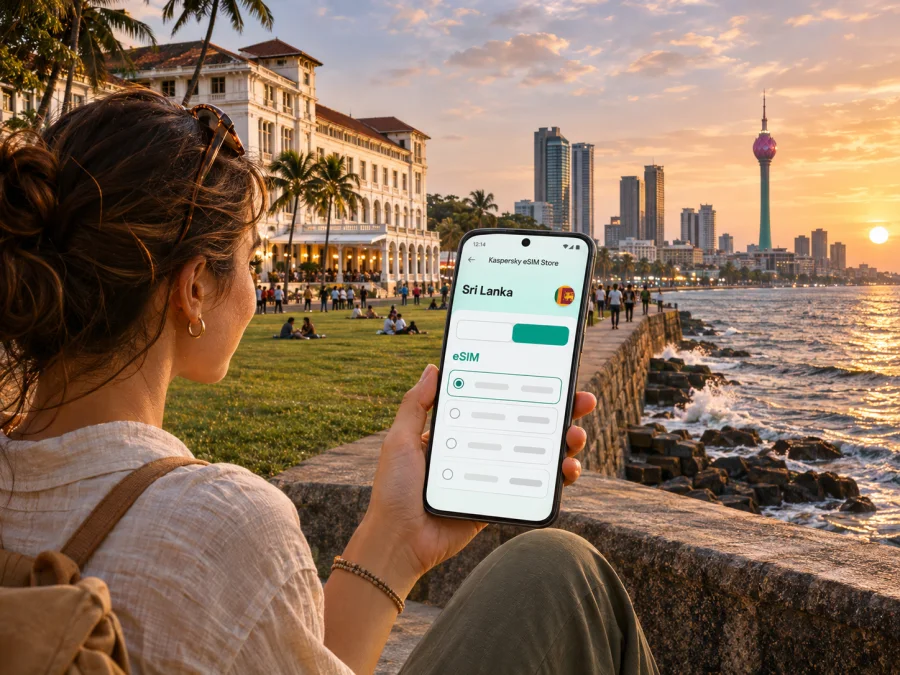
Colombo eSIM: mobile connection and internet for your city trip
Colombo rewards a little planning. One day may take you from the busy lanes of Pettah to the seafront at Galle Face Green; the next might involve a hotel in Cinnamon Gardens, a meeting near Fort, or an onward train from Colombo Fort. Mobile internet helps with maps, ride bookings, opening hours, translation and messages while you move between these very different parts of the city.
An eSIM can keep your travel data separate from the physical SIM already in your phone. Before choosing one, check that your handset supports eSIM, that it is not locked to a home carrier, and that the plan terms fit your dates and route. Coverage, speed and availability depend on the local network, location, device and current conditions. This guide explains how to plan for Colombo without assuming that every visitor needs the same setup.
Colombo, the arrival city and the wider capital region
Colombo is Sri Lanka’s commercial centre and its largest urban hub, on the country’s western coast. It is often casually called the capital, but the roles are more precise: Sri Jayawardenepura Kotte is the country’s legislative capital, while Colombo remains the main commercial city and a major port. For a visitor, the distinction rarely changes the itinerary, but it helps when searching for government offices, addresses or accommodation.
The main international gateway for Colombo is Bandaranaike International Airport (BIA), located in Katunayake rather than within the city. The drive into Colombo can take substantially different amounts of time depending on traffic, time of day and destination. Do not plan a tight connection based on a single estimated journey duration. The airport lists app-based taxis, an airport taxi service, public transport and the 187 Airport–Colombo Fort bus among the onward options. Check the current departure point, operating details and service status after arrival.
| Your first destination | What to plan for | Why mobile data helps |
|---|---|---|
| Colombo Fort | A busy transport and business area; confirm the exact hotel entrance or meeting point. | Find the right exit, share your location and check route changes. |
| Pettah | Dense market streets where the address may be easier to find by pin than by a long description. | Keep a map open and save the destination before walking. |
| Galle Face / central seafront | A straightforward reference point, though traffic can make a short drive slow. | Check the pickup point and communicate with your driver. |
| Cinnamon Gardens | A greener, more spread-out residential and hotel district. | Navigate between restaurants, museums and accommodation. |
| Airport transfer | BIA is in Katunayake, north of Colombo. | Confirm the bus or taxi arrangement and send updates if plans change. |
At BIA, decide how you will reach the city before you leave the arrivals area. If you take the 187 service, verify that it is operating and confirm where it boards and where it stops. If using a taxi or ride-hailing app, check the vehicle and destination in the app before getting in. A data connection can make those checks easier, but save your hotel address offline as a backup. Keep some battery for navigation and messages, especially after a long flight.
Choose data around the shape of your visit
Colombo is not a single sightseeing zone. Distances on a map can look modest, yet heat, rain, congestion and the time required to cross a busy road may change how much you cover in a day. A practical data plan is based less on the city’s size than on how you expect to use your phone.
A short stop with a confirmed driver, hotel Wi-Fi and a few map checks needs less data than a week of video calls, navigation, photo uploads and hotspot use. If you are continuing to Kandy, Galle, the southern coast or another part of Sri Lanka, think about the whole route rather than choosing only for the first day in Colombo. Confirm that the plan’s eligible country or region includes every stop on your itinerary.
A simple way to estimate usage
Before choosing an allowance, consider how many days you will use data, how often you will navigate, whether you make video calls, whether photo backups run automatically, and whether you will share a hotspot. Video and laptop syncing can use far more data than maps and messages. Hotel Wi-Fi can supplement mobile data, but should not be your only option outside the hotel.
| Travel pattern | Likely data habits | Planning approach |
|---|---|---|
| Short layover | Maps, messages, ride coordination | Save key places offline and avoid large uploads. |
| City break | Navigation, searches, occasional calls | Estimate by day and leave a buffer. |
| Work trip | Email, messaging, video meetings | Check data allowance and hotspot terms. |
| Island-wide route | Data across several destinations | Confirm eligibility for the full route. |
These are planning categories, not guaranteed amounts. App settings, video quality, updates and network conditions affect usage. Review allowance, validity, destinations and tethering terms; reset your phone’s data counter at the start if available.
Staying oriented across Colombo
Colombo’s neighbourhoods are useful navigation anchors, but they are not interchangeable. Fort is the historic administrative and transport core; Pettah is a dense market district immediately east of it. Galle Face Green is a familiar coastal promenade, while Cinnamon Gardens (Colombo 7) has a greener residential character and cultural destinations. Use a precise venue pin for the final streets.
Fort and Pettah
Fort combines offices, hotels, older architecture and transport links. In Pettah, agree on a meeting point or share a pin before walking: busy market streets can make a written address hard to interpret. Step aside before checking your phone and keep valuables secure in crowds.
Galle Face and Cinnamon Gardens
Galle Face Green is a broad seaside promenade and a popular place to watch the evening sky. Choose a reachable pickup point rather than dropping a ride pin on the promenade. In Cinnamon Gardens, the National Museum and Independence Square are well-known stops; confirm opening days and hours before travelling.
Getting around: use data as a tool, not a timetable
Colombo travel often combines walking, buses, trains, tuk-tuks and cars. Navigation apps help with directions and pickup points, but fares, schedules and availability depend on the transport service. Check live details before setting off; saved routes can become outdated.
- Walking: Use a pedestrian route where available, but check the street crossing and avoid following a route that sends you along a road without a safe footpath. Download an offline map for the central districts before leaving Wi-Fi.
- Tuk-tuks and taxis: Confirm the destination and fare method before the ride. If you book through an app, match the registration and vehicle details to the booking and use the in-app trip information.
- Buses: Confirm the route number and destination locally. A map pin is useful for finding the stop, but it may not show temporary changes or the precise boarding side of a road.
- Trains: Colombo Fort and Maradana are important railway stations. Use the official railway timetable or reservation service for current schedules and ticket information, and recheck close to travel time. A connection in Colombo does not guarantee a seat on a particular train.
- Airport transfer: Compare the airport’s current options and check the latest service information. The 187 Airport–Colombo Fort bus is one listed option; do not assume its frequency or availability without checking.
Mobile data helps when a driver needs a nearby entrance, you must send an arrival update or a meeting location changes. Carry a power bank and keep your hotel address offline as a backup.
If you want to compare a travel data plan for this route, you can review eSIM options for Sri Lanka in Kaspersky eSIM Store. It is an app and website for choosing, purchasing and activating an eSIM with a suitable plan. Check the displayed destination, data allowance, validity and price against your itinerary; availability and terms can change.
What an eSIM does—and what it does not
An eSIM is a digital SIM profile installed on a compatible device. A travel eSIM can provide mobile data according to the terms of the chosen plan and the local network it connects to. It avoids swapping a physical SIM card, which can be helpful if you want to keep your home SIM in place for calls or verification messages. The exact setup and network experience depend on the plan and device.
A data-only eSIM generally does not give you a new local phone number or ordinary voice calls and SMS unless the specific plan says otherwise. You can keep your usual number active for calls or messages if your carrier and handset allow it, but check roaming charges and dual-SIM settings first. Messaging and internet calls can work over data when the relevant app and service are available.
Check the local market separately
Sri Lanka has local mobile operators, and some offer visitor SIM or eSIM products under their own terms. For example, SLT-Mobitel publishes a tourist eSIM option and says its airport arrival outlet can provide support. That is a local operator’s offer; it is separate from an international travel data plan selected through Kaspersky eSIM Store. Do not assume that a particular local operator profile, phone number, voice bundle or tourist registration process is included in a travel eSIM.
The Telecommunications Regulatory Commission of Sri Lanka lists licensed mobile operators. However, the presence of an operator in the market does not by itself confirm that a specific travel eSIM uses that operator, supports a particular network generation, or has a particular level of service in every Colombo neighbourhood. Check the terms displayed for the exact plan and ask the provider if you need confirmation about its network partner or voice capability.
Before you buy: a device and plan checklist
Device support varies by exact model, region of sale and carrier configuration. A product family name is not enough to confirm compatibility. Some phones have regional variants that omit eSIM support, and a handset may be locked even if its hardware supports eSIM. If you have a precise model number, check the manufacturer’s specifications and your carrier’s lock status before purchase. You can also check whether your device supports eSIM.
Before checkout, confirm each item:
- [ ] Your exact phone model and region variant support eSIM.
- [ ] The device is not network-locked in a way that prevents adding another eSIM.
- [ ] Your phone’s operating system is up to date enough for the installation steps.
- [ ] The plan lists Sri Lanka as a supported destination, and its validity covers your travel dates.
- [ ] The data allowance fits your expected navigation, messaging, work and hotspot use.
- [ ] You understand when the plan validity begins and what conditions trigger activation.
- [ ] You know whether the plan is data-only and whether calls, SMS, tethering or top-ups are included.
- [ ] You can access the installation details or QR code after purchase, ideally from a second screen or saved instructions.
- [ ] You have reliable Wi-Fi available when adding the eSIM if the setup method requires it.
If any point is unclear, resolve it before buying. Once an eSIM profile has been installed or activated, deletion, transfer and refunds may be subject to the selected plan’s rules. Do not remove the profile while troubleshooting unless the plan or support instructions tell you to do so.
Install before travel, activate when appropriate
If your plan permits pre-installation, add the eSIM over a stable internet connection. Installation may differ from activation: validity can begin at installation, first connection or another event listed in the terms. Follow the plan instructions and avoid enabling data roaming before the intended start if that could trigger charges.
See the Android eSIM installation instructions or iOS eSIM installation instructions. Menu names can vary by device version.
- Connect to Wi-Fi and open the installation details.
- In mobile network settings, choose to add an eSIM and scan the QR code or enter details manually.
- Label the new line, for example “Sri Lanka data.”
- Select it for mobile data when the plan should begin; keep your home line for calls if needed.
- Enable data roaming for the travel line only if the instructions require it.
- After arrival, allow time to register and check the selected data line if there is no connection.
If installing after landing, you may need airport Wi-Fi to download the profile. Keep the confirmation offline. Pre-installation can reduce airport setup, but service still depends on device, plan and network registration.
Three Colombo scenarios
A short stop between flights
Save the airport-to-city route, hotel or meeting pin and return route before the flight. Check the time available after immigration and transport. Prioritize directions and communication over high-bandwidth downloads, and use airport Wi-Fi if the eSIM is not active yet.
A workday in Fort, dinner by the coast
Save meeting addresses, pause photo backups and large downloads, and check hotspot terms before using a laptop. For an evening ride, confirm the pickup pin and vehicle details in the booking.
Colombo as the first stop on a longer trip
Confirm that the plan’s destination scope includes onward stops. Download maps and tickets while connected to Wi-Fi, keep transport details offline, and check current train schedules before departure. Do not assume performance is identical in every region.
If mobile data does not connect
Start with the least disruptive checks. A temporary delay after landing can happen while the phone registers on a network. Confirm that the eSIM profile is enabled and selected for mobile data, that the plan is valid for Sri Lanka, and that any required data roaming setting is on. Toggle airplane mode once or restart the phone if the plan instructions recommend it. Check for a carrier settings or device update only when you have a stable connection.
If the issue continues:
- Check the plan’s activation status, validity period and supported destination.
- Confirm the eSIM line is turned on and the home SIM is not selected for data by mistake.
- Review the plan’s network selection instructions; use automatic selection unless support directs you otherwise.
- Move to an open area and retry, since buildings and local conditions can affect reception.
- Contact the plan provider through its support channel with the order reference and a brief description of the steps already tried.
Avoid deleting the eSIM profile as an early troubleshooting step. Some profiles cannot be reinstalled after removal. If you need to make an urgent call, use your home line, a local phone or another available service, and check any roaming charges that may apply.
Frequently asked questions
Is Colombo the capital of Sri Lanka?
Colombo is the country’s commercial centre and largest urban hub. Sri Jayawardenepura Kotte is the legislative capital. Both place names may appear in regional addresses, so check the city and district listed for your destination.
Is Bandaranaike International Airport in Colombo?
No. BIA is in Katunayake, north of Colombo. It is the main international gateway used by many visitors travelling to the city. Plan the onward journey separately and check the airport’s current transport information.
Will one eSIM work throughout Colombo?
No eSIM can guarantee coverage in every building or street. Service depends on the local network, indoor conditions, congestion, device and selected plan. Check the coverage terms and keep an offline map or a second way to contact your accommodation.
Does a travel eSIM include calls and SMS?
Not necessarily. Many travel plans are data-only. Check the exact plan details. Internet messaging and calls may be available through apps, subject to the service and your data connection.
Should I buy a local SIM at the airport instead?
That depends on your needs. A local tourist SIM or eSIM may include features such as a local number or local calls, depending on the operator’s offer and registration rules. A travel data eSIM may be more convenient if you want to prepare in advance or keep your existing SIM installed. Compare current terms rather than assuming the two products are identical.
Can I use the eSIM as a hotspot?
Only if your chosen plan and device allow tethering. Check the terms before relying on it for a laptop or another traveller. Hotspot use can consume data faster than ordinary messaging and maps.
A calmer way to prepare for Colombo
Before departure, check the exact device variant, compare plan validity and data allowance with your travel dates, and install the eSIM over a reliable connection if the plan allows it. Save your arrival address, the airport transfer details, important map pins and onward tickets offline. In the city, use mobile data for live directions and coordination, while keeping a battery reserve and a backup plan for brief connection gaps.
When you are ready, use Kaspersky eSIM Store to choose an eSIM data plan for Sri Lanka that matches your Colombo visit and any onward stops. Review the displayed terms before purchase, then follow the setup instructions for your device. A little preparation makes it easier to focus on the city rather than on finding a connection after each move.


