Travel connectivity guide
Colon eSIM: Mobile Internet for Your Panama Trip
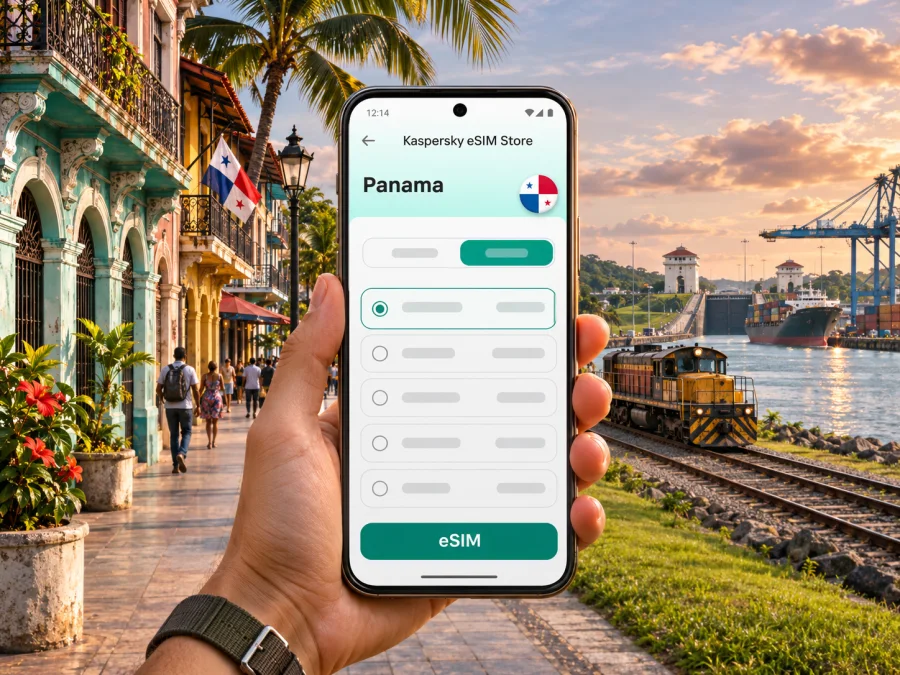
Colon eSIM for Mobile Connection and Internet
A visit to Colon often combines a city stay with a wider Caribbean-side itinerary: arriving from Panama City, seeing the Panama Canal at Agua Clara, arranging a port transfer, or continuing toward Portobelo and the coast. Mobile internet helps with maps, messages, reservations and last-minute transport decisions throughout that plan. An eSIM can be a practical option if your phone supports it and the selected plan covers Panama.
Colon is a city and port on Panama’s Caribbean coast, near the Atlantic entrance to the Panama Canal. It is distinct from Panama City, the country’s capital on the Pacific side. That distinction matters when you book transport, choose an airport transfer or search for a place to stay: “Colon” and “Panama City” are not interchangeable destination names.
When mobile internet helps in Colon
A connection is useful for more than sightseeing. The city can be a stop on a work itinerary, a starting point for an excursion, or a transfer between a cruise or rail arrival and another destination. Keeping mobile data available means you can check the details you need at the moment you need them, rather than relying on finding public Wi-Fi.
Common uses include:
- opening an offline or online map to find your hotel, meeting point, terminal or pickup location;
- messaging a driver or host if an arrival time changes;
- confirming reservations and checking a tour operator’s latest instructions;
- using translation, email, banking or work tools while away from your usual connection;
- checking weather and route information before a coastal day trip;
- sharing your location or coordinating with travel companions;
- keeping your main SIM available for calls or texts while using a separate eSIM for data, if your phone supports dual SIM use.
Plan the arrival before you leave
Many international itineraries reach Colon by way of Panama City. Panama’s principal international gateway is Tocumen International Airport in Panama City; Colon also has Enrique A. Jimenez International Airport. Check the airport named on your ticket rather than assuming that a flight booked for Panama lands beside Colon. The transfer between the capital and the Caribbean coast is a separate part of the journey and should be planned with your actual arrival time, luggage and onward arrangements in mind.
Before travelling, save these details offline:
- Your accommodation’s full name, address and local contact number.
- The exact pickup point and the name of the person or company meeting you.
- Your onward ticket or reservation, including the station, port or terminal name.
- A map of the route from your arrival point to your first stop.
- Any booking confirmation or entry information you may need without a data connection.
If you expect to connect in Panama City and continue to Colon later, do not treat the airport transfer and the city-to-city trip as one short local ride. A journey may involve a road transfer, bus, arranged driver or train service, and the best option depends on timing and current operations. Confirm departure times and meeting arrangements directly before setting out. Do not rely on an old screenshot of a timetable.
Getting around and keeping your route clear
The Panama Canal Railway links the capital-side corridor with Colon and runs a passenger service according to its published schedule. Its service and departure arrangements can change, so check the operator’s current timetable before building a connection around it. The train is one possible way to travel between the two sides of the isthmus; it should not be assumed to function like frequent city transit within Colon.
For a day with several stops, create a simple route card on your phone:
| Stop | What to save | Why it helps |
|---|---|---|
| Arrival point | Terminal name and pickup instructions | Avoids confusing Colon with Panama City |
| Accommodation | Address, contact and check-in time | Makes arrival coordination easier |
| Canal visit | Visitor-center name and ticket details | Keeps the destination clear for your driver |
| Coastal excursion | Tour contact and meeting location | Helps if plans or weather change |
| Return journey | Confirmed departure time and station | Leaves room for the transfer back |
Use the full place name when sharing a destination. For example, Agua Clara Visitor Center is outside the central street grid, while the city center, port facilities and railway station are different points. Search results may show similar-sounding locations, so compare the map pin with the booking or operator instructions before starting a trip.
Choose an eSIM plan for the whole route
An eSIM plan is tied to the destination and conditions shown for that plan, not to a city name alone. For a Colon visit, check that the destination selection is Panama and that the plan terms meet your route. If you will spend time in Panama City before or after Colon, verify that the same selected plan applies to the full itinerary. Do not infer country coverage, roaming arrangements, speed or service quality from the name of a plan; read its details before purchase.
Estimate your data use by thinking through your actual habits. Map searches and messaging usually use less data than video calls, streaming, frequent uploads or using your phone as a hotspot. Download maps and travel documents over Wi-Fi before leaving, and check whether background app refresh, cloud photo backup or automatic video playback will use mobile data. Choose the validity period with your arrival and departure dates in mind, and review when the plan’s validity begins under its stated terms.
Before checkout, compare the information displayed for the chosen plan:
- destination and any stated regional scope;
- data allowance and validity period;
- activation and validity-start conditions;
- whether tethering or hotspot use is permitted, if you need it;
- any stated network, device or usage restrictions;
- the instructions for installation, activation and support.
Kaspersky eSIM Store is an app and website where travellers can select, purchase and activate an eSIM with a suitable plan for mobile internet abroad. The plan’s own terms determine its destination and usage conditions. You can browse the available eSIM plans for Panama and review the current details before choosing one for a Colon itinerary.
Check your phone before buying
Not every phone or regional model supports eSIM. Support can differ between device variants, and a handset may also be restricted by its carrier. Check the manufacturer’s specifications for your exact model and regional variant, then confirm that the device is not locked in a way that prevents adding another cellular plan. Check whether your device supports eSIM before you pay.
If you plan to keep your home SIM active, make sure you understand your phone’s dual-SIM settings. You may be able to select one line for mobile data and another for calls or messages, but menu names and available features vary by operating system and model. An eSIM data plan does not automatically provide an ordinary phone number, voice calls or SMS; only count on those services if the plan specifically includes them.
A quick pre-purchase check:
- Find the exact model number in your phone settings, not only the marketing name.
- Confirm eSIM support for that regional version with the manufacturer.
- Check for a carrier lock or an existing policy that restricts adding a plan.
- Make sure you can access Wi-Fi and your account email during setup.
- Read the destination, data, validity and activation conditions for the plan.
- Keep your home SIM settings and roaming preferences clear before departure.
Install before departure, activate with care
When possible, install the eSIM while you have a stable internet connection and enough time to follow the on-screen steps. Installation and activation are separate actions: adding an eSIM profile to a device does not always mean that the plan’s data period has started. Follow the plan instructions to see when service should begin, and avoid deleting a profile simply because it has not connected yet.
A general preparation sequence is:
- Connect to reliable Wi-Fi and open the purchase confirmation or app instructions.
- Add the eSIM using the method provided for your device, such as an in-app flow or QR code.
- Label the new line clearly, for example “Panama data,” so you can recognize it later.
- Keep the line turned off until the point advised in the plan instructions, if required.
- On arrival, select the travel eSIM for mobile data and enable data roaming for that line only if the plan instructions require it.
- Confirm that mobile data works before relying on navigation, and keep the installation details until your trip ends.
For device-specific steps, use the Android eSIM installation instructions or the iOS eSIM installation instructions. The wording and menus can differ across system versions. If a setup screen does not match your phone, pause and check the current instructions rather than removing profiles or changing several network settings at once.
Use data thoughtfully on a Colon itinerary
For remote work, check that the selected plan allows the hotspot use you need. Performance depends on local network conditions, location and device, so keep files offline and do not schedule a critical call on an assumed speed or uninterrupted signal.
Day trips from Colon: verify each leg
Colon is a starting point for the Caribbean coast and canal corridor. The Agua Clara Visitor Center is near the city and overlooks the expanded canal locks; Portobelo and San Lorenzo are historic destinations elsewhere in the province. They are not all in the city center, so confirm the exact stop, current visitor arrangements, transport and return time before leaving.
For a day trip, save the full destination name and map, confirm the pickup or road route with your host, allow a time buffer, and keep the operator’s contact and return details accessible offline. A Portobelo plan may include the town, a beach or an island transfer, each with different logistics. A map helps with directions but does not replace a confirmed tour, guide or boat arrangement. If travelling by boat, save return instructions before boarding; service may be intermittent away from shore.
Short visits, business travel and port calls
For a short stop, estimate navigation and messaging first, then check that the plan validity fits your visit and when it begins. For a business visit, save the meeting address, contact name and entrance instructions; check hotspot terms if you need to tether a laptop. For a cruise or rail connection, follow confirmed boarding times and keep tickets offline. Mobile data can help with directions and updates but cannot replace a reservation or guarantee late boarding.
If the eSIM does not connect
A new eSIM may need a few checks before it is ready to use. First, confirm that the eSIM line is enabled and selected for mobile data. Then check the plan instructions for any activation step or data-roaming requirement. Restarting the phone can help refresh its connection, but avoid deleting the profile unless support or the instructions specifically tell you to do so.
Use this order:
- Check that the plan is intended for Panama and is within its validity period.
- Confirm that the eSIM profile appears in the phone’s cellular settings and is switched on.
- Select the eSIM as the mobile-data line; check that your home line is not selected by mistake.
- Follow the provider’s instructions on data roaming and network selection.
- Move to a location with a clearer signal and retry after a short wait.
- If the issue continues, contact the eSIM service’s support with your device model and a brief description of the steps already tried.
Frequently asked questions
Is Colon the same destination as Panama City?
No. Colon is on Panama’s Caribbean side, while Panama City is the capital on the Pacific side. Check the city name on your ticket and plan the transfer between them separately.
Will a Panama eSIM work everywhere in Colon?
Coverage and performance depend on the plan, local network arrangements, your device and location. Review plan conditions and keep directions available offline.
Can I use an eSIM only for data and keep my usual number?
Many compatible phones allow a travel eSIM and a home SIM to be configured together, but exact capabilities vary. You can select which line handles data in your settings. Check your home carrier’s roaming terms for calls and texts, and confirm whether the travel plan includes voice or SMS before expecting those services.
Should I install the eSIM before flying to Panama?
If the instructions and your device allow it, installing over stable Wi-Fi before departure can reduce setup time after arrival. Check whether installation starts the validity period; the answer depends on the plan’s conditions. Keep the activation instructions until the profile connects.
Do I need mobile internet for the Panama Canal Railway or Agua Clara?
Internet is not a substitute for tickets, current schedules or admission arrangements. It can help with directions and messages, while an offline copy of your reservation and route is a useful backup. Check the railway operator and visitor center for current service information before your trip.
Does an eSIM include a local phone number?
Not necessarily. A data-focused eSIM may provide mobile internet only. Check the plan description for calling and SMS inclusions, and use your usual number or an internet calling app according to your needs and terms.
Before you go: a compact checklist
- Confirm whether you arrive at Tocumen in Panama City or Enrique A. Jimenez in Colon.
- Save the full address of your accommodation and your first pickup point.
- Verify transport between Panama City and Colon against current schedules.
- Check the opening and booking details for Agua Clara or other planned visits.
- Confirm eSIM compatibility for your exact phone variant and carrier status.
- Review Panama destination scope, data amount, validity and activation conditions.
- Install over Wi-Fi when appropriate and keep the setup instructions handy.
- Download an offline map and copies of essential tickets and reservations.
- Leave room in your plan for return travel, delays and unexpected messages.
Prepare your connection for Colon
Choosing an eSIM in advance can make it easier to organize mobile data for arrival, navigation and day trips around Colon. Review the device requirements and the plan conditions, then choose an eSIM plan for your trip to Panama through Kaspersky eSIM Store. Install and activate it according to the instructions for your phone, and keep key addresses and bookings available offline as a backup.


