Travel connectivity guide
Comayagua eSIM: Mobile Internet in Honduras
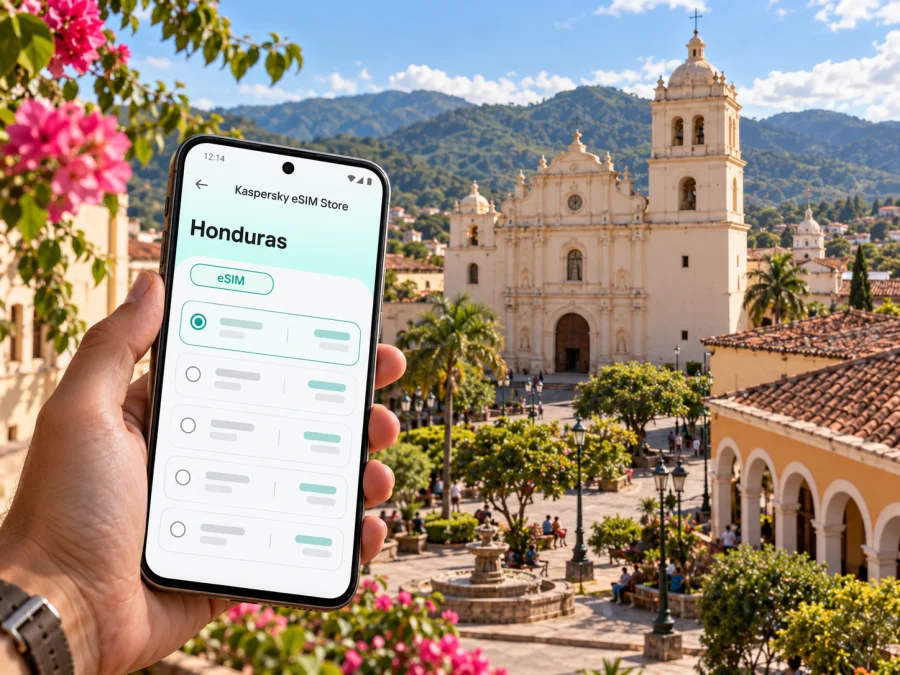
Comayagua eSIM: Mobile Connection and Internet for Your Visit
Comayagua rewards a slower arrival. Its historic center is compact enough to explore on foot, while the airport, intercity road and outlying lodging can make a reliable map and a way to message your driver useful from the start. An eSIM can help you plan mobile internet before you travel, but the experience depends on the specific plan, local partner network, device and location.
This guide focuses on practical connection choices for Comayagua: arriving at Palmerola, finding your hotel, walking between the central square and nearby churches, handling a work visit, and continuing onward through Honduras. It also explains how to assess an eSIM without assuming that a particular phone variant or plan will work everywhere.
A city guide, not a countrywide coverage promise
Comayagua is a city in Honduras and the capital of its department of the same name. Its identity is closely tied to the historic center, where the municipal map groups the Parque Central, cathedral, Iglesia La Merced, the municipal hall, the former Episcopal Palace and colonial museum, the archaeological museum, San Francisco church and La Caridad church. Those landmarks make a connected walking route easy to sketch in advance, though opening hours and access can change; check locally before building a tight schedule around a museum or church interior.
The city is also a useful stop on the road between Honduras’s larger urban centers. Palmerola International Airport is about 6 km south of Comayagua according to Honduras’s aeronautical information. That is a geographic reference, not a promise of a six-minute transfer: actual drive time depends on traffic, pickup arrangements, weather and the precise destination. If your journey continues to Tegucigalpa, San Pedro Sula or a smaller community, check the current road and transport arrangements separately.
Mobile data is most helpful here in ordinary, specific moments: confirming an airport pickup, sharing a hotel pin, translating a message, checking a walking route, or notifying colleagues if a transfer is delayed. A downloaded map and saved addresses remain sensible backups, especially if you will leave the central area or travel outside the city.
Before landing at Palmerola
Palmerola is close to the city, but passengers still need to arrange the onward leg. Before departure, save your accommodation’s name and address in Spanish, its map pin, and the phone number or messaging contact for the person meeting you. Ask the hotel or host where its driver should wait and what to do if your flight is delayed. Do not rely on finding a specific public transport option at a particular hour without checking directly.
A working data connection can help you coordinate after landing, but airport connectivity conditions and network performance can vary. Prepare for both online and offline use:
- Save your hotel address and directions as a screenshot or offline map.
- Keep your booking confirmation available offline, including the property’s local contact details.
- Agree on a meeting point with your driver before boarding your flight.
- Keep your usual SIM active if you need its number for calls, one-time passwords or account recovery.
- If you are renting a car, download the route and confirm the pickup location and opening hours with the rental company.
If you arrive late or have a close connection, reduce the number of decisions you must make on the pavement. Confirm the ride first, then use navigation to check that the destination pin matches the written address. A phone with battery reserve, a charging cable and an offline route can be more useful than repeatedly refreshing a map when the signal is uncertain.
Choosing an eSIM for a Comayagua itinerary
An eSIM is a digital SIM profile that can be installed on a compatible, unlocked device. For a trip to Honduras, the plan’s stated destination and validity rules matter more than the city name in your itinerary. A plan listed for Honduras may be relevant to Comayagua, but the precise network partner, included services and geographic performance depend on its current terms. Read the plan details before purchase and check whether it covers your whole route if you are also visiting other parts of the country.
Kaspersky eSIM Store is an app and website where travelers can choose, arrange and activate an eSIM with a suitable plan for mobile internet abroad. It does not operate a Honduran mobile network. You remain responsible for checking the selected plan’s destination, data allowance, validity period, activation conditions and any restrictions shown at checkout. Honduran mobile operators may offer eSIMs to their own customers, but those domestic services are separate from a visitor travel plan. A local operator’s eSIM availability does not identify the partner network or service terms for the plan you select, and does not mean that plan includes a Honduran phone number or voice service.
Use this short comparison to decide what to check rather than relying on a generic promise:
| Your travel pattern | What to look for | Useful preparation |
|---|---|---|
| A short stay in the historic center | A Honduras destination and a validity period that fits the dates | Save the walking map and hotel pin before arrival |
| Several days with navigation and messaging | Enough data for maps, messages, email and occasional browsing | Turn off automatic photo and video backups on mobile data |
| Work calls or large files | Whether the plan supports the services you need and has adequate data | Test a meeting link on Wi-Fi before relying on mobile data |
| A multi-city road trip | Coverage destination(s) for every stop and any border crossing | Download maps for each leg and confirm the plan’s country list |
| Keeping your home number available | Dual-SIM behavior on your phone and your home carrier’s roaming terms | Choose which line handles data, calls and SMS in settings |
For current options, you can check eSIM plans for Honduras. This is the Honduras destination page; it is not a city-specific Comayagua tariff. Availability and terms can change, so use the plan details displayed at the time you choose.
Estimate data from what you actually do
There is no single data allowance that suits every traveler. A map used for occasional route checks has a different impact from continuous navigation, video calls, cloud photo uploads or streaming. Consider your habits and trip length, then leave a margin for unexpected delays rather than choosing only by the smallest displayed amount.
A practical estimate starts with a few questions:
- Will you use navigation continuously or only look up directions between stops?
- Will you send mostly text messages, or share photos and video?
- Does your work require video meetings, file uploads or a remote desktop?
- Can your hotel or office provide Wi-Fi for larger downloads and backups?
- Does the plan’s validity begin at installation, first connection or another stated event?
Set app updates and photo synchronization to Wi-Fi where possible. Download playlists, translation packs and offline maps before leaving home. These habits make a modest plan more predictable and help preserve data for travel logistics.
Getting around the historic center
The municipal center map places several major sights around and near the central square. That makes walking a natural way to connect visits, but use the map as orientation rather than as a substitute for local judgment. Sidewalk conditions, street works, traffic, heat and the exact route can affect how comfortable a walk feels. Ask your accommodation for current advice about walking after dark and about routes beyond the central cluster.
A sensible first walk might begin at Parque Central and the cathedral, then continue toward La Merced and its plaza, the municipal hall, the museum area and San Francisco. The precise order depends on which buildings are open and where you are staying. Rather than trying to follow a tightly timed itinerary, pin each stop and use a route that can be adjusted as you go.
For navigation, mobile data can provide live route updates and help you share your location with a companion. It cannot guarantee a signal on every street. Before setting out, zoom around the neighborhood once while connected, save your lodging pin, and keep a screenshot of the route back. If your map stops loading, ask a shop, hotel desk or trusted local contact for directions instead of walking while distracted by the phone.
If you use a taxi or prearranged ride, share the destination by name and map pin and confirm that the driver has understood the location. Do not assume that every driver uses the same app or that a ride-hailing service is available in the way it is in your home city. Your lodging can advise on local arrangements and customary pickup points.
A useful half-day plan
- Start at the central square. Confirm your location and save the cathedral and next stop on the map.
- Visit nearby heritage sites. Check opening and service times locally; a historic building may not be open to visitors throughout the day.
- Pause for lunch or a rest. Use Wi-Fi for large uploads and review the next leg before leaving.
- Return before dusk if unfamiliar with the area. Ask your host which route and transport option they recommend.
This plan uses connectivity to reduce friction without making the phone the focus of the visit. Take photos, keep an eye on battery use and make time for the city beyond the screen.
Device compatibility and regional variants
Not every phone that looks like a familiar model supports eSIM. Support can differ by exact model number, sales region, carrier lock, software version and the way the manufacturer configured a regional variant. A name such as “iPhone 15” or “Galaxy S24” alone is not enough to establish compatibility for every device sold worldwide. Check the exact model in the manufacturer’s settings or documentation, confirm that it is unlocked, and verify that it can add an eSIM profile before you buy. Check whether your device supports eSIM.
Also consider how you want to use your existing line. Some compatible phones can keep a physical SIM and an eSIM active in a dual-SIM setup, but supported combinations vary. Choose the eSIM for mobile data only if that is your intention, and review the home carrier’s roaming charges before travel. Keep the home line selected for calls or verification messages only if those services are available under its terms.
Do not delete an installed eSIM profile simply to troubleshoot. Some profiles cannot be reinstalled by scanning the same code. Follow the instructions associated with the plan or contact the relevant support team before removing it, resetting the phone or transferring it to another device.
Install and activate before you need directions
Where the plan allows, install the eSIM while you have a stable internet connection and time to read the on-screen prompts. An eSIM profile and a data plan are related but separate: installing a profile does not necessarily mean that data service is already active. The plan’s instructions determine when to enable the line, whether data roaming must be turned on for that eSIM and when its validity starts.
A general preparation sequence is:
- Confirm the exact phone variant supports eSIM and is not carrier-locked.
- Review the destination, allowance, validity and activation terms for the selected plan.
- Connect to reliable Wi-Fi and follow the provider’s installation instructions.
- Label the new line clearly, for example “Honduras travel”.
- Before using data, select the intended line in mobile settings and follow the plan’s roaming instructions.
- After arrival, check that the phone is connected and test a simple page or message.
The menu names depend on your phone and operating-system version. Use the Android eSIM installation guide or the iPhone eSIM installation guide for device-specific steps. If activation does not work, check that mobile data is assigned to the intended line, airplane mode is off, the plan is valid in Honduras and your phone has restarted. Contact the plan support channel if the profile or connection still fails; do not repeatedly scan or erase a profile without guidance.
If the connection is weak or unavailable
A slow or missing connection can have several causes: indoor signal conditions, a congested local cell, device settings, a plan that is not active yet, or a destination mismatch. A single failed page load does not tell you which one applies. Try this sequence while staying somewhere safe:
- Check that airplane mode is off and the eSIM line is enabled.
- Confirm the intended line is selected for mobile data and that the plan is within its validity period.
- Move to an open area or outside the building, if practical.
- Restart the phone once and allow it time to register.
- Review the plan’s network-selection instructions; use manual selection only if those instructions recommend it.
- Use saved directions or Wi-Fi to reach your accommodation, then contact support with the device model and the error shown.
If you need ordinary calls, emergency assistance, or a local telephone number, an internet-only travel plan may not meet that need. Check local options and the terms of your home SIM. Keep essential emergency contacts accessible without data and ask your host or hotel how to reach local help.
Questions travelers ask about Comayagua eSIM
Will an eSIM work at Palmerola and in Comayagua?
That depends on the selected plan’s Honduras coverage, local partner network, your phone and the conditions at the place you are using it. Check the plan details and treat service as variable; no plan can guarantee reception at every indoor location or along every road.
Is Palmerola inside Comayagua?
Honduras’s aeronautical information lists Palmerola International Airport about 6 km south of Comayagua. This is a distance reference, not an expected journey time. Confirm the pickup point and transfer with your driver or accommodation.
Can I use an eSIM and keep my home SIM?
Many devices support a dual-SIM arrangement, but the exact capability depends on the regional model and software. Confirm the settings on your own phone and check any charges from your home carrier. You may be able to keep your home line for calls or messages while assigning mobile data to the travel eSIM, subject to device and plan conditions.
Does an eSIM provide a Honduran phone number?
Do not assume it does. Travel eSIM plans may be intended for data only. Check the plan’s service details if you need a local number, conventional voice calls or SMS; internet messaging apps require a data or Wi-Fi connection.
Should I install the eSIM before flying?
If its instructions allow pre-installation, doing so over reliable Wi-Fi gives you time to resolve setup questions. Follow the plan’s guidance on when to turn the line on and when validity begins. Keep the QR code or activation details available on another device if needed.
What if the phone model name matches but eSIM setup is missing?
Regional variants can differ, and carrier locks can prevent use. Check the exact model number and manufacturer guidance, verify the device is unlocked, and contact the seller or manufacturer if support remains unclear. Do not purchase based only on a broad model-family name.
Prepare your connection for Comayagua
Plan the practical details before departure: confirm the pickup, save the city-center map, check your exact device and read the plan terms for the full Honduras itinerary. Kaspersky eSIM Store lets you review available destination options through its app and website and choose an eSIM plan for mobile internet abroad. Explore current Honduras eSIM options and confirm that the displayed destination, data allowance, validity and activation rules suit your trip before completing your choice.


