Travel connectivity guide
Comrat eSIM for Mobile Data and Internet
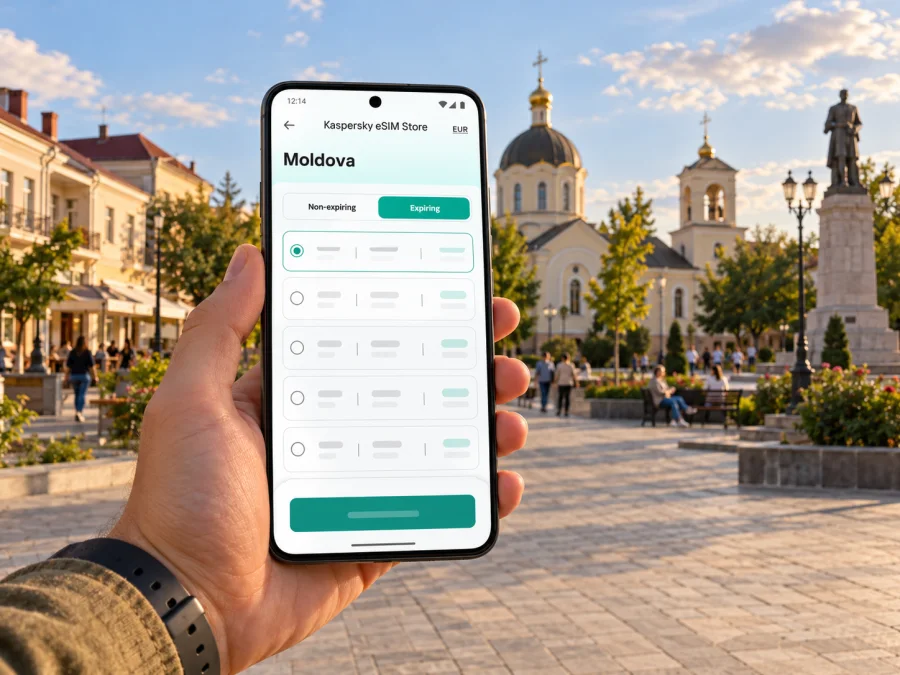
Comrat eSIM for mobile connection and internet
Comrat is a practical base for exploring Gagauzia and southern Moldova, and a reliable mobile data setup can make the trip easier to organize. Use your phone to check a transfer from Chișinău, message your host, confirm a meeting address, or find a winery outside town. An eSIM lets you prepare a travel data profile without removing the SIM already in your phone. The useful question is not simply whether a phone displays signal bars, but whether the chosen plan is intended for Moldova, when its validity begins, and how much data your itinerary is likely to use.
This guide focuses on Comrat itself: arriving from the capital, finding your way between appointments and places to stay, and planning short trips beyond town. Comrat is in the Republic of Moldova and serves as the administrative centre of the Autonomous Territorial Unit of Gagauzia. That regional status does not make it a separate country or a separate mobile market. Your plan’s country coverage and partner-network terms remain the details to check before travel.
Why mobile data helps during a Comrat trip
Comrat is not an airport arrival city for most international itineraries. Many visitors first reach Chișinău and continue south by road. That creates two useful connection moments: the transfer from the capital and the first local tasks after arriving in Comrat. Mobile data can help you keep the driver or accommodation informed, check the destination pin, and retrieve booking messages without depending on finding public Wi-Fi immediately.
Once in town, the same connection supports ordinary practical tasks rather than a fixed sightseeing route. You may need to look up a street name written in a different alphabet, send a live location, translate a short message, or check whether a venue has confirmed an appointment. If plans change, having data available can make it simpler to contact a host or arrange another ride. These are conveniences, not a guarantee that every service or map feature will work in every location.
Comrat’s role as the regional centre brings visitors for administrative meetings, education, local business and family visits as well as tourism. A business traveller may need messaging and email between meetings; a visitor staying with relatives may use calls over an internet app and shared location; a short-stay traveller may mostly need maps, transport coordination and reservation details. Think about the tasks you expect to do, then choose a data allowance around them.
| Trip moment | What a connection can help with | A sensible preparation |
|---|---|---|
| Leaving Chișinău | Confirming pickup details and sharing your destination | Save the address and keep the host’s number available offline |
| Reaching Comrat | Finding your accommodation or meeting point | Keep a map pin and written address in your notes |
| Moving around town | Checking routes and messaging someone if plans shift | Download an offline map area as a backup |
| Visiting a nearby place | Looking up opening information and coordinating return travel | Confirm the visit and transport before leaving town |
| Working between appointments | Email, calendars, document access and messaging | Reserve data for work tasks and use Wi-Fi for large uploads |
A useful rule: make anything essential available in two ways. Keep the accommodation address in a screenshot or note as well as on a map; save a meeting contact in your address book; and download tickets or confirmations before leaving Wi-Fi. That way, a weak indoor signal, depleted battery or temporary data interruption is less likely to derail a simple plan.
Getting from Chișinău to Comrat
Chișinău International Airport is the main international gateway most visitors will consider when flying into Moldova. Comrat is south of Chișinău; Invest Moldova describes the regional centre as approximately 126 kilometres from the capital. The road trip is a separate leg from the flight, so arrange onward transport deliberately rather than assuming that an airport transfer will take you directly to your final address.
Before departure, confirm how you will travel from the airport or your accommodation in Chișinău to Comrat. Depending on your itinerary, that could mean a pre-arranged car, a driver, or public transport from a city terminal. Check the current departure point and timetable with the carrier or host: departure details can change, and schedules should not be inferred from old travel notes. If using a driver, share the destination in writing and agree where you will meet before you exit the airport.
This is a moment when a pre-installed eSIM can be convenient. You can open the message thread with your driver, send a location, and contact your accommodation if the flight or pickup changes. Install it while you still have dependable Wi-Fi, then follow the plan’s activation instructions. If your plan starts only when it first connects to a supported network, you can leave its data line switched off until you are ready to use it; check the plan terms for the actual activation rule.
At arrival, first confirm which SIM is selected for mobile data. A dual-SIM phone may keep your home line available for calls or verification texts while using the travel eSIM for data, but behavior and charges depend on your device and home carrier settings. Turn off data roaming on the home line if you do not want it to use roaming data, and enable it on the travel line only when the plan instructions require it. A travel eSIM does not automatically replace your usual number for voice calls or SMS.
Getting oriented in Comrat
For the first hour in Comrat, keep navigation simple. Check the exact street address, not only a venue name; the same venue may have more than one search result or a transliterated spelling. Ask your host which entrance or nearby landmark is easiest to recognize. If a driver is collecting you, send a map pin and describe the pickup point in a short message. This is more reliable than trying to explain a route over a poor voice connection.
Place names can appear in Romanian, Russian, Gagauz, or Latin transliteration depending on the source. Search with the spelling from your booking or appointment message, and compare the street name and map position before starting. If a destination is hard to find, ask the host to send a location link or a nearby landmark. Preserve the original name in your saved note instead of replacing it with a guessed translation.
Local visits and short excursions
Comrat’s appeal is closely tied to Gagauzia’s local culture and the wider southern Moldovan landscape. The national tourism service lists Vinuri de Comrat at 1 Vinzavodskaia Street in Comrat and describes the winery’s history as dating to 1897. Treat that as a starting point for planning, not a promise of walk-in access: confirm visiting arrangements directly before you go. A winery visit may require advance booking, and the return journey should be arranged before a tasting or a trip outside the centre.
Nearby villages and attractions make a phone useful for coordination, but do not assume that an attraction is close enough to reach on foot from Comrat. Verify the route, opening details, and transport for the specific place you plan to visit. The Avdarma History Museum, for example, is in Avdarma village in Comrat District, not in Comrat city. It is a separate excursion; check its current visiting information and decide how you will get there and back before setting out.
If your itinerary includes several towns, make a route list with each stop’s address and the next transport connection. Use mobile data to check messages and navigation, but save the essentials offline. Rural roads, indoor spaces and changing conditions can affect connectivity; no city page can guarantee a particular signal at a specific address. Carry a charging cable or power bank if you will use navigation throughout the day.
Choosing a Moldova eSIM plan for Comrat
Start with the geographic coverage. Comrat is in Moldova, so a plan must explicitly include Moldova. Gagauzia’s autonomous territorial status is a regional administrative fact; it does not mean that a plan labelled for Moldova should be treated as a separate Gagauzia product, nor does it tell you which mobile network a travel plan will use. Check the plan’s country list, named network or roaming-partner information when provided, and any conditions on using data in the country.
Moldova’s mobile market includes Orange Moldova, Moldcell and Moldtelecom. These are local providers; their local eSIM products and customer requirements are distinct from an international travel plan selected through Kaspersky eSIM Store. A travel eSIM may connect through a partner network under its own plan terms. Do not assume that it uses a particular Moldovan provider, includes a Moldovan phone number, supports local voice calls, or has identical coverage to a resident’s subscription. Confirm the plan details shown before purchase.
To compare suitable options, consider four things:
- Duration. Match validity to the days you will use mobile data, and check when the validity period begins. Installation and first connection may be treated differently by different plans.
- Data use. Messaging, maps and email usually require less data than frequent video, hotspot use or large file uploads. Estimate your habits rather than choosing by trip length alone.
- Route. If you will leave Comrat for other Moldovan towns, confirm that the same country plan applies on the full route. A cross-border detour needs separate coverage verification for the other country.
- Phone and conditions. Check eSIM support, carrier lock status, activation steps, hotspot policy and whether the plan is data-only. The product details determine what is included.
If you want to compare available options for the country, review Moldova eSIM plans for your Comrat trip. Check the details displayed for the particular plan and make sure its duration matches your travel dates. Availability, included data, validity and partner-network arrangements can change, so rely on the plan information shown when you are choosing.
Install and activate before you travel
The smoothest time to install an eSIM is usually before departure, while you have a stable internet connection and time to read the setup screens. Kaspersky eSIM Store is an app and website where you can choose, arrange and activate an eSIM plan for mobile data during an international trip. The mobile network itself is provided by the network partner specified under the selected plan.
Before purchase, check whether your device supports eSIM. Support can vary by exact model, regional variant and carrier configuration, even when two devices share a similar product name. Confirm the manufacturer’s specifications for your precise model and make sure the phone is not locked to a carrier that prevents adding another profile. Do not rely on a model family name alone.
A practical setup sequence:
- Connect to stable Wi-Fi and open the selected plan’s installation instructions.
- Add the eSIM profile using the method provided for your device. Keep the QR code or activation details accessible on another screen if scanning is required.
- Label the line something recognizable, such as “Moldova data,” so it is easy to select later.
- Keep your home number as the default for calls or texts if you need it, and set the travel eSIM as the mobile-data line when appropriate.
- Review data-roaming settings for each line. Follow the selected plan’s directions; settings differ by provider.
- At the destination, enable the travel line and check that the phone registers on an allowed network. If it does not, review the plan instructions before changing network selection.
See the Android eSIM installation guide or the iPhone eSIM installation guide for device-specific steps. Menu wording differs across operating-system versions and manufacturers, so use the guide alongside the instructions shown for your plan.
Do not delete an eSIM profile simply because it has not connected yet. Some QR codes or activation details may be single-use, and a deleted profile may not be reinstallable with the same code. If installation fails, preserve the error message, check that the device has a stable connection and contact support through the appropriate channel for the plan.
Common questions
Is Comrat in Moldova or Gagauzia?
Both descriptions can be accurate at different levels. Comrat is a city in the Republic of Moldova and the administrative centre of the Autonomous Territorial Unit of Gagauzia. For an eSIM plan, check Moldova in the supported-country list; the regional status does not itself identify a separate plan or network.
Will a Moldova eSIM work in every part of Comrat?
No plan should be assumed to work at every indoor location or along every road. Actual service depends on the network partner, local conditions, device and plan terms. Review any partner-network information and keep offline copies of important details.
Does a travel eSIM include calls and SMS?
Not necessarily. Some travel plans are intended for mobile data only. Check the selected plan’s inclusions before purchase, and keep your usual number or another contact method available if you need voice calls or SMS.
Should I install it in Comrat or before leaving home?
If your plan supports advance installation, doing it before departure on stable Wi-Fi gives you time to resolve setup issues. Follow the plan’s activation rule: some plans start validity on installation, while others start on first network connection. The displayed terms are decisive.
What if I travel from Comrat to Romania or Ukraine?
A Moldova plan may not include a neighboring country. Check every country on your route against the plan’s coverage list and roaming terms before crossing a border. If the plan does not include the next country, arrange a separate suitable option before you need data there.
A compact Comrat connection checklist
Before travel: confirm Moldova coverage, dates, data allowance and activation timing; check the exact device variant for eSIM support and carrier lock; install the profile on Wi-Fi; save your accommodation and driver details.
On arrival: select the intended data line; follow the plan’s roaming settings; message your host or driver; confirm the onward journey south from Chișinău.
In Comrat: save destinations and return addresses; verify appointments and winery visits in advance; use offline maps as a backup; monitor data use if you rely on video, hotspot or photo uploads.
Before a regional trip: verify each destination and country in the plan terms; arrange transport both ways; download essential details; carry enough battery for navigation.
Prepare your eSIM for Comrat
Choose a plan that lists Moldova, fits your stay and explains when service begins. Install it over Wi-Fi, keep your usual line settings under control, and save key addresses before you leave. With Kaspersky eSIM Store, you can use the app or website to select and activate an eSIM plan for mobile data on your trip. Compare Moldova plans and prepare your connection for Comrat before departure.


