Travel connectivity guide
Concepción eSIM: Internet for Your Paraguay Trip
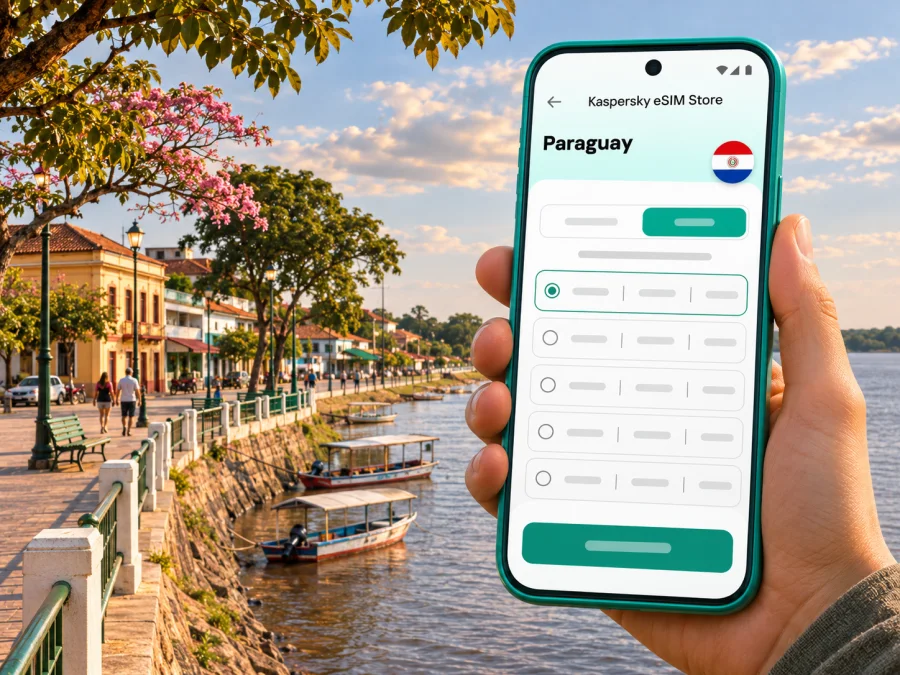
Concepción eSIM: mobile connection and internet for your Paraguay trip
What Concepción’s location means for your connection
Concepción is both the name of the city and of the department in which it sits. It lies in northern Paraguay beside the Paraguay River. That geographic detail matters when you choose a plan: a city article is a useful starting point, but the plan’s destination is the country or region shown in its terms. A plan that covers Paraguay is the relevant type to check for a stay in Concepción; a city name alone does not establish a separate coverage zone.
The city airport is officially listed as Concepción / “Tte. Cnel. P.A.M. Carmelo Peralta.” Paraguay’s AIP describes it as around 4 km from the city, with access via Route PY05, General Bernardino Caballero. The same publication identifies the aerodrome and its services, but that does not confirm a particular airline timetable or regular passenger service. Check your current itinerary with the carrier or transport provider before travelling, and make a road transfer plan if your arrival is by bus or private vehicle.
When mobile internet helps in the city
A data connection is most useful when it solves a specific travel task. In Concepción, those tasks are likely to be practical rather than dependent on constant high-speed service: finding the correct street, contacting a hotel, checking a bus or flight update, translating a message, or sharing your arrival time.
| Situation | Useful phone tasks | Sensible backup |
|---|---|---|
| Arriving at the airport | Message your pickup, confirm the address, open a saved map | Save the transfer contact and destination before landing |
| Reaching your accommodation | Check a pin, call or message the host, review check-in instructions | Keep the street address and booking details in a note or screenshot |
| Walking around the center | Use directions, look up opening details, send your location | Download the map area and keep a paper or offline note of key turns |
| Working from a hotel | Check email, join a call if the connection is suitable, send files | Ask the property about its Wi-Fi and have a lower-bandwidth plan |
| Continuing to another town | Confirm the next stop, share your route, check departure information | Download tickets, route notes, and contact numbers in advance |
Arrival: prepare before you leave the airport
The airport is close to the city by road, but a short distance does not guarantee a quick or walkable transfer. Your arrival time, baggage, weather, transport availability, and the exact location of your lodging all matter. Confirm who will meet you and where. If you have arranged a vehicle, agree on a clear meeting point and exchange a phone number or messaging contact before the trip.
Before departure, save:
- the full address of your lodging, including a map pin if available;
- the name and phone number of your host or driver;
- your booking reference and check-in instructions;
- a screenshot of the route from the airport to your destination;
- any onward bus, flight, or car-hire details.
Moving through the center and along the river
For short trips, a map can help you distinguish the central street grid from the riverfront and find the right entrance to a hotel, office, shop, or public building. Search results may show similarly named streets or businesses, so check the pin against the written address. If a route depends on a riverfront section, remember that public works may affect access as the costanera project develops.
Work, calls, and messages
An eSIM data plan is useful for internet-based messaging, email, navigation, and document access. It should not be mistaken for a conventional local phone number. Unless the specific plan says otherwise, assume it is for mobile data only; ordinary voice calls and SMS may continue to use your home SIM and its roaming conditions. Messaging and voice apps need an internet connection and may use noticeable data during calls or video meetings.
Choosing a plan for Concepción
Think about your trip in terms of route, duration, and usage instead of choosing by a city name alone. Check that Paraguay is explicitly included in the plan’s destination list. If your itinerary continues into another country, confirm whether one regional plan covers every stop or whether you need a separate plan for each country. Coverage terms can differ by plan, even when the product is shown under a familiar destination.
Estimate your data needs by what you will actually do:
- Light use: maps, messages, email, and occasional searches. Download maps and documents in advance to keep mobile use modest.
- Regular use: frequent navigation, photo sharing, browsing, and voice messages. Check the plan’s included data and validity period against your full itinerary.
- Heavy use: video meetings, streaming, large uploads, or hotspot use. Review any fair-use or tethering conditions and consider whether accommodation Wi-Fi can handle some tasks.
Kaspersky eSIM Store is an app and website that helps you choose, purchase, and activate an eSIM with a suitable plan for mobile internet on an international trip. You can review the available Paraguay options and choose a plan for your trip. Check the displayed coverage, data amount, validity, price, activation instructions, and any restrictions before completing a purchase; availability and terms can change.
Local operator eSIM and a travel plan are different things
Paraguay’s mobile market includes local operators whose public support pages describe eSIM for their own customers. Personal Paraguay describes obtaining an eSIM through customer-service locations, and Claro Paraguay says compatible prepaid and postpaid customers can request an eSIM. Tigo Paraguay also describes eSIM activation through its stores. These details show that local eSIM service exists in the country; they do not confirm that a visitor can activate a local line remotely, that every store has the same process, or that those operators are the networks behind a particular travel plan.
If you are considering a local line, contact the operator directly to ask about visitor eligibility, required documents, payment, activation location, and current conditions. A local operator’s eSIM is tied to that operator’s service and rules. A travel data eSIM is a separate product with its own supported destination, partner network, and plan terms. Do not assume the two options provide the same number, voice service, coverage, or activation process.
| What you are comparing | Local operator eSIM | Travel data eSIM |
|---|---|---|
| Who sets the service terms | The local operator | The travel plan’s provider and named plan terms |
| What to verify | Eligibility, documents, local activation steps, number and voice/SMS conditions | Paraguay coverage, data allowance, validity, supported network and activation timing |
| Best first question | Can a visitor obtain and activate this line in Concepción? | Does this plan cover my full route and when does validity begin? |
| Main caution | A published eSIM page may be intended for existing or local customers | “Paraguay” coverage does not guarantee identical service in every location |
Check your phone before you travel
Compatibility depends on the exact phone model, its regional version, and whether it is carrier-unlocked. A model name on a product page is not enough if hardware or eSIM support varies by sales region. No single model-specific compatibility claim applies to every regional variant. Check whether your device supports eSIM, then confirm the result with the manufacturer or the seller of your exact regional variant.
Before buying, check all of the following:
- Your phone’s exact model number and country or region of sale.
- Whether the device settings offer an option to add or download an eSIM.
- Whether the phone is unlocked and can use a different provider’s profile.
- Whether the operating system is up to date and the device can connect to Wi-Fi during installation.
- Whether the chosen plan supports your device and the country on your route.
- Whether your phone can keep your usual SIM active for calls while using the eSIM for data.
Install and activate before or after arrival
The safest time to install is when you have stable Wi-Fi and enough battery. Follow the instructions attached to your specific plan because QR-code installation, in-app activation, and the point when validity begins can vary. Installing a profile and starting its data validity are not necessarily the same event.
- Confirm the destination and terms. Check that the plan includes Paraguay and suits your dates and expected use.
- Connect to reliable Wi-Fi. Keep the order confirmation or QR code available on another screen or printed copy if possible.
- Add the eSIM profile. Use your phone’s mobile-network settings or the activation flow supplied with the plan.
- Label the line clearly. For example, use “Paraguay data” so you can distinguish it from your regular SIM.
- Choose the data line. Set the travel eSIM as the mobile-data line when you want to use it. Keep your home SIM settings intentional to avoid unexpected roaming charges.
- Check activation instructions. Some plans may require data roaming to be enabled for the eSIM; follow the plan’s instructions rather than changing settings at random.
- Test the connection. Once the plan should be active, open a simple webpage or messaging app and check that mobile data is working.
For step-by-step help, use the Android eSIM installation guide or the iOS eSIM installation guide. Menu names can differ by operating-system version and manufacturer. If you install before departure, keep the eSIM profile on the phone and follow the plan’s activation timing; do not turn on data roaming or select the profile for data until you intend to use it, unless its instructions say otherwise.
A simple troubleshooting sequence
If the phone does not connect, pause before removing the profile. Confirm that the plan is valid for Paraguay and that its validity period has started. Check that the eSIM line is enabled and selected for mobile data, that airplane mode is off, and that the phone has restarted after setup. If the plan instructions require data roaming, check that setting for the eSIM specifically. Recheck the APN only if the plan provider supplied an APN value.
Plan your route beyond the city
Concepción can be one stop in a longer trip through northern Paraguay. The useful question is not simply whether your phone works in the city, but whether the plan covers every destination and the roads between them. Before leaving, download maps for the next leg, note fuel or accommodation stops from a reliable current source, and save contact details. A road journey can include stretches where mobile service varies or where you do not want to depend on a live map.
A practical pre-departure checklist:
- [ ] Save addresses, booking confirmations, and transport contacts offline.
- [ ] Confirm whether your arrival is by air, bus, or private transfer.
- [ ] Check current transport times with the company operating the service.
- [ ] Verify Paraguay is included in the selected eSIM plan.
- [ ] Compare the plan’s validity window with all travel dates.
- [ ] Download maps and documents over Wi-Fi.
- [ ] Keep your home SIM’s roaming and data settings under control.
- [ ] Carry a charger or power bank if you will navigate for long periods.
Frequently asked questions
Is Concepción in Paraguay, and is it a city or a department?
Concepción is a city in northern Paraguay and also the name of the surrounding department. When selecting a mobile data plan for the city, check for Paraguay coverage in the plan details rather than looking for an assumed city-only tariff.
Is there an airport in Concepción?
Yes. Paraguay’s aeronautical information publication lists the Concepción aerodrome, named Tte. Cnel. P.A.M. Carmelo Peralta, approximately 4 km from the city and accessed by Route PY05. This does not confirm current commercial flight schedules, so verify travel arrangements with the carrier.
Can I buy a local Paraguayan eSIM as a visitor?
Possibly, but public eSIM information from local operators does not by itself confirm the current visitor process. Personal, Claro, and Tigo publish eSIM information for their services. Ask the operator directly about visitor eligibility, documents, activation location, and whether the line offers the service you need.
Will an eSIM give me a Paraguayan phone number?
Not necessarily. Many travel eSIMs are intended for mobile data and do not include a local number, ordinary calls, or SMS. Check the terms for the specific plan. Your regular number may remain on your physical SIM, subject to your home operator’s roaming rules.
Can I install the eSIM while still at home?
Usually you can install a profile before travel if the plan allows it, but installation and activation are different steps. Read the plan’s instructions to learn when the validity period starts and when to select the eSIM for mobile data.
Does eSIM guarantee internet throughout Concepción and the surrounding region?
No plan can be assumed to work at every street, building, or road location. Coverage depends on the local network used by the plan, signal conditions, the device, and the terms of the selected offer. Download essential information for offline use.
Should I use the travel eSIM or my regular SIM?
You can often keep a regular SIM for calls and messages while selecting an eSIM for data, depending on the device. Check how your phone handles dual SIM and confirm your home SIM’s roaming charges before travel. Choose the data line deliberately in the settings.
Stay connected with a practical backup
When you are ready, review eSIM options for Paraguay and choose a plan whose coverage, allowance, validity, and conditions match your itinerary. Kaspersky eSIM Store helps you select, purchase, and activate an eSIM for mobile internet on an international trip; the available plans and their terms are shown during selection.


