
Travel connectivity guide
Copenhagen eSIM: mobile internet for your trip
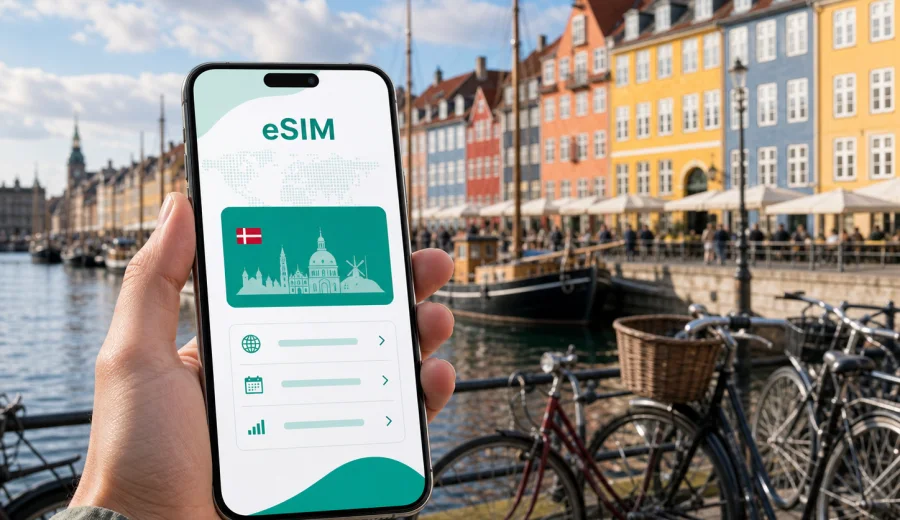
Copenhagen eSIM: mobile connection and internet for your trip
Copenhagen is easy to explore when your phone is ready before you land. You may need maps at Copenhagen Airport, a train route into the center, a taxi app after a late arrival, or a hotel confirmation in Vesterbro. A Copenhagen eSIM can help you prepare mobile internet without looking for a physical SIM card after passport control.
This guide focuses on connectivity in Copenhagen: arrival, public transport, cycling routes, hotels, business travel, stopovers, and trips from the Danish capital to other parts of Denmark. It also explains how to choose an eSIM tariff and what to check before purchase.
Why mobile internet matters in Copenhagen
Copenhagen rewards travelers who can move quickly between apps: maps, ticketing, hotel check-in, restaurant bookings, airline alerts, and messaging. The city is compact, but your day can still involve several transport modes. You might arrive by plane, take the Metro, rent a bike, cross the harbor by bridge, and finish the evening in a district you did not plan to visit.
Mobile internet helps when you need a route planner before boarding, the right station exit at Copenhagen Central Station or Norreport, a hotel access code, or a weather check before a walk along Nyhavn. Public Wi-Fi may be available in hotels, cafes, airports, and offices, but it is not a complete travel plan. You need connectivity most when you are between places.
First hours after arrival at Copenhagen Airport
Copenhagen Airport is close to the city center, but the first hour can still be busy. You may be checking luggage, transport, hotel directions, and messages at the same time. Mobile internet helps you avoid turning the arrivals hall into a planning desk.
| Moment | Online task | Why it helps |
|---|---|---|
| Baggage claim | Airline and hotel updates | You can react before leaving the airport |
| Metro or train decision | Route and platform checks | The fastest route depends on your destination |
| Late arrival | Taxi, hotel contact, door code | Reception hours can be limited |
| Business trip | Calendar, maps, email | You can go directly to a meeting |
If your destination is Kongens Nytorv, Norreport, Christianshavn, Osterbro, Frederiksberg, or Vesterbro, a few stops can still matter with luggage. Having data prepared makes it easier to compare options before you leave the terminal.
Getting around Copenhagen with eSIM data
Copenhagen has reliable public transport and a strong cycling culture. For visitors, the city often feels simple after the first day, but the first ride still requires attention. Station names, zones, bike lanes, and harbor crossings are easier when you can check your phone without waiting for Wi-Fi.
An eSIM can help with maps from the station to your hotel, public transport changes in wet weather, bike-friendly routes, opening hours, business calls from a taxi or train, and directions to a cruise terminal or conference venue. For short city stays, one prepared mobile data option can support the practical parts of the trip, subject to the selected tariff and local network conditions.
Neighborhoods where connectivity is especially useful
Copenhagen is not only the old center. Travelers often move between districts that feel close on a map but require different transport choices.
- Indre By and Nyhavn: restaurant bookings, museum times, meeting points, and walking routes through busy streets.
- Vesterbro and the Meatpacking District: late check-ins, shared rides, cafes, workspaces, and quick access to Copenhagen Central Station.
- Norreport and the lakes: transfers between walking, train, Metro, and bus, with several station exits to choose from.
- Christianshavn and Refshaleoen: harbor routes by bridge, bus, boat, or bike.
- Osterbro, Nordhavn, and Frederiksberg: offices, hotels, waterfront venues, parks, and last-kilometer navigation.
Hotels, apartments, and remote work
Hotel Wi-Fi is useful once you are in your room, but it does not cover the moments before and after check-in. Copenhagen has apartment-style stays, small hotels, and self-check-in options where your phone may hold the door code, instruction message, and route to the right entrance.
Before relying on hotel Wi-Fi alone, ask whether you will arrive after reception hours, need a digital check-in message, move between several locations in one day, or answer work messages outside the hotel. For remote work, an eSIM is not a replacement for a full office connection, but it can help with calendar updates, maps, messaging, and backup access in transit.
Choosing an eSIM tariff for Copenhagen
A city trip is easier when the tariff matches the real itinerary. Copenhagen is in Denmark, so for a city article you should look at mobile data options for Denmark rather than searching for a separate city-only product. If your route also includes Sweden, Germany, or several European countries, compare whether a regional option is more suitable than a single-country tariff.
Use this quick framework:
| Trip type | Practical data need | What to compare |
|---|---|---|
| Weekend break | Maps, messaging, tickets, restaurant searches | Smaller data package and short validity |
| Business visit | Email, calendar, transport, occasional calls through apps | More data and enough validity for delays |
| Family trip | Maps, messaging, shared planning, entertainment for children | Larger data package across several devices if needed |
| Stopover | Airport, route to center, a few hours of navigation | Short validity and simple activation |
| Denmark route | Copenhagen plus Aarhus, Odense, Roskilde, or North Zealand | Denmark coverage and tariff duration |
| Multi-country route | Denmark plus Sweden, Germany, Norway, or other countries | Country versus regional tariff |
Kaspersky eSIM Store is an app and website where you can quickly choose, purchase, and activate an eSIM with a suitable mobile internet tariff for an international trip. For Copenhagen, you can prepare an eSIM tariff for your Denmark trip before departure, then follow the installation steps for your compatible device.
When comparing options, look at the data volume, validity period, destination, price, and any usage conditions shown for the selected tariff. Avoid choosing only by the largest number of gigabytes. A careful match between trip length and expected data use is usually more helpful.
How much data might you need in Copenhagen?
Exact data use depends on your apps, phone settings, and habits. Navigation and messaging are usually lighter than video streaming, large cloud backups, or long video calls.
| Usage pattern | Examples in Copenhagen | Planning note |
|---|---|---|
| Light | maps, chat, email, transport checks | Good for short stays if you avoid streaming |
| Moderate | maps, photos sent in chat, restaurant searches, work messages | Common for a city break or business visit |
| Heavy | video calls, streaming, hotspot use, cloud backup | Choose more data and monitor usage |
Before departure, download offline maps, save hotel details, keep airline documents available offline, and pause automatic cloud backup on mobile data if you do not need it. These small steps help your eSIM tariff last longer.
Installation and activation before the trip
You can usually prepare eSIM installation before you travel, then activate mobile data when the trip begins or when the tariff instructions say it is appropriate. The exact sequence can depend on the device and selected tariff.
A practical setup flow:
1. Check that your smartphone or tablet supports eSIM and is not locked to one carrier.
2. Choose Denmark as the destination, unless your route requires a regional or multi-country option.
3. Compare data volume and validity period.
4. Complete the purchase and open the eSIM details in your profile, app, or email.
5. Install the eSIM using the on-screen instructions or QR code.
6. Set the eSIM as the mobile data line when you are ready to use it.
7. Keep your primary SIM active for calls or SMS if you need it and your device supports dual SIM use.
For detailed setup, use the official Android installation instructions or iOS installation instructions. If you are not sure whether your phone can use eSIM, check your device before choosing a tariff.
Many travel eSIM tariffs are designed for mobile data. They may not include a regular phone number, voice calls, or SMS unless this is stated in the tariff conditions.
Copenhagen transport scenarios
The value of mobile internet is clearest when your route changes. Copenhagen is organized, but weather, luggage, meetings, or a longer harbor walk can change the plan.
- Airport to center: compare Metro, train, taxi, or pickup before leaving the terminal.
- Hotel to meeting: open calendar links, check travel time, and adjust for a bus, train, or Metro transfer.
- Cycling day: use bike-friendly navigation and weather checks, with safe phone use.
- Evening plans: update routes for dinner, events, harbor walks, and late transport.
- Cruise or ferry connection: keep terminal information, boarding times, and group messages available.
Short stopovers in Copenhagen
Copenhagen is a strong stopover city because the airport is close to the center. If you have enough time and your airline ticket allows it, you may want a few hours in Nyhavn, a walk through the center, or a meal before returning to the airport.
For a stopover, mobile data helps with immigration timing, the route into the city and back, flight changes, translation, payments, and maps. Keep the plan simple and prepare the eSIM before you land, especially if you only have a few hours.
Trips from Copenhagen to other parts of Denmark
Many travelers use Copenhagen as a base for day trips or onward journeys. Mobile internet remains useful when you leave the dense center and rely more on trains, maps, and booking confirmations.
Common routes include Roskilde, Helsingor, Humlebaek, Odense, Aarhus, and Malmo in Sweden if your route crosses the Oresund and your tariff supports the destination. If you stay within Denmark, a Denmark tariff may be the simplest choice. If you cross a border, check destination coverage before travel.
Practical checklist before you fly
Use this checklist before departure:
- Confirm that your phone supports eSIM and is not carrier locked.
- Choose the tariff destination that matches your actual route.
- Check the validity period, data volume, and activation rules.
- Install the eSIM while you still have a reliable internet connection.
- Save the QR code or installation details where you can access them.
- Download offline maps for central Copenhagen and your hotel area.
- Save your hotel address, door code, and transport plan.
- Turn off mobile data for apps that can use large amounts in the background.
- Keep your primary SIM settings clear, especially if you need calls or SMS.
This preparation makes arrival calmer. You still need to follow the tariff instructions and local network conditions, but the main decisions are already made.
Common mistakes to avoid
- Buying too late: setup after arrival is possible only if you already have internet access.
- Choosing the wrong destination: Copenhagen requires a Denmark option unless your route needs a regional tariff.
- Ignoring validity period: enough data with the wrong duration can still be inconvenient.
- Forgetting compatibility: not every phone supports eSIM, and some devices may be carrier locked.
- Using data-heavy apps by default: cloud backup, autoplay, app updates, and hotspot use can consume data quickly.
- Expecting voice and SMS by default: many travel eSIM tariffs focus on mobile data.
FAQ: eSIM for Copenhagen
Is a Copenhagen eSIM different from a Denmark eSIM?
For this city trip, Copenhagen is covered by choosing the relevant Denmark destination or a suitable regional option. There is usually no need to look for a separate city-only tariff.
Can I install the eSIM before I arrive in Denmark?
In many cases, yes. It is often practical to install the eSIM before departure while you have a stable internet connection. Follow the activation rules shown for the selected tariff.
Will eSIM replace my regular SIM card?
Not necessarily. Many phones support using a primary SIM and an eSIM together. You may keep your usual number for calls or SMS and use the eSIM for mobile data if your device and tariff allow it.
Do I need mobile internet if my hotel has Wi-Fi?
Hotel Wi-Fi helps inside the property. Mobile data helps between places: airport, stations, bike routes, restaurants, meeting addresses, and day trips.
What if I also go to Sweden?
Check the destinations covered by the selected tariff. A Denmark-only option may not be enough for a cross-border route.
Prepare mobile internet for Copenhagen
A Copenhagen trip is smoother when your phone is ready for airport arrival, Metro rides, cycling routes, hotel check-in, restaurant plans, business meetings, harbor walks, and trips across Denmark. An eSIM can help you prepare mobile internet without searching for a physical SIM card during the first hours of the trip.
Before you travel, confirm device compatibility, choose the right destination and validity period, install the eSIM while you have stable internet access, and keep the activation instructions available offline.
Kaspersky eSIM Store helps you quickly choose, purchase, and activate an eSIM with a suitable tariff for mobile internet in an international trip. If Copenhagen is your main destination, choose an eSIM tariff for Denmark and prepare your connection before you go.