Travel connectivity guide
Corfu Town eSIM: Mobile Internet for Travel
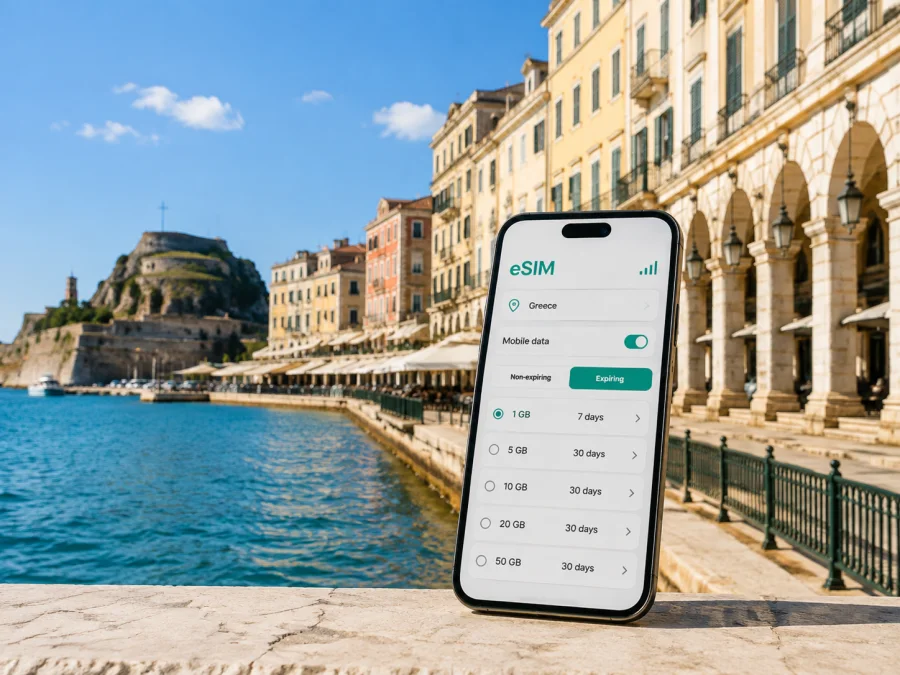
eSIM for Corfu Town: Mobile Connection and Internet for Your Trip
Corfu Town is a practical base for seeing Corfu, but a visit can involve airport transfers, a hotel on a narrow Old Town street, ferry departures and walking between Spianada and the waterfront. An eSIM can help you prepare mobile internet for those moments without removing the physical SIM card from your phone.
For eSIM use in Corfu Town, Greece, this guide focuses on arrival at Ioannis Kapodistrias International Airport, movement around the historic centre and port, accommodation, business trips, stopovers and day trips that start in the city.
Why mobile internet can be useful in Corfu Town
Corfu Town is compact in the centre, yet a journey here is rarely limited to one street. You may arrive by air, continue to the port, stay near the Old Fortress, walk to a hotel outside the historic core, or use the city as a starting point for a trip elsewhere on the island. A reliable data connection can support each stage without requiring you to search for a physical SIM card immediately after landing.
The first hours after landing
Corfu airport is close to the town, but “close” does not mean that every arrival is effortless. You still need to identify the transport option, check the direction of travel, contact a host, and confirm where to meet a driver or taxi. If you are travelling with luggage or arriving outside your accommodation’s normal check-in time, having data already prepared is useful for messages and maps.
The city bus connection between the airport, town centre and port is commonly associated with line 15. Routes and timetables can change, especially between seasons, so check current information when you travel. Mobile internet lets you confirm the stop, follow the route to San Rocco Square and keep booking details accessible.
Walking through the historic centre
The Old Town of Corfu is a UNESCO World Heritage site. Its Venetian and later neoclassical buildings, arcades, fortifications and compact lanes make it rewarding to explore on foot, but the same layout can make a first walk less intuitive than a modern grid. A map helps you distinguish a destination near Liston, Spianada, the Old Fortress, the New Fortress or the port, while messaging remains useful when a hotel entrance is on a side street.
Hotels, apartments and meeting points
Accommodation in and around Corfu Town ranges from rooms in the historic centre to hotels and apartments along wider roads. Save the address, host’s instructions and a second contact method before setting out. If the property asks you to call, confirm whether an ordinary phone number is included in the tariff; data-only eSIMs normally support calls through internet messengers rather than through a new number.
Work, meetings and short business trips
For a business visitor, the main needs are email, calendars, maps, documents and video calls. A modest allowance may suit a short meeting schedule; remote work over several days needs more headroom. Hotel Wi-Fi can supplement mobile data between the airport, hotel, port and meeting location.
A city-focused way to choose an eSIM tariff
Start with the destination, then estimate the trip rather than choosing by the largest number on the screen. Corfu Town is in Greece, so select Greece as the destination unless your route continues through other countries and a regional option is more appropriate. A city page can explain the local use case, but the country tariff is the relevant direction for the connection.
Four questions to answer before ordering
- How long will you be in Corfu Town? Include the arrival day and the day you leave. A short stopover, a long weekend and a two-week island itinerary create different data needs.
- What will you do online? Maps, messages and booking confirmations use less data than video calls, photo backups or frequent video viewing.
- Will Corfu Town be your only base? If you plan to travel to Paleokastritsa, Dassia, Benitses, Sidari or another part of Corfu, a Greece plan should be checked for its stated destination coverage and validity, rather than assuming that a city label describes the whole route.
- When should the tariff start? Some plans begin when the eSIM connects to a supported network, while the exact rule depends on the tariff. Read the validity and activation conditions before installation.
A practical usage table
| Trip pattern in Corfu Town | Typical online tasks | What to consider |
|---|---|---|
| Airport transfer or one-day stopover | Maps, messages, tickets and a few searches | A small allowance may be enough if video and automatic backups are limited |
| Two- to four-day city break | Navigation, reservations, photos, social apps and messaging | Choose a plan with room for repeated map use and changing plans |
| Week-long holiday | Daily navigation, bookings, communication and occasional work | Compare validity with the full stay and leave a buffer for travel days |
| Business trip or remote work | Email, cloud files, hotspot use and video meetings | Estimate meeting time and check whether tethering is allowed by the tariff |
| Island route beginning in Corfu Town | Maps, ferry information, accommodation and transfers | Confirm that the destination and validity fit the wider Greece itinerary |
These are planning categories, not promises about a specific allowance. Consumption depends on screen time, video quality, updates, cloud synchronisation and Wi-Fi use. To reduce surprises, switch off automatic app updates and photo backup over mobile data until you need them.
When you are ready to compare current options, you can choose an eSIM tariff for a trip to Corfu Town. Kaspersky eSIM Store is an app and website that helps you select, order and activate an eSIM tariff for mobile internet during an international trip. Check the displayed destination, data allowance, validity, price, activation rules and any limits before completing your order.
Corfu Town scenarios: where the connection matters
Airport to the centre
Keep the accommodation address and arrival instructions available before you leave the terminal. If you use the city bus, verify the current stop and departure information rather than relying on an old screenshot. If you choose a taxi or pre-arranged transfer, data can help you exchange messages and identify the meeting point. After arrival, set the eSIM as the line for mobile data only when you are ready to use it, and keep your primary number available if you need it for an existing service.
Port, ferry and onward travel
Corfu port connects the town with ferry journeys and cruise activity, while the intercity bus station starts many island routes. Your journey may involve a walk, city bus, regional bus or taxi. Use data to confirm the latest departure details, leave time to find the correct area, and keep screenshots of tickets or reservation codes.
Old Town sightseeing
The strongest city-focused use case is often navigation between short stops. You might walk from Spianada and Liston toward the Old Fortress, turn through the Old Town, and continue toward the port or a restaurant. A map helps you share a meeting point and locate a reservation. Save key places using the spelling in your booking or map app, because similar names can appear elsewhere on the island.
A working morning
For a workday, prepare a small checklist:
- confirm the hotel or café has a suitable place for a call;
- download documents that must be opened during a meeting;
- decide whether the phone will provide a hotspot for a laptop;
- restrict background refresh and check whether tethering is allowed.
An eSIM can provide a mobile-data option, but it does not guarantee indoor reception, a particular speed or uninterrupted service. For an important meeting, combine it with Wi-Fi, downloaded files and a charged device.
How to install and activate an eSIM for Corfu Town
Installation is easiest when you have internet access, a compatible and unlocked device, and the QR code or profile information supplied after ordering. If you are unsure about a device setting, use the Android installation instructions or the iOS installation instructions. Menus differ by model and operating-system version, so follow the wording shown on your phone.
1. Check the device before the trip
Confirm that your phone supports eSIM and is not locked to an operator. Some models differ by region or version. You can check your device compatibility before choosing a tariff. If you are travelling with a work phone, check whether an administrator has restricted the addition of mobile plans.
2. Keep the QR code or profile available
Open the order or delivery message on another screen when possible. If the QR code is displayed on the same phone, your device may offer a manual-entry option, but the exact process varies. Do not delete the message or reset the phone until you have confirmed that the eSIM is installed and that you understand the tariff’s activation rule.
3. Add the mobile plan
Open the mobile-network settings and choose the option to add an eSIM or mobile plan. Scan the QR code or enter the details requested by the device. Give the line a clear label such as “Greece travel” so that you can identify it beside your primary SIM.
4. Choose the data line
Select the travel eSIM for mobile data when you want to use it in Greece. Keep the primary line for calls or messages if that matches your needs, and review the phone’s setting for switching data automatically between lines. Automatic switching can create unexpected usage on the wrong line, so understand the setting before departure.
5. Activate at the right time
Some tariffs may begin their validity when they connect to a supported network. If you install the eSIM at home, avoid turning it on too early unless the conditions say that installation and activation are separate. When you arrive, enable the travel line and allow the phone a few minutes to register. If the tariff requires data roaming to be enabled for the eSIM, follow the product instructions and keep roaming disabled on any line you do not want to use for data.
6. Test a simple task
Open a lightweight web page, send a message through an internet messenger, or check a map. If it does not work, pause before repeatedly changing settings. Confirm that the travel eSIM is active, that mobile data is assigned to it, that airplane mode is off, and that the tariff has started under its stated conditions. If the issue remains, use the support route connected with your order.
What to check before you leave
Use this short checklist the day before departure:
- [ ] The phone supports eSIM and is not operator-locked.
- [ ] The chosen destination is Greece, or the selected regional tariff explicitly fits your route.
- [ ] The validity period covers the arrival and departure days.
- [ ] The data allowance matches navigation, messaging, work and media plans.
- [ ] The activation rule is clear, including when validity starts.
- [ ] The order details or QR code are available offline or on another screen.
- [ ] The Android or iOS installation steps are easy to reach.
- [ ] The accommodation address, airport transfer details and first meeting point are saved.
- [ ] The primary SIM’s data roaming setting is understood and controlled.
- [ ] The phone is charged, and a power bank is available if needed.
After landing, test the connection before relying on it.
Common questions about eSIM in Corfu Town
Is an eSIM useful for a short stopover in Corfu Town?
Yes, if you need maps, messages, booking details or transport information. Choose the allowance and validity for the stopover, and check when the tariff starts.
Can I use one eSIM while travelling beyond Corfu Town?
It depends on the chosen tariff. Corfu Town is in Greece, but an itinerary can expand across the island or into other countries. Read the listed destination and validity rather than assuming that every plan has the same scope.
Does the eSIM give me a Greek phone number?
Usually not. A travel eSIM in this context is intended for mobile internet; ordinary calls or SMS are not included unless the tariff says otherwise. Internet messengers can handle calls and messages over data.
What if the phone shows no data after landing?
First check that the travel line is on and selected for mobile data. Then check activation, the data-roaming requirement for that line, and automatic switching to the primary SIM. Restart the mobile connection or phone if needed. If the issue continues, contact support using the order details.
Is Kaspersky eSIM Store a mobile operator?
No. Kaspersky eSIM Store is an app and website that helps you choose, order and activate an eSIM tariff for mobile internet during an international trip. It is not a replacement for a local operator’s ordinary phone number, and conditions depend on the selected tariff.
Prepare your Corfu Town connection before departure
For a smooth arrival, decide three things in advance: which destination tariff fits Greece, when you want it to become active, and which phone line will handle mobile data. Save your airport transfer details and accommodation address, then install the eSIM only after checking compatibility and the tariff conditions.
When you are ready, select an eSIM tariff for your trip to Greece and Corfu Town, review the package and validity, and activate it before departure or after arrival according to the instructions. This leaves you free to concentrate on finding your hotel, walking the Old Town, reaching the port or starting the next part of your Corfu itinerary.


