Travel connectivity guide
Cork eSIM: Mobile Internet for Your City Trip
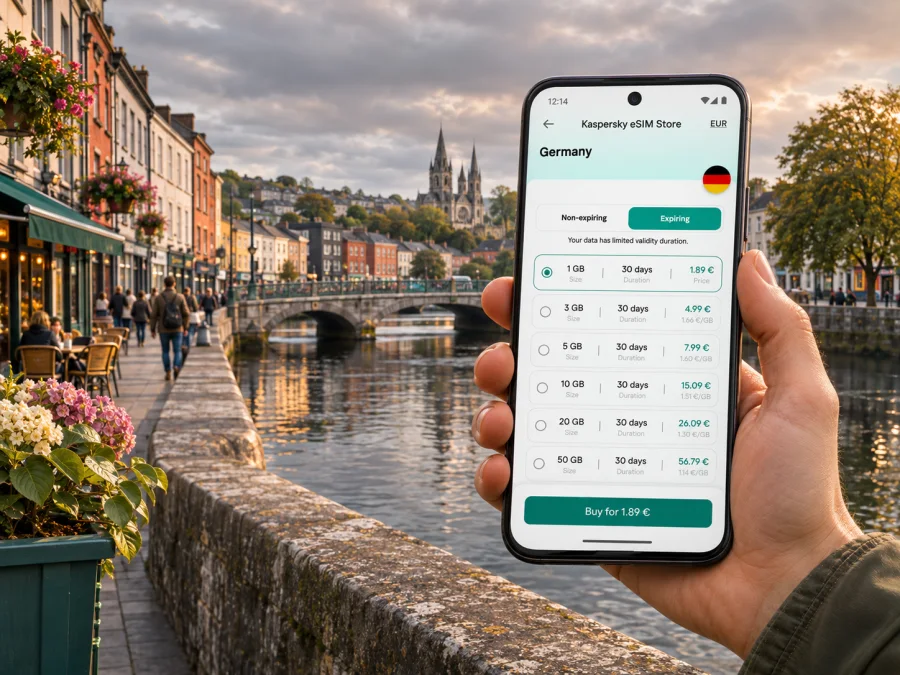
Cork eSIM: mobile connection and internet for your city trip
Cork is a compact city to explore on foot, but a mobile connection can make the practical parts of a visit easier: checking a bus departure, finding the right bridge across the River Lee, confirming a restaurant booking or messaging your accommodation after landing. An eSIM can help you prepare mobile internet for the trip without replacing your usual SIM card, provided your phone supports it and the selected plan covers Ireland.
This guide focuses on Cork itself: arriving at Cork Airport, getting into the centre, finding your way around the river channels and hills, choosing a data allowance, and planning day trips from the city. Cork is in the Republic of Ireland, on the island of Ireland. Select Ireland as the plan destination; the city shapes how much data you may need and when you will use it.
What mobile internet helps with in Cork
The central area is walkable, though Cork’s streets rise and fall around the River Lee. Its historic centre sits between channels of the river, while neighbourhoods such as Shandon and Sunday’s Well climb uphill. A map is useful when you are crossing from one side of the centre to another or heading uphill to a viewpoint. It is also helpful for checking opening hours, locating a bus stop and keeping a digital ticket or booking at hand.
You may use data for more than maps. A short stay can include arrival messages, transport planning, translation, email, two-factor authentication, and sharing photos. For a longer visit, add work calls over internet apps, cloud documents, and navigation for trips beyond the centre. Think about the way you travel rather than choosing a plan by habit.
Mobile data should be treated as a useful backup for travel information, not as a guarantee that every app or service will be available at every moment. Buildings, weather, local network conditions, congestion and the plan’s coverage arrangements can affect service. Keep essential confirmations available offline and ask your accommodation about its Wi-Fi if you need a dependable connection for a long video meeting.
Arriving at Cork Airport and getting to the centre
Cork Airport is south of the city centre. Scheduled buses and coaches leave from the front of the terminal. The airport’s public transport information lists Bus Éireann routes 225 and 226 between the airport, Parnell Place Bus Station and Kent Station; the airport gives an average journey time of about 25 minutes to Parnell Place. Actual timing can vary with traffic, time of day and service changes, so check the live departure information when you arrive.
The two city stops suit different onward journeys. Parnell Place is the main bus station and a useful reference point for central accommodation and intercity coaches. Kent Station is Cork’s rail station, with trains toward Dublin and commuter services toward places including Cobh and Midleton. Confirm your stop against your hotel address; a taxi or a short local bus connection may be more practical with heavy luggage or a late arrival.
Before leaving the terminal, use Wi-Fi if available to check your route and save the address of your accommodation. If you intend to use mobile data immediately, install and configure the eSIM before travelling or while you still have a reliable internet connection. Keep your normal line enabled if you need your usual number for calls or verification messages, and select the travel eSIM for mobile data only when you are ready to use it.
A simple arrival checklist
- Confirm whether you are taking a bus, coach, taxi or pre-arranged transfer.
- Check the terminal stop and destination shown in the current journey planner.
- Save your accommodation address and booking details for offline access.
- Allow extra time if you have a tight rail or coach connection.
- Keep your phone charged; a battery pack can help during a long travel day.
- Open your map before boarding so you can follow the route even if data briefly drops.
For public transport, a TFI Leap Card is one option for paying on eligible services. Cork Airport says visitors can buy one at WHSmith in the terminal. The exact ticket and fare rules depend on the service and card type, so check them before travel.
Getting around the city without losing your bearings
Cork rewards a simple orientation routine. Use the River Lee and its bridges as landmarks, then check the street name and direction before starting uphill. The central island is compact, but a route that looks short on a map may include a slope, stairs or a crossing that takes longer than expected. If you are meeting someone, share a named landmark or a full address rather than saying only “near the river.”
For buses, check the stop name and direction of travel before boarding. A route number alone is not enough if you are unfamiliar with the network. Current service details, diversions and fares can change, especially around public holidays or works. A journey planner can help you compare a bus with walking, but leave a little margin when you have a timed tour, train or restaurant booking.
The TFI 90-minute fare applies to Cork city bus services under the current published rules. As those rules and prices can change, check the fare information on the day of travel and follow the validator instructions on board. Do not assume that a city-bus fare also covers a regional coach or train. Your data connection can help you check a change, but download a route or take a screenshot if you expect to be offline.
Centre, hills and waterfront: choosing a route
| Area or destination | What to plan for | How mobile data helps |
|---|---|---|
| City centre and the island between river channels | Bridges, one-way streets and busy pedestrian areas | Reorient after crossing the river; check an exact entrance |
| Shandon | Uphill streets and a climb around the historic quarter | Compare walking routes and identify the approach before setting out |
| South Parish | Lanes and heritage sites close to the central area | Locate a specific venue and check its current opening details |
| University College Cork area | A walk west of the centre and a larger campus setting | Find the correct building or meeting point |
| Kent Station and the quays | Rail connections, buses and changing traffic | Check departure information and allow time to cross the area |
| Marina and Blackrock direction | A longer outing away from the central shopping streets | Save a route and check the return option before you go |
The table is a planning aid, not a live map. Use current directions for the exact address and your mobility needs. If you prefer not to look at a phone while walking, check the next turn while stopped, then follow street signs and familiar landmarks. This is particularly useful on narrow streets or at busy crossings.
Choosing a data plan for a Cork itinerary
There is no single right allowance for every visitor. A weekend traveller using maps, messages and occasional web searches may need much less data than someone who uploads work files, watches video on mobile data or shares a connection with another device. Consider the number of travel days, how often you will have Wi-Fi, and whether your phone automatically backs up photos over cellular data.
Before choosing, compare the plan’s destination, data amount, validity period, price and any stated restrictions. Make sure the destination is Ireland, not a similarly named region or a Europe-wide option whose included countries you have not checked. If your itinerary includes Northern Ireland or another country, verify that the selected plan explicitly covers each destination and review any fair-use or roaming conditions shown with it.
A practical way to estimate usage is to list your likely activities:
- Light use: maps, messages, boarding details, email and occasional browsing.
- Regular use: frequent navigation, social posting, restaurant research and audio streaming.
- High use: video calls, large uploads, cloud backups or tethering a laptop.
This is a comparison framework, not a promise about how much data an app will consume. Navigation, video quality, background sync and operating-system settings can change usage substantially. Turn off automatic photo backup over mobile data if you want to conserve an allowance, and use accommodation Wi-Fi for system updates or large files.
When you are ready to check current options, browse eSIM plans for Ireland and compare the displayed terms with your itinerary. Kaspersky eSIM Store is an app and website where you can choose, order and activate an eSIM with a suitable plan for mobile internet during an overseas trip. The available plan details can change, so use the current listing as the source for price, allowance, validity and conditions.
Before you install: device and plan checks
An eSIM is a digital SIM profile installed on a compatible device. Support varies by device model, sales region and sometimes carrier lock status. Do not assume that two phones with the same retail name have identical SIM capabilities. Check the manufacturer’s information for your exact model and region, and confirm that the phone is not locked in a way that prevents use of another provider’s profile. Check whether your device supports eSIM before purchase.
Also check the plan’s activation instructions. Some profiles are intended to be installed in advance and used later; others may start their validity when installed or when they first connect to a supported network. Read the specific terms instead of assuming that every plan begins its validity on the same event. If you need your home number to receive calls or SMS, make sure you understand which line will be used for calls, messages and data.
Quick pre-purchase check
- Your exact phone model supports eSIM in the region where it was sold.
- The device is not carrier-locked in a way that blocks the travel profile.
- Ireland is listed as a covered destination for the plan you choose.
- The data allowance and validity period match the length of your stay.
- You understand when plan validity begins and whether data roaming must be enabled for the eSIM.
- You can access the confirmation or QR code on another screen if installation requires scanning it.
- You have a stable internet connection for setup and enough battery to finish installation.
If any detail is unclear, use the plan’s current terms or contact support before installing. An eSIM profile is not a standard phone number: unless the plan expressly says otherwise, treat it as mobile data for internet apps, not as a replacement for ordinary calls and SMS. Keep your existing line available for those services if your carrier terms allow it.
Installing and using an eSIM for Ireland
Set up the profile while you have a reliable internet connection. Menu names differ slightly between phone brands and operating-system versions, so follow the prompts on your own device and the instructions supplied with the plan. If you plan to wait until arrival to use the data, installation and data-line selection are separate decisions: install when convenient, then choose when to turn on the travel profile according to its validity rules.
- Check the plan details. Confirm Ireland, the allowance, validity and activation conditions.
- Connect to Wi-Fi. Keep a stable connection during profile installation.
- Open mobile network settings. Choose the option to add a mobile plan or eSIM.
- Add the profile. Scan the supplied QR code or follow the provider’s alternative setup steps.
- Name the line. Use a label such as “Ireland data” so you can recognize it later.
- Choose the data line. Select the travel eSIM for mobile data when you are ready to use the plan.
- Check roaming instructions. Enable data roaming for that eSIM only if the plan’s instructions require it.
- Wait for registration. Connection can take a few minutes; follow the plan’s troubleshooting steps if it does not connect.
For device-specific steps, read the Android eSIM installation guide or the iPhone eSIM installation guide. Avoid deleting an installed profile while troubleshooting unless support or the plan instructions tell you to do so; some profiles cannot be reinstalled after removal.
After connection, open a simple webpage or messaging app and confirm that mobile data works. If it does not, check that the travel line is enabled, selected for data and configured according to the plan instructions. Restarting the phone may help it register again. Keep Wi-Fi available as a fallback while you check settings, and contact support with the plan name and a description of the issue if the steps do not resolve it.
Cork scenarios: plan the connection around your day
A work trip with a meeting near the centre
Download meeting documents before leaving the office or hotel Wi-Fi. Keep the meeting address, organizer’s contact details and any building entry instructions available offline. Use cellular data for messages and navigation, but do not rely on a mobile connection alone for a long video call: test the venue’s Wi-Fi or another suitable connection in advance. If you have a local contact number, keep it accessible even if the travel eSIM is data-only.
An evening arrival
The first task is usually not sightseeing but reaching your accommodation. Save its address and the route from the airport before boarding. Check the latest bus or taxi options and confirm the arrival procedure with your host. If the planned service is delayed or unavailable, having the address and booking details offline makes it easier to choose another option without searching through email on a weak connection.
A day trip from Cork
Cork Kent connects with rail services toward Dublin and commuter routes toward Cobh and Midleton; coaches and buses also serve destinations beyond the city. Check the right station or coach stop, departure time, ticket conditions and return journey before setting out. Do not assume every service uses the same station or accepts the same ticket. Download tickets where possible and keep enough data for updates and coordination during the day.
Keep your connection practical
Download maps, tickets and travel documents on Wi-Fi before leaving. If you use dual SIM, label both lines clearly, select the travel profile for mobile data when appropriate, and check which line is selected for calls. Review data-switching settings so your phone does not unexpectedly use the wrong line. Public Wi-Fi availability and quality vary, so keep essential addresses and confirmations offline.
Common questions
Will an eSIM work everywhere in Cork?
No mobile service can be guaranteed everywhere. Availability depends on the plan’s coverage arrangements, the partner network, your location, the device and local conditions. Review the plan details and keep an offline map or accommodation address in case the connection is temporarily unavailable.
Does an eSIM plan include a phone number?
Usually, a travel data plan should be treated as internet access only unless its terms explicitly state that calls or SMS are included. Messaging and internet calls may work through apps when you have data, but they are not the same as ordinary mobile calls. Keep your regular SIM active if you need its number and your carrier permits it.
Can I install the eSIM before flying to Cork?
Often you can install a profile before departure, but when it becomes active or starts its validity depends on the plan. Read the activation instructions before installing. You can wait to select it for mobile data until the point specified by the plan.
Can I use the same plan outside Cork?
Only if the plan covers the places on your itinerary. Check Ireland coverage and any regional terms. If travelling across the border or onward to another country, verify that destination separately before relying on the profile there.
What should I do if the phone shows no service?
Confirm that the eSIM line is enabled and selected for data, then follow its setup instructions for network selection and data roaming. Wait a few minutes or restart the phone if advised. If service remains unavailable, use Wi-Fi and contact support with the device model, plan and location; do not delete the profile as a first troubleshooting step.
A simple plan for a smoother Cork visit
Before departure, verify device compatibility, choose a plan that explicitly covers Ireland, and review its allowance, validity and activation rules. Save your Cork accommodation details and airport route offline. On arrival, check the current bus or coach information, then use Kent Station, Parnell Place or your hotel address as the relevant navigation point. Around the city, orient yourself by the River Lee and bridges, and leave extra time for uphill streets and connections.
When you are ready, choose an eSIM plan for your Ireland trip through Kaspersky eSIM Store, then follow the plan instructions to install and activate it on a compatible device. Check the displayed conditions before purchase, and keep offline copies of essential travel details so your plans remain accessible if mobile data is temporarily unavailable.


