Travel connectivity guide
Corn Islands eSIM: mobile internet guide
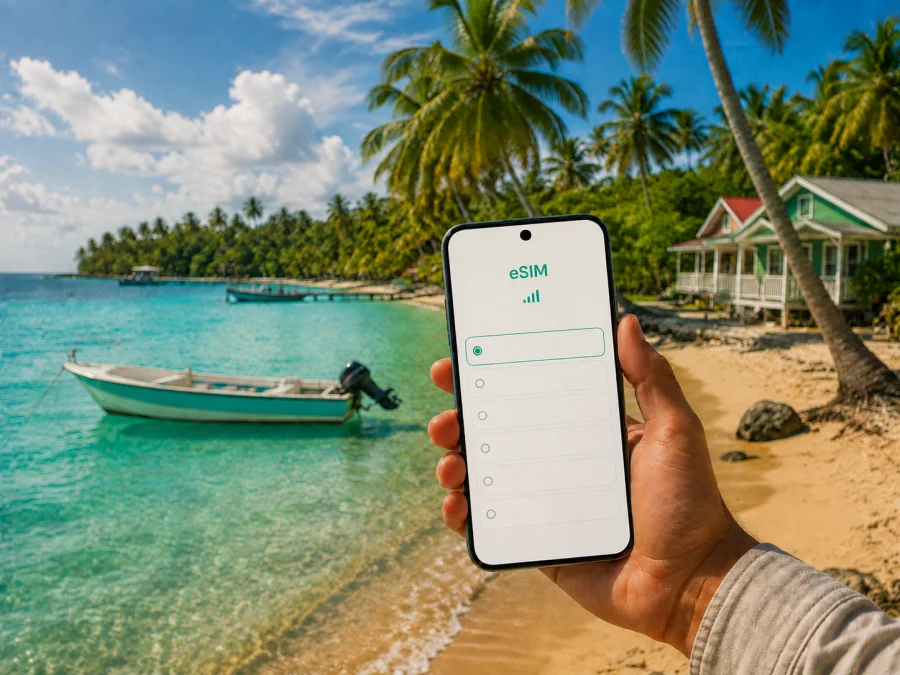
Corn Islands eSIM: mobile connection and internet for your trip
The Corn Islands are a Caribbean destination where the journey is part of the experience. Most visitors first reach Big Corn Island, then decide whether to stay there, continue by panga to Little Corn Island, or combine both islands. Mobile internet is useful from the moment you leave the mainland: you may need to confirm a transfer, find the airport pickup point, message your accommodation, check a boat departure, or open a map with luggage in hand.
An eSIM, or digital SIM card, can help you prepare mobile internet for Nicaragua without replacing the physical SIM in your phone. With Kaspersky eSIM Store, you can use the app or website to choose, arrange and activate an eSIM with a suitable prepaid plan for a foreign trip. The exact data volume, validity period, activation conditions and price depend on the selected plan, so review them before you travel.
Why mobile internet matters in the Corn Islands
The Corn Islands are not a single resort with one arrival point. Big Corn and Little Corn have different transport options and accommodation patterns. A connected phone makes the decisions between those stages easier.
The first hours after arrival
Flights serving the islands arrive on Big Corn Island, where the airport is in the Brig Bay area. After landing, you may need to identify a driver, contact a host, confirm where a taxi is waiting, or walk to the municipal wharf for a boat to Little Corn. Mobile data means you do not have to make that first decision using only an old screenshot.
Useful arrival tasks:
- sending an arrival message to the hotel or guesthouse;
- checking transfer instructions in your booking account;
- opening a map of the airport, accommodation and wharf;
- translating a short question when necessary;
- sharing your location with a travelling companion;
- checking weather and sea conditions before a crossing;
- saving a taxi or boat contact in your messages.
Boat crossings and local transport are affected by daylight, sea conditions, luggage, demand and the operating timetable. If you arrive late, leave a buffer: the most convenient plan may require an overnight stay on Big Corn if the next connection is no longer available.
Navigation on two different islands
Big Corn has roads, taxis and a route that circles much of the island. It is practical for moving between the airport, Brig Bay, beaches, restaurants and accommodation outside the centre. Little Corn is different: motorised transport and regular roads are not part of daily life there, so visitors generally continue on foot along paths between the landing point, lodging, beaches and businesses.
On Big Corn, use a map while riding with luggage or finding a property along the main road. On Little Corn, a downloaded map, a charged phone and a message to your host are more useful than expecting a vehicle to meet you. Open key maps and booking details before leaving a stable connection.
Bookings and everyday communication
A short message can prevent a long walk with bags. You may need to ask whether a room is ready, confirm a check-in window, arrange a boat pickup, or tell a restaurant that your group is delayed. Mobile internet also supports map searches, digital tickets, cloud-stored confirmations and messages with family at home.
The islands reward a slower pace, but you should not depend on finding Wi-Fi at every stop. A travel eSIM can reduce that dependence while leaving your main number and physical SIM available.
Choosing an eSIM plan for the Corn Islands
The right plan is determined by how you will travel. A short visit on Big Corn with occasional messages uses data differently from a week split between both islands with video calls, navigation and remote work. Start with your itinerary and habits, then choose the data allowance and validity that fit them.
1. Confirm the destination and route
Choose a plan for Nicaragua because the Corn Islands are part of Nicaragua, even though they are reached from the Caribbean coast. If your itinerary also includes Managua, Bluefields, León, Granada or another country, check whether the selected plan covers the complete route or whether a regional option is more suitable.
2. Estimate your data pattern
Navigation, text messages and booking updates are usually light. Photo uploads, short video clips, music streaming, cloud backups and video meetings use more. Hotel Wi-Fi may handle some tasks, but choose a plan around the connection you actually expect to use.
| Travel pattern | Typical online tasks | Planning point |
|---|---|---|
| Short stopover | Messages, directions, booking checks | A smaller allowance may be enough if media uploads are limited |
| Beach holiday | Maps, restaurant searches, photos, messaging | Leave room for navigation away from Wi-Fi |
| Two-island itinerary | Transfer messages, maps, reservations, weather checks | Keep data for the panga crossing and second arrival |
| Work trip | Email, work apps and hotspot use | Estimate work traffic separately from leisure use |
This is a planning guide, not a promise about usage. Your phone’s data-usage screen gives a better estimate. Disable automatic photo backup, app updates and video autoplay to conserve the allowance.
3. Match validity to the whole journey
Review when the plan starts counting its validity. Installing an eSIM before departure can be convenient, but the conditions may say that activation begins when the line connects. Read the activation details before testing the profile at home.
Also check what happens when the allowance or validity ends. A plan may permit a top-up, or you may need another option. Know this before you are standing at a wharf or leaving for a remote beach.
4. Plan for the places you will use data
Brig Bay places you close to the airport, central services and the road. South End and other quieter parts of Big Corn may require more transfer coordination. On Little Corn, a map, host messages and directions between paths matter even for a short distance.
Signal and performance can vary by area, building, terrain, weather and local network conditions. Treat the eSIM as access to a suitable mobile-data plan, not a promise of identical performance in every room or bay. Keep reservations offline and ask your accommodation about the easiest arrival route.
When you are ready, choose an eSIM plan for Nicaragua and review the data volume, duration and terms shown for the direction.
Where to stay and how connectivity fits the area
The best base depends on the balance you want between transport, quiet, beaches and services. Mobile internet remains useful, but the specific task changes with the location.
Brig Bay on Big Corn Island
Brig Bay is a practical reference point for first arrivals because the airport and much of the island’s everyday activity are nearby. If you have a short visit, early departure or boat connection to organise, staying close to the central area can simplify the first and last day. Check a property’s exact map position rather than relying on a similar-sounding name.
South End, North End and other parts of Big Corn
South End and southern coastal areas suit travellers who want more distance from the airport and central activity. A longer transfer makes arrival planning more important: send your estimated arrival time, keep enough battery for navigation, and open the route before leaving the airport.
The same principle applies to North End, Sally Peachie, Quinn Hill and smaller local areas: names and map pins may differ between a booking page, a host message and a map application. Copy the accommodation name, area description and a useful landmark into your notes.
Little Corn Island
Little Corn is suited to a walkable, low-traffic stay. After the panga crossing, expect to carry luggage along paths rather than to a roadside taxi. Message the accommodation before departure to clarify the landing point and route. Download a map, save the booking details and pack a power bank if you plan to spend a full day away from your room.
The goal is not to keep looking at a screen. Use the phone for the moments when island logistics matter: finding a path, checking a changed meeting point, confirming a return boat, or reporting a delay.
Arrival and transport: a connected plan
Flying to Big Corn Island
Regional flights from Managua are the most direct air route for many visitors, and they land on Big Corn Island. Flight times, baggage rules and schedules can change, so confirm current details with the carrier or booking provider. Keep the confirmation offline and leave enough time between a mainland arrival and any onward boat connection.
When you land:
- Collect your bags and check that the phone has the correct time.
- Send your accommodation a short arrival update.
- Confirm the route to your lodging or the wharf.
- Open the map before leaving the airport area.
- If continuing to Little Corn, confirm the panga departure and weather locally.
The eSIM does not remove the need to verify transport. It gives you a practical way to access current messages, maps and booking information during the transition.
Travelling through Bluefields or by sea
Some itineraries use the mainland Caribbean coast and continue by boat to Big Corn. That route involves more stages and more dependence on departure days, luggage handling and sea conditions. Treat mainland transport, port arrival, ferry information, the Big Corn transfer and check-in as separate checkpoints.
Download confirmations at each stage. If travelling with others, share the basic plan in a group chat before the connection becomes difficult. An offline note should include the accommodation, its contact, the next wharf and the following connection time.
The panga to Little Corn
The crossing from Big Corn to Little Corn commonly takes around 30 minutes, but the experience depends on sea and operating conditions. Public departure times and fares can change, and boats may be adjusted or delayed. Check locally at the municipal wharf and with your accommodation instead of treating an old timetable as final.
Protect the phone from spray, use a waterproof pouch and avoid draining the battery while waiting. If meeting a host on Little Corn, message before boarding when possible. After landing, follow the agreed walking directions and take care with luggage on uneven paths.
Getting around Big Corn
Taxis are a common way to move around Big Corn, while bicycles, scooters or other local rental options may be available. Ask about the vehicle, route and payment before setting off. A map pin helps, but it does not replace agreeing on a clear meeting point.
For a day around the island, mark your accommodation, airport, wharf and planned stops. Keep flexibility for weather, road conditions and opening hours. If returning after sunset, confirm the plan before leaving the central area.
Installing and activating an eSIM
Install the profile with a stable internet connection, preferably before the flight. The menu names depend on the phone model and operating-system version. For step-by-step help, use the Android installation instructions or the iOS installation instructions.
Before starting, make sure the device supports eSIM and is not locked to an operator. Check the model and regional version, and check your device compatibility before purchase or installation. Keep the QR code or activation details on another screen or in your account, because a phone cannot scan a code displayed on its own screen.
A practical setup sequence
- Connect to reliable Wi-Fi or another working internet connection.
- Open the mobile-network settings.
- Choose the option to add a mobile plan or eSIM.
- Scan the QR code or follow the profile activation flow.
- Label the new line, for example “Nicaragua travel”.
- Keep the regular line available if you need its number.
- Set the travel eSIM as the line for mobile data.
- Turn off data switching if you want to prevent use of the main line.
- Follow the plan conditions for activation and data roaming.
- Test the connection after arrival and allow a few minutes if registration is still in progress.
On some devices, data roaming must be enabled for the travel eSIM to use its plan abroad. Enable it for the intended travel line only. If the eSIM is installed before the trip, keep it off until you need it when the plan conditions indicate that activation begins on connection.
If data does not appear, check the selected line, data roaming, airplane mode and local signal. Restart the phone and review the plan instructions. Do not delete the profile during troubleshooting unless support or the instructions specifically say to do so.
Work, stopovers and two-island itineraries
A short stopover on Big Corn
For an overnight or one-day stop, prioritise arrival certainty over a long list of activities. Keep the airport, accommodation and wharf in your map history. Use mobile data for a transfer message or booking change, then limit background updates. Confirm an early departure the previous evening.
Remote work
An eSIM can support email, work platforms and messaging, but it is not a complete office solution. Ask the property about its connection, electricity and quiet workspace before promising a video meeting. Download documents, limit background data and keep a backup plan if weather or local service conditions interrupt the connection.
For a hotspot, check whether tethering is allowed under the plan and monitor usage. A laptop can consume more data than a phone through updates, cloud synchronisation and video, so schedule large downloads on suitable Wi-Fi.
Combining Big Corn and Little Corn
Do not schedule the panga crossing so tightly that a modest delay causes you to miss a flight. Keep the final night on Big Corn when an early airport departure is important, or allow a generous buffer if you prefer to finish on Little Corn. Your accommodation can advise on the current boat pattern and the time needed to reach the airport.
Use one shared note for the route:
- arrival flight and baggage details;
- Big Corn accommodation and transport contact;
- municipal wharf location;
- current panga information;
- Little Corn landing point and walking directions;
- return crossing plan;
- flight departure and airport arrival time.
If the Corn Islands are one part of a longer Nicaraguan journey, check the plan’s country coverage and validity against the complete itinerary. Review remaining data before each long travel day.
Pre-departure checklist
- Confirm that your phone supports eSIM and is not operator-locked.
- Read the Nicaragua plan’s allowance, validity and activation rules.
- Install the eSIM with a reliable connection, if appropriate for the plan.
- Save the QR code, booking confirmations and host messages offline.
- Add the airport, accommodation and municipal wharf to your map.
- Ask the host how to reach the property from the airport or landing.
- Confirm the latest flight and panga details close to departure.
- Pack a power bank and phone protection for the crossing.
- Keep the main SIM available if you need its number for calls or SMS.
- Decide which apps may use mobile data in the background.
Prepare the digital essentials before leaving the mainland, then use the phone selectively. Downloaded maps and saved confirmations reduce data use while a live connection remains available for changes.
Frequently asked questions
Is an eSIM useful for a trip to the Corn Islands?
Yes. It can support arrival messages, maps, accommodation coordination, transport updates and communication while moving between Big Corn and Little Corn. The value depends on your itinerary, device and chosen plan.
Can I fly directly to Little Corn Island?
No. Flights arrive on Big Corn Island. Travellers continuing to Little Corn normally arrange a boat crossing from the wharf on Big Corn. Confirm the current departure, weather and landing instructions locally.
Does the eSIM include a regular phone number?
Usually, a travel eSIM plan in this context is intended for mobile internet and does not include a separate number, voice calls or SMS unless the specific conditions say otherwise. Internet-based messaging and calling apps can be used when data is available.
What if the eSIM is installed but there is no data?
Check that the travel eSIM is selected for mobile data, data roaming is enabled for that line if required, airplane mode is off and the phone has a local signal. Restart the device and review the plan instructions. If the problem remains, contact support with the device model and the steps already tried.
Can I rely on mobile data in every part of both islands?
No connection should be assumed to perform identically in every place. Signal and performance can vary by area, building, terrain, weather and local network conditions. Keep essential information offline and ask your accommodation about local details.
Prepare your mobile internet for the Corn Islands
The Corn Islands are easier to enjoy when practical details are settled before leaving the mainland. Choose a Nicaragua plan that matches your time and data habits, verify your phone, install the eSIM with the correct settings, and save the information needed during the airport-to-wharf-to-island transition.
When you are ready to prepare the digital part of your itinerary, choose an eSIM plan for your trip to Nicaragua. Review the conditions, install the profile on a compatible device and keep your main line configured for the calls and messages you still need.


