Travel connectivity guide
Corriverton eSIM: Mobile Internet for Guyana Trips
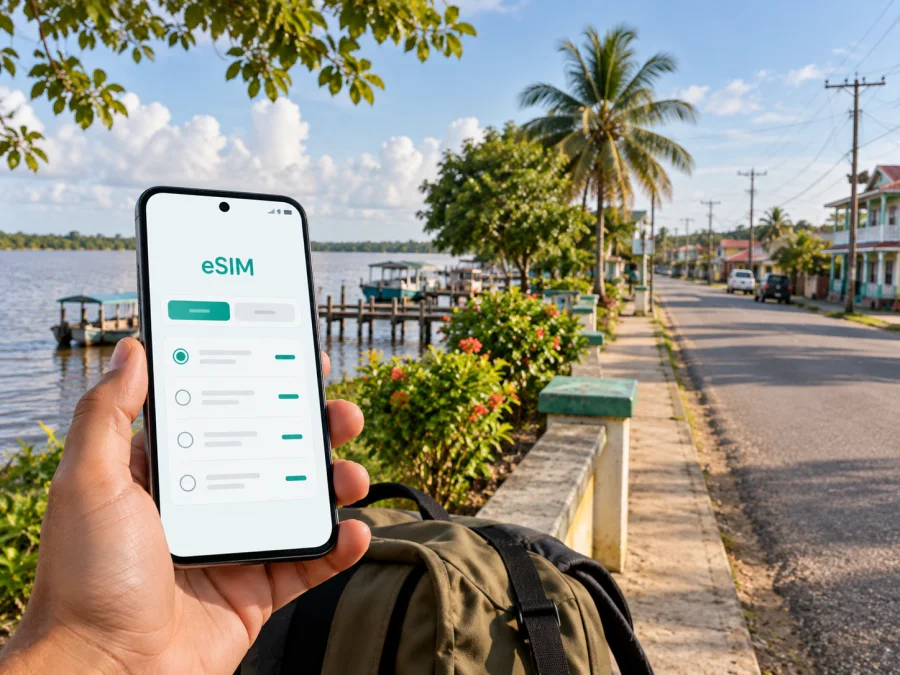
eSIM for Corriverton: mobile connection and internet in Guyana
Corriverton is a practical base for a trip to eastern Guyana. It sits in the East Berbice–Corentyne Region, close to the Corentyne River and the route toward Suriname. A visit may combine a long road journey, a stay near Springlands or Skeldon, meetings with local businesses, and onward travel through the coastal communities. In each of these situations, having mobile internet ready makes the first hours less complicated.
An eSIM is a digital SIM that can be installed on a compatible phone without removing your physical SIM card. For a trip to Corriverton, it can help you keep maps, messages, bookings and travel details available while you use a prepaid data plan for the destination. Kaspersky eSIM Store is an app and website where you can choose, arrange and activate an eSIM with a suitable plan for mobile internet during an overseas trip. The exact terms depend on the plan you select.
Why mobile internet matters in Corriverton
Corriverton is different from a short city break where an airport, hotel and main attractions are all within a small, predictable area. The town is part of a linear coastal travel pattern. You may move between neighbourhoods and villages, continue south toward Skeldon, travel west along the public road, or plan a border-related journey near Moleson Creek. That makes a working data connection useful before you know every local turn.
Mobile internet can support a trip in several ordinary ways:
- opening a map while travelling between Corriverton, Springlands and Skeldon;
- sharing your location with a travel companion or a host;
- contacting a taxi driver, guesthouse or meeting contact;
- checking a booking message without searching for a Wi‑Fi network;
- translating a short message or reading an address while moving around;
- using a navigation app during a longer road transfer;
- sending documents or joining a work call when the itinerary allows it;
- keeping relatives informed during a remote or multi-stop journey.
These are small tasks, but they become important when your arrival is late, your road transfer changes, or you are travelling with luggage. A prepared eSIM can reduce the number of things you have to arrange immediately after reaching Corriverton.
Corriverton as a travel base
Corriverton brings together the northern Springlands area, the southern Skeldon area and nearby communities. Its position by the Corentyne River gives the trip a border-region character, while the surrounding coastal plain means that a “Corriverton visit” may involve several stops rather than one compact centre.
Before leaving, write down the full names of your accommodation, meeting place and onward route. A map and mobile data can help with the road leg, but an eSIM does not replace a confirmed transfer or a current border schedule. It simply gives you a convenient way to use data when the selected plan and local network conditions support the trip.
Arriving in Corriverton: prepare the first hour
The first hour is when a connection is often most valuable. You may need to identify the right vehicle, contact the person meeting you, find your accommodation, or tell someone at home that you have arrived. If your eSIM is already installed, these tasks can be handled without waiting to locate a public Wi‑Fi network.
Use this arrival routine:
- Keep the confirmation details for your accommodation and transfer available offline as well as online.
- Before the road journey, save the location of your accommodation in your navigation app.
- When you reach Corriverton, select the intended eSIM profile for mobile data.
- Keep your primary SIM available for calls or messages if you need it, but check which line is set to use data.
- Send a short arrival message once the connection is ready.
- Check the first map route before leaving the vehicle or meeting point.
Do not delete your primary SIM in a hurry. An eSIM is usually used as an additional profile for data, so the best setup depends on your phone, your home operator and the plan conditions. If you want to avoid unexpected roaming charges, review which line is allowed to use mobile data and whether data switching is enabled.
Moving between Springlands, Skeldon and nearby communities
The town’s different parts may feel like separate stops in a travel plan. Springlands is relevant to commercial and cross-border movement, while Skeldon is a major reference point on the southern side. Save each destination in full rather than relying on “Corriverton” alone.
When you arrange a car or taxi, send the destination in a message and confirm the meeting point. If a driver uses a local landmark rather than a formal street address, ask for the nearest recognisable place and save it. Share your live location only when you are comfortable doing so, and remember that a map pin is a useful aid but not a substitute for confirming the vehicle and driver.
For several stops, use navigation selectively, keep the phone charged and save essential details offline. Video calls, photo uploads, automatic updates and cloud backups can use considerably more data than maps or text messages, so account for them when choosing a plan.
Choosing an eSIM plan for a Corriverton trip
Choose the plan by looking at the whole itinerary, not only the number of nights in town. A short stop in Corriverton may be part of a longer Guyana journey, and an onward road trip can use more navigation and messaging than a quiet stay in one place.
Start with four questions:
- How long will you need data? Match the validity period to the time you will be travelling. Check when the period begins, because activation and the start of data use can depend on the plan conditions.
- How much data will you use? Maps, text messages and occasional browsing need less than video meetings, social-media uploads or tethering. Estimate the main use rather than choosing by habit.
- Where will you travel? Confirm that the selected destination or regional scope covers Guyana and fits any additional stops on your route.
- What will your phone do? If you plan to use a laptop or share data, account for that separately and check whether hotspot use is permitted by the selected plan.
In Kaspersky eSIM Store, you can choose an eSIM plan for a trip to Guyana after reviewing the available destination, data allowance, validity and price. The link is for the country because the city trip is covered by a country plan; there is no need to search for a separate Corriverton product page.
Check your device before purchase
Your phone must support eSIM and must not be restricted by an operator. Some models have different specifications by market, so do not rely on the model name alone. Before you select a plan, check your device compatibility and confirm that you know how to add a mobile plan in the phone settings.
Also check these details:
- the phone is unlocked for use with another operator’s eSIM;
- the operating system is current enough for the manufacturer’s eSIM process;
- you can connect to Wi‑Fi or another internet source during installation if required;
- you have access to the confirmation email, profile or QR code;
- you know which line will be used for mobile data in Guyana;
- you understand whether data roaming must be enabled for the eSIM;
- you have enough battery for installation and the first connection.
If your phone has two SIM profiles, review the labels carefully. Naming the travel profile “Guyana data” or “Corriverton trip” can make it easier to select the correct line later. Keep your home line available if you need its number for incoming messages, but check its roaming settings separately.
How to install and activate an eSIM
The exact menu names vary by phone model, but the sequence is usually straightforward. Install the profile when you have a stable connection and enough time to read each confirmation screen.
- Check the plan details. Confirm the destination, data allowance, validity and activation conditions.
- Open the eSIM instructions. Use the setup information in your account or confirmation message.
- Add a mobile plan. In the phone’s mobile-network settings, choose the option for adding an eSIM or scanning a QR code.
- Scan or enter the details. Follow the on-screen steps and wait for the profile to be added.
- Label the profile. Choose a clear name so you can distinguish it from your home line.
- Select mobile data. Set the travel eSIM as the data line when you want to use it in Guyana.
- Review data roaming. Some eSIM plans may require data roaming to be enabled on that eSIM profile; follow the selected plan’s instructions.
- Test the connection. Open a simple webpage or send a message before you begin a longer transfer.
For more detail, use the Android installation instructions or the iOS installation instructions. If the profile installs but does not connect, check the selected data line, the roaming setting, the phone’s signal and the plan conditions before trying the installation again.
Business trips and short stopovers
A business visit may combine meetings in Corriverton with long road transfers between communities. Save meeting addresses, contact names and documents offline, and keep a backup way to reach a key person if a call or data session fails. For a video meeting, test the connection ahead of time and agree on a fallback channel; performance can vary with the building, congestion, phone and local network conditions.
A short stopover needs an even simpler routine. Install and label the eSIM, save the next destination and keep a screenshot of the key booking details. Before leaving, check the data line, battery, validity period, accommodation address and transfer contact. Do not assume that a Guyana plan covers Suriname: check the additional country separately before a border journey.
For an onward journey near the Guyana–Suriname border, treat schedules and entry requirements as separate travel matters. Check current arrangements through the relevant local channels before departure; an eSIM can help you communicate, but it cannot confirm a sailing, immigration decision or transport availability.
What an eSIM does and does not include
An eSIM plan for travel is generally intended for mobile data. It does not automatically include a regular phone number, voice calls or SMS unless those features are specifically listed in the selected plan. You can use messaging and calling apps over data, but their operation depends on the app, your account and the available connection.
The selected plan also does not guarantee a particular speed, signal level or uninterrupted service in every place. Buildings, weather, congestion, handset settings and local network conditions can affect the experience. Read the plan information before purchase and keep important travel details offline.
Kaspersky eSIM Store is the app and website that helps you choose, arrange and activate an eSIM plan for a foreign trip. It is not a mobile operator, does not own the local network and should not be described as the source of the radio coverage. Think of it as the part of the travel preparation where you select the appropriate eSIM option and manage the digital profile.
FAQ about eSIM for Corriverton
Is an eSIM useful for a short Corriverton visit?
Yes, if you need maps, messaging, booking details or coordination during a short stay. Choose a validity period that matches the stopover and install the profile early enough to test it.
Will the eSIM give me a Guyanese phone number?
Not necessarily. A travel eSIM is commonly data-only, so it may not include a regular number, voice calls or SMS. Check the conditions of the specific plan and use internet-based messaging when appropriate.
Should I use the eSIM for a road trip outside Corriverton?
It can be useful when the selected plan covers the full route and the phone can use the relevant data profile. Check the destination scope and keep offline copies of essential information because service conditions can change outside the town.
What if I cross toward Suriname?
Check whether your plan covers the additional country before you travel. A Guyana plan should not be assumed to cover Suriname, and border procedures and transport arrangements are separate from eSIM activation.
Final preparation for Corriverton
The most reliable travel setup is simple: confirm the route, choose a plan for Guyana that fits the whole itinerary, check the device, install the eSIM, label the data line, and keep essential addresses offline. In Corriverton, that preparation is especially useful when a city stay is connected to a longer road journey or a border-region transfer.
Before you leave for Guyana, review this final list:
- confirm that your phone supports eSIM and is not operator-locked;
- choose the country plan by duration, data needs and route;
- install the profile using the appropriate Android or iOS steps;
- save accommodation details, meeting points and transfer contacts;
- decide whether your home SIM should remain active;
- check the travel eSIM’s data and roaming settings;
- charge your phone before each long road leg;
- keep documents, booking references and maps available offline.
When you are ready, choose an eSIM plan for your Corriverton journey in Guyana and complete the setup according to the plan instructions. A few minutes of preparation can make arrival, local movement and onward travel easier to manage.


