
Travel connectivity guide
Cox's Bazar eSIM for Mobile Internet
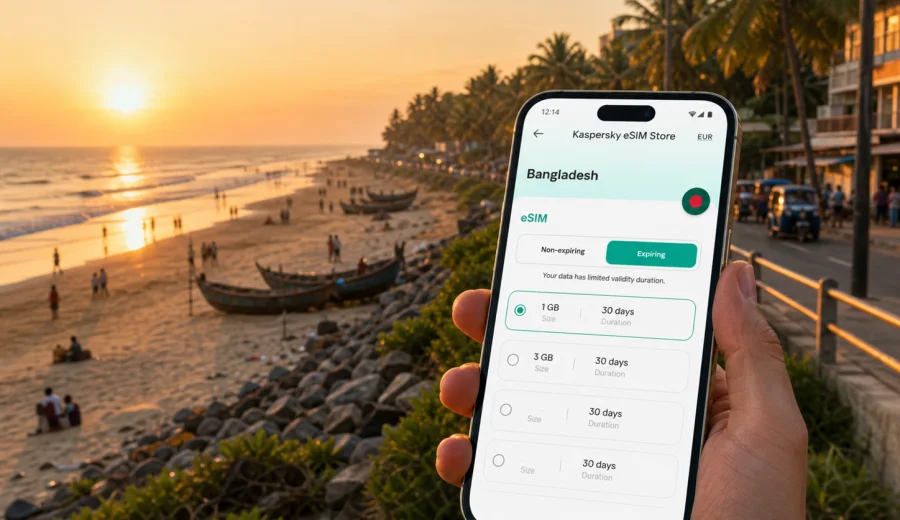
Cox's Bazar eSIM guide: mobile connection and internet for your trip
Cox's Bazar is a city where mobile internet becomes part of the journey almost immediately. You may arrive by air with a hotel transfer waiting outside the terminal, come by road from Chattogram, or add the beach city to a longer Bangladesh itinerary. In each case, you need the same practical things: maps that load, ride details that update, messages that reach your hotel, and enough data for photos, payments, translation, and work.
An eSIM can make that planning easier because it lets you prepare mobile data before you start moving around the city. Instead of looking for a physical SIM card after arrival, you can install a digital SIM profile on a compatible phone, choose a data package for Bangladesh, and use mobile internet when the selected plan is active. The exact experience still depends on the tariff conditions, local network availability, your device, and the settings you choose, so it is worth planning calmly rather than assuming every trip needs the same amount of data.
This guide focuses on Cox's Bazar as a city: arrival, beach areas, local transport, hotel districts, work trips, short stopovers, and side trips along the coast. It is not a general article about Bangladesh. The goal is to help you decide how to keep mobile connection and internet under control during a Cox's Bazar trip.
Why mobile data matters in Cox's Bazar
Cox's Bazar is easy to enjoy, but not always easy to navigate without a connection. The beach stretches for many kilometers, hotels are spread along different parts of the seafront and town, and travel times can change with traffic, weather, and local events. A short move from a hotel to a restaurant can be simple during the day and less obvious at night if you cannot check your route.
Mobile internet is useful in Cox's Bazar for five everyday tasks:
1. Finding your hotel, beach entrance, restaurant, or pickup point.
2. Keeping in touch with drivers, guides, colleagues, and family.
3. Checking flight, bus, or car-transfer updates before departure.
4. Using translation, maps, banking apps, and travel documents.
5. Sharing photos and videos without relying only on hotel Wi-Fi.
Public Wi-Fi can help in hotels and cafes, but it is not a complete travel plan. You may need data while walking along the beach, moving between Kolatoli and Laboni, waiting for transport, or confirming a boat or day-trip arrangement. A prepared eSIM gives you a separate mobile data option that travels with the phone, as long as the device supports eSIM and the selected plan is active under its conditions.
Arrival in Cox's Bazar: where connection is useful first
The first hour after arrival is often when mobile internet feels most important. You may need to confirm the hotel address, message a driver, check the location of a meeting point, or send an update to someone waiting for you. Cox's Bazar is a travel city, so arrivals can be busy around airport transfers, bus stops, beachfront roads, and hotel reception areas.
| Arrival scenario | Why mobile internet helps | Practical tip |
|---|---|---|
| Cox's Bazar Airport | Transfer coordination, map checks, hotel messages | Install the eSIM before travel so setup is not your first task outside the terminal. |
| Road transfer from Chattogram | Route updates, driver calls through messenger apps, delay messages | Keep enough battery for the final part of the journey into the city. |
| Hotel check-in | Booking confirmation, ID copies, payment notifications | Save hotel details offline, but keep mobile data ready for live changes. |
| Evening arrival | Safer navigation, restaurant search, contact with reception | Avoid depending only on unfamiliar Wi-Fi after dark. |
If your trip includes a domestic flight, mobile data can also help with last-minute gate, pickup, or baggage updates. If you arrive by road, the value is different: you may spend several hours in transit before reaching the city, so a Bangladesh data plan can be useful before Cox's Bazar itself.
Moving around the city and beach areas
Cox's Bazar is not only one beach view. Travelers often move between the central beach zone, hotel streets, markets, restaurants, the airport area, and nearby coastal viewpoints. Mobile data supports small decisions all day: where to walk, when to call transport, which route looks reasonable, and whether a meeting point is on the beach side or road side.
Common local movement patterns include:
- hotel to beach, then beach to restaurant;
- airport or bus arrival to hotel;
- hotel to Laboni Beach, Kolatoli Beach, or Sugandha point;
- town errands, SIM or pharmacy stops, and ATM searches;
- early morning or sunset transfers to viewpoints;
- day trips from Cox's Bazar toward Himchari, Inani Beach, or other coastal stops.
For these movements, data usage is usually moderate. Maps, messaging, and short searches do not consume as much as video streaming, cloud backup, or long video calls. The challenge is less about huge data volumes and more about having the connection available at the right moment.
Beach districts, hotels, and route planning
Where you stay in Cox's Bazar changes how you use your phone. A hotel close to the beach may reduce daily transport, but you may still need navigation for restaurants, shopping streets, or meeting points. A quieter hotel farther from the busiest beach zone may make mobile data more important for ride coordination.
| Area or trip style | Typical phone use | Data planning note |
|---|---|---|
| Laboni Beach area | Walking routes, food searches, meeting friends | Keep maps and messaging available during evening walks. |
| Kolatoli and hotel streets | Ride coordination, hotel communication, restaurant reviews | Data is useful when pickup points are not obvious. |
| Business hotel stay | Email, calendar, calls through apps, document access | Choose a plan with enough validity for the full work schedule. |
| Family beach trip | Location sharing, photo messages, group chat | A little extra data helps if several plans change during the day. |
| Coastal day trip | Navigation, guide contact, photo uploads | Download key details offline before leaving the city center. |
Navigation in Cox's Bazar should be treated as practical support, not as the only source of truth. Roads, beach access, and local traffic can shift. Use mobile internet to check routes and communicate, but confirm pickup points clearly with your hotel, driver, or guide.
How much data to prepare for Cox's Bazar
There is no single correct data amount for every Cox's Bazar trip. A traveler who mainly uses maps and messaging can manage with much less than someone who uploads videos, joins work calls, or uses cloud photo backup. A good approach is to separate essential use from optional use.
Essential mobile data usually covers:
- maps and route checks;
- messaging apps;
- email and booking confirmations;
- banking or payment notifications;
- translation and quick web searches;
- flight, hotel, or transport updates.
High-consumption use includes:
- long video calls;
- video streaming;
- large photo and video uploads;
- cloud backup on mobile data;
- hotspot use for a laptop or another phone.
For a short beach stay, a small or medium data package may be enough if you keep streaming and backups on Wi-Fi. For a work trip, a longer stay, or a route that includes Chattogram and Cox's Bazar together, it is safer to choose a plan with more data and validity that matches the full itinerary.
Before you travel, think in scenarios rather than just gigabytes. If you only need maps, messages, and occasional searches, you can be conservative. If you plan to post video from the beach, use your phone as a hotspot, or take video calls from the hotel, build that into the plan from the start.
Choosing an eSIM plan for Bangladesh before Cox's Bazar
For a Cox's Bazar city trip, the relevant plan is a Bangladesh plan, not a separate city product. You choose the country for the trip, then use the data while you are in Cox's Bazar and, if the tariff conditions allow, during other parts of your Bangladesh itinerary. That is useful when your route includes Dhaka, Chattogram, Cox's Bazar, and transfers between them.
Kaspersky eSIM Store is an app and website where you can choose, arrange, and activate an eSIM with a suitable mobile data plan for international travel. For the planning stage, you can choose an eSIM plan for Bangladesh before you land in Cox's Bazar and compare the available data amounts, validity periods, destination, and price before deciding.
When comparing options, pay attention to:
- data amount: enough for maps, messaging, and your expected media use;
- validity period: long enough for the full trip, including arrival and departure days;
- destination: Bangladesh or a broader regional route if your itinerary needs it;
- activation rules: when the plan starts and how it should be installed;
- top-up or additional plan options, if available for your chosen tariff.
An eSIM is mainly a mobile data solution for travel. It may not include a local phone number, voice calls, or SMS unless the conditions of the specific tariff say so. For many travelers, calls and messages through internet-based apps are enough, but it is better to check this before you depend on it for hotel or transport communication.
Device compatibility and setup
Before buying any eSIM plan, check your device to confirm that it supports eSIM and is not restricted by carrier lock settings. This step matters more than the destination: even a well-chosen plan will not help if the phone cannot install or activate an eSIM profile.
A practical setup sequence looks like this:
1. Check that your phone supports eSIM.
2. Choose Bangladesh as the destination for your Cox's Bazar trip.
3. Select the data amount and validity period that fit your itinerary.
4. Install the eSIM profile while you have a stable internet connection.
5. Keep your primary SIM active or inactive according to your roaming and call needs.
6. Activate mobile data for the eSIM at the right time under the plan conditions.
7. Test that the phone is using the intended data line.
If you need installation details, use the official setup pages for your device type: Android installation instructions or iOS installation instructions. Follow the steps before you are in a hurry, especially if you will arrive late, travel with children, or go straight from the airport to a hotel transfer.
Do not delete an installed eSIM profile casually. In many cases, an eSIM profile cannot simply be moved to another device after activation, and reinstallation rules depend on the specific tariff and profile. If you change phones during a trip, check the conditions before making changes.
Practical phone settings for the city
Small settings can prevent common travel problems. Before you leave your hotel, confirm which line is being used for mobile data. If you keep a physical SIM active for calls or messages, make sure the phone does not use expensive roaming data on the wrong line. On some phones and plans, data roaming may need to be enabled for the eSIM line; follow the instructions for your device and selected tariff.
Useful settings checklist:
- set the eSIM as the mobile data line when you want to use the plan;
- keep data roaming settings aligned with the eSIM instructions;
- turn off automatic cloud backup on mobile data if your package is small;
- download offline maps for Cox's Bazar and nearby routes;
- save hotel addresses, booking numbers, and transfer contacts offline;
- monitor data usage in your phone settings during the first day.
The first day is a good test. If data usage rises faster than expected, check whether video apps, photo backups, or hotspot use are active. For many city trips, a few settings changes can make a modest data plan last much longer.
Internet scenarios in Cox's Bazar
Different travelers use data differently. A beach holiday, a business visit, and a short stopover all have separate priorities.
| Scenario | What matters most | Suggested data habit |
|---|---|---|
| Weekend beach trip | Maps, chat, photos, restaurant search | Use mobile data for movement and Wi-Fi for large uploads. |
| Family trip | Group coordination, location sharing, booking details | Keep key contacts and hotel details saved offline too. |
| Business visit | Email, calendar, messaging, occasional calls | Choose enough validity for the whole schedule, not just arrival day. |
| Stopover | Fast setup, route checks, transfer messages | Install eSIM before arrival so the short stay is not spent configuring. |
| Coastal day trip | Navigation, guide contact, emergency coordination | Start with a charged phone and avoid heavy uploads until back at the hotel. |
For business travelers, the most important issue is reliability of workflow. You may have hotel Wi-Fi for calls, but mobile data is useful when moving between the airport, a meeting, a restaurant, and the hotel. It also works as a backup for email or messaging when a Wi-Fi login page fails or a meeting location changes.
For leisure travelers, the biggest data risk is media. Cox's Bazar is photogenic, and it is easy to upload more than planned. If your package is limited, use mobile data for live communication and save large uploads for a trusted Wi-Fi connection.
Trips from Cox's Bazar
Cox's Bazar often serves as a base for nearby coastal trips. Travelers may go toward Himchari, Inani Beach, viewpoints, local markets, or longer routes arranged through hotels or guides. These side trips are exactly where prepared mobile internet is useful: you may not be sitting near hotel Wi-Fi, and plans can change because of traffic, timing, or weather.
Before leaving the city center:
- charge your phone and power bank;
- download the route or area map;
- share your plan with someone at the hotel or in your group;
- confirm pickup and return times in writing;
- check remaining data and validity;
- keep important addresses in notes or screenshots.
Mobile data does not replace local judgment. If a road, beach access point, or pickup location is unclear, use your phone to communicate with the person responsible for the trip, then confirm details in plain language. This is especially useful when several beaches, hotels, or landmarks have similar names in a travel conversation.
A simple pre-trip checklist
Use this checklist one or two days before leaving for Cox's Bazar:
- Confirm your arrival route: flight, bus, private car, or transfer from another city.
- Save your hotel address and phone number offline.
- Decide whether your trip is light-use, media-heavy, or work-focused.
- Choose a Bangladesh data plan with enough validity for arrival and departure days.
- Install the eSIM while you still have stable Wi-Fi.
- Check that the correct mobile data line is selected.
- Download offline maps for Cox's Bazar and any coastal side trips.
- Disable automatic mobile-data backup for photos and videos if needed.
- Keep your regular SIM settings under control to avoid unwanted roaming data.
- Test messaging apps before you depend on them for transport or hotel contact.
The checklist is intentionally simple because travel days are busy. The best eSIM setup is the one you complete before the taxi, flight, or hotel queue makes every small task feel urgent.
FAQ: eSIM and mobile internet in Cox's Bazar
Is a Cox's Bazar eSIM different from a Bangladesh eSIM?
For this trip type, you normally choose a Bangladesh eSIM plan. Cox's Bazar is the city focus of your itinerary, but the plan destination is the country. That also helps if you pass through Dhaka or Chattogram before reaching the beach.
Can I install an eSIM before arriving in Bangladesh?
In many travel scenarios, installing the eSIM profile before departure is the calmer option. Activation timing and data validity depend on the chosen tariff, so read the plan conditions before switching it on.
Will an eSIM give me a local phone number?
Travel eSIM plans are usually focused on mobile data. A regular phone number, voice calls, and SMS may not be included unless the specific tariff says so. You can often use internet-based messaging and calling apps over mobile data.
Is hotel Wi-Fi enough in Cox's Bazar?
Hotel Wi-Fi can be useful, especially for large uploads or video calls, but it does not help while you are on the beach, in transport, at a meeting point, or returning late from dinner. Mobile data is the practical backup for movement.
What should I do if mobile data does not start immediately?
Check that the eSIM line is selected for mobile data, review the device instructions, confirm whether data roaming should be enabled for that eSIM line, and make sure the plan is active under its conditions. If you still have trouble, use a stable Wi-Fi connection to review the setup steps or contact support through the app or site.
Prepare your Cox's Bazar connection before you travel
Cox's Bazar is easier when your phone is ready before the trip starts. With mobile internet prepared, you can focus on the beach, hotel check-in, transport, work messages, and side trips instead of searching for a connectivity solution after arrival.
Kaspersky eSIM Store helps you choose, arrange, and activate an eSIM with a suitable data plan for international travel through its app and website. Before your Cox's Bazar itinerary begins, review Bangladesh eSIM options for your trip, check your device, install the profile on a stable connection, and keep the setup instructions available for the travel day.