
Travel connectivity guide
eSIM Croatia: mobile internet guide
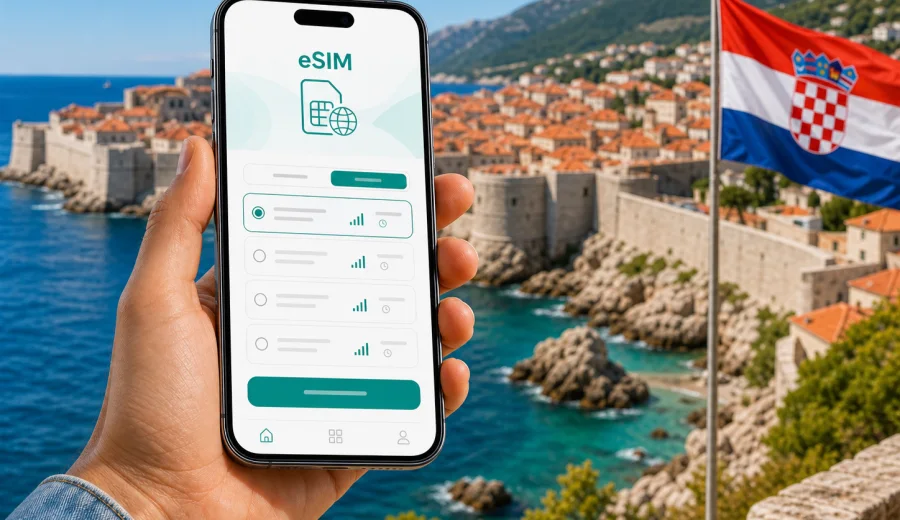
eSIM for Croatia: mobile connection and internet for trips
Croatia is a country where mobile internet quickly becomes part of the trip itself. You may need maps in Zagreb, ferry schedules in Split, restaurant bookings in Dubrovnik, ride-hailing at the airport, translation in a small coastal town, or a quick message from the road between Plitvice Lakes and Zadar. An eSIM can make this easier because you can prepare mobile data before you travel and avoid looking for a physical SIM card after arrival.
This guide explains how to use eSIM in Croatia, choose a suitable data allowance, check your device and keep your mobile connection practical across cities, islands, beaches, national parks and border crossings.
Why eSIM is useful in Croatia
Croatia combines city travel, coastline, islands and rural routes. That variety is exactly why it helps to plan mobile data in advance. A trip can move from a well-connected airport to a ferry terminal, then to an island apartment, then to a national park where you need offline backups as well as mobile data.
An eSIM is a digital SIM profile installed on a compatible smartphone or tablet. Instead of inserting a plastic SIM card, you add the profile in your device settings and use it for mobile data. In Kaspersky eSIM Store, you can choose and activate an eSIM with a suitable tariff for mobile internet during an international trip.
For Croatia, this is useful if you want to:
- open maps before leaving the airport or bus station;
- message your host, hotel or travel group without relying on public Wi-Fi;
- check ferry, bus and train updates during the day;
- use translation and restaurant booking apps;
- keep your main SIM active for calls or banking messages;
- avoid spending holiday time searching for an offline SIM card point of sale.
If your itinerary crosses borders, check whether a country plan, a regional plan or separate destination plans make more sense for your route.
Where mobile internet matters most
The practical value of eSIM is having data at the moments when the trip is less predictable.
| Situation in Croatia | Why mobile data helps | Tip before you travel |
|---|---|---|
| Arrival at Zagreb, Split, Dubrovnik, Zadar or Pula airport | You may need transport apps, hotel directions and messages right away | Install before departure and follow the tariff instructions |
| Coastal road trips | Navigation, parking apps and route changes can be frequent | Save key routes offline as a backup |
| Island stays | Ferry updates, transfers and accommodation messages matter | Check data allowance for several days, not only the arrival day |
| Plitvice Lakes, Krka and rural areas | Signal conditions can vary by terrain and local network | Download tickets, maps and booking confirmations in advance |
| City breaks in Zagreb, Split or Dubrovnik | You may use maps, menus, tickets and translation all day | Choose enough data for photos, messaging and browsing |
Croatia uses the euro and is part of the Schengen Area, but you still need to check mobile data conditions. If you rely on roaming from your home operator, read the terms carefully. If you prefer a separate travel data option, eSIM can be a practical alternative.
eSIM, roaming and local SIM cards: what is different?
There are three common ways to get mobile internet in Croatia: use roaming, buy a local physical SIM card, or install an eSIM for the trip.
Roaming can be convenient because it uses your existing SIM, but the price and data allowance depend on your operator and tariff. For visitors from outside the European Economic Area, roaming costs may be very different from domestic use.
A local physical SIM card can be useful for a longer stay, but it usually requires time after arrival. You may need to find a shop, compare packages and replace or add a physical card.
An eSIM is useful when you want to prepare mobile data before the trip or shortly after arrival. You still need a compatible device, and the service depends on the selected tariff and local network conditions. The advantage is the digital setup: no plastic card, no shop visit and a clear view of data volume and validity period.
How much data do you need for Croatia?
The right data allowance depends on how you travel. A short city break with hotel Wi-Fi needs less mobile data than a coastal road trip with maps and photo uploads. Avoid choosing only by the number of days. Think about what you will actually do on mobile internet.
Typical usage patterns:
- Light use: maps, messages, email, simple browsing and ticket checks. This can suit a weekend or short city break.
- Balanced use: daily navigation, social media, restaurant searches and regular messaging.
- Heavy use: video calls, frequent photo and video uploads, hotspot use for a laptop, streaming, or working while travelling.
For most holiday routes in Croatia, the biggest data surprises come from video, automatic cloud backup and hotspot sharing. To control usage, turn off mobile data for photo backup, app updates and high-resolution streaming. Keep those tasks for trusted Wi-Fi when available.
Check your device before you buy
Before you choose any eSIM option, confirm that your device supports eSIM and is not locked to a mobile operator. Some phone models differ by region of sale, so the model name alone is not always enough. You can use the compatibility check here: check your device.
Check these points:
- your device has internet access during installation;
- the operating system is up to date enough to add an eSIM profile;
- you know which SIM will be used for calls, messages and mobile data;
- data roaming can be enabled for the eSIM if the setup instructions require it;
- you do not delete an eSIM profile unless you are sure it can be reinstalled under the tariff conditions.
If you travel with a dual-SIM phone, you can usually keep your home SIM active for calls and SMS while selecting the eSIM for mobile data.
When to prepare your Croatia eSIM
The most convenient time is usually before departure, while you have a stable internet connection at home. Install the eSIM profile, read the activation conditions and keep the QR code or profile access available. Some tariffs start when installed, while others start when they connect to a supported network in the destination.
If your trip starts with a late arrival, airport transfer or drive to the coast, preparation matters more. You do not want to compare data options while looking for a bus stop.
When you are ready to compare options, you can choose an eSIM tariff for Croatia in Kaspersky eSIM Store and review the available data volume, validity period and destination before your trip.
How to install an eSIM for Croatia
The exact steps depend on your device, but the logic is similar. Start with compatibility, add the eSIM profile, select it for mobile data and follow the tariff instructions. If you need platform-specific guidance, use the Android installation guide or the iOS installation guide.
Basic setup:
1. Check that your phone supports eSIM and is not operator-locked.
2. Choose the destination and a suitable data allowance for Croatia.
3. Open the eSIM details in the site or app after arranging the tariff.
4. Add the eSIM profile using the displayed instructions or QR code.
5. Select the eSIM as the line for mobile data.
6. Keep your primary SIM active if you need calls or SMS on your usual number.
7. Enable data roaming for the eSIM if required.
8. Wait for connection; this can take several minutes.
Do not remove the eSIM profile as a troubleshooting step unless the instructions or support team tell you to do so.
Practical routes and data scenarios
Zagreb and inland Croatia
Zagreb is a common arrival point and a practical base for museums, cafes and day trips. Mobile data is useful for public transport, walking routes, restaurant reservations and ride-hailing. If you continue to Plitvice Lakes, keep offline maps ready.
Split, Zadar and the central coast
The central coast often means frequent movement: airport transfer, old town walks, beaches, ferries and day trips. Use Wi-Fi for cloud backup and keep mobile data for navigation and communication.
Dubrovnik and southern Croatia
Dubrovnik is visually compact but logistics can be busy in high season. Mobile internet helps with timed tickets, bus routes, restaurant messages and accommodation check-in. If you continue toward Montenegro or Bosnia and Herzegovina, check whether your plan covers only Croatia or a wider region.
Islands and ferries
Croatian islands are a major reason to stay flexible with data. Ferry schedules, weather updates and messages from hosts can matter more than expected. Before boarding, download your ticket and save the address of your accommodation.
A short checklist before departure
Use this checklist before your flight, train or road trip:
- confirm your phone supports eSIM;
- check that the device is not locked to one operator;
- choose a data allowance for the full Croatia itinerary;
- install the eSIM while connected to stable Wi-Fi;
- save installation instructions if provided;
- decide which SIM will handle calls and which will handle mobile data;
- download offline maps for key routes;
- turn off mobile data for automatic backups and large updates;
- keep hotel, ferry and ticket confirmations available offline;
- check whether your route leaves Croatia and needs extra coverage.
This is useful if you arrive late or coordinate with several people.
How to avoid wasting mobile data
Croatia is a photo-heavy destination, so data can disappear faster than expected. Most waste comes from a few settings you can control.
| Setting or habit | What to do | Why it helps |
|---|---|---|
| Cloud photo backup | Set backup to Wi-Fi only | Photos and videos can use more data than maps or messaging |
| App updates | Disable updates over mobile data | Updates are rarely urgent during a trip |
| Video quality | Choose lower resolution on mobile data | Streaming can consume large allowances quickly |
| Navigation | Download offline map areas | Maps still work better with data, but offline files reduce load |
| Hotspot | Use only when needed | A laptop can use data much faster than a phone |
If you travel with family or friends, avoid assuming that one phone can comfortably share data with everyone. Hotspot use may drain battery and data quickly.
What to know about calls and messages
Many travel eSIM tariffs are designed for mobile internet. They may not include a local phone number, regular voice calls or SMS unless this is stated in the tariff conditions. For calls and messages, you can use internet-based apps when mobile data is available.
This separation is one reason dual-SIM setup is useful: your usual number remains available, while the eSIM handles travel data. In your phone settings, make sure the correct line is selected for mobile data.
Common mistakes to avoid
- Buying data before checking device compatibility.
- Installing the eSIM on a phone that is locked to another operator.
- Activating the tariff too early without reading when the validity period starts.
- Forgetting to select the eSIM for mobile data.
- Leaving photo backup and app updates enabled on mobile data.
- Assuming a Croatia-only plan will cover nearby countries.
- Relying only on public Wi-Fi for arrival, transfers and urgent messages.
The best prevention is a quiet setup session before you leave, while you have time to read the conditions.
FAQ about eSIM and mobile internet in Croatia
Can I use eSIM in Croatia for mobile internet?
Yes, if your device supports eSIM, is not operator-locked and the selected tariff includes Croatia. Check the destination, data volume and validity period before using it.
Should I install the eSIM before I travel?
Usually, yes. Installing it before departure is convenient because you can use stable Wi-Fi and avoid setup pressure at the airport.
Will eSIM replace my normal phone number?
No, not in most travel data scenarios. An eSIM for mobile internet may not include a regular phone number, calls or SMS unless the tariff says so. You can keep your main SIM active for your usual number.
Is eSIM better than public Wi-Fi in Croatia?
It is more convenient for movement because it works through mobile data when network conditions allow. Public Wi-Fi can still be useful at hotels or cafes, but it may not help during transfers or walks around a city.
What should I do if the eSIM does not connect immediately?
Check that the eSIM is selected for mobile data and data roaming is enabled if required. Connection can take several minutes and depends on the device and local network.
Do I need a Croatia-only plan or a regional option?
For a trip only inside Croatia, a Croatia destination option may be enough. For routes that continue to nearby countries, compare regional or multi-country conditions before choosing.
Final thoughts before your trip
Croatia rewards flexible travel: a morning in an old town, an afternoon on a ferry, a national park day or a beach detour. Mobile internet supports those decisions quietly in the background. The key is to prepare the eSIM properly, choose a realistic data allowance and understand what the tariff includes.
Before you leave, check device compatibility, install the profile while you have stable Wi-Fi, save important documents offline and set the eSIM as your mobile data line when you are ready to use it. For a smoother start to the journey, choose an eSIM tariff for your trip to Croatia in Kaspersky eSIM Store and review the data volume, validity period and destination conditions before departure.