Travel connectivity guide
Crown Point eSIM: Mobile Internet in Tobago
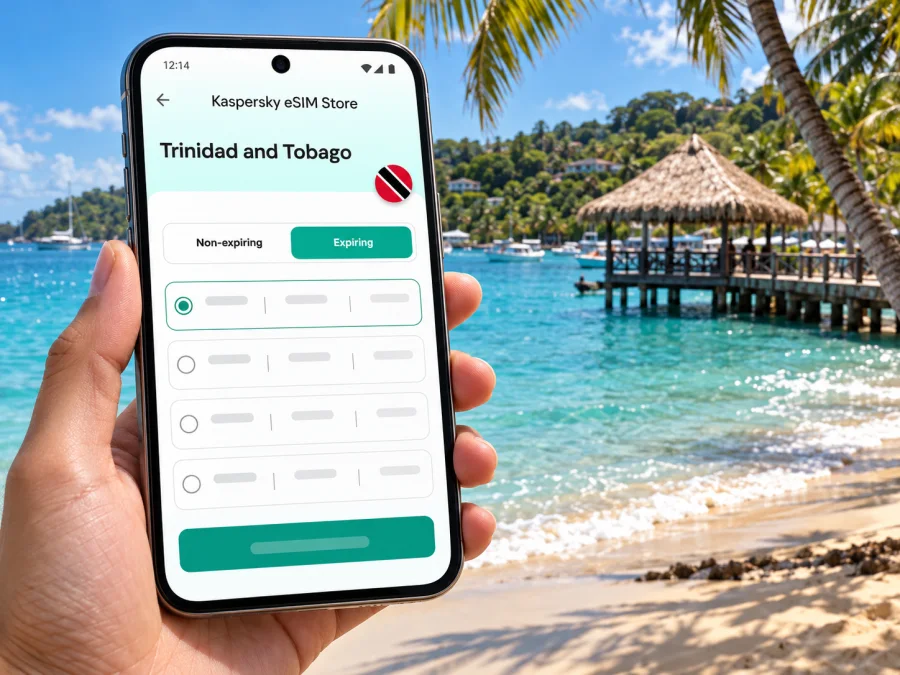
Crown Point eSIM: Mobile Connection and Internet for a Tobago Stay
Crown Point is more than the place where many visitors first arrive in Tobago. It is a practical base for the island’s southwest: the airport, beach access, places to eat, guesthouses and routes towards other parts of Tobago all come together in a compact area. Mobile internet helps make the first hours easier, from checking where your accommodation is to messaging your host and confirming a ride.
An eSIM can keep those tasks on one phone without swapping out your everyday physical SIM. The useful question is not simply whether a phone has an eSIM setting, but whether the device is compatible, the chosen plan covers Trinidad and Tobago, and its data allowance suits the way you will move around Crown Point and the island.
Where Crown Point fits into a Tobago trip
Crown Point lies at Tobago’s southwestern end, in the Republic of Trinidad and Tobago. A.N.R. Robinson International Airport (TAB) is located here and is managed by the Airports Authority of Trinidad and Tobago. Keep its full name and airport code with your booking details when arranging a pickup.
The area is a useful first base: Milford Road is known for restaurants and evening activity, Store Bay is in Crown Point, and Pigeon Point is a short onward trip. Scarborough and the ferry terminal are elsewhere on Tobago, so airport and ferry transfers use different departure points.
Crown Point is a starting point for the rest of Tobago. If your itinerary includes Scarborough, Buccoo or another area, save the accommodation address and a way to contact your driver.
When mobile internet is useful around Crown Point
Your first connection task may be messaging a host, opening a booking, checking a pickup message or navigating from the airport to your accommodation. Mobile data can simplify arrival.
During the day, use a connection to find Store Bay or Pigeon Point, check opening details, share a location or keep reservations accessible. On Milford Road, it can help you find a restaurant or message companions if plans change.
A connection is not a substitute for planning. Mobile data may be affected by the selected plan, handset, local network conditions, building materials, terrain and congestion. Save key details offline and keep your host’s address in a note in case service is temporarily unavailable.
A quick arrival checklist
Before leaving the airport, take a moment to check the essentials:
- Confirm the accommodation address and the name used for the booking.
- Open the route to your stay while you have a clear view of the map.
- Message the person meeting you, if you have arranged a pickup.
- Check that your phone is using the intended line for mobile data.
- Keep a screenshot of the booking and any transfer instructions.
Keep your travel documents accessible, know how you will pay for transport, and agree on a meeting point before leaving the terminal.
Getting around: airport, beaches and the rest of Tobago
The airport is in Crown Point, so visitors staying nearby may have a short transfer; the exact journey depends on the accommodation and road conditions. If you are going farther, confirm the pickup arrangement and approximate fare directly with the transport provider before setting off. Do not rely on a map estimate alone, particularly when arriving at night, travelling with luggage or making a connection.
Store Bay and the Crown Point dining area are useful reference points when you are exploring on foot or arranging a ride. Pigeon Point is another popular destination from this southwest base. For a day trip, check the return plan before you go: the last convenient ride, meeting location or opening hours may matter more than the distance shown on a map. If you are unsure of the road name, share a pin with your driver and confirm that both of you mean the same place.
Scarborough is the island’s main town and a separate destination from Crown Point. If your itinerary includes the inter-island ferry, the passenger terminal is in Scarborough, not at the Crown Point airport. Check the current sailing schedule and terminal guidance with the ferry operator before travel; timetables can change. Build in time to travel across Tobago and allow for airport or ferry check-in requirements rather than planning a tight connection based only on distance.
| Trip task | What to prepare | Why it helps |
|---|---|---|
| Airport to accommodation | Saved address, host contact and pickup details | Reduces confusion after landing |
| Crown Point to Store Bay | Map pin and a return plan | Makes a short local outing easier to coordinate |
| Crown Point to Pigeon Point | Destination pin and transport timing | Helps you plan the outward and return journeys |
| Crown Point to Scarborough | Route, departure time and buffer | Keeps a ferry or town visit from becoming a rushed connection |
Download an offline map of Tobago before travel if your map app supports it. Live data can help with updated directions, messaging and changes to plans.
Choosing data for the way you travel
The right data allowance depends on what you do, not just how many nights you stay. A traveller who uses maps, messaging and occasional web searches may have different needs from someone who uploads video, joins work calls or streams entertainment away from Wi-Fi. Estimate your regular use and leave a margin for an unexpected route change or a longer stay.
For a simple decision, list the activities that will use mobile data:
- Light use: messaging, checking bookings, short map searches and occasional browsing.
- Regular use: frequent navigation, social posts, restaurant searches and sharing photos.
- Heavy use: video calls, large uploads, music or video streaming, and using the phone as a hotspot.
These are planning categories, not guaranteed data amounts. Apps may use background data, and video quality can change consumption significantly. Check the plan’s stated data volume, validity period, supported destination and any usage conditions before you pay. Confirm whether the plan is for Trinidad and Tobago as a country, or a broader region whose terms include the destination. A Caribbean label by itself is not enough; the listed countries and restrictions are what matter.
For a Tobago-only visit, verify that the specific plan applies in Trinidad and Tobago. For a multi-country trip, check every destination on the route. Local operators include Digicel and bmobile, the TSTT brand; a travel eSIM may use only the network or roaming partner named in its plan terms, not every local operator. Check the plan details if the network matters to you. Reception can still vary by location and conditions.
If you want to compare the available options for this destination, review eSIM plans for Trinidad and Tobago and choose according to the validity and data volume shown for the plan. Kaspersky eSIM Store is an app and website where you can select, order and activate an eSIM with a suitable plan for mobile internet while travelling abroad. The mobile service itself is provided over the network associated with the selected plan, subject to its terms and local coverage.
Plan around the real shape of a Crown Point day
A Crown Point stay can alternate between brief map checks and longer periods offline. Note where you are staying and use Wi-Fi for large downloads when practical.
Short stopover
If you have only a few hours between arrival and departure, prioritise messages, the airport-to-stay route and your next transport connection. Keep reservations and boarding information available offline. If a ferry is part of the onward journey, check its current timetable and remember that it departs from Scarborough; the cross-island transfer needs its own time allowance.
Beach-focused stay
For a relaxed day around Store Bay or Pigeon Point, download a map before leaving and keep the location of your accommodation saved. Mobile data can help with meeting friends, arranging a return ride or checking a change in plans. At the beach, keep the phone protected from water, sand and heat, and avoid leaving it unattended while you swim.
Work trip or remote-work day
Before relying on a mobile connection for work, test the eSIM and the apps you need while you still have access to a stable alternative connection. Check whether the plan allows tethering if you intend to use a laptop hotspot; do not assume every plan does. For an important meeting, arrange a backup such as accommodation Wi-Fi and download essential documents in advance. Video meetings consume more data and are more sensitive to weak or changing reception than messaging.
Exploring beyond the southwest
Crown Point can be a convenient base for journeys elsewhere on Tobago, but routes take time and reception can vary. Save the destination and the return route before setting out. If you are visiting a less familiar area, tell someone your plan and confirm transport availability rather than assuming you can arrange a ride instantly at the destination.
Before you choose an eSIM
An eSIM is a digital SIM profile installed on a compatible device. It can provide mobile data without removing the physical SIM you use at home, but the phone must support eSIM and must not be restricted by a carrier lock that prevents another profile from being used. Device support can differ between regional versions of the same phone model, so check the exact model and its settings before purchase. Check whether your device supports eSIM.
Also check how the plan starts. Some plans begin when installed or activated; others begin when the device first connects in the destination. Follow the conditions shown for the plan you select, and do not install early unless the instructions make the start time clear. Keep access to Wi-Fi and your account details during setup in case you need to retrieve the installation information again.
A travel data eSIM generally does not replace your home number. Unless a specific plan says otherwise, do not expect it to provide a regular phone number, conventional voice calls or SMS. You can continue to use your usual SIM for calls or texts if your home operator’s roaming settings and charges allow it, while selecting the travel eSIM for mobile data. Messaging and voice apps can use data, but they need an internet connection and may not reach emergency services in the same way as a regular phone call.
A careful setup sequence
Set up the eSIM when you have enough time to read the steps and a reliable internet connection. The exact menu wording varies by phone manufacturer and operating system, so follow the prompts shown on your device and the plan instructions.
- Check the phone. Confirm eSIM support for the precise device variant and make sure the phone is unlocked for use with another provider.
- Choose the destination and plan. Verify that Trinidad and Tobago is included, then compare the data allowance, validity, start conditions and any hotspot rules.
- Install the profile. Follow the on-screen installation process and label the new line clearly, such as “Travel data”. Keep the QR code or activation details available until installation is complete.
- Set the data line. In your mobile settings, choose the travel eSIM for mobile data. Keep your regular line configured for calls and messages only if that matches your needs and roaming preferences.
- Activate at the right time. Follow the plan’s stated activation instructions. Data roaming may need to be enabled for the travel eSIM on some devices or plans; use the plan’s instructions rather than changing settings blindly.
- Check the connection. Once the plan should be active, turn off Wi-Fi briefly and open a simple webpage or messaging app. If it does not work, verify the selected data line and the plan’s activation conditions before reinstalling anything.
For step-by-step guidance, use the Android eSIM installation instructions or the iOS eSIM installation instructions. Avoid deleting an installed eSIM profile as a troubleshooting shortcut: some profiles cannot be installed again after removal. Contact support if the plan details and device settings do not explain the problem.
What to do if data is not working
Start with the least disruptive checks. Make sure the eSIM line is turned on, that it is selected for mobile data, and that the plan is active and valid for Trinidad and Tobago. Check whether the plan requires data roaming, then follow its instructions. Restarting the phone can help it register again, but do not reset network settings or remove the eSIM unless support recommends it.
If the phone shows signal but apps cannot load, test a basic webpage with Wi-Fi disabled, then check that no data limit or device-level restriction is blocking the connection. If there is no signal, move to a different spot and try again; indoor materials and local conditions can affect reception. Keep the plan name, device model and a screenshot of the relevant settings ready if you contact customer support. Never share account passwords or one-time verification codes in a public place.
| Symptom | First check |
|---|---|
| No mobile data after arrival | Confirm the plan is active and set as the data line |
| Signal appears, but pages do not load | Check plan validity, data allowance and roaming instructions |
| Connection is weak indoors | Try another location and use Wi-Fi for essential large downloads |
| Data runs out sooner than expected | Review video, hotspot and background app use |
| Unsure which network the plan uses | Read the plan details or ask support before relying on it |
Keep data use predictable
Video and cloud backups can use much more data than messaging or booking checks. Turn off automatic app updates and photo backups over mobile data, download entertainment on Wi-Fi, and set a data warning if your phone offers one. Check whether your plan has tethering conditions.
Search for each destination before setting out and close apps uploading in the background. Share a meeting point and address with companions in advance.
Even with the travel eSIM selected for data, your home SIM may still connect for calls, texts or voicemail. Review roaming charges and settings before travel, including how you will receive account verification messages.
Frequently asked questions
Is Crown Point a city or an area in Tobago?
Crown Point is a locality in southwest Tobago and the site of A.N.R. Robinson International Airport. It is commonly used as a travel base and a destination name, but visitors should use their exact accommodation address when arranging directions or pickup.
Does an eSIM plan for Trinidad and Tobago automatically cover every part of Tobago?
A plan’s destination listing does not guarantee signal at every address. Service depends on the selected plan, its local arrangements, device and radio conditions. Check the plan details and keep offline maps as a backup.
Can I use the same eSIM on Tobago and Trinidad?
Only if the selected plan includes Trinidad and Tobago and permits use across the country under its terms. Check the destination list and validity conditions before travel. If you are taking the ferry, remember that it connects Port of Spain and Scarborough; Crown Point is not the ferry terminal.
Will a data eSIM give me a local phone number?
Usually not. A travel data eSIM is intended for internet access unless the plan explicitly states that voice and SMS are included. Keep your regular number available if you need ordinary calls or texts, and review your home operator’s roaming charges.
Should I install the eSIM before flying?
You can prepare in advance if the plan’s instructions allow it, but check when validity begins. If installation starts the plan clock, wait until the timing is appropriate. Save the instructions and activation details somewhere you can access during setup.
What if my exact phone model does not support eSIM?
The support question may depend on the regional variant, not only the model family name. Confirm the device’s eSIM capability and carrier-lock status before choosing a plan. If it is not compatible, use another suitable way to connect, such as your home SIM’s roaming service or a local physical SIM where available.
Make the connection part of the arrival plan
For a smooth Crown Point stay, save your accommodation address, plan your trip from A.N.R. Robinson International Airport, and keep routes to Store Bay, Pigeon Point or Scarborough available. Confirm ferry arrangements separately and check current schedules with the transport provider.
Before departure, check the exact device variant, the plan’s Trinidad and Tobago coverage, its data volume and validity, and the time at which activation begins. Kaspersky eSIM Store lets you use its app or website to choose, order and activate a suitable eSIM plan for mobile internet abroad. When your destination and trip dates are settled, choose an eSIM plan for Trinidad and Tobago and follow the installation instructions for your device.


