Travel connectivity guide
CTM eSIM in Macao: activation and travel guide
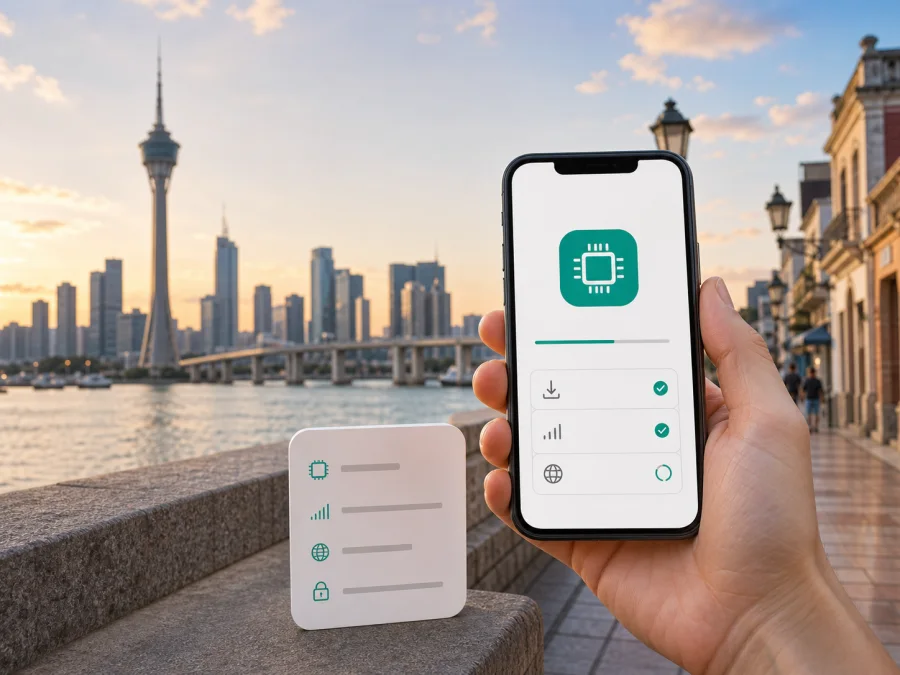
CTM eSIM in Macao: connection, activation and travel checklist
If you are planning a trip to Macao and are considering CTM eSIM, check more than whether your phone has an eSIM menu. You also need to know which service you are choosing, how it is registered, how the profile is activated, and which line will handle mobile data after arrival. A local CTM eSIM and a travel eSIM can serve different purposes even though both are installed digitally.
This guide describes CTM in Macao in a neutral, practical way. It covers eSIM availability, activation routes, device compatibility, network technologies, coverage considerations and the checks that matter to a visitor. Mobile conditions can change, so confirm the latest CTM instructions before purchase or activation.
Quick answer for travelers
Current public information supports CTM eSIM availability in Macao. Apple’s Macao support page, checked on 3 September 2026, lists CTM among providers supporting other iPhone eSIM activation methods, such as a QR code or provider app. The same page lists CTM for prepaid eSIM activation for international travelers. CTM’s public website also exposes dedicated eSIM product and application pages, although the exact product view is dynamic.
This confirms an eSIM route without guaranteeing that every CTM service, device, sales channel or visitor profile is eligible. Confirm the specific registration path, identification requirement, supported model and activation method with CTM at the time of purchase.
For a short visit, separate two choices:
- A CTM local or prepaid eSIM is a service issued within the Macao mobile market. It may suit someone who wants a local mobile service and is ready to complete the operator’s registration and activation process.
- A travel eSIM is arranged for mobile internet during a trip. Kaspersky eSIM Store is an app and website that helps you choose, arrange and activate an eSIM plan for an overseas journey. It is not a mobile operator, does not own CTM’s network and does not provide CTM coverage.
The right route depends on whether you need a local operator relationship, a local number, or simply mobile internet for maps, messages and online services. The word “eSIM” alone does not make the options interchangeable.
CTM’s role in the Macao mobile market
CTM is a telecommunications operator serving Macao. Its public English website provides mobile, roaming and customer-service information for people using CTM services in Macao and while traveling. CTM is the network operator discussed here, not a label for a generic travel-data service.
For residents, business users and visitors, CTM is a relevant point of contact for services managed in the Macao mobile market, including general prepaid or tourist-oriented options. A local CTM eSIM may involve registration, identity verification, service terms and an operator-defined activation route. A travel eSIM is usually organized around destination data. Decide whether you need internet only, calls and messages, a local number or your home line kept active.
The accessible CTM pages checked on 3 September 2026 did not provide a stable English document checklist for every eSIM scenario. Ask CTM which identification, registration, residency, payment and collection rules apply, especially if you are not a Macao resident.
Is CTM eSIM available in Macao?
Yes, current public evidence supports CTM eSIM availability in Macao, with a qualification about the exact route. Apple’s current Macao support list identifies CTM under other eSIM activation methods and under prepaid eSIM for international travelers. A compatible iPhone can therefore use a CTM activation method supported by the operator; this does not guarantee that every iPhone region variant, Android model or CTM service follows the same workflow.
CTM’s official website also has eSIM sections for product selection and application. If those pages are protected by a dynamic service layer or return a temporary access message, do not use an old cached offer or a reseller description as proof of current eligibility. Contact CTM or use its current customer channel to confirm the complete path.
The three practical checks are separate: CTM support in Macao is documented, device installation depends on model and lock status, and visitor eligibility depends on current registration rules, service type and channel. Verify the complete process instead of relying on the brand name alone.
How CTM eSIM activation may work
The exact CTM flow is determined by the service and device. The common digital pattern is that the operator provides an eSIM profile through a QR code, provider application or another guided method. Apple’s Macao support page specifically describes QR-code or provider-app methods and names CTM in that section.
An operator’s general service channel is not necessarily its eSIM installation channel. CTM’s current English roaming page, checked on 3 September 2026, lists the CTM Buddy App, a service-menu code, the website, shops and a hotline for certain roaming applications. Follow the instructions supplied for your particular eSIM profile.
Before purchase or collection
- Confirm that your phone supports eSIM and is not carrier-locked.
- Check the exact model and regional version, not only the model family.
- Ask CTM whether the chosen service is available to visitors and whether identity verification is required.
- Confirm whether the eSIM is data-only or associated with a local number and voice or messaging services.
- Make sure you have an internet connection when you need to download the profile.
- Save the activation instructions somewhere accessible without mobile data.
Installing the profile
- Open mobile-network settings on the iPhone or Android phone.
- Choose the option to add an eSIM or mobile plan.
- Scan the CTM QR code, use the supported app, or follow the supplied manual details.
- Give the line a clear label, such as “CTM Macao.”
- Keep your home line active only if your device and home operator allow the intended dual-line setup.
- Select the intended line for mobile data.
Connecting after installation
If the profile installs but the phone does not connect, check that the CTM line is enabled, mobile data is assigned to it and airplane mode is off. A restart can help the device register again. Do not delete the eSIM as a first troubleshooting step: some profiles cannot be reinstalled without a new activation process.
For a travel eSIM arranged through Kaspersky eSIM Store, the public Macao page checked on 3 September 2026 says that the profile appears in the user account after purchase and can be installed from the app or website, with a QR code also sent by email. The page describes the service as data-only, without a separate phone number for ordinary calls and text messages. Follow that profile’s instructions rather than applying CTM-specific settings to it.
Device compatibility: the checks that prevent problems
eSIM support is a device function, not a guarantee that every operator service works on every phone. A handset may show an eSIM identifier and still be restricted by a carrier lock, regional version, corporate policy or limit on active profiles.
| Check | What to confirm |
|---|---|
| eSIM capability | The exact model supports eSIM, not only a similar model name. |
| Carrier status | The phone is unlocked or can accept the relevant service. |
| Software | The operating system supports the operator’s activation route. |
| Profile capacity | There is room for another profile and the intended dual-line arrangement is supported. |
| Network settings | You know which line will be used for data and calls. |
| Installation access | You can open the QR code or activation details on another screen if needed. |
On iPhone, open Settings and the mobile-data section and look for an option to add an eSIM. On Android, wording varies by manufacturer; look in SIM manager or mobile-network settings for an option to download or add a SIM. If the option is absent, pause and check the exact model. A phone sold in one region can have different eSIM support from a phone with a similar retail name sold elsewhere.
Profile limits and call behavior vary, so check the manufacturer’s documentation and CTM support before relying on both lines.
CTM connection, 4G, 5G and VoLTE
CTM’s public material identifies modern mobile technologies used in its services. Its current English roaming page refers to 5.5G, also written there as 5G-A, and explains that 5G roaming depends on a compatible 5G handset and the frequency requirements of the destination. The page also advises travelers to use a VoLTE-enabled handset as older 3G networks are retired in different markets.
These are technology and prerequisite statements, not a guarantee of a particular result. A 5G icon depends on the handset, software, spectrum, location, indoor construction and service profile; a 4G fallback alone does not show that the eSIM is defective.
CTM’s corporate portfolio, checked as a public company document during this verification, records milestones for introducing eSIM in Macao and deploying a standalone 5G network. That establishes technology history, not a promise of current performance at a hotel, border area, underground station or indoor venue.
For travel preparation, confirm:
- whether the service and device support 4G or 5G use in Macao;
- whether the phone’s bands and software match the operator’s requirements;
- whether VoLTE is enabled if calls or voice registration matter;
- whether data roaming must be enabled for the profile in use.
For a local CTM line, use the operator’s instructions. For a travel eSIM, data roaming may need to be enabled on that eSIM while the home SIM’s data roaming stays off. Select the intended data line and disable automatic switching if the phone could move data to the home SIM.
Coverage in Macao: read it carefully
Macao is compact, but outdoor streets, hotel interiors, transport areas and crowded venues can behave differently. Physical conditions and the phone’s radio support affect coverage, so an operator-level statement cannot predict one room or route.
CTM’s published material describes Macao mobile services and records 5G deployment milestones. Its roaming information identifies the need for a suitable handset and destination frequencies. Usable technology therefore depends on the service, device and location.
Save an offline map and accommodation details before leaving. On arrival, test the line outdoors and then inside your hotel or venue. If the phone shows service but apps cannot connect, inspect the selected data line and access-point settings before concluding that coverage is the issue. If the line remains unregistered, ask CTM support to check the profile and account status.
Coverage is not the same as speed, and speed is not the same as reliability for one application.
Prepaid and tourist options for visitors
Current Apple documentation places CTM in the Macao section for prepaid eSIM activation for international travelers. That supports a general prepaid or traveler-oriented route, not one permanent product, so check current rules.
Ask CTM:
- Is the service available to a non-resident visitor?
- Is identity verification required, and can it be completed online?
- Is collection at a shop, airport or another location necessary?
- Is the service data-only, or does it include a local number?
- Does activation happen during installation, on first connection or after confirmation?
- Can the profile be reinstalled after a reset or device replacement?
- Which support channel should a traveler use if registration fails?
Do not rely on a product name found in an old search result. Prepaid and tourist offers can be replaced, paused or moved between sales channels. CTM’s current page, app or support team should be the final check for eligibility and conditions.
Local CTM eSIM or a travel eSIM?
Compare the two scenarios by function rather than by a list of offers.
| Travel need | Local CTM eSIM | Travel eSIM through Kaspersky eSIM Store |
|---|---|---|
| Main relationship | Directly with the Macao operator | Through an app and website for arranging a travel eSIM |
| Typical focus | Local mobile service and CTM conditions | Mobile internet for a foreign trip |
| Activation | CTM-defined QR, app or service process | Profile installation from the user account or QR instructions |
| Visitor checks | Registration and eligibility with CTM | Device compatibility and destination conditions |
| Phone number | Depends on the CTM service | The public Macao page describes data-only use without a separate number |
| Network responsibility | CTM service and network arrangements | The underlying local provider and selected travel-service conditions |
This is a reference table only. It does not rank either route. A local CTM service may suit someone who needs the operator’s own workflow or local-number functionality, if available. A travel eSIM may suit someone whose priority is to arrange destination data before or during a journey without changing a physical SIM.
Kaspersky eSIM Store is an app and website that helps the user select, arrange and activate an eSIM plan for mobile internet during an overseas trip. It is not CTM, the owner of CTM’s network or a provider of CTM coverage. The public Macao page also describes the travel eSIM as data-focused, so ordinary calls and SMS should remain on the home line or use internet messengers where appropriate.
A safe activation plan
Before departure, confirm the phone model and unlocked status, decide which line will handle data, and decide whether you need a local number or only internet access. Complete CTM registration if you are using a CTM service. Save the QR code and instructions, keep the home SIM available if you need bank codes or incoming calls, turn off automatic data switching, and check roaming for the selected eSIM only.
After landing, install the profile only when you have the required connection and enough battery. Set its label, choose it for data and give the phone a moment to register. If the trip starts later, review the travel eSIM’s activation conditions before installing it. The current instructions for the selected profile control.
Troubleshooting CTM eSIM in Macao
If the QR code will not scan, increase screen brightness, clean the camera lens and keep the code fully visible. If the code is on the same phone, use manual entry or the supported app. If the profile installs but shows no service, check that the CTM line is enabled and selected for data, restart the phone and test outdoors. Contact CTM before deleting a profile that cannot register, because reinstallation may require a new activation process.
If data uses the wrong line, select the intended eSIM for mobile data and turn off automatic data switching. If calls or SMS fail, first check whether the selected eSIM is data-only. For a travel eSIM arranged through Kaspersky eSIM Store, the public Macao page checked on 3 September 2026 describes data-only use without a separate number. If 5G does not appear, check the phone setting, supported bands, software and service eligibility; CTM’s guidance allows for a 4G fallback.
Frequently asked questions
Can I use CTM eSIM as a visitor in Macao?
Current public documentation supports a CTM prepaid eSIM route for international travelers, but visitor eligibility and registration steps can change. Confirm the current requirements with CTM.
Does CTM eSIM include a Macao phone number?
Not necessarily. Ask whether the specific service is data-only or includes a number, voice and messaging before activation.
Can I keep my home SIM active?
A compatible dual-SIM phone may keep both lines installed. Choose one line for data and check the home line’s roaming settings.
Is Kaspersky eSIM Store affiliated with CTM?
No. They are separate services. Kaspersky eSIM Store is an app and website for choosing, arranging and activating a travel eSIM for mobile internet; it is not CTM’s operator service, network owner or provider of CTM coverage. This article does not imply an official partnership or endorsement.
Final checklist
For a smooth connection in Macao, confirm the operator route, device compatibility and registration requirements before travel. Keep CTM instructions separate from travel-eSIM instructions. At the destination, select the correct data line, check roaming settings for that line and test the connection before relying on it for navigation or bookings.
If a CTM local service is what you need, verify the current visitor rules and activation channel with CTM. If you need destination mobile internet arranged through an app or website, choose an eSIM plan for Macao and check the current conditions before activating.
Information in this article was checked on 3 September 2026. Mobile services, device support, registration rules, coverage statements and activation procedures may change. CTM is a separate operator, and Kaspersky eSIM Store is not affiliated with CTM. Confirm current conditions with the relevant service before purchase or activation.


