
Travel connectivity guide
Cuenca eSIM: mobile internet for your trip
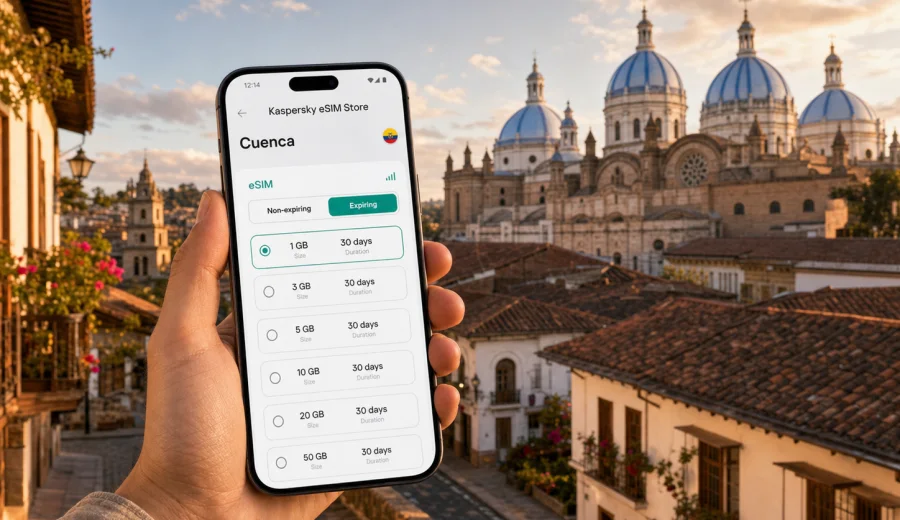
Cuenca eSIM: mobile connection and internet for your trip
Cuenca is one of Ecuador's easiest cities to enjoy slowly, but it is much easier when your phone is ready from the first hour. The city sits in the Andean highlands, with a compact historic center, river walks, hillside viewpoints, nearby villages, and day trips that often start early. A working mobile internet connection helps you confirm hotel details, call a ride, follow a walking route, translate a menu, check bus times, and keep in touch without depending only on airport Wi-Fi or the network at your accommodation.
An eSIM can be a practical way to prepare mobile data before you arrive in Cuenca. Instead of looking for a physical SIM card after landing, you can choose a prepaid eSIM plan for Ecuador, install it on a compatible phone, and use mobile data for maps, messaging, bookings, and travel apps. This guide focuses on Cuenca itself: arrival, local movement, neighborhoods, hotels, business trips, short stays, and routes from the city.
Why mobile internet matters in Cuenca
Cuenca is walkable, but it is not a city where every useful place is on one straight route. The historic center has narrow one-way streets, plazas, markets, museums, churches, cafes, and hotels tucked into restored colonial buildings. The Tomebamba River separates the old center from modern areas, and viewpoints such as Turi are easier to reach with a map or ride-hailing app. If you plan to visit Baños de Cuenca, Cajas National Park, Gualaceo, Chordeleg, or Ingapirca, mobile data can also help with meeting points and route changes.
For many visitors, the first need is simple: get online before the trip starts to feel complicated. You may need to show a booking confirmation, message a host, check whether your hotel allows early check-in, or find the correct entrance on a small street. In Cuenca, where addresses can include cross streets and local references, having navigation in your pocket reduces friction.
Mobile internet is also useful because Cuenca's travel rhythm can change with weather and altitude. The city is high in the Andes, and nearby routes can feel different from coastal Ecuador or Quito. If rain affects a planned walk, a connected phone lets you change from an outdoor route to a museum, cafe, coworking spot, or taxi ride without hunting for Wi-Fi.
Arrival scenarios: airport, bus terminal, and first transfer
Cuenca is served by Mariscal Lamar Airport, which is close to the city compared with many larger airports. That short distance is convenient, but the first transfer still often involves decisions: taxi or app-based ride, hotel direction, cash or card, and the quickest route through traffic. If your eSIM is already installed, you can switch on mobile data after arrival and handle these steps without waiting to connect to a public network.
Some travelers arrive by intercity bus instead. Cuenca's main bus terminal is useful for routes from Guayaquil, Quito, Loja, Riobamba, and other cities, and it also connects with urban transport. A connected phone helps you check your next stop, share your location with your accommodation, and avoid guessing which exit or taxi area is best after a long ride.
Here is how mobile data helps during the first two hours:
| Moment in the trip | What you may need your phone for |
|---|---|
| Landing at Mariscal Lamar Airport | Message your hotel, check a ride, open offline or online maps |
| Arriving at the bus terminal | Confirm the address, compare tram, taxi, or walking options |
| Reaching El Centro | Follow one-way streets and find the correct hotel entrance |
| Checking in | Retrieve booking emails, identity documents, and payment confirmations |
| First walk | Navigate between Parque Calderon, the cathedral area, cafes, and viewpoints |
Cuenca is not a city where you must be online every minute, but the first transfer is exactly the moment when mobile internet is most useful. It gives you enough control to move from arrival point to accommodation without using your main roaming plan more than necessary.
eSIM, roaming, local SIM, or Wi-Fi in Cuenca
Different travelers solve mobile connection in different ways. The right choice depends on trip length, device compatibility, budget, and how much you want to arrange after arrival. For a short city stay, an eSIM is often convenient because it reduces the number of offline tasks you need to handle in Spanish after a flight or bus ride.
| Option | Good for | Trade-offs to consider |
|---|---|---|
| eSIM for Ecuador | Short trips, business visits, travelers who want mobile data ready quickly | Requires an eSIM-compatible and unlocked device; plan conditions vary |
| Standard roaming | Travelers who prefer to keep their home operator settings unchanged | Costs and data limits depend on your home operator |
| Local physical SIM | Longer stays or users who need a local phone number | Requires finding a shop, checking documents and activation steps, and changing SIM cards |
| Public Wi-Fi | Light use in hotels, cafes, or coworking spaces | Availability, speed, and security can vary; not useful during transfers |
An eSIM does not usually replace every communication need. In many travel eSIM plans, mobile data is the core feature, while a regular phone number, voice calls, and SMS are not included unless a plan states otherwise. For calls and messages, you can use internet-based apps once mobile data is active.
How much data to plan for a Cuenca trip
Data use depends more on behavior than on the city. A traveler who uses maps, messengers, and booking apps may need relatively little. A traveler who uploads many videos, works on video calls, or uses hotspot mode for a laptop will need more. Cuenca's pace can make light data use realistic, but day trips and remote work can change the calculation.
Use this practical estimate before choosing a plan:
| Traveler type | Typical phone use | Data planning note |
|---|---|---|
| Weekend visitor | Maps, messages, restaurant searches, ride apps | A smaller package may be enough if video is limited |
| Slow traveler | Daily navigation, photos, translation, banking, bookings | Choose a plan with enough days, not only enough gigabytes |
| Business traveler | Email, calendars, ride apps, light document work | Keep a buffer for hotspot use and urgent calls over the internet |
| Remote worker | Laptop tethering, cloud tools, video meetings | Choose a larger package and control background sync |
| Day-trip traveler | Maps outside the center, messaging, route checks | Save offline maps too, especially for mountain routes |
Before travel, download offline maps for Cuenca and the surrounding region. Offline maps do not remove the need for mobile data, but they reduce pressure on your plan and help when signal conditions vary outside the city. Keep mobile data for live searches, ride coordination, messaging, and updated route information.
When to set up eSIM before Cuenca
For most trips, it is easier to install the eSIM before departure while you still have stable Wi-Fi. You can complete the setup calmly, check that the eSIM profile appears on your phone, and avoid doing technical steps while standing in an airport or bus terminal. Activation behavior can depend on the selected plan, so read the plan conditions before you travel.
A simple preparation checklist:
- Confirm that your phone supports eSIM and is not locked to one operator.
- Choose a plan for Ecuador, not just for a city name.
- Check data volume, validity period, destination, price, and activation rules.
- Install the eSIM while connected to reliable Wi-Fi.
- Keep your primary SIM active if you need your usual number for banking or verification messages.
- Turn off automatic cloud backups and large app updates on mobile data.
- Save your hotel address and first route offline.
If you prefer to wait until Ecuador, make sure you can reach Wi-Fi for installation and sign in to your account. In Cuenca, hotels and cafes often have Wi-Fi, but the most convenient moment is still before arrival.
Choosing an eSIM plan for Cuenca through Kaspersky eSIM Store
Kaspersky eSIM Store is an app and website where you can choose, arrange, and activate an eSIM with a suitable mobile data plan for an international trip. For Cuenca, the relevant destination is Ecuador. That matters because a city article should still point you to the country plan: the eSIM plan is selected for the country or region where the city is located.
When comparing options, look at four practical questions:
1. How many days will you be in Cuenca and Ecuador?
2. Will you stay mostly in the city or take day trips into the mountains and nearby towns?
3. Will you use only your phone, or will you share data with a laptop?
4. Do you need a small backup package or the main data connection for the whole trip?
If Cuenca is your only destination in Ecuador, a country plan is usually the cleanest match. If Cuenca is part of a broader South America itinerary, compare country and regional options carefully and check the destination list inside the selected plan before you rely on it.
For a practical starting point, you can choose an eSIM plan for your trip to Cuenca in Ecuador and compare data volume, validity period, and plan conditions before you travel. This is most useful after you already know your route, hotel base, and expected data use.
Installing and activating eSIM for the trip
Installation is usually easier when you do it before departure. You need an eSIM-compatible device, internet access for the setup step, and the plan details from your profile or email. The exact screens differ by phone model and operating system, so follow the instructions for your device.
For setup help, use the official guides: Android eSIM installation instructions and iOS eSIM installation instructions.
A typical setup flow looks like this:
1. Choose the Ecuador plan that fits your trip.
2. Open the eSIM details on the site or in the app.
3. Add the eSIM profile to your phone using the provided steps or QR code.
4. Name the eSIM line clearly, for example Travel Ecuador.
5. Keep your home SIM for calls or verification messages if needed.
6. Select the eSIM profile for mobile data when you are ready to use it.
7. If the phone or plan requires it, enable data roaming for the eSIM line.
8. Wait a few minutes for the device and local network to complete connection.
Do not delete an installed eSIM profile unless you are sure you no longer need it. Some eSIM profiles cannot be moved to another device after activation, and reinstalling may depend on plan conditions.
Device compatibility before you fly
Not every phone supports eSIM, and some models vary by country of sale. An unlocked, eSIM-compatible device is the starting point. You should also check whether your operating system is up to date and whether your device can keep your main SIM active while using another line for mobile data.
Before selecting a plan, check your device. This is especially important if you bought your phone through an operator, use a regional model, or plan to travel with a tablet or secondary device.
Important checks:
- The phone supports eSIM.
- The phone is not locked to one operator.
- You can access Wi-Fi during installation.
- You understand which SIM line will handle calls, SMS, and mobile data.
- You know whether your banking apps require your main number for verification.
- You have saved the eSIM setup details in case you need to review them later.
Compatibility is not just a technical detail. It is what decides whether your travel plan is simple or stressful. Check it before you pay for a plan, not at the airport.
Cuenca transport and navigation tips
Cuenca has several transport patterns that make mobile internet useful without turning the trip into constant screen time. The tram can be helpful for parts of the city, taxis are common for luggage or late returns, and walking is often the best way to enjoy the historic center. For trips outside the city, buses and organized transfers may require more planning.
Use mobile data for:
- checking the fastest route from the airport or bus terminal;
- confirming whether your destination is uphill, across the river, or in a narrow old street;
- comparing walking, tram, taxi, and bus options;
- sharing your location with a hotel, host, colleague, or travel companion;
- saving a fallback route if weather changes;
- translating short messages with drivers or accommodation staff.
If you are walking in El Centro, keep your phone secure and avoid stopping in the middle of busy sidewalks to study the screen for a long time. Save the next destination, put the phone away, and use short checks at corners or inside cafes.
Hotels, districts, business trips, and routes from Cuenca
El Centro is the usual base for first-time visitors because it keeps Parque Calderon, the cathedral area, markets, cafes, museums, and many hotels within walking distance. Mobile data helps when a restored hotel has several entrances, when a host sends a door code, or when you need to find a pickup point on a narrow one-way street.
South of the Tomebamba River, districts such as El Vergel and Remigio Crespo are common for apartments, business meetings, clinics, language schools, and longer stays. Here, mobile internet is less about sightseeing and more about practical movement: taxi coordination, calendar changes, document access, and messaging between appointments. If you will use hotspot mode for a laptop, check whether it is supported by your selected plan and choose extra data.
For a short stopover, mobile data keeps the plan simple: route from the airport or bus terminal to the hotel, walk through El Centro, check a ride to Turi, confirm dinner, and review departure details. For day trips to Cajas National Park, Gualaceo, Chordeleg, or Ingapirca, download offline maps first and keep mobile data for live updates, messaging, and return coordination. Local network conditions can vary outside the city, especially on mountain routes.
FAQ
Is eSIM useful for Cuenca if my hotel has Wi-Fi?
Yes. Hotel Wi-Fi can be enough for work or evening planning, but it does not help during airport transfers, taxi coordination, walking routes, day trips, or moments when you need to message someone outside the hotel.
Should I choose a Cuenca eSIM or an Ecuador eSIM?
For a city trip, choose the country destination that includes Cuenca. In Kaspersky eSIM Store, the relevant landing page for this article is Ecuador, because Cuenca is in Ecuador and plans are organized by country or region.
Can I make normal phone calls with a travel eSIM?
Usually no, unless the selected plan specifically says that voice calls or SMS are included. Many travel eSIM plans focus on mobile data. For calls and messages, use internet-based apps when your data connection is active.
When should I activate mobile data?
Install the eSIM before travel if possible, then follow the activation rules for your selected plan. Some plans start under specific conditions, such as when the eSIM connects in the destination. Read the plan details before switching it on.
Is eSIM enough for Cajas National Park or other day trips?
It can be useful, but you should not rely only on live data outside the city. Download offline maps, save return information, and keep enough battery. Local network conditions can vary on mountain routes.
Choose your eSIM plan for Cuenca
Cuenca is a city where mobile internet works best as quiet preparation: it supports the arrival, the walk through the historic center, the ride to a viewpoint, the work message between meetings, and the day trip that changes because of weather. You do not need to overcomplicate it. Check your device, estimate your data use, install the eSIM on Wi-Fi, and keep your travel settings clear.
When your route is set, choose an eSIM plan for Ecuador through Kaspersky eSIM Store and prepare mobile internet for your Cuenca trip before arrival.