Travel connectivity guide
Curitiba eSIM: Mobile Data for Your Brazil Trip
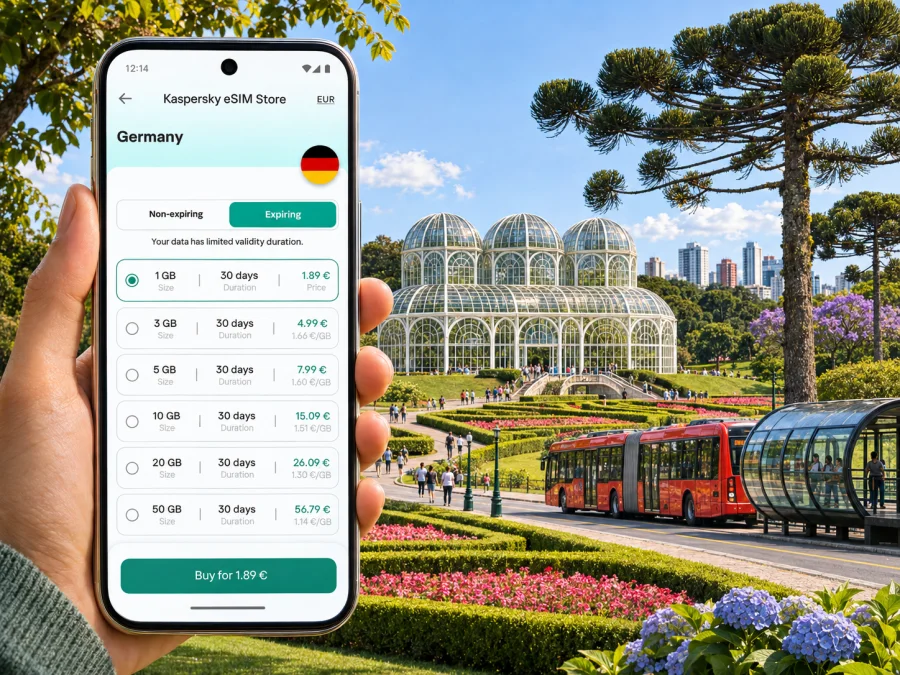
Curitiba eSIM: mobile connection and internet for your city trip
Curitiba rewards a little planning. The capital of Paraná is known for its parks, cultural venues and a bus network that shapes how visitors move around, but a first-time arrival still brings practical questions: how to get from the airport to your accommodation, which stop is closest to a museum, and how to check a route when plans change. A mobile internet connection can make those small decisions easier, from reading a map to confirming a ride or messaging your hotel.
An eSIM is a digital SIM profile that you add to a compatible, unlocked device. It can provide mobile data under the terms of the selected plan, without replacing the physical SIM already in your phone. It is useful when you want to prepare data access for travel in Brazil before landing or arrange it after arrival. It does not automatically include a Brazilian phone number, conventional voice calls or SMS; check the plan details and keep another way to make calls if you need one.
This guide focuses on using mobile data around Curitiba: airport arrival, city transport, neighbourhoods, sightseeing, work trips and onward journeys. Network availability and performance depend on the local operator, your exact location, device, plan and current conditions. Treat online maps as a helpful layer, and save essential addresses and tickets offline as a backup.
Before you travel: set up for Curitiba
Start with the route you actually expect to take. A visitor staying near Centro, Batel or Centro Cívico may use data mainly for walking directions, ride-hailing and restaurant details. Someone visiting clients across the metropolitan area may need maps and messaging throughout the day. A stopover may require only enough data to reach a hotel, check departure information and contact the next destination.
Use those plans to estimate data needs rather than choosing by a generic daily number. Navigation uses data, but video calls, cloud backups, social video and photo uploads can consume much more. If you will rely on hotel Wi-Fi in the evenings and use mobile data mainly outdoors, your needs differ from a remote-work trip with frequent calls. The correct amount depends on your habits and the offer’s validity period.
| Travel pattern | Likely data use | Useful preparation |
|---|---|---|
| Two or three days of sightseeing | Maps, messages, attraction hours and occasional ride requests | Download an offline city map; keep mobile data for live changes |
| A week with day trips | Navigation, bookings, photos and transport updates | Check the plan validity against the whole itinerary, including travel days |
| Business meetings | Email, maps, messaging and possibly calls over apps | Confirm the venue address, meeting details and backup Wi-Fi in advance |
| A short airport stop | Transfer instructions, messages and a route to the next point | Save the destination address and airline details before boarding |
Before buying an eSIM, check that your particular device variant supports eSIM and is not carrier-locked. Support can differ between model names and regional versions, so do not assume that a device sold under a familiar brand has the same features in every market. Check your device’s eSIM compatibility. Also read whether the selected Brazil plan covers your dates, how its validity begins, what happens when the data allowance is used, and whether tethering is allowed if you plan to connect a laptop.
Arriving at Afonso Pena International Airport
Curitiba’s main passenger airport is Afonso Pena International Airport (CWB), in the neighbouring municipality of São José dos Pinhais, southeast of the city centre. The airport is not inside Curitiba’s municipal boundary, so allow time for the road journey and check the destination shown in your route app. The best transfer for you depends on arrival time, luggage, budget and where you are staying. Options can include a taxi, a ride booked through an app, a prearranged transfer or public transport; confirm current routes and operating hours before setting off. The city tourism office describes the E32 airport bus to Terminal Boqueirão, where onward connections are possible; check current service details before relying on it.
When you land, first connect to a trusted airport Wi-Fi network if one is available and you need to finish an online setup. If you installed your eSIM earlier, confirm that the profile is enabled, select it for mobile data if appropriate, and check the plan instructions for network selection and data roaming. Some travel eSIMs require data roaming to be enabled on that profile. This setting does not mean you should enable roaming indiscriminately on your home SIM: check which line is selected for data to avoid unexpected charges from your regular operator.
A cautious arrival sequence is simple:
- Keep your home SIM active for calls or messages if you need it, and confirm which line is set as the default for mobile data.
- Turn on the travel eSIM profile according to its instructions.
- Wait briefly for registration, then check whether mobile data works by opening a lightweight page or map.
- If it does not connect, verify the selected data line, the plan’s activation conditions and any required roaming setting before changing other options.
- Use your saved address to compare the route and pick-up point with the driver or transfer provider.
Flights may be delayed, pick-up areas busy and reception variable. Use the address saved in your booking and follow your transport provider’s instructions.
Getting around Curitiba without losing your bearings
Curitiba’s distinct districts often call for a mix of walking, buses and app-based rides. A direct-looking route may need a transfer or a walk to another stop. Check a current route planner or official transport information; service patterns, fares and access can change.
Mobile data helps you confirm a bus direction, check a venue’s latest hours or share a location pin. It does not replace checking the destination sign and route at the stop; match the route number and direction before boarding.
The Linha Turismo sightseeing circuit connects visitor attractions and can reduce route planning. Check its current stops, operating conditions, ticket and boarding rules close to your visit. Data helps you choose a stop and adjust the next leg if a visit runs long.
Choose the right kind of route for the day
| Situation | What to check on your phone | Backup that helps |
|---|---|---|
| Walking in Centro | Pedestrian route, opening hours and the exact entrance | Save the address and a map pin before leaving Wi-Fi |
| Crossing between districts | Route direction, transfer point and walking distance between stops | Note the main stop name and destination in Portuguese |
| Visiting parks | The right gate or visitor entrance and return route | Save the park location and agree on a meeting point |
| Travelling after an event | Current transport availability and your pick-up location | Keep the accommodation address written down |
| Meeting a driver | The app’s pin, street name and a visible landmark | Send the location to your companion before the battery runs low |
“Nearby” can still mean a longer walk when an avenue or park interrupts a route. Check walking time and crossings, and choose a well-lit public route or registered transport option late at night.
Neighbourhoods and a practical way to plan visits
Centro is a convenient base for historic streets, civic buildings, shopping and connections to other parts of town. The central area is busy, so use live navigation for precise entrances and meeting points rather than relying on a broad destination label. A saved pin is especially useful when a venue uses a side entrance or an address spans a long block.
Batel is associated with restaurants, hotels and nightlife, and it can suit travellers who want dining options near their accommodation. Centro Cívico brings civic institutions and cultural destinations into the same part of an itinerary. Jardim Botânico is farther east of the traditional central core and deserves a dedicated block of time; plan the outbound and return journey before you leave. These descriptions are orientation points, not guarantees about safety, opening hours or travel time.
Group visits by area instead of zigzagging across Curitiba. Pair a morning in the historic centre with a nearby lunch, then choose one farther attraction. Save the next stop before entering a large building where signal may be weaker.
Staying connected in hotels, cafés and meeting venues
Hotel Wi-Fi is useful for large downloads, backups and video calls; an eSIM helps while moving between meetings and attractions. Ask about Wi-Fi login steps, but do not depend on it for the airport transfer.
For a work visit, save the address of every meeting venue and confirm the neighbourhood, building name and reception instructions. A calendar address alone may be incomplete. Download documents that you might need offline, and use mobile data for messages and route updates between appointments. If a meeting moves, ask the organiser to send a full address or a location pin rather than guessing from the venue name.
Calls over messaging apps use an internet connection and the app’s own account setup; an eSIM data plan does not necessarily provide a traditional number for calls or SMS. If you need to receive a bank code or a call on your home number, confirm how that line behaves abroad and what your home carrier charges. Keep the home SIM enabled only if you need it, and review dual-SIM settings so mobile data uses the intended profile.
Reduce avoidable data use
- Set photo and cloud backups to Wi-Fi only during the trip.
- Download playlists, films, documents and offline maps before departure.
- Turn off automatic video playback in social apps if you are watching your allowance.
- Use text directions or a saved map when you do not need continuous live updates.
- Check your remaining allowance and validity in the service’s account or app, where available.
These steps make a limited connection more predictable during a sightseeing day.
Choosing a Brazil eSIM plan for a Curitiba itinerary
Kaspersky eSIM Store is an app and website that helps you choose, arrange and activate an eSIM with a suitable mobile-data plan for international travel. It is a preparation and account-management path; mobile service itself depends on the plan’s underlying local operator, coverage, device and terms. The Brazil destination page is the right place to review the current options for a trip to Curitiba. Explore eSIM plan options for Brazil.
Compare the plan’s country or region, data allowance, validity period, price and activation conditions. A city trip still uses the Brazil destination: do not infer a separate Curitiba-specific coverage promise from the fact that the article is about the city. Check whether the offer is for Brazil alone or includes additional destinations, and whether the expiry clock begins on installation, first network connection or another event stated in its terms.
A simple selection method:
- List the number of travel days when you expect to use mobile data.
- Estimate your daily habits: maps and messages are lighter than streaming and video calls.
- Add any out-of-city travel days, such as a side trip from Curitiba, and confirm the plan’s geographic validity.
- Compare validity and data allowance together. A larger allowance may not help if the plan expires before your return.
- Read the provider’s installation, activation, top-up and tethering terms before payment.
Do not choose solely by the largest data number or lowest displayed price. The useful plan is the one whose geography, validity, data amount and conditions match your itinerary. If your route changes, check whether your existing plan covers the new destination before relying on it.
Install and activate before you need the map
Install the profile when you have a stable internet connection and enough time to follow the instructions carefully. You may choose to install it before departure and activate it according to the plan terms, or wait until arrival if the instructions call for that. Installation and activation are not always the same step, so read the plan details and avoid deleting an installed profile unless support tells you to do so.
- Check the device. Confirm eSIM support for your exact regional variant and make sure the phone is unlocked. Check your device’s eSIM compatibility.
- Prepare access. Keep the order or activation details available and connect to reliable Wi-Fi if installation requires internet access.
- Add the eSIM. Follow the on-screen flow or the instructions for Android or iOS, depending on your phone.
- Label the line. Give it a clear name such as “Brazil travel” so you can distinguish it from your home SIM.
- Choose the data line. In the phone’s cellular settings, select the travel eSIM for mobile data when you intend to use it.
- Activate according to the plan. Follow the specific provider instructions; if data roaming is required for that profile, enable it for the travel eSIM and keep your home line’s settings in mind.
- Test before leaving Wi-Fi. Confirm that the profile is enabled and that a simple page or map loads. If registration takes time, wait and follow the plan’s troubleshooting steps.
If installation fails, do not repeatedly scan a one-time QR code or delete the profile without checking the instructions. Confirm the device’s internet access, the installation status and whether the profile is already present. Then use the support channel provided with the order. Keep a screenshot of the error message, but do not share personal activation codes publicly.
Troubleshooting when mobile data does not work
If the eSIM shows no service or pages do not load, troubleshoot in a calm sequence:
- Check that the travel profile is switched on and selected for mobile data.
- Confirm that the plan is valid for Brazil, within its dates and not out of data.
- Review the activation instructions for any required data-roaming setting or manual network selection.
- Toggle airplane mode once, wait, and allow the phone to register again.
- Restart the device if the plan’s troubleshooting guide recommends it.
- Move to another location, since reception can vary indoors, underground and between neighbourhoods.
- If the issue continues, contact the support channel attached to your purchase with the device model, location and a brief description of what you see.
Avoid changing multiple settings at once; that makes it harder to identify the cause. While troubleshooting, use saved maps or hotel Wi-Fi for essential information.
Curitiba eSIM questions, answered
Is an eSIM useful for a city break in Curitiba?
It can be useful if you want mobile data for maps, messaging, bookings and route changes without swapping your physical SIM. Whether it suits you depends on device compatibility, the plan’s Brazil coverage and validity, and your data habits.
Does a travel eSIM give me a Brazilian phone number?
Not necessarily. Many travel eSIM plans are data-focused and do not include a conventional local number, calls or SMS. Check the individual plan’s terms. Messaging and internet calls may work through apps when you have data and the other person can reach you there.
Should I install the eSIM before travelling?
Often it is convenient to install while you have stable internet, but follow the plan’s own timing and activation instructions. Some plans begin validity at a particular activation event, so verify that condition before installing or turning on the profile.
How much data do I need for Curitiba?
There is no single amount for everyone. Maps and messaging usually require less data than video streaming, frequent video calls or cloud photo uploads. Estimate by your routine, include the full validity period, and download large content over Wi-Fi.
A compact checklist before departure
- Check eSIM compatibility for the exact device variant and confirm the phone is unlocked.
- Choose a plan whose Brazil coverage, data allowance and validity fit the itinerary.
- Read when validity begins and whether data roaming or tethering settings are required.
- Install or prepare the profile using a stable connection and save its instructions.
- Download offline maps, accommodation details, tickets and key addresses.
- Confirm the route from Afonso Pena International Airport to your first stop.
- Set mobile data to the intended SIM line and monitor usage during the trip.
- Keep a charger, a backup payment method and a way to contact your accommodation.
Curitiba is easier to explore when directions, meeting details and transport options are within reach, but a good plan also works when the signal drops or the day changes. Pair a suitable eSIM with offline essentials, check local transport information close to departure, and leave room in the schedule for the city’s parks and neighbourhoods.
Prepare your mobile data for Curitiba
Use Kaspersky eSIM Store to review the current Brazil options, choose a plan that matches your route and dates, and prepare an eSIM for your trip. Before completing your choice, confirm device compatibility and read the plan’s coverage, validity and activation terms. Review eSIM options for your trip to Brazil.


