Travel connectivity guide
Cusco eSIM: Mobile Internet & Travel Connection Guide
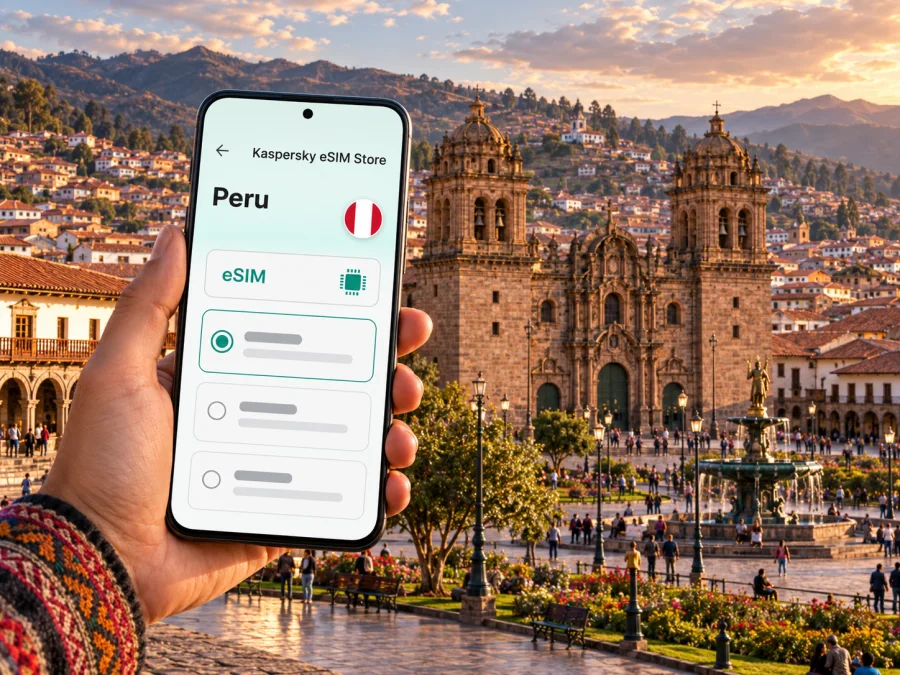
Cusco eSIM: Mobile Connection and Internet for Your City Trip
Cusco is a high-altitude city in southeastern Peru and a common starting point for exploring the Sacred Valley and Machu Picchu. Its historic centre is compact enough to explore on foot, but the first hours after landing still involve practical decisions: finding your accommodation, confirming a transfer, checking a booking, or opening a map on unfamiliar streets. An eSIM can help you prepare mobile internet for those moments without swapping the physical SIM in your phone.
The city’s setting shapes the pace of a visit. Peru.travel lists Cusco at 3,395 metres above sea level, while PROMPERÚ’s destination portal gives 3,399 metres; roughly 3,400 metres is a practical figure for planning. Both official pages were checked on 1 November 2026. Peru’s guide to the historic centre starts at Plaza de Armas and describes the uphill walk to San Blas. Allow time to acclimatize and avoid assuming a data connection will be equally reliable in every building, street or mountain destination.
When mobile internet is useful in Cusco
A connection is useful for the small decisions that make a city day easier: checking a hotel message, confirming a pickup point, translating a menu, sending an arrival update, or comparing a walking route before leaving a plaza. It can also help when a driver or guide needs to reach you after a change in plans. Downloading maps and key booking details before you go gives you a fallback if signal or battery is limited.
Cusco’s historic streets are a mix of open squares, narrow lanes, stone buildings and steep sections. A map may help you orient yourself, but it cannot replace checking the street name, asking your accommodation to confirm its entrance, or allowing extra time for an uphill walk. In San Blas, for example, a short-looking route from the centre can feel more demanding because it climbs. Use navigation to plan, then follow local signs and your guide’s directions where appropriate.
| City situation | What a connection can help with | Useful backup |
|---|---|---|
| Arrival at Alejandro Velasco Astete Airport | Message your host, check a transfer note, open a map | Save the lodging address and pickup instructions offline |
| Walk around Plaza de Armas | Find a museum, confirm opening details, share your location | Keep a saved map and meeting point |
| Climb toward San Blas | Check a route and send an update | Choose a clear return route before it gets dark |
| Work from a hotel or café | Join a call or retrieve cloud documents | Ask about Wi-Fi and test the room before relying on it |
| Leave for a day trip | Check your ticket, pickup time or rail station | Keep tickets and reservation codes available offline |
The Teniente FAP Alejandro Velasco Astete Airport is listed by Peru’s Ministry of Transport and Communications as administered by CORPAC (checked 1 November 2026). From the terminal, your next step may be a pre-arranged transfer, taxi or other local option. Confirm the pickup point and fare arrangement with your provider; do not rely on a map pin alone if the driver gives you a different landmark. Mobile data can help you message the driver, but does not guarantee signal inside the terminal or during the ride.
Plan for streets, districts and accommodation
Many first visits concentrate on the historic centre. Plaza de Armas is a practical reference point; nearby streets lead to churches, museums, restaurants and shops. Peru’s official tourism guide describes tours beginning at the main square and the uphill walk to San Blas. The UNESCO World Heritage Centre describes Cusco’s historic streets and squares as a blend of the Inca capital and colonial city.
When choosing accommodation, remember that a property may sit above a steep lane, behind a courtyard entrance or on a street with limited vehicle access. Save its full address and arrival directions. If you arrive late or carry luggage, ask the property to confirm the best drop-off point instead of estimating from straight-line distance.
For a short visit, group nearby places instead of repeatedly crossing the centre. Save a route back to your hotel and, for a meeting, agree on a named landmark and time window. A shared location can help in busy streets, but confirm the street sign if map positioning looks imprecise.
Mobile signal can vary with the exact building, terrain, network, congestion and the plan’s local partner. A map marker or a country-level coverage statement does not prove that service will work indoors or on every street. Peru’s telecom regulator OSIPTEL provides a public map based on coverage reported by mobile operators. It distinguishes “guaranteed coverage” from broader coverage areas where service may still be available but performance can vary; the map showed operator-reported data for the second quarter of 2026 when checked on 1 November 2026. This is a useful reminder to check precise destinations and keep offline alternatives, not a promise about your individual device or eSIM.
Choosing an eSIM plan for Cusco
Cusco is a city within Peru, so start by checking that the eSIM plan you are considering explicitly covers Peru. A city name in a travel itinerary does not mean there is a separate Cusco tariff. If your trip continues to the Sacred Valley, Machu Picchu, Puno or another country, check whether the plan covers each place on your route and whether a regional option is more suitable. Coverage and plan terms depend on the local mobile network and the selected package.
Kaspersky eSIM Store is an app and website where you can choose, arrange and activate an eSIM with a suitable plan for mobile internet during an international trip. Before choosing, compare the plan’s destination, data allowance, validity period, price and any activation conditions shown at checkout. Choose around your real usage: maps, messages and browsing usually need less data than video calls, cloud backups or streaming. If you expect to work remotely, estimate data for calls and file transfers separately and check whether hotspot use is allowed under the selected plan.
If you want to review the current options for Peru, browse eSIM plans for Peru. The available plan details can change, so use the current destination page to check the exact package, supported network information and conditions before purchase. The Peru page lists service supplied by local telecommunications providers; that does not guarantee a particular experience at every Cusco address. For longer travel outside the city, plan for possible gaps and download the material you will need in advance.
A quick decision guide:
- City break: estimate the number of days you will use mobile data and how often you will navigate or message.
- Work trip: include video meetings, file access and tethering only if the plan permits it; hotel Wi-Fi can be a useful secondary connection.
- Cusco plus onward travel: verify each destination instead of assuming that city coverage applies across rural routes or archaeological sites.
- Short layover: prioritize messaging, maps and transport details, and keep tickets and hotel information offline.
- Several devices: check whether the plan allows hotspot use, then account for the additional data it may consume.
Do not choose by the largest data allowance alone. A bigger package may be unnecessary for a few days of messaging and maps, while a small allowance may not suit video meetings or frequent uploads. Look at the validity period as well: some plans expire after a stated duration, while others may have different validity rules. Read when the plan becomes active and when data usage begins. Installing an eSIM and starting its service are not always the same event; follow the package instructions for timing.
Prepare your phone before departure
Check your exact device model and regional variant before buying. eSIM support can differ between versions sold in different markets, and a device locked to another carrier may not accept a new profile. Check whether your device supports eSIM, and confirm with the manufacturer or original carrier if the device is unlocked and compatible. Do not rely only on a family member’s phone with the same brand or model name.
Before installation, make sure you can access a stable internet connection, your Kaspersky eSIM Store account or purchase details, and the installation instructions. If the plan is delivered by QR code, open the code on another screen or use the device’s supported direct-install process. Avoid deleting a profile to troubleshoot unless the instructions say you can reinstall it; some eSIM profiles cannot be transferred or reissued after removal.
Install and activate the eSIM
- Confirm that the plan covers Peru and check its activation rules.
- Connect your phone to Wi-Fi, then open the eSIM installation flow in your order or app.
- Add the eSIM through your device’s mobile-network settings or scan the supplied QR code.
- Label the new line clearly, for example “Peru travel data,” so you can distinguish it from your usual SIM.
- Choose which line will be used for mobile data. Keep your regular line enabled only if you need it and understand its roaming charges.
- Follow the plan instructions about data roaming and activation. Some eSIMs require data roaming to be enabled on that eSIM profile.
- Test the connection when you are ready to use the package. If you install it before the flight, leave the travel line turned off until the plan’s stated start conditions are met.
For device-specific steps, use the Android eSIM installation instructions or the iPhone and iOS eSIM installation instructions. Menus differ by operating-system version, so follow the labels on your own phone. If the profile appears but data does not work after arrival, check that the eSIM is enabled, selected for mobile data, and configured according to the plan instructions. Restarting the phone may help it register again, but it will not resolve an unsupported device, an invalid profile or a plan that does not cover the location.
Set up a practical data routine
Before leaving Wi-Fi, download your map, reservations and boarding passes. Keep home-line roaming off unless you intend to use it and know the charges. Disable large uploads if you want to conserve data, and save eSIM order details offline. A charger or power bank is useful on a day with heavy navigation and photos.
An eSIM plan for mobile data generally does not provide a regular local phone number, voice minutes or SMS unless its terms specifically say otherwise. You can use messaging and calling apps over data where the other person and app are available. For ordinary calls to hotels, drivers or local businesses, keep another option available, such as your usual line or asking your accommodation to call.
City-specific scenarios
Landing and reaching your hotel. Before the flight, save the property address in the local spelling, its map pin and a short arrival message. On landing, connect to the travel plan only after checking its start rules. If your transfer changes, message the driver with a specific meeting point. If mobile data is unavailable, use the saved address and the airport’s posted information to regroup.
Walking the historic centre. Save a map and mark your accommodation, Plaza de Armas and meeting points. Check street signs when narrow lanes make map positioning imprecise. For San Blas, allow time for the uphill walk and choose a comfortable return route.
A workday between meetings. Confirm the entrance, test the connection in the room where you will work and ask about hotel Wi-Fi as a fallback. Signal can differ between a stone-walled room and an open street. For a critical call, download documents and share a backup contact option in advance.
Train or bus onward. A trip to Machu Picchu is planned around a specific station and departure, not just the city name. PeruRail’s FAQ (checked 1 November 2026) says not all tourist trains leave from central Cusco: its bimodal service can start with a bus from Wanchaq and continue by train, while other stations vary by service and season. Confirm the departure point printed on your ticket and the operator’s current instructions before travelling. Keep your ticket and boarding details offline, and allow enough time to reach the named station.
PeruRail also notes that its train arrives at Machu Picchu Station in the town of Machu Picchu, rather than at the citadel itself; onward transport or walking is a separate part of the visit. This distinction is useful when arranging a pickup or estimating your day. Mobile data can help you coordinate changes, but do not make a tight connection depend on uninterrupted coverage along the route.
A day beyond the urban centre. The city and the surrounding region are not the same coverage environment. Roads, valleys, archaeological sites and highland routes may have different signal conditions from central Cusco. Check local coverage information for the places you plan to visit, but remember that operator-reported maps are estimates and actual performance varies. Download directions, booking details and emergency contacts before leaving town, and tell someone your itinerary if you will be offline for a while.
Troubleshooting connection issues
If the eSIM does not connect, work through the simple checks first:
- Confirm that the plan covers Peru and that its validity has started.
- Check that the eSIM profile is switched on and selected for mobile data.
- Follow the package instructions for data roaming and network selection.
- Move to an open area and wait briefly; a building or local congestion can affect service.
- Restart the device once and check the network status again.
- If there is still no connection, use Wi-Fi to review the installation details or contact support with your device model and a description of the issue.
Do not remove the eSIM profile before checking the support instructions. Keep your usual SIM available for essential calls if that is appropriate for your plan and budget. If your trip includes a remote area, treat offline maps and saved reservations as part of your travel preparation rather than as an emergency-only measure.
Cusco eSIM questions
Is there a separate eSIM tariff for Cusco?
A city-specific page is not required for a plan to work in Cusco. Check that the selected plan explicitly covers Peru, then review its local network and package terms. A country-level plan does not guarantee signal in every building or surrounding destination.
Will an eSIM work at the airport and in every hotel?
That cannot be guaranteed. Signal depends on the network serving the plan, the exact location, the building and current conditions. Save your transfer and lodging details offline, and use OSIPTEL’s coverage information as a general planning reference rather than a promise about an individual room.
Can I use the eSIM for calls and text messages?
Usually the travel data eSIM is for mobile internet, not a local phone number, voice service or SMS. Check the selected package terms. Internet-based messaging and calls may work through apps when you have data and the other person can receive them.
Should I install the eSIM before arriving?
You can install it before departure if your device is compatible and the plan instructions allow it. Check when validity begins; installing a profile may not be the same as activating the package. Keep the eSIM disabled until the appropriate time if the instructions recommend that.
What if I continue from Cusco to another destination?
Check coverage and validity for every place on your route. The city, Sacred Valley, Machu Picchu area and longer highland journeys can have different local conditions. Download maps and tickets before travelling, and verify the exact station or pickup point for each leg.
Get ready for your Cusco trip
Before you leave, confirm that your phone supports eSIM, check that the chosen plan covers Peru, and save your hotel and transport details offline. Kaspersky eSIM Store helps you choose, arrange and activate an eSIM with a suitable plan for mobile internet during an international trip. Review the current terms, data amount and validity, then choose an eSIM plan for your trip to Peru. Install it using the instructions for your device and activate it according to the package rules, so you can focus on settling into Cusco and exploring at your own pace.


