
Travel connectivity guide
eSIM in Cyprus: mobile connection and internet
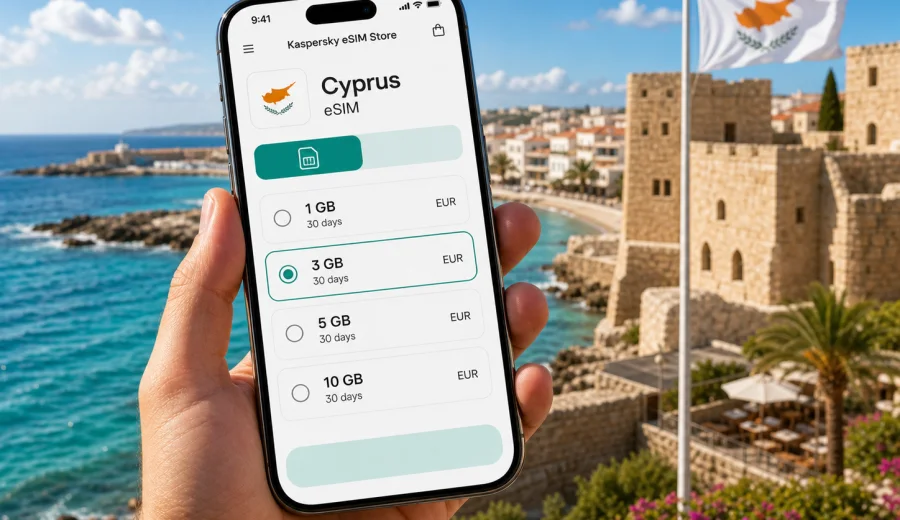
eSIM in Cyprus: mobile connection and internet for your trip
Cyprus is easy to explore independently: you can land in Larnaca, drive to Limassol, spend a day in Nicosia, continue to Paphos, or split your time between Ayia Napa, Protaras, and the Troodos Mountains. The practical side is mobile internet. You will need maps, hotel messages, taxi apps, bookings, and access to payment or banking apps.
An eSIM can make that part of the trip simpler. Instead of searching for a local SIM card after arrival, you prepare a digital SIM profile on a compatible phone and use it for mobile data in Cyprus. Your physical SIM can remain in the phone for your usual number, while the eSIM handles data for navigation, messaging, and everyday travel tasks.
This guide explains how to plan mobile connection and internet in Cyprus with eSIM: when it is useful, how much data to choose, what to check, and how to avoid common mistakes.
Why mobile internet matters in Cyprus
Cyprus is compact on the map, but travel days still involve many small decisions: a rental car pickup, a coastal route, a restaurant reservation, or a late check-in message from an apartment host. Mobile data helps you handle those moments without relying on public Wi-Fi.
Typical travel scenarios where mobile internet is useful:
- navigating from Larnaca International Airport or Paphos International Airport;
- checking hotel, apartment, or villa instructions;
- using maps on rural roads and in mountain villages;
- translating menus, parking signs, or service messages;
- checking opening hours before beaches, wineries, museums, or archaeological sites;
- using ride-hailing, taxi, car rental, airline, and banking apps;
- sharing a hotspot with another device if your selected tariff allows it.
Wi-Fi quality can vary by venue. A beach cafe may be fine for a short message but not for a video call. Mobile data gives you a backup connection that follows your route.
What an eSIM does for a trip to Cyprus
An eSIM is a digital SIM profile installed on a compatible smartphone or tablet. For travel, it is usually used for mobile data rather than a full local phone number. In practice, that means you can keep your regular SIM for calls or account messages and use the eSIM as the data line while you are abroad.
For Cyprus, eSIM helps if you want to:
- prepare connectivity before departure;
- avoid handling a physical SIM card at the airport;
- keep your main number active for banking, messengers, or two-factor messages;
- manage the eSIM profile through your phone settings;
- reduce dependence on roaming and public Wi-Fi.
Important limitation: an eSIM tariff for travel usually provides mobile data. It may not include a local phone number, voice calls, or SMS unless the exact tariff conditions say otherwise. For calls and messages, most travelers use internet-based apps.
Cyprus travel routes and data needs
The right data volume depends on how you use your phone. Cyprus has city breaks, resort stays, road trips, and workation-style travel. Each pattern creates a different data profile.
| Trip style | Likely internet use | Practical data approach |
|---|---|---|
| Weekend in Larnaca or Paphos | Maps, messages, light browsing, restaurant searches | A small package may be enough if hotel Wi-Fi is reliable |
| Beach holiday in Ayia Napa or Protaras | Messaging, social media, maps, occasional video | Choose more data if you upload photos and short videos daily |
| Road trip across the island | Navigation, route changes, offline backups, bookings | Prioritize enough data and a validity period matching the whole route |
| Remote work stay | Email, cloud tools, calls, hotspot use | Estimate carefully and keep venue Wi-Fi as the main connection when possible |
| Family trip | Navigation, chats, entertainment, shared hotspot | Consider one larger package or separate eSIMs for key devices |
If you plan to drive, download offline maps before the trip. This reduces data use and keeps navigation available if signal quality changes along a rural road or mountain route.
How much data to choose for Cyprus
There is no universal amount that fits every traveler. Use your normal weekly phone usage as a starting point, then adjust for travel behavior. On holiday, people often use more maps, photos, restaurant searches, and messaging than at home.
As a simple planning guide:
- 1-3 GB can suit a short, light trip with Wi-Fi at the hotel;
- 5-10 GB is more comfortable for a week with maps, browsing, chats, and some social media;
- 10-20 GB is useful for longer stays, frequent photo uploads, video calls, or hotspot use;
- 20 GB and above may suit work trips, long stays, or travelers who do not want to monitor usage closely.
Before choosing, ask yourself:
- How many days will I stay in Cyprus?
- Will I use hotel or apartment Wi-Fi every evening?
- Will I drive between cities and beaches?
- Do I need video calls for work?
- Will I share internet with another device?
- Do I upload photos or videos automatically?
Choose a package that fits your expected usage with a small buffer. Too little data can force you to interrupt the trip to arrange more connectivity. Too much data may be unnecessary if you mostly use Wi-Fi.
Device compatibility comes first
Before paying for any eSIM tariff, make sure your phone or tablet supports eSIM and is not locked to a specific mobile operator. An incompatible device cannot use an eSIM profile even if the tariff itself is suitable for Cyprus.
Check your device before you choose a tariff. Also review the device settings and manufacturer information if you are unsure. Some phone models support eSIM only in certain regional versions.
Compatibility checklist:
- your device supports eSIM;
- your device is unlocked for mobile plans from other providers;
- the operating system is reasonably up to date;
- you have a stable internet connection for installation;
- you can access email, QR code, or in-app activation details during setup;
- you understand when the tariff validity period starts according to the selected conditions.
Do this before departure if possible. It is easier to solve compatibility questions at home than after landing.
When to install and activate your eSIM
Many travelers prefer to install the eSIM before departure and activate mobile data after arrival. The exact timing depends on the selected tariff and installation instructions. Read the details before you proceed.
A practical sequence looks like this:
1. Check that your device supports eSIM.
2. Choose Cyprus as your destination.
3. Select a data volume and validity period that match your travel dates.
4. Complete the purchase process.
5. Install the eSIM while you have stable Wi-Fi.
6. Keep your primary SIM active if you need your usual number.
7. On arrival, set the eSIM as the mobile data line.
8. Enable data roaming for the eSIM if the instructions or phone settings require it.
9. Test maps and messaging before leaving the airport or accommodation.
If you use Kaspersky eSIM Store, you can choose the destination and arrange the eSIM tariff through the app or website. For a Cyprus trip, you can prepare an eSIM tariff for Cyprus before you travel, then follow the installation flow for your device.
Installing eSIM on iPhone or Android
Installation steps differ by operating system and device model, but the core idea is the same: add a new mobile plan, install the eSIM profile, and choose how your phone uses it. Keep a stable Wi-Fi connection during installation.
For detailed setup, use the official installation pages: Android installation guide and iOS installation guide.
General iPhone setup:
1. Open mobile service settings.
2. Add an eSIM or cellular plan.
3. Use the provided QR code or activation method.
4. Label the new line, for example "Cyprus data".
5. Set the eSIM as the mobile data line when you are ready.
General Android setup:
1. Open network or SIM settings.
2. Add an eSIM or mobile plan.
3. Scan the QR code or follow the activation method.
4. Confirm the new profile and select it for mobile data.
5. Turn on data roaming for that eSIM if required.
Do not wait until the last minute if you have never installed an eSIM before. Leave time to read the prompts carefully.
Practical Cyprus scenarios
Arrival at Larnaca or Paphos airport
Airport arrival is when mobile internet is most useful. You may need to contact a transfer driver, find a rental car desk, or open a hotel message. If your eSIM is already installed, switch mobile data to the eSIM after landing and test the connection before leaving the terminal.
Beach resort stay
In Ayia Napa, Protaras, Limassol, and Paphos, many travelers use accommodation Wi-Fi in the evening and mobile data during the day. A medium package often covers maps, messages, booking apps, and social posts.
Driving across the island
A road trip may include coastal highways, mountain roads, and smaller villages. Download offline maps first, then use eSIM data for live information such as traffic, opening hours, and messages from hosts.
Work and longer stays
If you stay in Cyprus for several weeks, separate daily phone use from work use. Video calls and laptop hotspot sessions can consume data quickly, so keep trusted Wi-Fi as the main connection when possible.
eSIM, roaming, local SIM, and Wi-Fi: what to compare
Different connectivity options suit different travelers. The best choice depends on trip length, phone compatibility, and how much convenience matters.
| Option | Strengths | Limits to consider |
|---|---|---|
| eSIM for Cyprus | Can be prepared before travel, no physical card, clear data package and validity | Requires compatible unlocked device; usually data-only |
| Standard roaming | Uses your existing SIM and number | Conditions and cost depend on your home operator and plan |
| Local physical SIM | Familiar format for some travelers | Requires buying and inserting a card; may take time after arrival |
| Public Wi-Fi | Useful in hotels, cafes, airports | Quality varies; not available while driving or walking; avoid sensitive tasks on unknown networks |
For many travelers, eSIM is a convenient middle ground: it avoids a physical SIM swap and gives you a separate data line for the trip.
Before you leave: a quick preparation checklist
Use this checklist a few days before the flight:
- Check eSIM compatibility and device unlock status.
- Choose a Cyprus data package with the right validity period.
- Install the eSIM while you have stable Wi-Fi.
- Download offline maps for Cyprus.
- Turn off automatic cloud backup on mobile data if you want to save traffic.
- Decide which SIM will handle calls, messages, and mobile data.
- Check whether hotspot use is allowed by your selected tariff.
- Keep your phone charged on arrival.
Small preparation prevents the most common travel connectivity problems. The goal is to make the phone ready before you need it.
How to save data while travelling in Cyprus
Even with a comfortable package, it is useful to manage data deliberately. This keeps the connection available near the end of the trip.
Practical habits:
- download maps and documents before departure;
- disable automatic app updates on mobile data;
- pause cloud photo backup until you are on trusted Wi-Fi;
- check data usage in phone settings every few days;
- keep hotel Wi-Fi for large uploads and streaming.
If you travel with a group, talk about data sharing early. A hotspot can be useful, but it can also drain data quickly.
Common mistakes to avoid
The most common eSIM problems are usually planning problems.
Avoid these mistakes:
- buying a tariff before checking device compatibility;
- installing the eSIM with poor Wi-Fi;
- choosing a data package based only on price;
- assuming the tariff includes voice calls or SMS without reading the conditions;
- forgetting to set the eSIM as the mobile data line;
- leaving data-heavy backups active on mobile data;
- waiting until arrival to learn where eSIM settings are on your phone.
One more point for Cyprus: if your route includes crossing between areas with different network conditions, check the details of your selected tariff and monitor your phone settings.
FAQ about eSIM for Cyprus
Can I use eSIM in Cyprus for maps and messengers?
Yes. An eSIM data tariff is designed for mobile internet tasks such as maps, messaging, web browsing, and app use. Voice calls and SMS are not normally included unless the tariff conditions say so.
Should I install the eSIM before flying?
Installing before departure is often convenient because you can use stable Wi-Fi and avoid setup pressure after landing. Check when validity starts for the selected tariff.
Can I keep my normal phone number?
In most dual-SIM phones, you can keep your regular SIM active and use the eSIM for mobile data. Choose the correct line for data, calls, and messages.
What if the eSIM does not connect immediately?
Check that the eSIM is selected for mobile data, data roaming is enabled for that line if required, airplane mode is off, and the device has been restarted. Review the installation instructions and tariff details.
Choose an eSIM tariff for Cyprus before your trip
Cyprus is easier to enjoy when mobile internet is already planned. With Kaspersky eSIM Store, you can use the app or website to choose, arrange, install, and activate an eSIM with a suitable data tariff for your travel dates. Check compatibility first, choose a realistic data volume, and install the profile on stable Wi-Fi.
Before you fly to Larnaca or Paphos, choose an eSIM tariff for your Cyprus trip and make mobile connection one less thing to solve after arrival.