Travel connectivity guide
Daejeon eSIM: Mobile Internet in South Korea
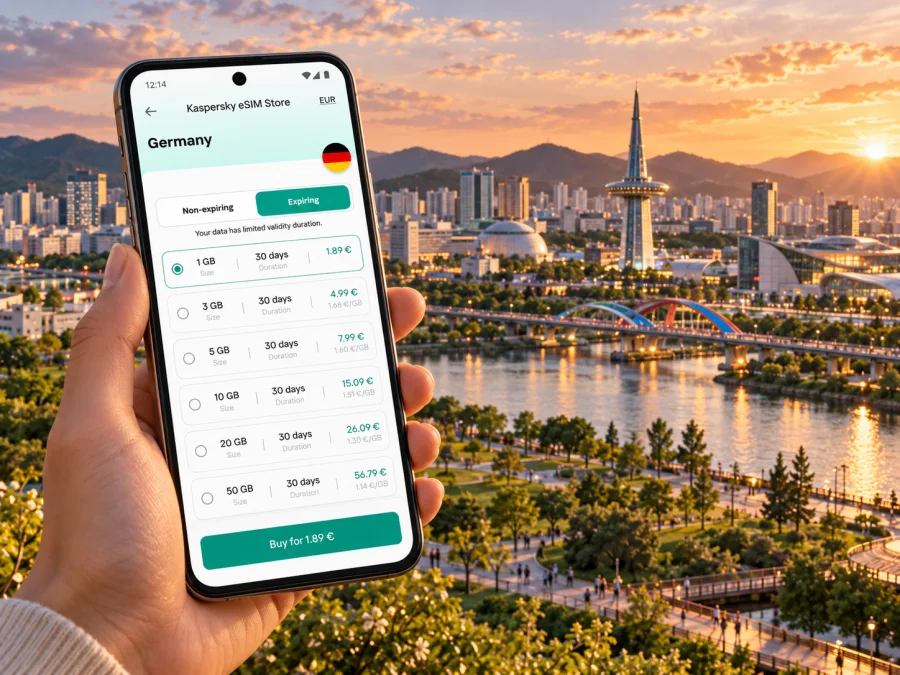
Daejeon eSIM: mobile connection and internet for your city trip
Daejeon is a practical base for a South Korea itinerary: visitors arrive for meetings, research, university visits, family trips and onward rail journeys, as well as for the city’s science venues and green spaces. A mobile data connection helps turn a new address into a route, check a station entrance, translate a sign or message a hotel when plans shift. An eSIM can make that part of the trip easier to prepare, provided your device supports it and the selected plan’s conditions fit your dates and expected use.
This guide focuses on Daejeon itself: how to plan the arrival, move between the station and different parts of the city, keep maps and bookings available, and decide whether a travel eSIM belongs in your setup. Coverage and speed depend on the local network, device, buildings, congestion and plan. No single connection method is guaranteed in every location, so save essential information offline and keep a backup option.
Why mobile data matters in Daejeon
Daejeon is a metropolitan city in central South Korea, with five administrative districts: Dong-gu, Jung-gu, Seo-gu, Yuseong-gu and Daedeok-gu. That scale matters to a visitor. An appointment near Daejeon Station, a hotel around Dunsan, and a science campus in Yuseong are not interchangeable map pins. Your phone can help bridge the gaps between rail, subway, bus, walking and a final taxi ride, but it is useful to check the whole route rather than assume that one station will put you at the door.
Mobile internet is especially helpful for:
- checking a route from Daejeon Station to your hotel or meeting location;
- matching a Korean street address with a map pin and entrance;
- looking up a subway or bus connection after a train arrival;
- translating a menu, notice or short message;
- contacting accommodation if check-in timing changes;
- confirming a return train and navigating to the correct station entrance;
- sharing your location with a travelling companion.
An eSIM is a digital SIM profile installed on a compatible device. A travel data plan can provide mobile internet without replacing the physical SIM already in your phone. It may be convenient if you want to keep your usual number available for calls or messages while assigning data to a separate profile. The exact features depend on the plan and device. Do not assume a data-only eSIM includes a local phone number, voice calls or SMS unless its terms explicitly say so.
Plan the arrival before you leave
Daejeon does not have a major international airport in the city centre. Visitors commonly reach it by rail from an airport or another Korean city, and the last leg of the journey can be easier when you have the destination address, ticket details and a map ready before boarding. Daejeon’s official directions describe routes from Incheon International Airport via the Airport Railroad Express to Seoul Station and onward by train to Daejeon Station; they also describe access from Cheongju International Airport by train to Daejeon Station. Journey times and services vary, so check the current itinerary for your travel date instead of treating an approximate route as a live timetable.
For an arrival via Incheon, think of the trip as several handoffs: airport terminal to airport rail, transfer in Seoul, intercity train to Daejeon, then a local connection to the final address. A little preparation prevents the most common confusion—having a booking confirmation but not knowing which station or exit to use. Save the hotel name in both English and Korean if available, keep the full street address, and capture any rail QR code or reservation reference before leaving airport Wi-Fi.
A simple arrival checklist:
- Confirm whether your ticket ends at Daejeon Station or another station serving the wider area.
- Save the Korean address and a map pin for your hotel, workplace or campus.
- Check the final connection from the station: subway, bus, taxi or a walk, depending on luggage and arrival time.
- Keep the booking and train details available offline.
- After arrival, verify the direction and exit on the station signage before following a map route.
Daejeon Station is a useful rail landmark, but it is not a universal starting point for every destination. Dunsan and government or business appointments in Seo-gu, for example, may require a separate local leg. A conference or research visit in Yuseong may be closer to a different station or bus stop. Check the actual venue address and the time of your appointment; a route that looks short across the city map can involve a transfer or a walk between stops.
Getting around: choose the route, then keep it visible
Daejeon’s subway Line 1 connects important parts of the city, including Daejeon Station and central areas, but it does not replace the bus network or a final walk. For a visitor, the practical question is not simply “Is there a subway?” but “Which mode gets me from this entrance to the exact destination with my luggage and schedule?” Mapping and transit applications can help compare options, though route availability and translated information can differ by service.
| Trip in Daejeon | What to check on your phone | Useful preparation |
|---|---|---|
| Daejeon Station to a hotel | The hotel’s district, nearest stop and entrance | Save the address in Korean and English |
| Station to a meeting in Dunsan | Subway or bus connection and walking distance | Add a time buffer for transfers and building access |
| Visit to Expo Science Park or nearby science venues | The exact venue and current entrance | Save the destination pin; nearby venues can have separate entrances |
| Evening return after an event | Last available transit option and taxi pickup point | Keep the accommodation address offline |
| Day trip beginning in Daejeon | Departure station, platform information and return plan | Screenshot the booking and check updates before departure |
For subway travel, match the station name on your route with the platform signs. A mobile map is most useful at transitions: choosing an exit, crossing a large intersection or switching to a bus. Keep the destination written in Korean where possible. For a taxi, showing the address is often clearer than relying on pronunciation; if you use a local transport app, check its account, payment and language requirements before depending on it.
Choosing a travel eSIM for South Korea
Start with the itinerary and device, not a headline data amount. A visitor who mostly checks messages, maps and train details has different needs from someone who joins video calls, uploads large files or streams on the move. Think about the trip length, how often you will use Wi-Fi, whether you need a hotspot, and whether mobile data is included for every day of travel. Then compare the plan’s stated validity, data allowance, activation rules and any restrictions shown at checkout. Details can change, so read the current terms for the exact offer you are considering.
At this point in planning, you can browse current eSIM options for South Korea and compare the displayed conditions with your route. This is a country-level destination page; it does not imply that a specific plan has been tested at each Daejeon venue or guarantees a particular speed. Choose only after reviewing the current offer details and deciding that they match your travel dates and usage.
A practical way to estimate usage:
- Light use: messaging, occasional map checks, email and short searches. Download maps and tickets in advance to reduce repeated loading.
- Regular use: navigation through the day, translation, social posts and frequent messages. Allow for some unplanned searches and route changes.
- Heavy use: video meetings, cloud backups, hotspot sharing or streaming. Check whether the allowance and hotspot rules support that pattern, and use reliable Wi-Fi for large transfers where appropriate.
These labels are planning shortcuts, not guarantees of consumption. Apps may use data in the background, and image or video uploads can increase usage quickly. Review your device’s data-usage screen during the trip, turn off automatic updates on mobile data if desired, and keep the plan’s usage indicator or account page accessible.
Check the device and regional variant
Before choosing a plan, confirm that your exact phone or tablet supports eSIM, is not restricted by a carrier lock, and can use the relevant network bands and services. The same product family can have different variants by sales region; a model name alone does not prove eSIM support. Some market-specific versions omit eSIM capability, and firmware or carrier restrictions can also affect installation. Look up the model number in the manufacturer’s documentation and the settings on the device itself. You can also check whether your device is compatible.
For a device you already own, look in its mobile or cellular settings for an option to add an eSIM or mobile plan. The exact menu wording differs by operating system and manufacturer. If the option is missing, do not assume that an app update will add hardware support; confirm the exact regional variant with the device maker or seller before purchase. Keep access to Wi-Fi for installation and support, and avoid deleting a profile unless the plan instructions explain how to restore it.
The primary phone you use for travel should have a reliable battery and be protected by a screen lock. If you plan to rely on it for navigation, carry a power bank or charger and save key information offline. A second device is not a substitute for confirming that the eSIM can be installed on the phone you will actually carry.
Install before departure or after arrival?
If your plan permits installation in advance, setting up the eSIM while you have stable internet gives you time to read each prompt and resolve an issue before travel. Installation and activation are not always the same event: a profile may be added before the trip while its data plan starts under the provider’s activation conditions. Read those conditions carefully. Do not switch off your usual line or enable data roaming casually; first identify which SIM is assigned to mobile data and what the plan requires.
A cautious setup sequence is:
- Check the device model, eSIM support, carrier lock status and the plan’s supported destination.
- Purchase only after checking the plan’s validity, allowance, activation trigger and restrictions.
- Follow the instructions for Android or iOS as appropriate to your device.
- Label the new profile clearly, for example “South Korea data,” so you can distinguish it from your regular SIM.
- Before departure, check which line will handle mobile data and whether the plan requires data roaming to be enabled for that eSIM.
- On arrival, select the travel profile for data if the plan instructions say it is ready, then allow time for network registration.
- If service does not start, check the plan status, selected data line, roaming setting and device restart guidance before removing the profile.
Screens vary by device and operating system version. The plan’s instructions take precedence over general steps. Keep your purchase confirmation and any installation details private and accessible; do not share a QR code or activation information publicly, because it may be linked to your profile.
Keep a useful backup
An eSIM is one part of a travel connectivity plan. Airport, hotel, café and venue Wi-Fi can help with a large download or a video call, but availability, login steps and signal quality vary. Use Wi-Fi for tasks that can wait, while keeping maps, accommodation details and ticket information available offline. If mobile data is temporarily unavailable, a saved address and a screenshot of the route can get you to the next station or help you explain your destination.
Do not assume that every app uses the same map data or handles Korean addresses equally well. If a result looks inconsistent, compare the street name, building number and nearby landmark. For a taxi pickup, select a safe, clearly marked place and confirm that the driver and passenger have the same destination.
Common travel situations
You land at Incheon and continue to Daejeon. Use the airport connection to reach Seoul Station, then follow your intercity rail booking. Save the Daejeon accommodation address before boarding. Check the current train route and transfer time for your date; a published example journey is not a substitute for a live itinerary.
You arrive by train with luggage. Check whether the final address is near a subway stop and whether your route includes stairs or a long walk. A taxi or bus may be more practical for the last leg, depending on time, weather and bags. Keep the address visible in Korean if available.
You are in town for a conference. Save the venue building, not just the conference centre or district. Large campuses and event areas can have multiple entrances. Use mobile data to check last-minute room or entrance updates, but keep the organizer’s message available offline as well.
You have a short connection before travelling onward. Set a realistic boundary around the time you have. Confirm the station for the next train, luggage storage arrangements if any, and the return route before leaving the station area. A brief stop is a poor time to depend on a complicated multi-transfer itinerary.
You take a day trip from Daejeon. Check the departure station, transport mode and return journey as a single plan. Keep the route and booking accessible if data drops, and confirm any service changes before leaving the city.
If the connection is not working
Start with the least disruptive checks. Make sure the travel eSIM is installed and selected for mobile data; verify that the plan is active according to its terms; check whether data roaming is required for that profile; and confirm that airplane mode is off. Move to a place with a clearer signal, wait briefly for registration, and restart the device if the plan’s guidance recommends it. Check whether the data allowance or validity period has ended.
Avoid deleting an eSIM profile as a first troubleshooting step. Some profiles cannot be installed again after removal. If the issue continues, use Wi-Fi to review the plan details and contact the relevant support channel with your device model, approximate location and a short description of the problem. Do not send a full activation code or QR image in a public message.
Frequently asked questions
Is Daejeon a city or a district of another city?
Daejeon is a metropolitan city in South Korea. Its administrative area is divided into five districts: Dong-gu, Jung-gu, Seo-gu, Yuseong-gu and Daedeok-gu. For travel planning, use the district and full address to distinguish destinations around the city.
Is there an airport in Daejeon?
Daejeon’s city travel directions describe access from Incheon International Airport and Cheongju International Airport by rail connections to Daejeon Station. Check the best airport and current transport itinerary for your own flight and date; there is no need to assume the airport journey ends in central Daejeon.
Will an eSIM work everywhere in Daejeon?
No plan can be promised to work in every building, station or outdoor location. Service depends on the plan, its partner network, local signal, device and congestion. Review the conditions for South Korea, and keep offline directions or Wi-Fi as a backup.
Can I keep my usual number?
Many phones can keep a physical SIM and an eSIM profile together, but dual-SIM behaviour differs by model and configuration. You may be able to use one line for calls or messages and the eSIM for data. Confirm your device’s capabilities and your regular carrier’s roaming settings before departure. A data-only plan does not automatically include a local number or ordinary calls and SMS.
Should I install the eSIM before reaching Daejeon?
If the plan permits it, installing over a stable connection before departure can make setup less rushed. Read when the validity period begins and what triggers activation. You can wait to select the eSIM for mobile data until the plan’s instructions say it is ready.
How much data will I need for a city visit?
It depends on your habits, trip length and Wi-Fi use. Maps, messaging and translation usually call for a different allowance than frequent video calls, hotspot sharing or streaming. Estimate from your expected daily routine, then check actual device usage during the trip.
A simple Daejeon connectivity plan
Before departure, save your routes and essential documents, check the exact device variant, and compare the current eSIM conditions with your itinerary. During the journey, use the phone to confirm each transfer and final address, while keeping offline copies available. In Daejeon, think in door-to-door routes: Daejeon Station, the subway, buses, neighbourhood streets and venue entrances each form part of the trip. Keep a backup for moments when the signal, battery or app is unavailable.
When you are ready, use the Kaspersky eSIM Store website or app to choose, purchase and activate an eSIM plan for your South Korea trip. Review the current terms and confirm that the device and usage pattern fit before checkout. Compare eSIM options for travel in South Korea, then follow the installation guidance for your device.


