Travel connectivity guide
Dakar eSIM: Mobile Internet and Connection Guide
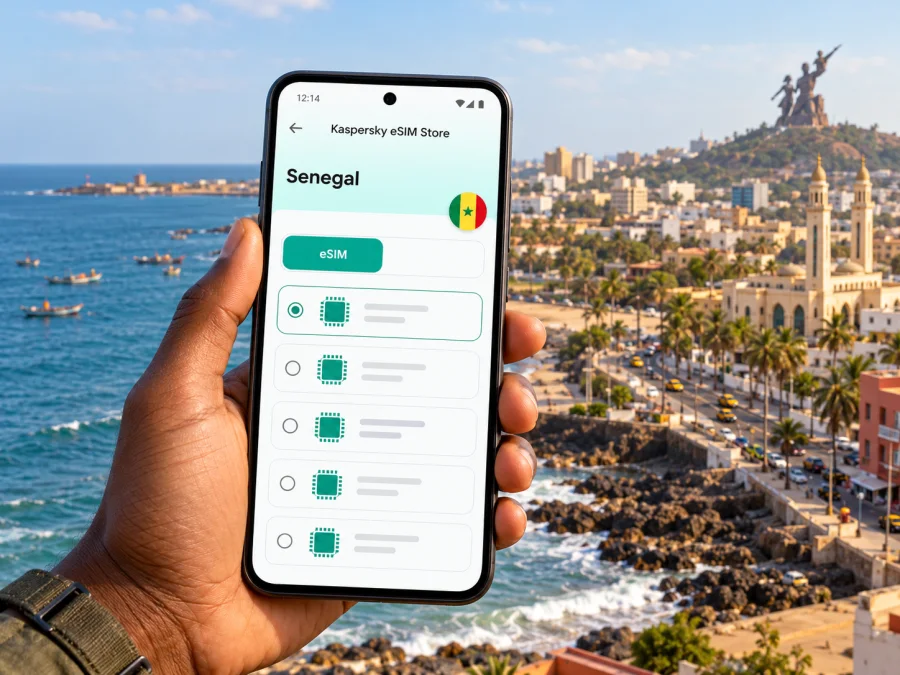
Dakar eSIM: mobile connection and internet for your trip
Dakar is a city where a working data connection can make the first hours of a visit much easier: you may need to message your driver, find your hotel, check a meeting address, or orient yourself between the Plateau, the coast and neighbourhoods farther west. An eSIM can provide mobile internet without replacing the physical SIM in your phone. Before you travel, check that your device supports eSIM, that it is not locked to a home carrier, and that the selected data plan covers Senegal.
One important detail affects almost every arrival plan: Blaise Diagne International Airport, commonly shown as AIBD, is in Diass, outside Dakar. It is not an airport inside the city centre. Allow time and data for the transfer as well as the onward trip through Dakar. A map pin marked “Dakar airport” can be useful shorthand, but the drive from the terminal to your accommodation is a separate leg.
Why mobile internet helps in Dakar
The city is spread along the Cape Verde Peninsula, and visits often combine places that look close on a map with trips that take longer on the road. A connection helps with route checks, driver messages, reservations and itinerary changes. It is also useful for translation and messaging people at home.
Connectivity supports planning, but map data can be incomplete and a suggested walking route may not reflect the best entrance or local conditions. Confirm the destination with your host or driver, save the address, and ask locally if a route is unclear.
An eSIM is particularly useful when you want data soon after landing and prefer not to search for a physical SIM shop before reaching your hotel. It can also leave your usual SIM in the phone for calls or verification messages, subject to your handset settings and home-carrier charges. The travel eSIM described here is for data; do not assume that it includes a Senegalese phone number, ordinary voice calls or SMS unless the conditions of the specific plan say so.
Common moments when data is useful
| Moment | What a connection helps you do | A simple backup |
|---|---|---|
| Before landing | Check your hotel address, arrival instructions and transfer arrangement | Save the address and booking details offline |
| At AIBD | Message the person meeting you and confirm the vehicle or bus destination | Keep the contact number and pickup point in a note |
| On the way into Dakar | Follow the route and tell your host if arrival is delayed | Download an offline map before leaving the airport |
| Around Plateau or Médina | Check a walking route, opening information or a meeting location | Save the destination pin and ask your host for a landmark |
| Along the coast | Recheck directions between Corniche viewpoints, Ouakam, Ngor and Almadies | Agree on a pickup point that is easy to identify |
| On a workday | Join a call, use cloud documents or coordinate a change of venue | Keep large uploads and updates for reliable Wi-Fi |
These are practical uses, not a promise of uninterrupted coverage. Signal and data performance vary by network, location, building and device. If a page does not load, move to a more open location and confirm that mobile data is assigned to the travel eSIM.
Plan your arrival from AIBD
After landing, choose how to get from Diass to the city. The airport’s transport information lists taxi and bus options for the Dakar route, and Dakar Dem Dikk publishes information about airport express buses. Services and schedules can change, so check current details close to travel and confirm the departure point at the terminal.
If a driver or hotel is collecting you, agree on the meeting point before leaving arrivals. Message when you have your luggage. For a taxi or bus, keep the hotel name, district and a nearby landmark ready; a map pin alone may not identify the right entrance.
Allow time for the airport-to-city transfer because traffic varies. Avoid a tight appointment after a flight, build a buffer around onward travel, and keep an offline copy of the reservation and address.
A practical arrival sequence
- Confirm your transfer type and meeting point before departure.
- Save your accommodation address, phone number and instructions offline.
- Check current bus details or message your driver after landing.
- Share your estimated arrival time and verify the exact entrance.
- Keep travel documents accessible separately from your phone.
Ask your host for a recognizable landmark and best drop-off point, especially for a late arrival or with bulky luggage.
Moving around the city
Dakar trips can combine the central Plateau, residential and university districts, and the western coastline. Médina, Fann, Point E, Mermoz, Ouakam, Yoff, Ngor and Almadies lie in different parts of the peninsula; crossing between them may take longer by road than the map distance suggests.
Public transport includes buses and the Train Express Régional (TER); Dakar Dem Dikk publishes urban route and airport express information. Check current service details and the nearest stop before setting out, rather than relying on an old route screenshot.
For door-to-door journeys, confirm the destination with the driver. Traffic and access points can affect the route, so ask a venue for its preferred entrance and drop-off landmark. When walking, check that the route suits the time and conditions; a car route is not automatically a good pedestrian route.
Choose the right navigation method
- Short, familiar trip: save the destination and check the route before leaving. Ask a local contact if the final turn is uncertain.
- Cross-city appointment: allow a time buffer, share your expected arrival, and recheck traffic before departure.
- Bus or TER journey: verify the current route, stop and service notice through the transport operator’s latest information.
- Coastal visit: agree on a pickup point that can be described clearly, particularly if several entrances or access roads serve the area.
- Late arrival: arrange transport in advance where possible and keep the accommodation’s contact details available offline.
Download maps and documents over Wi-Fi before leaving. Navigation and messaging generally use less data than streaming, video calls or photo backups. If you work remotely, pause large background uploads when you need to conserve data for essential tasks.
Choosing an eSIM plan for a Dakar stay
Choose a plan for the country or region that matches your route. For Dakar, confirm Senegal in the destination list; if you continue to another country, check that destination separately. A plan name alone does not establish coverage, so review the included places and conditions before checkout.
Estimate data from your habits and trip length. Maps, messaging and bookings use less than daily video calls or large work uploads. Factor in Wi-Fi availability and leave a buffer for changes; background backups and video can use data quickly.
| Your travel pattern | What to consider when comparing plans |
|---|---|
| Short city break, mostly maps and messages | A modest allowance may be enough if you use Wi-Fi for larger tasks; keep a buffer for arrival and route changes |
| Several days of sightseeing | Include navigation, photo sharing, bookings and day trips in your estimate |
| Business visit | Account for email attachments, hotspot use and video meetings; check the plan terms for tethering before relying on it |
| Longer stay or multi-country route | Compare validity, destination list and any top-up rules; check every country on the itinerary |
Before purchase, compare allowance, validity, destination coverage and activation conditions. Check when validity and data use begin; these details can differ between plans. Consult the current terms or support if anything is unclear.
Kaspersky eSIM Store is an app and website where travellers can choose, arrange and activate an eSIM with a suitable data plan for an international trip. The Senegal country path currently opens the Store homepage rather than a dedicated Senegal plan page. You can check the available destinations and current plan options in the Store and confirm Senegal’s inclusion and the terms of the individual option before you pay.
Check your phone before you buy
eSIM support is not universal, and device versions can vary by sales region. Check the phone’s settings or manufacturer documentation, confirm that it is unlocked, and compare with the Store’s compatibility information. If you bought the phone through a carrier, ask whether it is locked.
You can check whether your device supports eSIM before choosing a plan. If your phone does not support eSIM, or if you cannot confirm its status, use your regular carrier’s roaming service or ask about a local physical SIM option on arrival. Do not remove or erase a profile you may need; eSIM transfer and reinstallation rules depend on the specific profile and provider.
Before the trip, check that:
- the device has enough battery and internet access for setup;
- the QR code or in-app installation flow will be available;
- you know which line will handle mobile data and have checked home-SIM roaming terms;
- Senegal is included and the plan validity suits your dates.
Install and activate before or after arrival
Install the profile over a stable internet connection and follow its activation instructions. Installation and data use may begin at different times, so check when validity starts. If you wait until arrival, arrange access to Wi-Fi for setup.
The exact menu names differ between phone models and operating system versions. Use the product’s current iOS eSIM installation guide or Android eSIM installation guide for device-specific screens. The Android page describes Samsung steps, so other Android phones may use different menu labels.
Setup checklist
- Check compatibility and unlock status. Confirm that the phone accepts eSIM profiles.
- Review the destination and offer. Verify Senegal, allowance, validity and activation details.
- Install over a reliable connection. Follow the on-screen flow or scan the supplied QR code.
- Label the profile. For example, “Senegal data” distinguishes it from your primary SIM.
- Choose the data line. Select the travel eSIM in mobile settings when ready to use it.
- Follow its roaming instructions. Some profiles require data roaming to be enabled for that eSIM.
- Allow time to connect. If it does not register, check the selected line and instructions before reinstalling.
If you use your home number for calls or verification texts, review roaming charges first. A travel data eSIM may not include a number or SMS; app messages and calls require data and depend on your account setup.
Using data without surprises
Select the travel eSIM for mobile data when you intend to use it. Check automatic data switching with both SIMs enabled, as a phone may use your home line in some conditions and incur roaming charges.
To stretch data, save offline maps, pause media backups and use Wi-Fi for updates and large files. For remote work, test meetings in advance and keep a backup contact method. Confirm plan and device support before relying on a hotspot.
If data stops working, work through these checks in order:
- Confirm mobile data uses the travel eSIM and the profile is enabled.
- Review plan instructions for roaming or APN settings.
- Toggle airplane mode or restart, then allow time to reconnect.
- Check allowance and validity; contact support if the issue continues.
Avoid deleting the profile as an early step: activation codes may be single-use or device-specific. Save an error screenshot before contacting support.
Dakar scenarios: a little preparation goes a long way
A short layover
If you plan to leave the airport, check the transfer time and onward flight requirements first. Save flight details offline and avoid building a city visit around a tight connection.
A first visit with a hotel transfer
Send your arrival details in advance and save the driver’s name, number and meeting point. After landing, message once you have your luggage. Confirm the district en route and update the hotel if traffic changes your arrival time.
Meetings across different neighbourhoods
Add each appointment address, landmark and contact to your calendar. Check the route and leave a buffer. If the venue changes, confirm its entrance; a map pin may indicate a complex rather than reception. Keep invitations available offline.
A coastal day out
For visits toward Ouakam, Ngor or Almadies, decide how you will return and save a pickup pin with a recognizable landmark. A clear description helps when an area has several access points.
A trip beyond the city
For travel beyond Dakar, check transport and destination coverage separately. Senegal coverage does not imply coverage in a neighbouring country. Save tickets and contacts offline and allow time to reach your departure point.
Frequently asked questions
Is Dakar airport in the city?
No. Blaise Diagne International Airport (AIBD) is in Diass, outside Dakar. Plan a separate transfer from the airport to your accommodation and check current bus, taxi or pickup details before travel.
Will one eSIM work throughout Dakar?
Coverage depends on the specific plan, its destination list, the network available at your location and the device. Check the plan’s Senegal coverage and current conditions; no city guide can guarantee a signal in every building or street.
Can I keep my usual SIM active?
Often you can keep a primary SIM installed while using an eSIM for data, if your phone supports dual SIM use. Review the settings and your home carrier’s roaming charges so the phone does not use the wrong line for data or calls.
Does the travel eSIM include calls and text messages?
Do not assume that it does. The travel data plan may not include a phone number, conventional voice calling or SMS. Check the individual terms, and use internet messaging apps if appropriate and already set up.
Should I install the eSIM before I fly?
Installing before departure can make setup easier if you have stable internet and can follow the plan’s activation rules. Check when validity begins so you do not start a limited period earlier than intended. If you wait until Dakar, arrange access to Wi-Fi for installation.
What if my phone does not support eSIM?
Use your existing carrier’s international roaming or consider a physical SIM option available locally. Check any device lock before you travel, because an eSIM profile cannot bypass a carrier lock.
How much data do I need?
There is no single allowance that suits every visitor. Estimate maps, messaging, browsing, work calls, hotspot use and media uploads for the length of your stay. Download large files over Wi-Fi and check usage during the trip.
What should I do if the eSIM does not connect?
Confirm that the profile is enabled and selected for mobile data, then follow the plan’s device instructions and allow time for registration. Check any required roaming or APN setting. If the problem remains, contact support before deleting or reinstalling the profile.
A simple checklist before you leave
- Confirm that the phone supports eSIM and is not carrier-locked.
- Check that Senegal appears in the exact plan’s destination list.
- Read the plan’s data allowance, validity and activation conditions.
- Save your hotel address, transfer instructions and key contacts offline.
- Install the profile over a stable connection if the plan instructions allow it.
- Decide which SIM will handle mobile data and review home-carrier roaming terms.
- Download the maps, tickets and documents you may need without a connection.
- Recheck current airport transport and urban transit information close to travel.
Dakar is easier to navigate when the transfer, first address and data setup are sorted before the day gets busy. Choose an eSIM plan only after confirming its destination and conditions, install it on a compatible unlocked device, and keep offline copies of the details you will need at the airport. When you are ready, check the current destination and plan options in Kaspersky eSIM Store, then review the Senegal coverage shown for the selected option before completing your choice.


