Travel connectivity guide
Dalanzadgad eSIM: Mobile Internet for Your Trip
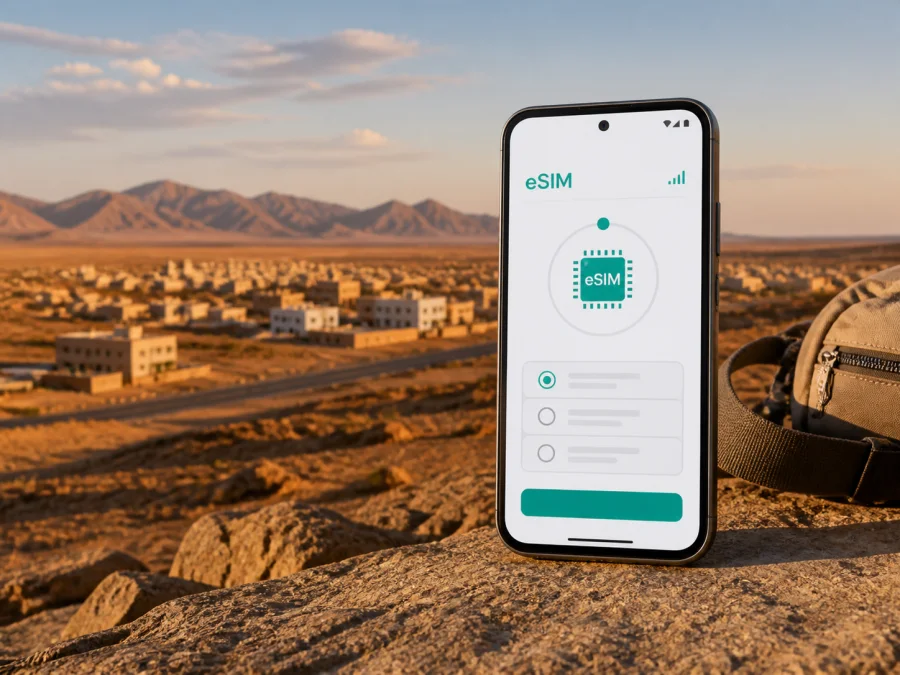
Dalanzadgad eSIM: mobile connection and internet for your trip
Dalanzadgad is the provincial capital of Ömnögovi in southern Mongolia and one of the most practical starting points for a Gobi itinerary. You may arrive for a short stop before heading toward Gobi Gurvan Saikhan National Park, stay in town for work, or use it as a base between longer road journeys. In each case, mobile internet helps with the first transfer, hotel messages, maps, weather checks, bookings and communication with a driver or guide.
An eSIM, or digital SIM, can give you a dedicated mobile-data profile for a foreign trip without removing your regular physical SIM card. Kaspersky eSIM Store is an app and website where you can choose, purchase and activate an eSIM with a suitable plan for mobile internet abroad. The useful question for Dalanzadgad is not simply whether you need “more signal”, but when you will need data, how far your route goes beyond town and how much of the trip should be prepared before departure.
Why mobile internet matters in Dalanzadgad
Dalanzadgad is compact in comparison with a major capital, but the surrounding geography makes a connected arrival especially valuable. The airport is outside the built-up centre, and many memorable places associated with a Dalanzadgad visit are reached by vehicle rather than by an urban public-transport network. A working data connection can reduce small uncertainties at exactly the moments when you have luggage, limited time or no local language.
You may need to:
- send your arrival time to a hotel, ger camp, driver or tour coordinator;
- check the location of your accommodation and share your position after landing;
- open a map while walking between the airport transfer point, hotel, shops and the town centre;
- message a guide when a road itinerary changes or a meeting point is unclear;
- translate a short message, confirm a reservation or review a payment notification;
- speak with colleagues or family through internet-based messaging during a stopover.
Arriving through Gurvansaikhan Airport
Dalanzadgad is served by Gurvansaikhan Airport, the domestic airport associated with the town. Official aeronautical information places it about 5.8 kilometres from Dalanzadgad, so the airport-to-town transfer is short in distance but still needs to be arranged. Flight schedules can be seasonal and can change; check your current booking and transfer details rather than relying on a fixed timetable.
Prepare the arrival sequence before you board:
- Save the name and address of your hotel or ger camp in your phone.
- Keep the transfer contact, booking reference and flight details available offline as well as online.
- Install or activate the eSIM while you still have a reliable connection if the plan and device allow it.
- Set mobile data to the travel eSIM after landing, while keeping your everyday line available for calls if needed.
- Send a short arrival message before leaving the airport area.
Moving around town
Dalanzadgad has a different movement pattern from a dense tourist city. You may walk for short errands in the central area, then rely on a pre-arranged car, driver or tour vehicle for the airport, mountain valleys and desert routes. Distances, road conditions, weather and the location of your accommodation all affect the best option.
For a stay in town, ask your accommodation to clarify three points before setting out:
- where the property is located in relation to the centre and your meeting point;
- whether airport pickup or a local transfer has been arranged;
- how you should contact the property if your arrival time changes.
Keep the destination written in the form provided by the hotel or guide. A map pin is helpful, but a phone number and the local spelling of the place name can be equally important when you are arranging a vehicle. Share the itinerary with someone in your group so that a single phone does not become the only source of the plan.
Navigation is also a battery task. Bright sunlight, frequent location updates and camera use can drain a phone quickly. Download maps where offline navigation is available, carry a power bank and use live data selectively. It should not be the only copy of your directions.
Choosing a plan for a Dalanzadgad itinerary
The right eSIM plan depends on your behaviour, not on the city name alone. A short town stay has a different pattern from a multi-day road journey with uploads, video calls and navigation.
Use these questions before choosing:
| Question | What it changes |
|---|---|
| How many days will you spend in Mongolia? | The validity period should cover the active part of the trip. |
| Is Dalanzadgad the only stop? | A country plan may fit a town visit; a wider route may call for a regional option if offered for your itinerary. |
| Will you use maps and messaging only? | Light, deliberate use may need less data than constant photo backup or video. |
| Will you work remotely? | Calls, file transfers and cloud tools can consume more data and require a larger buffer. |
| Are you travelling with a group? | Decide whether one person will share a connection or each traveller needs an individual profile. |
| Will you spend time outside town? | Download essential information first and treat remote-route availability as variable. |
Estimate from actual actions:
- messaging, email and short map checks usually form the light-use pattern;
- regular photo uploads, social feeds and frequent live navigation form a medium-use pattern;
- video meetings, tethering and large file transfers form a high-use pattern.
Choose by data volume and validity. If your trip includes Dalanzadgad and a route through the Gobi, count the whole period in Mongolia. A plan that ends before the return transfer can be inconvenient. Conditions, availability and prices are shown with the selected offer, so review them at purchase.
After the first third of your planning, you can choose an eSIM plan for Mongolia and compare the available data volume and validity for your itinerary. Keep the choice tied to the actual route: the country page is the place to select the travel direction, while this city guide helps you estimate how you will use it in and around Dalanzadgad.
Hotels, ger camps and day trips
Accommodation in Dalanzadgad can include town hotels as well as stays connected with desert excursions. In a hotel, data is useful for reception messages, transport and work; at a camp or on the road, rely more on agreed timings and offline information.
Before leaving town, save the next accommodation’s contact details, the driver or guide’s number, the meeting time, the route summary, booking details and return plan. An emergency message template for your group is useful as well.
Do not assume that an urban area, a mountain valley and an open desert route will have the same service. Terrain, distance from settlements and local network availability can affect data. An eSIM cannot guarantee a signal in every landscape, so tell your group when you expect to be offline.
Dalanzadgad as a base for Gobi excursions
The town is closely associated with visits to Gobi Gurvan Saikhan National Park and the valleys in the Gurvan Saikhan Mountains. Yolyn Am, also known as Eagle Valley, is one of the best-known places reached from the Dalanzadgad area. The route is a nature excursion rather than a city walk, so plan the mobile-data details before you leave the town.
For a day around Yolyn Am:
- Confirm the departure time and vehicle with the guide or driver.
- Save the return time and the name of the accommodation in Dalanzadgad.
- Download or screenshot the route information you were given.
- Charge the phone and bring a power bank.
- Use data for coordination and navigation updates, not as a substitute for local route planning.
Longer Gobi routes may include the Khongor sand dunes or Bayanzag, sometimes called the Flaming Cliffs. These require more time, a suitable vehicle and an agreed itinerary. If you continue beyond the city, make the plan valid for the full trip and prepare for offline periods.
Business trips and remote work
Dalanzadgad can be a field-visit stop, a regional project base or a meeting point before a road journey. Travel data can support email, two-factor authentication, messaging and schedule changes, but remote work needs preparation.
Before travelling, identify tasks that require live data. Download documents, synchronise the calendar, save key contacts and tell colleagues that a desert route may interrupt a call. If you use a laptop, check hotspot support and the plan conditions. Test which line the phone uses before departure.
A reliable workday setup
- Use the eSIM for data and keep the personal line available according to your normal call settings.
- Turn off automatic photo backup, app updates and other background tasks when data is limited.
- Prefer audio over video, keep meeting times in local time and carry a power bank.
An eSIM does not automatically provide a local telephone number. Unless the plan states otherwise, it is intended for mobile internet rather than ordinary voice calls and SMS. Internet messaging and calling apps can be used when data is available.
Installing and activating an eSIM
Install the profile with stable Wi-Fi or another reliable connection, preferably before the flight. Keep your primary line active until you have confirmed the setup.
- Check that your phone supports eSIM and is not locked to another operator. Check your device compatibility before choosing a plan; models can differ by region.
- Open mobile-network settings and select the option to add a mobile plan or eSIM.
- Scan the QR code supplied after purchase, or use the alternative installation details for your device.
- Label the profile, select it for mobile data and test a simple web page or message.
- If the phone or plan requires it, enable data roaming for the eSIM, not for the line you do not want to use for travel data.
For a device-specific walkthrough, use the Android installation instructions or the iOS installation instructions. Activation and the start of validity or data use can depend on the plan, so read its conditions and keep the confirmation.
After landing, confirm that mobile data is assigned to the travel eSIM, the everyday SIM is not using data roaming, hotspot is off when unneeded and background downloads are restricted. If data does not start, move to an open location, restart the phone, check the selected line and review the plan instructions. A temporary lack of service outside town is not automatically a profile error.
Three realistic travel scenarios
Short stopover
You arrive in Dalanzadgad, spend one night in town and leave for a guided route. Choose validity for the full window, install before departure, save pickup details offline and use data for messages and maps.
Several days in town
You stay at a hotel, handle bookings and communicate with family. Keep mobile data for the airport transfer and time away from the property; restrict background use.
Field or road itinerary
Dalanzadgad is one stage of a longer Gobi journey. Select validity for the entire route, download information, agree on meeting times and expect connectivity to vary outside settlements.
Kaspersky eSIM Store helps you select, arrange and activate the travel eSIM; the network experience still depends on the selected plan, compatible device, local network and location.
FAQ about eSIM use in Dalanzadgad
Do I need a separate eSIM for Dalanzadgad?
Usually, choose the Mongolia direction rather than a city-specific profile. Check that validity covers the whole route.
Will the eSIM give me a Mongolian phone number?
Not by default. Unless the plan says otherwise, the eSIM is for mobile internet and does not include an ordinary phone number, voice calls or SMS. Use internet messaging and calling services when data is available.
Can I rely on mobile data on the road from Dalanzadgad?
Plan for variation. Town service and service on a remote road or in a mountain valley are different situations. Save essential information offline and agree on routes and meeting points.
Should I keep my regular SIM active?
Often, yes, if you need your usual number for verification or incoming messages. Set the travel eSIM as the data line and check roaming settings carefully.
Final preparation checklist
Use this review the day before departure:
- destination: Mongolia, with Dalanzadgad and onward stops noted;
- device: eSIM support and no operator lock confirmed;
- plan: data volume, validity, activation conditions and hotspot rules reviewed;
- installation: profile added or QR code stored accessibly;
- settings: travel eSIM identified and primary-line roaming checked;
- arrival: airport, accommodation and transfer contacts saved offline;
- route: Gobi details, return time and meeting points recorded;
- power and backup: phone charged, power bank packed, maps and reservations saved.
Dalanzadgad rewards a plan that respects its scale: a connected town, an airport transfer and wide landscapes beyond the last built-up street. Prepare the eSIM before you need it, choose the Mongolia option for the full itinerary and keep offline information ready.
Prepare your eSIM for Dalanzadgad
Check your device, review the data volume and validity, then install the profile before departure or when you have a reliable connection. When you are ready, choose an eSIM plan for your trip to Dalanzadgad through Kaspersky eSIM Store and keep your arrival and onward-route details close at hand.


