Travel connectivity guide
Dallas eSIM for Mobile Internet | United States
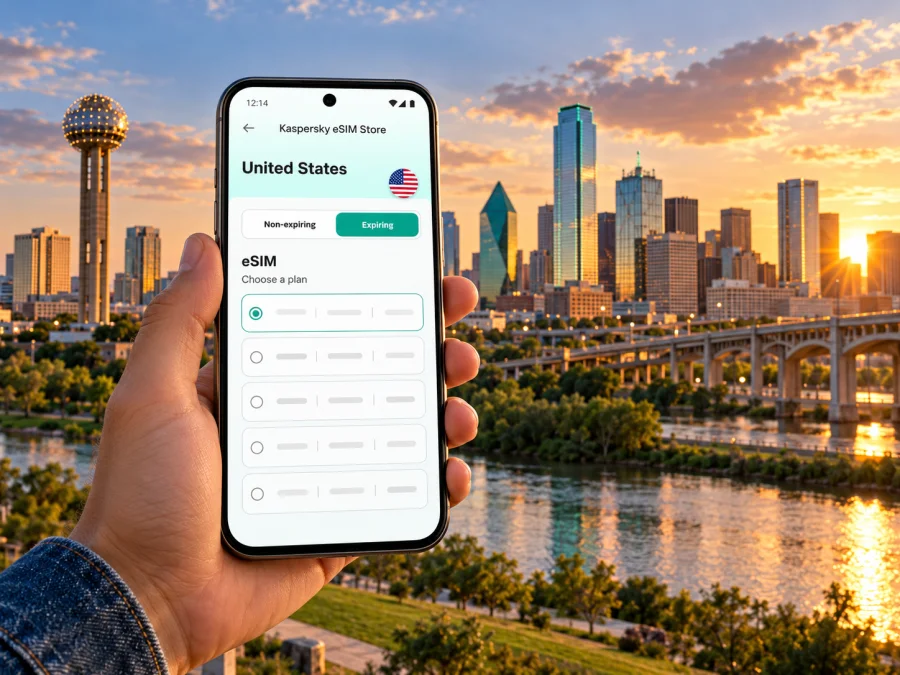
Dallas eSIM for mobile connection and internet on your trip
Dallas is a spread-out North Texas city where a working data connection can make the practical parts of a visit easier: checking an airport transfer, finding a meeting entrance, comparing a rail route with a rideshare, or confirming a restaurant address before you set out. An eSIM can give a compatible, unlocked phone a separate mobile data plan for travel in the United States, while your usual SIM may remain available for calls and messages according to your home carrier’s settings.
The useful question is not simply whether an eSIM works in Dallas. It is whether your exact device variant supports eSIM, whether it is unlocked for another provider, which U.S. network the selected travel plan uses, and how much data and validity you need for the full itinerary. This guide helps you check those points and plan for Dallas’s airports, neighborhoods, transit and day trips without assuming that one setup fits every traveler.
What to plan for in Dallas
Dallas is the principal city in a large metropolitan region, and airport names can make arrival planning confusing. Dallas Fort Worth International Airport (DFW) is between Dallas and Fort Worth; Dallas Love Field is a separate airport within the city. Check the airport code on your booking before choosing a route, estimating a pickup, or telling a host where you will arrive.
The city itself covers a broad area. A hotel described as “Dallas” may be close to Downtown, Uptown, Love Field, North Dallas or another district, and those locations do not have the same walkability or transit access. Save the exact hotel or meeting address offline, then use live maps once data is available. A mobile connection is especially useful when a destination has several entrances, when a rideshare pickup point changes, or when you need to check a service alert on the way.
A travel eSIM is primarily a way to get mobile data. Do not assume the plan includes a U.S. phone number, ordinary voice calls or SMS; check the specific plan details. Messaging and internet calls may work through apps over data, while calls to local businesses or two-factor codes may still depend on your regular line or another arrangement.
Arriving at DFW or Love Field
At DFW, DART’s Orange Line serves Terminal A, near Entry A10 on the lower level. The DART Silver Line serves Terminal B, near Entry B43. The two lines do not serve the same destinations: DART states that the Silver Line does not go to Downtown Dallas, while the Orange Line connects with Downtown. If you are traveling from another terminal, check airport instructions for the Terminal Link shuttle before security or the Skylink people mover after security; the right option depends on where you are and whether you have cleared security.
DFW also has a TRE connection via CentrePort/DFW Airport Station and a TRE LINK shuttle to Terminal D; check current schedules and operating days. Love Field connects by DART Route 5 Love Link to Inwood/Love Field Station, where Green and Orange rail lines stop. Follow signs to the lower-level pickup area and check the train destination. Travel between the two airports requires a bus and rail transfer, not a direct train.
| Arrival point | Public-transport detail to check | Useful phone tasks |
|---|---|---|
| DFW Terminal A | Orange Line at Terminal A Station | Check the destination sign, rail status and the route from your arrival terminal |
| DFW Terminal B | Silver Line at Terminal B Station; it does not go to Downtown Dallas | Compare the Silver Line destination with your hotel address |
| Dallas Love Field | Route 5 Love Link to Inwood/Love Field Station | Confirm the pickup point and Green or Orange Line connection |
| Late or complex arrival | Current operating hours, alerts and your exact onward address | Keep a rideshare or taxi option and your hotel details available |
Rail is not always the fastest choice. With heavy luggage, a late arrival or a destination outside the network, compare taxi, rideshare, rental car and hotel transfer door to door.
Mobile internet for getting around
Dallas trips often combine modes. You might ride rail into the city, walk several blocks in Downtown, use a rideshare to reach a dinner reservation, and travel to a suburban office the next morning. Mobile data helps you check each leg as conditions change. Keep your destination written down as well: a drained battery or a missed signal should not erase the address you need.
Before the first day, save your lodging address and emergency contact offline, download a local map if your app supports it, and check DART service alerts before boarding. Use posted airport signs to find the correct pickup area. Keep your phone charged and use Wi-Fi for large downloads when convenient. A travel eSIM can provide data without replacing a removable SIM, but service depends on the plan, its partner network, your device and local conditions. Save essential tickets and addresses in advance.
Choose a plan for the trip you have
Estimate data from your itinerary rather than assuming a fixed daily amount. Maps and messages use less than video calls, large uploads or streaming. Check the number of days, when validity starts and what happens when data runs out.
A quick way to estimate your needs is to list your likely data-heavy activities:
| Activity during the trip | What to account for |
|---|---|
| Maps, transit checks and messages | Regular short sessions can add up over a multi-day stay |
| Email, browsing and restaurant research | Attachments and image-heavy pages use more data than plain text |
| Video meetings or hotspot use | These can consume a large allowance; confirm tethering terms first |
| Photos, cloud backups and streaming | Set uploads to Wi-Fi if you want to limit mobile data use |
| Travel outside Dallas | Check that the plan covers every state or region on your route |
Review current United States eSIM options and compare coverage, allowance, validity and price. This is the United States destination page, not a Dallas-specific tariff; conditions and network partners depend on the offer and can change.
Before payment, confirm destination, data, validity, start conditions, device requirements, hotspot rules and top-ups. Compare the total with your carrier’s roaming options. The right allowance depends on trip length and how often you use video or hotspot data.
Check your exact device variant
eSIM support can vary by exact model, sales region, software and carrier configuration. A phone with the same family name may have a different regional variant, including eSIM-only or physical-SIM differences. Check the model number in the manufacturer’s specifications and settings before buying.
Also check that the phone is unlocked. A carrier-locked device may reject a plan from another provider even when its hardware supports eSIM. On iPhone, Apple says you can check Settings → General → About and look for “No SIM Restrictions” beside the carrier lock field. On Android, the location and wording vary by manufacturer; check the network or SIM settings and ask the original carrier if the lock status is unclear. If you use a work-managed phone, your administrator may control eSIM installation.
Before purchase, check whether your device supports eSIM and confirm that the listed model and region match your phone. If the manufacturer’s information is unclear, contact the device maker or your home carrier. Do not rely on a compatibility list for a different regional variant, and do not delete an installed eSIM while troubleshooting unless the plan’s instructions say it can be reinstalled.
Install and activate before you leave
Install the profile over stable Wi-Fi before travel when possible, and label lines clearly (“Home” and “Travel data”). Installation and activation may differ: validity can start on purchase, installation or first connection, according to the plan. Follow its instructions.
A typical sequence is:
- Confirm the phone’s exact eSIM support and unlocked status.
- Choose a plan that covers the United States and the dates and data use you expect.
- Read the plan’s start, validity, network and hotspot conditions.
- Connect to Wi-Fi and install the eSIM using the supplied activation method.
- Keep the travel line turned off until you intend to use it if the instructions allow this and you want to avoid an early start.
- On arrival, select the travel eSIM for mobile data and enable data roaming only if the plan’s setup instructions require it.
- Test a basic webpage or map, then confirm that your home line remains configured as you prefer.
For platform steps, follow the Android eSIM installation guide or iPhone eSIM installation guide. Menu names vary; use your device prompts and plan instructions together. Do not reuse an activation code unless permitted.
Set up lines to avoid surprises
If your phone supports dual SIM, decide in advance which line handles data, calls and messages. Keep “mobile data switching” or equivalent automatic switching settings in mind: they may route data through another line in some situations. If avoiding roaming charges on your home line matters, review its international data and voice settings with your carrier before leaving, and disable data roaming on that line if appropriate. Keep the travel eSIM selected for data after arrival.
Controls differ across systems. On arrival, confirm the travel profile is enabled and selected for data, configure roaming as instructed, and test with Wi-Fi off. If there is no service, briefly toggle airplane mode, then recheck the plan setup details. A data-only plan may not receive verification SMS or provide a phone number; keep account recovery options and your home-line settings in mind.
Dallas neighborhoods and connectivity routines
Downtown and the Arts District can work well for visits focused on offices, museums and performance venues, though an address may still be several blocks from a station. Uptown, Victory Park and West Village sit north of Downtown; compare walking, rail, bus and rideshare door to door rather than relying on regional map distance.
For Deep Ellum nightlife, save the venue address and plan the return before a late event. Bishop Arts District in Oak Cliff, Trinity Groves, Fair Park, the Dallas Arboretum and White Rock Lake each require checking the final leg, current hours and pickup point. Crowds can change where vehicles stop. Agree on an exact entrance or landmark when meeting someone.
For a business visit, save the complete building name, street address, suite or floor and host contact. Large campuses may have several drop-off points, so compare a map pin with the written address.
Short stays, layovers and trips beyond Dallas
For a short layover, decide whether leaving the airport is practical and allow time for both transfers and security on return. Keep your boarding pass offline; data cannot make a tight connection safe.
A longer trip may include Fort Worth, Arlington or Plano. Dallas and Fort Worth are separate cities in the same metro area, and DART, TRE and Trinity Metro have distinct routes and schedules. Check each segment and confirm the plan covers the full itinerary. If driving, download directions, note your parking location and keep offline navigation available beyond the metro area.
Troubleshooting in a few steps
If data does not work, confirm the eSIM is enabled and selected for mobile data, the plan is active and in date, and its allowance remains. Follow the plan’s roaming and network instructions, briefly toggle airplane mode, and test in an open area. If needed, restart the phone and contact the relevant support channel with the device model and plan details; never share passwords or one-time codes.
For installation trouble, check Wi-Fi, software, available eSIM slots and the exact device variant. Some activation codes work once only. Do not delete the profile or reset network settings until you know the recovery process.
Dallas eSIM checklist
Before the trip:
- [ ] Confirm whether you land at DFW or Dallas Love Field.
- [ ] Save the full address for your lodging, meetings and airport pickup.
- [ ] Verify eSIM support for the exact device model and regional version.
- [ ] Confirm the device is unlocked and has an available eSIM profile slot.
- [ ] Compare data, validity, activation timing, network and hotspot conditions.
- [ ] Install the eSIM on stable Wi-Fi and keep its instructions accessible.
- [ ] Download offline maps and essential tickets or confirmations.
After landing:
- [ ] Follow signs to the correct DART station, shuttle or pickup zone.
- [ ] Check live service status and the route to your specific destination.
- [ ] Select the travel eSIM for data and review roaming settings.
- [ ] Test maps or a webpage before leaving the airport area.
- [ ] Keep a backup plan for calls, navigation and a low battery.
Frequently asked questions
Is an eSIM useful for Dallas?
It can provide mobile data without a physical travel SIM if your device is supported and unlocked and the plan covers the United States. Check the offer’s limits and network details.
Is signal guaranteed everywhere?
No. Network partners, the device and local conditions affect service; buildings, crowds and travel beyond the city can change reception. Keep directions offline.
Can I keep my home number?
Some phones support dual SIM, allowing a home line and travel data line at once. Check your exact model and carrier roaming charges.
Can a data eSIM call or text?
Not necessarily. Many travel plans are data-only. Check the offer; internet calling apps may work, while verification texts may require your regular line.
Should I install the eSIM before flying?
Installing over reliable Wi-Fi can simplify arrival, but activation timing varies. Check when validity starts and whether the profile should remain disabled until arrival.
What if my phone is locked?
Ask the original carrier whether it can unlock the phone before the trip. eSIM hardware support alone does not guarantee that a locked device accepts another provider’s profile.
Is DFW the same airport as Love Field?
No. DFW and Love Field are separate airports. DART serves DFW Terminal A on the Orange Line and Terminal B on the Silver Line; Route 5 Love Link connects Love Field with Inwood/Love Field Station. Check your ticket and current transport details.
Get ready for your Dallas trip
A little preparation makes it easier to handle the first directions, a transit change or a late dinner reservation after you arrive. Confirm your airport, save your destination addresses, check your phone’s exact eSIM variant and compare the plan’s data and validity with your itinerary. Then install and configure the profile using its instructions, with a backup map and your home-line settings ready.
When you are ready, compare United States eSIM plans for your Dallas itinerary in Kaspersky eSIM Store, the app and website for choosing, arranging and activating an eSIM plan for an international trip. Review the current offer details and select one that suits your route, device and expected data use.


