Travel connectivity guide
Daloa eSIM: Mobile Internet for Your Trip
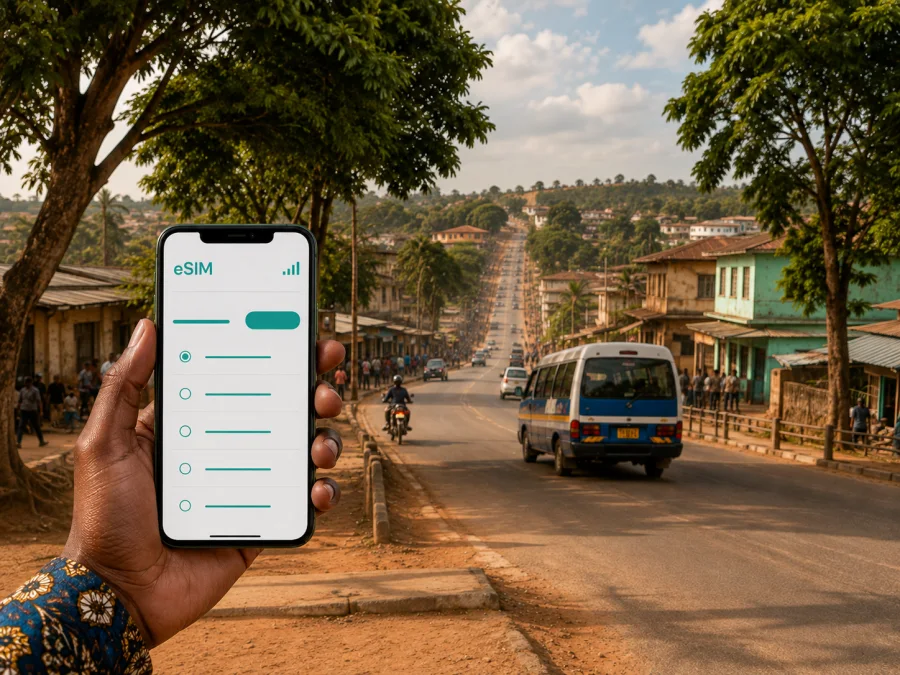
Daloa eSIM: mobile connection and internet for your trip
If you are travelling to Daloa, a reliable way to organise mobile internet can make the first hours in the city much easier. You may need directions from a transport hub, a message for your hotel, a map while moving between appointments, or access to a booking without looking for a Wi-Fi password. An eSIM, or digital SIM, lets you prepare a mobile data profile without removing the physical SIM card that you normally use.
Daloa is the capital of the Haut-Sassandra Region and the Sassandra-Marahoué Autonomous District in central-western Ivory Coast. It is a regional centre rather than a resort built around one compact tourist zone, so your itinerary may include a road journey, several neighbourhoods, meetings, and a later transfer. An Ivory Coast eSIM plan can cover it.
Why mobile internet matters in Daloa
The most useful connection is often the one you have before you need it. In Daloa, you may arrive after a long road journey, continue from a station to a hotel, or move between the centre and an appointment. Data helps you check an address, send a location, contact a driver, and confirm a change of plan.
It is useful for checking a changed meeting point, opening a map, translating an address, keeping a booking confirmation available, sharing your arrival time, and checking the next stage of a journey from Daloa.
An eSIM does not replace every communication option. A data-only plan normally does not include a separate local phone number, ordinary voice calls, or SMS unless the conditions of the selected plan say otherwise. You can still use messaging and calling apps through mobile data, subject to their own requirements. Keep your usual SIM active for incoming messages only if you understand how your home operator bills roaming and if the device allows you to manage the two lines separately.
Daloa travel situations where an eSIM is useful
Arrival and the first transfer
Before leaving your point of arrival, you can confirm the hotel address, send a message, and open navigation. If someone is meeting you, mobile data helps when you do not yet know the local layout. An offline map is sensible, but live data is useful when the route, pickup point, or timing changes. Install the eSIM on a stable connection before travelling, or keep the QR code and account details available for later setup.
Moving around the city
Daloa is a road-oriented city. Local and interurban movement can involve stations, shared vehicles, taxis, motorcycles, or a driver arranged through a contact. The exact choice depends on your route and local advice.
The transport authorities have referred to central locations such as the central station, the Labia junction, the grand mosque area, and the Guessabo bus station in road-safety activities. These examples show why a precise address and map pin matter: “I am in Daloa” is less useful than a shared location. Save the destination in the spelling used by your host and compare the map result with the received instructions.
Business travel
As a regional administrative and economic centre, Daloa can be a base for meetings, field visits, agricultural business, public-sector appointments, and work with organisations serving Haut-Sassandra. Plan for navigation, documents, authentication, work messages, and status updates, then check that the plan’s data and validity match the schedule.
How to choose an eSIM plan for Daloa
Choose the plan by matching it to your itinerary in Ivory Coast and the way you expect to use your phone. The city is the immediate focus, but a plan limited to one short stop may be unsuitable if you are travelling through several places before and after Daloa. Review the destination, validity period, data allowance, activation conditions, and any top-up rules shown for the plan.
| Travel pattern | What to consider before choosing | Typical data activities |
|---|---|---|
| Short stay | Validity for arrival and departure, with essential data | Messages, maps, bookings |
| Several days or business travel | Data for navigation, email, work chats, and regular communication | Maps, documents, authentication |
| Daloa plus other cities | Validity for the complete itinerary | Intercity planning and route changes |
Treat the table as a planning aid, not as a promise about any particular tariff. The amount of data used by a map, video meeting, or photo backup depends on settings and behaviour. Before confirming a plan, check the exact figures displayed in Kaspersky eSIM Store, including the amount of traffic, validity, price, and activation terms.
The first practical step is to choose an eSIM plan for a trip to Ivory Coast. Review the destination and conditions there, then select an option that fits the complete journey rather than only the first taxi ride. If your route includes Daloa and another country, check whether a regional plan is more appropriate; do not assume that a country plan covers a border crossing unless its conditions say so.
Prepare your phone before travelling
An eSIM profile is installed on the phone, so preparation is part of the travel plan. A device can support eSIM in one regional version and differ in another, and an operator-locked phone may not accept a profile from a different service. Before you pay, check your device compatibility and confirm that the phone is not restricted by its original operator.
Use this short pre-departure checklist:
- charge the phone and carry a power bank for the journey;
- make sure you can access the email address or account used for the purchase;
- keep the QR code or installation details available;
- save important hotel, meeting, and transport information for offline access;
- decide which line will handle mobile data after you arrive;
- review data roaming settings for the eSIM and your home SIM separately;
- note how to contact support if activation needs attention.
Install before departure when possible. This gives you time to read the instructions and correct an account issue. Installation and activation are separate moments: a profile may be installed in advance and enabled for data when you are ready, depending on the plan and device.
How to install and activate an eSIM
The labels differ between phone models, but the sequence is similar. Start with a stable connection, a charged device, and the QR code or profile. Do not delete your physical SIM while adding the eSIM.
1. Check the device
Confirm eSIM support and make sure the phone is not locked to an operator. If the model was purchased in another market, check the exact variant in the phone settings rather than relying only on the model family name.
2. Open mobile-network settings
Find the section for mobile service, SIMs, or mobile data. Choose the option to add a mobile plan or add an eSIM. Keep the physical SIM in place unless your device instructions say otherwise.
3. Add the profile
Scan the QR code or use the installation details from your Kaspersky eSIM Store profile. The phone may ask you to confirm the label for the new line. Choose a name that makes the purpose clear, such as “Ivory Coast travel”.
4. Select the data line
When you are ready to use the plan, select the eSIM as the line for mobile data. Check that the home SIM is not silently selected for data, especially if you want to limit roaming charges. If your phone offers a setting for automatic data switching, review it carefully before enabling it.
5. Check roaming and connection settings
Some travel eSIMs require data roaming for that profile. Follow the selected plan’s instructions and apply the setting to the travel line. Give the phone a few minutes to register, then recheck the data line and access settings if it does not connect.
For more detailed device guidance, use the Android installation instructions or the iOS installation instructions. The important principle is to keep the roles of the two lines clear: your normal SIM can remain available for its permitted services, while the eSIM is selected for travel data when the plan is active.
Navigation and transport in Daloa
Navigation works best when you combine live data with local confirmation. Search results and map labels can vary, and a pin can be more useful than a long written address. Ask your hotel, host, or meeting contact to send a precise location before you leave. If a driver uses a landmark, save both the landmark and the formal address if you have one.
Build a small route routine:
- Open the destination while you still have a connection.
- Confirm the vehicle or driver and the meeting area.
- Share your departure or arrival status.
- Reconfirm the next leg before leaving a station or meeting point.
For road journeys, allow flexibility. Government transport updates have described corridors connecting Daloa with Abidjan, Vavoua, Issia, and Man, while also emphasising road safety and responsible driving. Conditions, departure times, and travel duration can vary, so avoid building a tight connection around an unverified estimate. Use mobile data to check the latest message from your transport contact, but follow local instructions and normal road-safety advice.
If you plan a trip from Daloa toward Issia, the same connection may help confirm the departure point, share a timing change, or locate accommodation at the next stop. Select a plan for the whole route if its destination terms support it.
Hotels, neighbourhoods, and daily errands
Do not choose a plan based on a hotel name alone. Ask the property for its full address, a nearby landmark, and a contact before travelling. Accommodation near the centre and a property farther away can create different movement patterns.
Daloa is not a city where every useful destination should be treated as one walkable cluster. Use a map to estimate transfers and send a destination pin when arranging a taxi or meeting. Keep these details easy to reach:
- accommodation address and check-in instructions;
- the nearest transport point and first appointment address;
- a host or colleague who can clarify the location;
- a plain-text backup of key destinations.
Mobile data also helps with ordinary errands: checking a business message, finding a shop or pharmacy, reading a translation, or telling a colleague that you are delayed.
Managing data and validity
Match the plan to your behaviour and review the phone’s data settings. Turn off automatic photo backup and large app updates if you do not need them; video, repeated map loading, cloud synchronisation, and uploads use more data than simple messages. Validity matters as much as the allowance, so read when the period begins, when data is consumed, whether top-ups are possible, and what happens if you install before travelling.
Common questions about eSIM in Daloa
Is an eSIM useful if I am staying only briefly?
Yes. Even a short stop can involve navigation, a hotel message, a transport update, and a booking. Choose the validity and data allowance for the actual stopover and the rest of your route, if the same plan will remain active.
Can I keep my usual SIM in the phone?
Usually, a compatible dual-line phone can keep the physical SIM and eSIM together. Select the intended line for mobile data and review automatic switching so that your home operator does not charge unexpected roaming data.
Will an eSIM give me a local phone number?
Not normally. The plan is intended for mobile internet unless its conditions say otherwise. Use messaging or calling applications over data when appropriate.
Why is the eSIM installed but not connecting?
Check that the profile is enabled, the eSIM is selected for mobile data, and the plan’s required data-roaming setting is applied to the travel line. Confirm that the phone is not operator-locked and wait a few minutes after changing settings. If the problem continues, use the plan instructions and contact support with the device model and the steps already completed.
How does Kaspersky eSIM Store fit into the process?
Kaspersky eSIM Store is an app and website that helps you choose, arrange, and activate an eSIM with a suitable plan for mobile internet while travelling abroad. You still need to check your device, review the plan conditions, install the profile, and select the correct data line.
Final checklist before leaving for Daloa
- The phone supports eSIM and is not operator-locked.
- The Ivory Coast plan matches the full route, allowance, and validity.
- Activation and expiry conditions are clear.
- The QR code or profile is available.
- Hotel, meeting, and transport details are saved offline.
- The eSIM is installed, or the installation steps are ready.
- The travel line is selected for mobile data.
- Automatic data switching and home-SIM roaming are understood.
- The phone is charged and support details are available.
Stay connected in Daloa with a prepared eSIM
Daloa rewards practical preparation: arrival arrangements, road transfers, central transport points, business meetings, and onward travel can all require mobile data at different times. A travel eSIM lets you keep the physical SIM in place while preparing a separate data line for Ivory Coast. The useful choice is the one whose destination, allowance, validity, and activation rules match your real itinerary.
Before departure, review the available options and choose a suitable eSIM plan for your Daloa trip. Install it on a compatible, unlocked device, select it for mobile data when you arrive, and keep your key addresses available offline. With those steps in place, you can spend less time looking for a connection and more time handling the journey itself.


