Travel connectivity guide
Dauphin Telecom eSIM in Saint Barthelemy
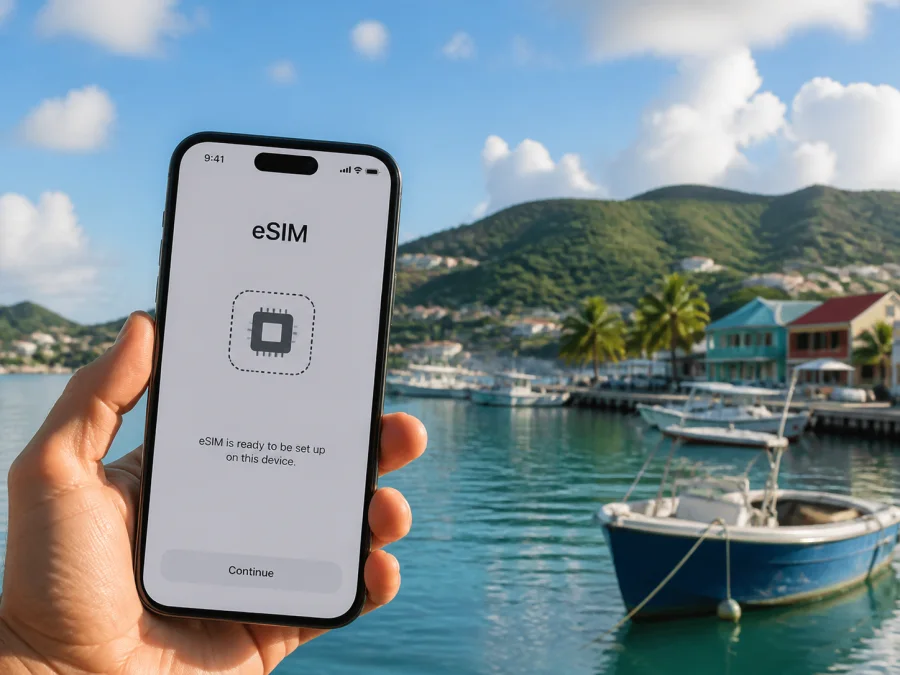
Dauphin Telecom eSIM in Saint Barthelemy: activation, coverage and travel checks
If you are preparing a trip to Saint Barthelemy and searching for a Dauphin Telecom eSIM, public operator material confirms that eSIM is part of its mobile-service offer. The published setup route uses a QR code and a compatible device. It does not follow that every visitor can order a profile remotely, or that every local service is designed for a short holiday. Confirm eligibility, the place of subscription, activation timing and support arrangements with Dauphin Telecom before departure.
This guide explains what is confirmed, how a local Dauphin Telecom eSIM differs from a travel eSIM, and what to check before relying on mobile data in Saint Barthelemy. A connection varies by handset and location, so a broad promise is not a substitute for a current check.
What public information confirms
The information was verified on 3 September 2026. Dauphin Telecom’s eSIM guide, published on 28 May 2024, states that eSIM is available. It says that a QR code is supplied in an agency when a customer subscribes, then describes adding a cellular plan on an iPhone, scanning the code and following on-screen prompts. The guide also discusses use on a smartphone, tablet or connected watch, subject to device support.
A consumer information document on the operator’s website, valid from 1 January 2025, refers to eSIM/SIM access for consumer mobile services in Saint Barthelemy and Saint Martin. It lists GSM, GPRS, 3G, 3G+, H+, 4G, 4G+ and 5G for a compatible mobile. The operator’s public TopUp service describes prepaid, no-commitment credit recharging and names service locations in Saint Barthelemy.
These pages confirm the general presence of eSIM and prepaid-style access. I did not find a clearly defined current page describing a separate tourist-only Dauphin Telecom eSIM with a universal remote visitor signup flow. Ask the operator whether the intended local eSIM can be issued for your stay and where the QR code can be obtained.
Dauphin Telecom’s local role
Dauphin Telecom presents itself as a local telecommunications operator in the French Caribbean. Its eSIM guide describes mobile, fibre and television services, while its consumer information and infrastructure pages refer to Saint Barthelemy and Saint Martin.
The local route may suit a resident, long-stay visitor or traveler who needs a local number and can complete the subscription process. A short-stay visitor may instead prefer a travel eSIM prepared online, if the phone and destination are supported.
Can a visitor use the local eSIM?
It may be possible, but ask four direct questions before travel:
- Can Dauphin Telecom issue the eSIM for your dates and purpose?
- Can you complete the subscription process in the required channel or location?
- Does your unlocked phone support the technologies used in Saint Barthelemy?
- Do you need a local number, or is mobile internet the main requirement?
The consumer information sheet uses wording for private customers in Saint Barthelemy and Saint Martin. Treat it as a reason to ask about eligibility, not as proof that every traveler is excluded. Dauphin Telecom can explain the current information and in-person steps.
Local eSIM and travel eSIM
The following table is a non-tariff reference. It compares the user journey and support responsibility, not commercial parameters.
| Question | Local Dauphin Telecom eSIM | Travel eSIM workflow |
|---|---|---|
| Who issues the profile? | Dauphin Telecom, following its current subscription process | The travel eSIM service and its local connectivity partners |
| How can setup begin? | The operator guide describes a QR code supplied in an agency | A website or app may provide guided installation or QR instructions |
| What should a visitor confirm? | Eligibility, issue channel, activation timing and local support | Destination support, device compatibility, activation steps and data-only limits |
| Which line remains available? | Dual-SIM use depends on the phone and its settings | The primary SIM can often remain installed while the travel eSIM handles mobile data |
| Who handles a problem? | Dauphin Telecom for its profile and service | The travel eSIM service for its purchase and installation flow |
A local line can fit a longer stay or a need for an operator relationship. A travel eSIM can fit a visitor who wants to prepare mobile data online. In both cases, read the live conditions at activation.
Coverage and network technologies
Coverage is a geographic and technical question, not a marketing promise. Dauphin Telecom’s consumer information lists GSM/GPRS, 3G-family, 4G-family and 5G technologies for a compatible mobile. Its infrastructure partner describes sites and a resilience project for Saint Barthelemy and Saint Martin. These facts show a local network context, but they do not guarantee the same experience in every building, bay, road, hill or indoor location.
The independent regulator Arcep provides useful public references. Its frequency page lists Dauphin Telecom among operators holding frequencies for Saint Barthelemy and Saint Martin, including low-band and higher-frequency allocations. Arcep’s open-data coverage area contains a 2025 T3 Dauphin Telecom 4G dataset for Saint Barthelemy. The regulator distinguishes theoretical coverage maps from measured service tests. Consult current map information for the places you expect to visit and ask the operator about any address-specific uncertainty.
Radio conditions vary with terrain, buildings, vegetation, weather and network-site location. The handset adds its own supported bands, software and carrier settings. Two phones can behave differently when one is region-specific, locked to another operator or missing an update.
Arcep’s current page on older mobile technologies identifies no Dauphin Telecom 2G network in Saint Barthelemy and says that a 3G shutdown date for Dauphin Telecom has not been announced. This is not a promise that every legacy function will remain available. A compatible 4G- or 5G-capable phone is a sensible baseline because the operator lists those services, but the exact model still needs checking.
Prepaid and tourist use
Dauphin Telecom’s public material shows that prepaid-style and no-commitment mobile access exists in the local market. The TopUp service explains credit recharging and lists service locations in Saint Barthelemy. The 2025 consumer information also references eSIM/SIM access for local mobile services.
“Tourist offer” should be used carefully. A service for a local prepaid customer is not necessarily a dedicated visitor service, and a technically compatible local eSIM may still require an in-person subscription or another eligibility step. Ask whether short-term visitors are accepted, which support channel is available, when the profile becomes usable and what happens if the phone is replaced. Specific commercial conditions can change and should be checked directly with the operator.
Checks before choosing a local eSIM
Confirm device and radio support
Look in Settings for an option to add an eSIM or cellular plan. Check the exact model number in current manufacturer documentation because regional versions can differ. Confirm that the phone is unlocked and up to date, then compare its supported bands with the technologies used in Saint Barthelemy. A compatible 4G- or 5G-capable handset is a sensible baseline, while the model-specific check remains essential.
Ask how a visitor is served
Ask Dauphin Telecom whether the eSIM can be issued for your situation, whether an agency visit is required, what information must be provided and whether the QR code is available immediately. Confirm support and opening arrangements before traveling. The 2024 guide specifically describes agency delivery, so do not plan around remote setup unless the operator confirms it.
Separate data and prepare installation
If the phone supports dual-SIM use, choose which line handles calls and which handles mobile data, label the profiles and control automatic data switching. Adding or activating eSIM normally needs stable internet. Keep the QR code available and allow time for registration; other devices may use different menu names from iPhone.
How QR activation works
Dauphin Telecom’s public guide is clearest for iPhone:
- Subscribe through the operator’s current channel and receive the QR code as instructed.
- Open iPhone cellular settings and choose the option to add a cellular plan.
- Scan the supplied QR code.
- Follow the prompts to label the line and select defaults for calls and mobile data.
- Wait for configuration to finish, then check whether the line registers.
On Android, look for Mobile Network, SIM Manager or Add eSIM in Settings. Use the QR code or guided method supplied by the issuer. Keep the QR message until the profile is verified. If manual activation is offered, use it only when Dauphin Telecom has provided the necessary details.
The correct roaming setting depends on the profile and issuer instructions. Check eSIM mobile-data selection and confirm that the primary line is not selected by mistake. If scanning fails, check the code, internet connection, device compatibility and lock status. Use support instead of deleting a partially installed profile.
For a device checklist, check eSIM compatibility before committing to a connection.
A travel eSIM option for mobile internet
Kaspersky eSIM Store is an app and website that helps a traveler choose, arrange and activate an eSIM with a travel plan for mobile internet. It is not a mobile operator, does not own Dauphin Telecom’s network and does not provide network coverage itself. Its role is the preparation and management flow around a travel eSIM; the underlying connectivity remains subject to the destination and local connectivity partners shown in the service.
Kaspersky’s official travel guide, dated 17 June 2025, describes preparation before departure or after arrival: check compatibility, select the destination, complete the purchase flow, install the eSIM, select it for mobile data and allow time for registration. Stable internet is needed for setup, and the guide presents travel eSIM use as focused on mobile data rather than as an automatic replacement for the ordinary phone number. The Kaspersky eSIM Store page for Saint Barthelemy provides a destination route; read its current coverage, activation, device and help information. Choose an eSIM plan for Saint Barthelemy only after confirming that the service matches your intended use.
This option can fit maps, messages, translation, reservations and occasional work access. It may be less suitable if you need a local number, ordinary voice service, a local billing relationship or in-person support from Dauphin Telecom. Those are different requirements.
If activation does not work
For either route, confirm the intended eSIM is selected for mobile data, the phone is unlocked, airplane mode is off and roaming follows the issuer’s instructions. A bad QR code, missing internet, incompatible device or regional limitation can stop setup. Do not delete a partly installed profile before contacting the issuer.
FAQ
Does Dauphin Telecom support eSIM in Saint Barthelemy?
Yes. Public operator material confirms eSIM in its mobile-service context and describes QR-based setup. Visitor eligibility and the issue process should be confirmed because the guide describes an agency-based subscription flow.
Does Dauphin Telecom have prepaid access?
Yes. Its public TopUp service documents prepaid-style credit recharging and service locations in Saint Barthelemy. Confirm current customer requirements and activation channel.
Which technologies and coverage facts matter?
The operator lists GSM/GPRS, 3G-family, 4G-family and 5G for a compatible mobile. Arcep lists Dauphin Telecom frequencies for Saint Barthelemy and publishes coverage data. Coverage is not guaranteed in every place: consider your locations, hills, buildings, weather and network load.
Is Kaspersky eSIM Store the same as Dauphin Telecom?
No. Kaspersky eSIM Store is an app and website for preparing a travel eSIM for mobile internet. It is not Dauphin Telecom, does not own the operator’s network and does not replace a local operator relationship.
Final checklist
- Confirm eSIM support, device unlock status and radio compatibility.
- Ask Dauphin Telecom whether it can serve you as a visitor and where the QR code is issued.
- Confirm which connection route fits your stay.
- Install with stable internet, select the intended data line and review roaming settings.
- Keep support details and check live conditions shortly before departure.
Conclusion
Dauphin Telecom eSIM support in Saint Barthelemy is confirmed by public operator material, and its published QR flow gives a starting point for compatible devices. For many visitors, the open question is whether the local subscription and issue process is available to them at the time of travel. Prepaid-style access is documented, while a dedicated tourist-only remote path was not confirmed in the public information reviewed for this guide.
For a local line, contact Dauphin Telecom and verify eligibility, issue channel, activation timing, support and device compatibility. For mobile internet prepared around a trip, Kaspersky eSIM Store may help you choose and activate a travel eSIM through its app or website. It remains separate from Dauphin Telecom and from the underlying local network. Review live conditions and choose the route that matches your device and the connection you need.
This article is informational and is not affiliated with Dauphin Telecom. Current conditions may change; confirm them with the operator or relevant service at the time of use.


