Travel connectivity guide
Dauphin Telecom eSIM in Saint Martin: what to check
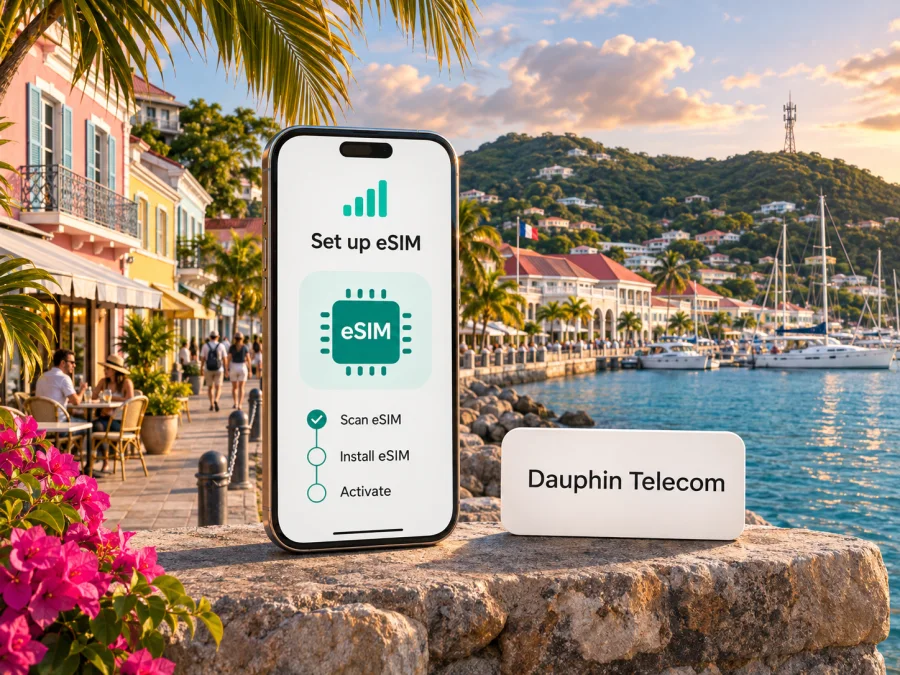
Dauphin Telecom eSIM in Saint Martin: what travelers should know
Dauphin Telecom is a locally established mobile and fixed-line communications operator serving Saint-Martin and Saint-Barthélemy. Its eSIM can be useful if you need a local mobile line, but availability for a visitor depends on the operator’s current subscription process, eligibility rules and compatible device. An eSIM is a digital SIM profile; it does not by itself guarantee coverage in every place or on both jurisdictions of the island.
This guide concerns Saint Martin, the French overseas collectivity on the northern part of the island. The southern part is Sint Maarten, a constituent country of the Kingdom of the Netherlands. The border is not marked by a physical checkpoint, so a drive across the island can also change the mobile network or the terms that apply. Do not assume that a plan intended for Saint Martin automatically includes Sint Maarten, or the reverse.
Dauphin Telecom’s official website describes the company as having originated in Saint-Martin and lists mobile services and local agencies. In its official FAQ, it says a Dauphin eSIM is activated by scanning a QR code supplied with the customer’s contract or subscription. The FAQ presents eSIM as conditional on a compatible phone. This information was checked on 4 November 2026 against Dauphin Telecom’s official website, “La eSIM Dauphin Telecom : Pourquoi l’adopter ?” page and “Aide - FAQ assistance téléphone internet” section. The operator’s public information confirms the existence of its eSIM process; it does not settle every visitor’s eligibility, the availability of remote sign-up, or whether a particular outlet can issue a profile on the day you arrive. Contact Dauphin Telecom before relying on it for a time-sensitive trip.
What Dauphin Telecom does on Saint Martin
Insee identifies Saint-Martin as a French overseas collectivity on the northern part of the island. The southern part is the separate jurisdiction of Sint Maarten. That distinction matters when checking a destination label, network name or roaming condition.
Dauphin Telecom presents itself as a local operator, with mobile and fixed services and agencies on Saint-Martin and Saint-Barthélemy. Its home page describes its mobile service as serving both sides of Saint Martin. That is useful context, but broad marketing language is not a substitute for the detailed service terms attached to your subscription. Ask which network will carry your phone in the place you plan to visit, whether service on the Dutch side is included for your type of line, and whether using data, calls or messages there changes your allowance or charges.
The regulator Arcep’s decision of 25 July 2023 authorizes Dauphin Telecom to use radio frequencies to establish and operate a public mobile network across the territory of Saint-Martin and Saint-Barthélemy. The decision includes spectrum allocations in the 700 MHz and 3.4–3.8 GHz bands. This verifies a local network role and specific authorized spectrum; it is not evidence of signal strength at a hotel, beach, road or indoor location, and it should not be read as a promise that any particular phone will connect using a particular radio technology. Device bands, network configuration, terrain, buildings and current service availability all matter.
The current support pages describe eSIM within Dauphin’s mobile service but do not establish a walk-up tourist product or universal visitor eligibility. Ask whether a non-resident can subscribe, what identification or payment details are required, whether sign-up is online or in an agency, and how the profile is delivered. Do not assume it can be issued instantly at the airport or hotel.
Is a Dauphin Telecom eSIM available to travelers?
The answer depends on what you mean by “available.” Dauphin Telecom publicly documents an eSIM activation procedure for its customers, so eSIM support is confirmed in the operator’s own material. The support page describes activation from a QR code supplied with the subscription. It does not say that every traveler can buy the service without conditions, and it does not fully explain a visitor-only or anonymous prepaid route. Treat the purchase and eligibility details as questions for the operator rather than as guaranteed features.
Before you decide, confirm these points directly with Dauphin Telecom:
- Whether a non-resident visitor can open a new mobile account for the dates of your stay.
- Whether the subscription can be started online or requires a visit to an agency.
- Which identity, contact, billing or address details are needed to complete the order.
- Whether the eSIM is issued as a QR code, when it is delivered, and whether the code can be scanned only once.
- Whether the chosen service includes mobile data, voice calls and SMS, or only some of them.
- Which conditions apply on French Saint-Martin and on Dutch Sint Maarten.
- How to get help if the QR code cannot be scanned or the profile does not register.
These checks matter if you arrive outside business hours or need data immediately. Ask for written confirmation of terms that affect your route. If a local line is not practical, a separate travel eSIM may provide data while your home SIM remains available for calls and texts, subject to device support and your home operator’s settings.
How to request and activate a Dauphin Telecom eSIM
Dauphin Telecom’s FAQ gives a QR-code flow for its eSIM: the customer receives a QR code with the subscription, opens the phone’s mobile-data or cellular settings, chooses the option to add an eSIM, and scans the code. The operator also advises that the phone must support eSIM. Menu wording varies by device; follow the on-screen prompts and the operator’s instructions.
Use this sequence:
- Confirm eligibility first. Contact Dauphin Telecom and make sure the service can be opened for you as a visitor. Confirm the required documents, collection or delivery method, and whether an agency appointment is needed.
- Check the phone. Confirm that your exact device variant supports eSIM and is not locked to another carrier. Similar phone names can have different regional variants; do not rely on a generic model-family page. Check eSIM device compatibility before purchase.
- Keep an internet connection available. The phone needs connectivity to download and activate a profile. Use reliable Wi-Fi or another working connection while scanning the QR code, unless Dauphin gives you a different supported method.
- Open cellular settings. Choose the option to add a mobile plan or eSIM. The exact wording differs between iOS and Android devices.
- Scan the operator’s QR code. Use the code provided for your own subscription. Keep the QR private, and do not share an activation image with another person.
- Label the line. Give it a clear label such as “Dauphin” so you can distinguish it from your home SIM when choosing a line for calls, messages and mobile data.
- Choose the data line deliberately. If you keep a second SIM active, set the line you want for mobile data. Review your home SIM’s roaming settings before travel to avoid unintended use.
- Test before depending on it. Check that the profile appears in settings and that it can register on the network where you are. If it does not connect, use the operator’s troubleshooting guidance or support contact instead of deleting the profile immediately.
Ask whether the QR code can be scanned again if installation fails and what to do after changing phones. Do not delete a working profile simply to reinstall it; restoration may require operator support. Keep the contract or installation email until service works.
If you use iPhone
On a supported, unlocked iPhone, the general path is to open Settings, choose Cellular or Mobile Data, tap Add eSIM or Add Cellular Plan, and scan the QR code. Follow the setup prompts, then select which line should handle mobile data. Apple’s menu wording and available options depend on the iOS version and phone model. If the QR code is displayed on the same phone, ask Dauphin whether it provides another supported installation method; otherwise, scan it from a separate screen or use manual details only if the operator supplies them.
If you use Android
On a compatible, unlocked Android phone, open Settings and look under Network & internet, Connections or SIM manager for an option such as Add SIM or Download a SIM instead? Choose the eSIM option and scan the operator’s QR code. Android menus vary between manufacturers, countries and software versions. Use the phone maker’s instructions for your exact model if menu names differ, and contact Dauphin Telecom if the profile is rejected.
Coverage, technologies and the two sides of the island
Authorized spectrum does not predict signal at every point. Buildings, hills, network load, device support and connection partners can all affect service. Download key travel information for offline use and keep a backup way to communicate.
Arcep’s 25 July 2023 decision authorizes Dauphin Telecom to operate a public mobile network and use spectrum on Saint-Martin and Saint-Barthélemy. Dauphin’s mobile information refers to 4G and newer network options, but does not provide a live signal guarantee for each address. Confirm current availability for your lodging and destinations. Your phone must support both eSIM and the radio bands used by the local network.
Roaming matters because the island has two jurisdictions. Dauphin’s website describes service on both sides, but the terms depend on the subscription. Before crossing between Marigot, Grand Case, Philipsburg or airport areas, check the connected network and your line’s roaming conditions; automatic network selection does not confirm that use is included.
For a multi-stop trip, verify every destination. A plan may identify Saint Martin, Sint Maarten or a wider region as its supported area; check nearby-island stops separately.
Local eSIM or travel eSIM for a Saint Martin trip?
A Dauphin Telecom eSIM is a profile for the operator’s own mobile service, subject to its subscriber terms and the coverage and roaming arrangements that apply. It may be appropriate if you qualify for an account and need a local mobile line. The operator’s publicly available instructions confirm the QR-based setup but do not confirm a universal visitor sign-up path or a short-stay prepaid product for every traveler. Ask before choosing it as your only connection.
Kaspersky eSIM Store is an app and website that helps travelers choose, arrange and activate an eSIM with a mobile-data plan for an international trip. It is not a mobile operator, does not own a network, and does not provide mobile coverage. The Store’s Saint Martin destination page was available when checked on 4 November 2026; its destination information identifies local telecommunications providers, but the Store page is not a Dauphin Telecom offer and should not be treated as a local Dauphin subscription. Review the current destination details and supported area before choosing. Explore eSIM options for Saint Martin.
A travel data eSIM may be arranged before arrival and used alongside a physical SIM on a compatible phone. Do not assume it supplies a local number, ordinary calls or SMS; check the selected service terms. Keep your usual line available for authentication if needed and review its roaming charges.
When comparing the two approaches, focus on your practical requirements rather than a headline label:
| Question | Dauphin Telecom local eSIM | Travel eSIM through Kaspersky eSIM Store |
|---|---|---|
| What is it? | An eSIM profile for Dauphin Telecom’s mobile service, if you can subscribe. | An app and website for choosing and activating a travel eSIM data plan. |
| Who provides the mobile network? | Dauphin Telecom and any networks involved under the service’s roaming terms. | The relevant local telecommunications provider named in the current destination information. |
| Is a local phone number assured? | Confirm the number and included services with the operator before subscribing. | Do not assume one; check the selected plan’s current terms. |
| What should you verify? | Visitor eligibility, sign-up steps, QR delivery, support, and service on both sides of the island. | Device compatibility, supported destination, plan terms, and when/how to install it. |
This is a description of different service models, not a comparison of specific tariffs. For either one, read the applicable terms before purchase and check whether your trip includes the French or Dutch side, or both.
Before you travel: a practical checklist
- Confirm whether your phone is eSIM-capable, unlocked and compatible in its exact regional variant.
- Ask Dauphin Telecom whether you can subscribe as a visitor and how you will receive the QR code.
- Verify what identification or account information is required; do not send personal documents through unofficial channels.
- Ask whether the service includes the places you will visit on both Saint-Martin and Sint Maarten.
- Check if mobile data, calls and SMS are all supported and under what general service conditions.
- Save the operator’s official support details and your eSIM order confirmation somewhere accessible offline.
- Install the profile while you have a stable internet connection and enough time to troubleshoot.
- Decide which SIM should handle data and whether data roaming must be enabled for that profile, following the provider’s instructions.
- Keep your home SIM settings and account access available in case you need a bank code or a call.
- Download offline maps, tickets and accommodation details before leaving Wi-Fi.
Troubleshooting common eSIM issues
The QR code will not scan. Check the screen brightness and camera focus, and confirm the code belongs to your subscription and has not already been used. If it still fails, ask Dauphin for its supported alternative or replacement process.
The phone rejects the plan. Confirm eSIM support, carrier-unlock status and software compatibility for your exact regional variant. Ask Dauphin whether the profile remains valid or the device has reached its eSIM storage limit.
The eSIM appears but has no service. Check that the line is on and selected for mobile data. Note the location and displayed network name, then contact support. If the issue occurs after crossing the island, verify the service area and roaming terms.
You need to change phones. Ask the provider before deleting the current profile. A QR code may be single-use or tied to the original installation; support can confirm the migration procedure.
Frequently asked questions
Does Dauphin Telecom support eSIM?
Yes. Dauphin Telecom’s official eSIM information and phone-support FAQ describe an eSIM setup using a QR code provided with a subscription. The service requires a compatible phone. The public pages reviewed do not prove that every visitor is eligible, so confirm the current sign-up conditions directly with the operator.
Can a tourist buy a Dauphin Telecom eSIM online?
That is not established by the public pages reviewed. The operator’s FAQ describes the QR code as part of a subscription and refers to an agency-issued subscription in its activation instructions. Ask whether remote sign-up is possible for a non-resident and what documents or collection steps apply.
Will a Dauphin Telecom eSIM work across the whole island?
Dauphin Telecom describes its mobile service as covering both sides of the island, but the applicable terms for your particular subscription still matter. Saint-Martin is the French collectivity on the north side; Sint Maarten is a separate jurisdiction on the south side. Confirm roaming and data conditions for both before crossing.
Is a travel eSIM the same as Dauphin Telecom service?
No. A Dauphin Telecom eSIM is a profile for that operator’s service and subscriber terms. Kaspersky eSIM Store helps a traveler choose and activate a separate travel eSIM data plan; it is not Dauphin Telecom and does not own or operate the mobile network. Check the current destination and plan conditions before using a travel eSIM.
Plan your connection before departure
If a local Dauphin Telecom line is important to your trip, contact the operator early to confirm visitor eligibility, the eSIM delivery method and coverage conditions for your itinerary. Keep the distinction between Saint-Martin and Sint Maarten in mind even though the island is easy to cross by road. If you prefer a travel data eSIM, review the current supported destination and service terms, then confirm that your phone is compatible and unlocked.
Kaspersky eSIM Store can help you arrange a travel eSIM for mobile data, while your choice of provider and destination plan determines the network and terms. Check eSIM options for Saint Martin.
Dauphin Telecom is a trademark and service provider independent of Kaspersky eSIM Store. Kaspersky eSIM Store is not affiliated with, endorsed by or an official partner of Dauphin Telecom. Operator and destination information can change; verify the current requirements and conditions with the relevant provider before purchase.


