Travel connectivity guide
Davao eSIM for Mobile Internet | Philippines
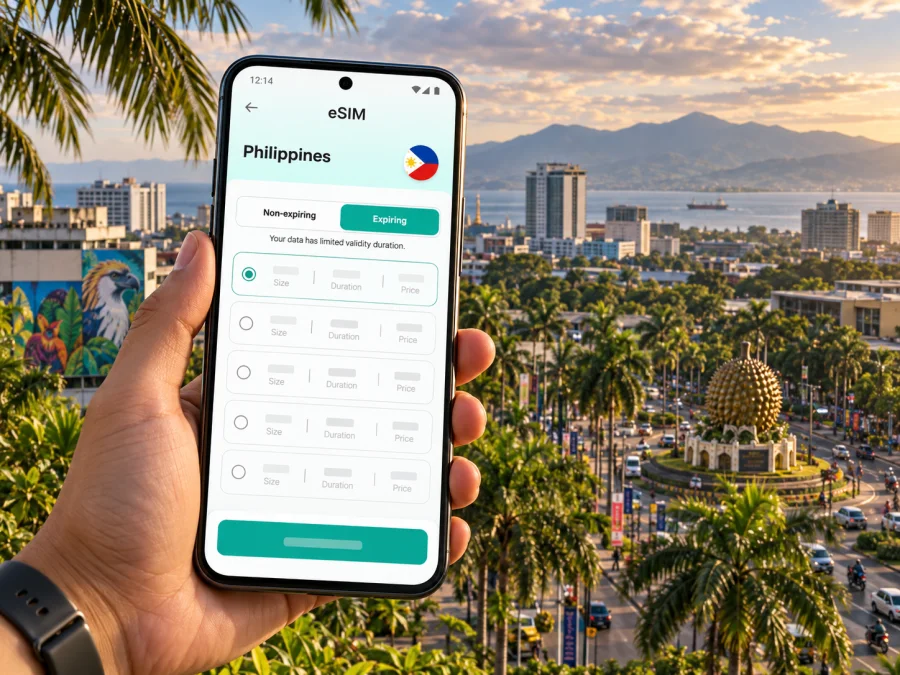
Davao eSIM for mobile connection and internet
Arriving in Davao is easier when you can check your route, contact your accommodation, and look up local information without first searching for a physical SIM card. An eSIM can provide mobile data for these tasks, while your usual SIM can remain available for calls or messages if your device and plan allow it. Kaspersky eSIM Store is an app and website where you can choose, arrange, and activate an eSIM plan for mobile internet during an overseas trip.
Davao is a large city in the southern Philippines, and an itinerary may combine an airport arrival, meetings in the urban core, and day trips beyond the center. A little preparation helps you make the most of mobile data in each part of that journey.
When mobile data helps in Davao
Mobile data is useful for confirming a pickup, finding a hotel entrance, navigating between neighborhoods, checking a booking, or sharing a meeting location. It can also support messages, email, and route checks during a day trip. Performance varies with the local network, device, buildings, and other conditions, so keep essential details available offline.
From Francisco Bangoy International Airport to your first stop
Davao International Airport, also known as Francisco Bangoy International Airport, is the city’s air gateway. Before you travel, save the address and phone number of your accommodation, your transfer instructions, and the name of the neighborhood where you are staying. A map pin is useful, but keep the written address too: a driver or hotel staff member may recognize it more easily than a dropped pin.
Once you have landed, use the connection method that suits your circumstances. If you have arranged a pickup, follow the instructions from your host or provider. If you are choosing a ride after arrival, confirm the destination and fare details in the service you use before setting off. Airport procedures and transport arrangements can change, so rely on current instructions at the airport and from your accommodation.
Before landing, save your accommodation address, pickup instructions, and a map pin; keep the written address too. After landing, check which line is selected for data, open the route, and message your host. A screenshot of booking details is a useful backup. If you are meeting a driver, agree on a specific meeting point in advance.
Choose a plan around your Davao itinerary
A city name is a helpful starting point, but the right eSIM plan depends on the complete route and how you use your phone. Check that the plan’s destination coverage includes the Philippines, then compare its data allowance, validity period, price, and any activation conditions with your travel dates. If your trip also includes other countries, confirm that the plan covers those destinations too; a Davao-focused itinerary does not necessarily mean you will stay in the city or country for the whole trip.
| Your travel pattern | What to consider |
|---|---|
| A brief city visit | Maps, messages, transport coordination, and online bookings during a short stay |
| Several days of sightseeing | Daily navigation, attraction information, photos, and regular communication |
| Work meetings | Email, calendars, messaging, document access, and whether calls will use data |
| A longer route beyond Davao | Country or regional coverage, validity across the full itinerary, and how much data you use while in transit |
Plan allowances, destinations, start conditions, and validity vary. Read the terms to understand when validity begins and how activation works.
Move around the city with a reliable navigation routine
Davao covers a broad urban area, so check the route shortly before departure and make sure the pin leads to the correct entrance, not simply a property’s access road. Save the address in text as well as on the map, and keep an offline copy if available.
Taxis, app-based rides, and jeepneys may be part of city journeys, but routes, payment practices, and pickup arrangements vary. Ask your hotel or host for current local advice. Confirm the vehicle, destination, and fare details through the service you use before travelling.
When your route and expected usage are clear, you can review eSIM options for the Philippines and compare the available plan details for your trip.
Plan by neighborhood and purpose
Instead of trying to cover the entire city from one hotel, group stops by area. This makes a day easier to navigate and reduces the number of times you need to cross town. Davao’s city tourism materials list places ranging from central parks and museums to nature-oriented destinations, so confirm the location and opening information for each stop before building a route.
The following is a planning framework, not a claim that every visitor needs to see each area:
| Base or destination type | Useful preparation |
|---|---|
| Central Davao and the City Hall area | Save meeting points and nearby dining or service options; allow time to find the precise entrance. |
| A hotel or business stay in Lanang | Keep the hotel pin, office address, and transfer details together; check the route before leaving. |
| Matina and southern city appointments | Group nearby errands or meetings and confirm the correct branch or building. |
| A nature-focused outing outside the core | Check transport and admission arrangements with the destination; save directions and contact details before departure. |
| A transfer toward the coast or another island destination | Verify the port or departure point and current travel arrangements separately from your city map. |
Davao can be a base for wider regional trips, but nearby attractions are not all within the city. Confirm distance and arrangements with the relevant provider, and check that your plan covers the full route.
Keep work and meetings organized
For work, keep your hotel, meeting venues, transfer points, and contacts in one itinerary; save addresses and key documents for offline access. Video calls, large uploads, and cloud backups may use more data than email. Download work files over Wi-Fi and review automatic backup settings if you want to manage usage. Check whether the plan includes voice or SMS: a data plan is not necessarily a replacement for a regular phone number.
Prepare your phone before departure
An eSIM is a digital SIM profile. Your phone must support eSIM and be eligible to use another carrier profile. Device support can vary by model, region, and carrier restrictions, so check your specific device rather than relying on a general model-family list. Check whether your device supports eSIM and confirm that the phone is not locked in a way that prevents use of the selected plan.
Before purchase, compare the plan’s destination, data allowance, validity, price, and activation terms. Keep access to a stable internet connection for installation, and do not delete an installed eSIM profile unless you understand whether it can be installed again. Follow the on-screen steps for your device and the instructions supplied with the plan.
Install before departure over dependable Wi-Fi if the plan instructions allow it. If you wait until arrival, check what connection installation requires and when plan validity begins.
Installation references:
After installation, review your phone’s SIM settings. Select the intended line for mobile data, check whether data roaming needs to be enabled for that eSIM according to its instructions, and make sure your usual line is set the way you want for calls or messages. Menu names vary between devices. If something looks different, refer to your phone’s manufacturer guidance and the plan’s setup steps.
Manage data during the stay
To manage data, download large work files and entertainment over Wi-Fi, review background-data settings, and check usage through the tools available on your phone or plan service. Confirm a hotel’s Wi-Fi name with staff. Keep your address, booking reference, and important contacts in an accessible note in case your connection drops.
If the connection does not work as expected
Start with simple checks before changing settings repeatedly. Confirm that the eSIM profile is enabled, that the correct line is selected for data, and that the plan is valid for your current destination and date. If the plan instructions require data roaming for the eSIM, verify that setting too. Restarting the phone may help it reconnect, but follow the plan’s guidance if the issue continues.
If you still cannot connect, note what you see on screen and when the problem began. Check the plan conditions and contact the relevant support channel through the app or service used to arrange the eSIM. Avoid deleting the profile as a first step: reinstallation may not be possible in every case. Keep your accommodation details and a backup connection option available while you troubleshoot.
Short stopover or day trip from Davao
For a short stopover, save the airport, hotel, and one or two destinations, and leave time for transfers. For a day trip, confirm departure and return arrangements with the provider. If you leave Davao City, check plan coverage against the entire route in the Philippines and download directions and booking details in advance.
Frequently asked questions
Will an eSIM work as soon as I land in Davao?
It depends on the activation rules, device settings, and local network. Check the plan instructions and selected data line after landing; installation and activation may be separate steps.
Can I keep my usual SIM active?
That depends on your phone. Check which line handles data, calls, and messages; your usual carrier may charge for roaming if its line remains active abroad.
Does a data eSIM include a Philippine phone number?
Not necessarily. eSIM plans for travel often focus on mobile data. Review the particular plan details if you need voice calls or SMS, and use messaging apps over data only when that suits your needs.
How much data should I choose for Davao?
Estimate from your navigation, messaging, email, calls, and upload habits, and consider trip length and hotel Wi-Fi. Compare the allowance and validity rather than using a generic daily estimate.
Should I install the eSIM before the flight?
Prepare in advance if the plan permits it. Check when validity starts and save the setup instructions before travelling.
What if I travel beyond Davao City?
Review the complete route and confirm that the plan covers every destination where you expect to use mobile data. Save transfer details and offline directions for areas where you may have an inconsistent connection.
A simple Davao connectivity checklist
Before you leave, make sure you can answer these questions:
- Does my exact phone model support eSIM, and is it free to use another carrier profile?
- Does the plan cover the Philippines and any other destinations on my itinerary?
- Do the allowance, validity, and activation conditions match my travel dates and expected use?
- Have I saved my hotel address, transfer instructions, and important booking details?
- Do I know which SIM or eSIM will be used for mobile data?
- Can I access the installation instructions if I need them offline?
Mobile data is most helpful when it supports a well-planned arrival and a flexible day in the city. In Davao, keep addresses and transport details close at hand, organize stops by area, and check conditions for any trip beyond the urban center. The plan you choose should reflect your actual route, device, and usage rather than a general assumption about travel.
Get ready for your trip
Choose an eSIM plan after checking its Philippines coverage, data allowance, validity, and activation conditions. Kaspersky eSIM Store is an app and website that helps you choose, arrange, and activate an eSIM plan for mobile internet abroad. Compare eSIM plans for your trip to the Philippines, then install the eSIM on a compatible, unlocked device and follow the plan instructions.


