Travel connectivity guide
Debrecen eSIM: Mobile Internet for Your Trip
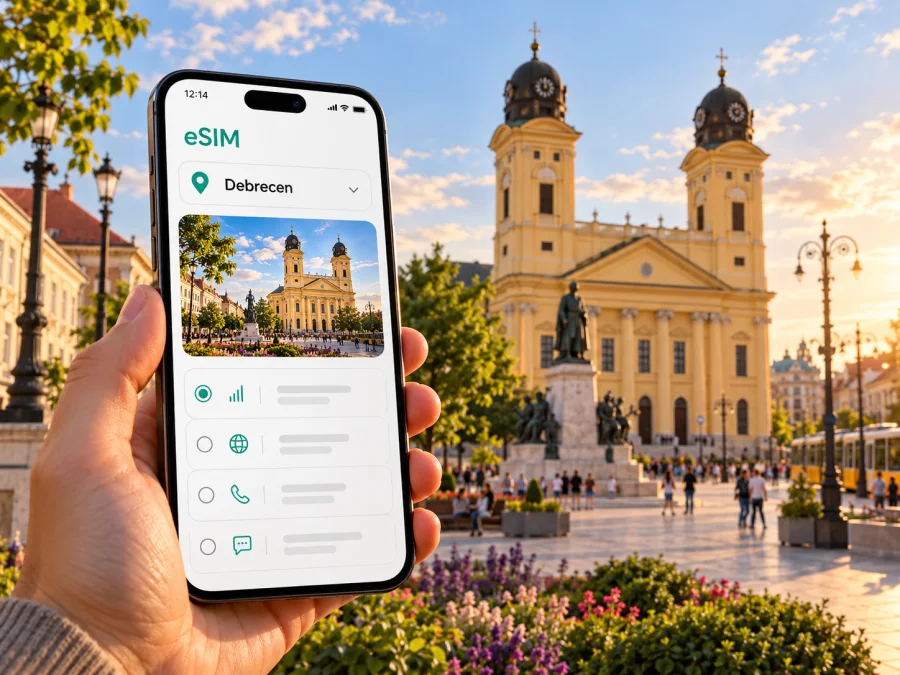
Debrecen eSIM: mobile connection and internet for your trip
Debrecen is Hungary’s second-largest city and an important center in the east of the country. Whether you arrive by air, come by train from another Hungarian city, or are here for university, business, or a few days of sightseeing, a working mobile connection makes the first practical steps easier: checking your route, contacting your host, and finding the right stop. An eSIM can provide mobile internet without replacing the physical SIM already in your phone.
The useful way to plan is to think in two layers. Debrecen is your destination, while Hungary is the country for which a travel eSIM plan is selected. The city itself does not have a separate mobile network or a city-only eSIM standard. Coverage and service depend on the selected plan and the local network it uses, so check the destination and conditions shown for that plan before you travel.
Where mobile internet helps in Debrecen
Debrecen has a compact center, but visitors often move between distinct parts of the city: the railway station, central squares, the university area, and the leafy Nagyerdő (Great Forest) district. Maps can help you connect those points, while live transport information is useful when a walk is longer than expected or weather changes your plans.
A phone connection can be useful for more than navigation. You may need to check an accommodation message, confirm a meeting location, translate a short notice, book a taxi, or tell someone that your train is delayed. A travel eSIM is one way to keep mobile data available for these tasks without looking for a physical SIM shop immediately after arrival.
| Debrecen situation | What a connection can help you do |
|---|---|
| Arriving at the airport | Check the current Airport 1/2 bus information, arrange onward transport, and message your accommodation. |
| Reaching the center | Compare walking, local public transport, or a taxi using your preferred map and travel apps. |
| Exploring Kossuth Square | Look up nearby places, save a walking route, and coordinate a meeting point. |
| Visiting the university or Nagyerdő | Check the stop and route that match the exact building or park entrance you need. |
| Working between appointments | Join calls or exchange files when the selected plan and network conditions support your data needs. |
| Taking a day trip | Check the route and return journey before leaving the city, then download useful details for offline access. |
Mobile data is a practical tool, not a guarantee of uninterrupted service. Signal strength can change indoors, underground, in crowded places, or along a route outside the center. Keep key addresses and tickets available offline, and follow local signs and transport notices if an app does not load.
Arriving at Debrecen International Airport
Debrecen International Airport is served directly by Airport 1 and Airport 2 buses. The airport says their timetable is, in most cases, aligned with flight arrivals and departures. Check the schedule for your date and flight; do not assume a bus will be waiting at every arrival. Airport public Wi-Fi can help you check a message while you get oriented. If your eSIM is already installed, mobile data may also be available after landing, subject to its activation rules and the local network.
A practical arrival sequence:
- Check your flight status and collect your luggage.
- Confirm the current Airport 1/2 departure time and boarding point.
- Match the stop to your exact destination address.
- If the bus is unsuitable, use an airport-listed taxi option or a pre-arranged transfer.
- Message your host or colleague with an updated arrival time.
The airport lists City Taxi and Főnix Taxi among services for arriving passengers, with taxis available to order at the terminal entrance. Confirm the destination and fare arrangements with the service. For a late arrival, save your accommodation address and transport details before flying; keep enough battery for navigation and messages. If installation requires internet, complete it on reliable Wi-Fi or read the provider’s instructions in advance.
Moving around the city
DKV operates local buses, trolleybuses, and trams. Its English schedule page lists routes and departure information, including tram lines linking Nagyállomás, the main railway station, with the Egyetem (University) area. Use the live schedule for the day: routes and operating times can change. A route planner is most accurate when you enter the exact hotel, campus building, clinic, or venue rather than a broad district name.
- Railway station: search for “Nagyállomás,” the name used for the main station.
- University: identify the specific campus building; “University” can cover a broad area.
- Nagyerdő: pin the park entrance or attraction you intend to visit.
- Evening plans: check the return service before leaving for an event or dinner.
The airport’s transport page lists different prices for tickets bought in a mobile app, on paper, or from the driver. Prices and ticket rules may change, so confirm current details. A travel eSIM can help you access route or ticket information, but it is not a transport ticket. Check app requirements, validation steps, and accepted proof before boarding. Save a route screenshot or offline map as a backup for the walk between a stop and your destination.
The center, Kossuth Square, and Nagyerdő
Kossuth Square and its surrounding streets make a useful starting point for a first walk. The Great Reformed Church is a prominent Debrecen landmark and a clear meeting point if your group arrives separately. From the center, continue on foot through nearby streets or take public transport toward the university and Nagyerdő.
Nagyerdő, or Great Forest, is a green district north of the center. Hungary’s official tourism site describes Debrecen City Park as roughly a ten-minute walk from the city center; treat this as broad orientation, since your starting point, pace, weather, and exact park destination affect the journey. Rather than pinning the middle of a large green area, choose a specific entrance or venue.
For a simple day plan, save Kossuth Square, your chosen Nagyerdő stop, and the return route in order. Check the last walking segment and return transport before settling in. A clear map pin is also more useful than “near the center” when arranging to meet friends.
Choosing a travel eSIM plan for Debrecen
Hungary is the country destination for a visit to Debrecen; the city does not have a separate mobile network or a city-only eSIM standard. A Hungary plan may serve the city through a local partner network, but the exact network, technology, quality, and permitted use depend on the individual plan and its terms. Read the listed destination and conditions instead of inferring coverage from the country name alone.
To review current eSIM options for a trip to Hungary, compare each plan’s destination, data allowance, validity, and activation conditions with your itinerary. This is a Hungary page, not a Debrecen-specific tariff, and details can change.
Estimate usage from your actual habits. Maps, messages, bookings, and transit updates usually require less data than frequent video calls, file uploads, or streaming. Ask yourself:
| Use | What to consider |
|---|---|
| Maps and searches | Will you navigate all day, or save main routes and use data when plans change? |
| Messaging and calls | Mostly text, or regular voice and video calls over data? |
| Work | Email and documents, or frequent meetings and large transfers? |
| Photos | Upload immediately, or wait for Wi-Fi? |
| Day trips | Will you use data outside Debrecen too? |
Choose by the allowance and full validity period rather than selecting the largest package automatically. Check whether validity begins at purchase, installation, or first connection; these events may differ. If travelling across a border, verify that the other country is included. A regional plan may be an option only when its terms list your destinations. “Europe” in a plan name alone is not enough to confirm inclusion.
Check your phone before you travel
An eSIM requires a compatible device that is not restricted by a carrier lock. Model names may cover versions with different capabilities by sales region or hardware configuration. Check the exact model identifier in settings and confirm support for that regional version with the manufacturer or seller. If support is unclear, treat it as unconfirmed.
Before choosing a plan, check whether your device is compatible with eSIM. Confirm that you can add a cellular profile, switch mobile-data lines, and access Wi-Fi during installation. If the phone was bought for a market where eSIM support differs, do not assume a similarly named regional version has the same capability.
Quick pre-trip check:
- Find the exact model identifier in phone settings.
- Verify eSIM support for that region and carrier-unlocked status.
- Update the operating system on a stable connection.
- Ensure you can access the account or email holding the eSIM details.
- Keep the QR code or instructions available on a second screen if needed.
Install before departure, activate for the right moment
Installation is easiest when you have stable internet and time to read each prompt. Adding an eSIM profile and starting a plan’s validity are not necessarily the same event; follow the selected plan’s activation rules. Kaspersky eSIM Store is an app and website where you can choose, arrange, and activate an eSIM with a suitable plan for mobile internet on an international trip. The local network and service depend on the plan and its conditions. Use the Android eSIM installation guide or the iOS eSIM installation guide for device-specific steps.
A general sequence:
- Check compatibility and unlock status. Confirm that your exact device version supports eSIM.
- Choose the destination and plan. Review allowance, validity, network, and activation details for Hungary.
- Install on Wi-Fi. Follow the on-screen steps or scan the supplied QR code; keep the details until the profile appears in settings.
- Label the profile. A name such as “Hungary trip” helps distinguish it from your home SIM.
- Set the data line. Choose which profile handles mobile data and which handles calls or SMS; home-line charges depend on your regular plan.
- Enable the travel profile at the correct time. Some plans require data roaming for the travel eSIM. Follow its instructions.
- Test after arrival. Select the eSIM for mobile data and try a simple page or message.
If service does not appear, check the selected data line, profile status, and plan activation before changing settings. Do not delete a profile as a first troubleshooting step: some cannot be reinstalled freely. Allow time for registration and use the plan’s support guidance if the connection still fails.
Practical scenarios
Late flight and hotel outside the center
Save the hotel address and ask which entrance to use. Compare the Airport 1/2 schedule with your flight; if a taxi is more suitable, have the full address ready and confirm the destination. Mobile data can help you update your host after landing, but keep a backup route in case service is unavailable.
Short break or university visit
Install the eSIM ahead of time if its instructions allow it, and check when validity starts. For campus visits, save the exact building pin rather than “University.” For a weekend, plan how often you will navigate, upload photos, or make calls, then choose an allowance accordingly.
Work trip or day outside the city
Use mobile data for calendar changes and messages between appointments; rely on venue Wi-Fi for large transfers where practical. For a day trip, save the return timetable and station name before leaving. A Hungary plan may apply domestically according to its terms, but service away from Debrecen depends on the plan’s local network. Verify other countries separately.
If mobile data does not work
A connection problem can come from the phone settings, plan activation, local network availability, or the location you are in. Work through the basics in order:
- Confirm that mobile data is assigned to the travel eSIM rather than the home SIM.
- Check whether the eSIM profile is enabled and the plan is active for Hungary.
- Review the plan’s instructions for data roaming or a manual network setting.
- Move to an open area and wait briefly for the device to register.
- Turn airplane mode on and off once, or restart the phone if the plan instructions suggest it.
- If service still does not appear, use Wi-Fi and contact the support channel shown with your purchase details.
Take a screenshot of any error message before changing settings. Avoid deleting the profile as a first response: reinstalling may not be possible without the original activation details. If the issue appears only inside a building, try again outdoors before concluding that the plan or device has failed.
Frequently asked questions
Is there a Debrecen-only eSIM plan?
The relevant destination is Hungary. Plans for the country may serve Debrecen according to their terms, but the Hungary page is not a city-specific tariff.
Will an eSIM work everywhere in Debrecen?
No plan guarantees service in every place. Reception varies with the local network, device, and surroundings. Keep essential details offline.
Can I keep my regular number active?
Many dual-SIM devices can keep a physical SIM and eSIM enabled, but options vary. Set the intended data line and check home-carrier roaming charges for calls and texts.
Does a travel eSIM include calls or SMS?
Do not assume so unless the selected plan explicitly says otherwise. Travel eSIM plans in this context are for mobile data, not necessarily a conventional number or voice service.
Should I install before flying, and when does validity start?
Installing on Wi-Fi before departure can make setup easier. Validity may begin at purchase, installation, or first network use, depending on the plan. Follow its conditions.
What if my phone has regional eSIM differences?
Check the exact model and sales region with the manufacturer or seller. If that version’s support is unclear, treat it as unverified before choosing a plan.
A simple checklist before you leave
- Your phone’s exact regional version supports eSIM and is not carrier-locked.
- The selected plan lists Hungary and matches your dates and expected data use.
- You understand whether validity begins at purchase, installation, or first network use.
- The eSIM is installed or you have a reliable setup plan and the needed instructions.
- The phone is set to use the intended profile for mobile data.
- Airport transport, accommodation details, and return routes are saved for offline access.
- You know how to contact support if installation or activation does not work.
Debrecen is straightforward to explore when you combine a clear route plan with a little flexibility. An eSIM can help with mobile internet for arrival, local transport, messages, and day-to-day navigation, provided your device and chosen plan are compatible. Check the terms, prepare the phone, and keep offline backups for the moments when mobile service is unavailable.
Choose an eSIM plan for Hungary
Prepare your phone before you travel, then check current eSIM plan options for Hungary and choose one that fits your dates, route, and data needs. Review the destination and activation conditions before completing your selection.


