Travel connectivity guide
Dededo eSIM: Mobile Internet in Guam
Dededo eSIM: Mobile Connection and Internet for Your Trip
Dededo is a practical base for exploring northern Guam, visiting family or friends, and reaching the island’s central districts. It is a large, spread-out village rather than a compact downtown: your day may involve a hotel or rental, a shopping stop, a meal, and a drive to a beach or another village. A working mobile connection helps with maps, bookings, messages, and checking the next leg before you set off.
An eSIM can be a convenient way to prepare mobile data before arrival, provided that your exact phone variant is compatible, unlocked, and supported by the selected service. Guam is a U.S. territory, but mobile service is a destination-specific market with local operators and terms. Do not assume that a plan sold for the mainland United States includes Guam, or that a U.S. phone model has the same eSIM capability as a model sold elsewhere.
This guide focuses on the details that matter when using Dededo as your starting point: landing at Guam’s airport, navigating a wide village area, deciding whether you need a car, planning data use, and preparing an eSIM without relying on guesswork.
First, place Dededo on your itinerary
Dededo lies in north-central Guam and is one of the island’s largest villages by area and population. It includes residential neighborhoods, commercial areas, and local institutions, so “going to Dededo” can mean destinations several minutes apart by road. Use the exact address or map pin for your hotel, meeting, or pickup point; a village name alone is not precise enough for navigation.
The village is part of Guam, an island in the western Pacific and a U.S. territory. That status is useful context for travel paperwork and some familiar U.S. phone settings, but it does not tell you how your particular home carrier bills service there. Check the carrier’s Guam-specific roaming terms before departure. Guam’s local mobile market includes operators such as DOCOMO PACIFIC and GTA, which publish their own eSIM and activation guidance. That is separate from the partner network and terms of a travel eSIM, so check the specific offer rather than assuming the local carrier’s eligibility rules apply.
Arriving in Guam and getting to Dededo
International visitors normally arrive through Antonio B. Won Pat International Airport, located in the central part of Guam in the villages of Tamuning and Barrigada. Dededo is farther north, so the airport is not in the village. Before landing, save your accommodation address, reservation details, and the name of the person meeting you. If you are collecting a rental car, keep the rental confirmation accessible offline as well as in your inbox.
At the terminal, connect to trusted Wi-Fi if it is available and convenient, then confirm that your mobile data setup is ready before you head out. Airport Wi-Fi, if offered, should be treated as a temporary convenience rather than your only plan. A preinstalled travel eSIM can reduce the number of steps you need to complete after landing, but activation rules differ by product: read when the validity period starts and whether installation itself can trigger it.
For the airport-to-Dededo leg, arrange transport in advance or choose an option that clearly serves your accommodation. Guam is not a city with one dense central transit grid, and transport choices can differ by time of day, destination, and provider. Do not assume that a bus running elsewhere on the island will take you directly to a particular address in Dededo. If you plan to use public transit, review the latest official route and schedule information before relying on it; service can be limited by day, hours, and route.
Short stopover versus a stay based in Dededo
If you have only a few hours between flights, avoid planning a complicated cross-island trip around a fragile connection or uncertain transport. Keep the airport location, return route, departure time, and airline notifications available offline. For an overnight or multi-day visit, Dededo can work well if your main plans are in the north or you have a confirmed way to travel around Guam. If your itinerary is concentrated around Tumon or the airport area, compare the door-to-door journey and transport plan before choosing accommodation farther north.
Moving around a spread-out village
In Dededo, mobile data is most useful when it helps you coordinate movement between separate destinations. A route may include a main road, a turn into a residential subdivision, and a final approach to a building with a similar name to another place. Use a full address, business name, or saved pin rather than relying on broad labels such as “Dededo center.” When you arrive at a large shopping or service complex, save the entrance or meeting point so that companions can find the same place.
Car travel is often the simplest way to connect multiple parts of Guam on your own schedule, but it is not the only possible choice. Check whether your accommodation, activity provider, or host can arrange a pickup. Public buses serve parts of the island, and route and service information should be checked close to travel; published schedules can change and a stop near a destination does not necessarily mean a direct or convenient journey. For a ride arranged by phone, verify the pickup location in a message instead of assuming that the driver will identify a broad neighborhood.
Choosing mobile data for Guam
Start with the actual geography and connectivity scope shown in the plan details. If an offer is described as “United States,” read the included destination list rather than inferring that Guam is covered from the label. Guam is a U.S. territory, yet an operator’s roaming zones and a travel plan’s included locations are commercial definitions. The written destination list and service terms are what matter for your trip.
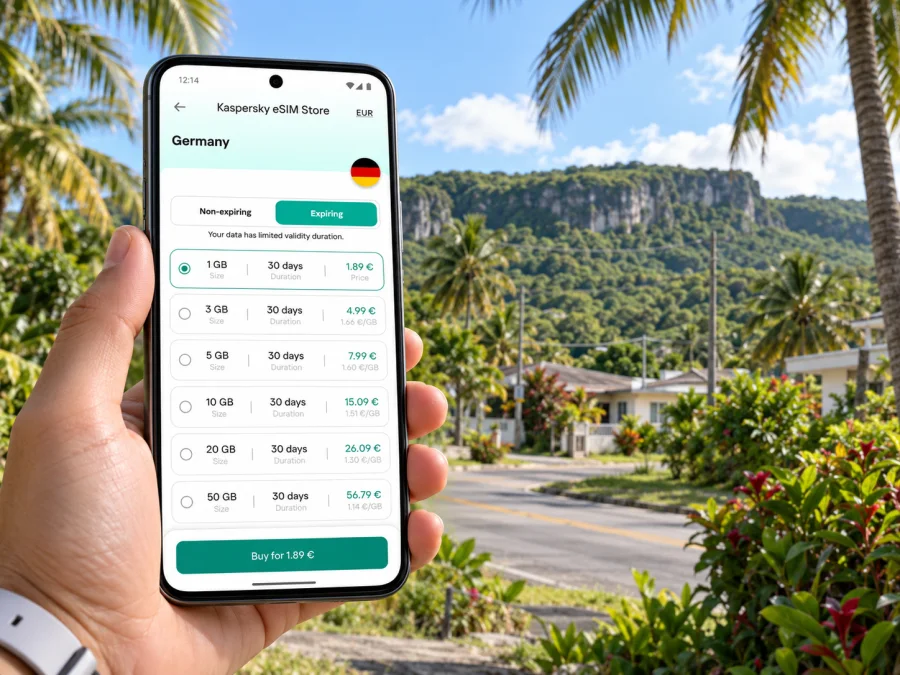
Kaspersky eSIM Store is an app and website where you can choose, purchase, and activate an eSIM with a suitable data plan for an international trip. The Guam destination page can be used to review the currently displayed options and conditions; availability, partner network, data allowance, and validity depend on the offer shown when you check. Review mobile data options for Guam before you travel, and confirm that the selected offer matches your dates and intended use.
Compare a few details before choosing:
- Destination: Guam should be explicitly included. A regional label is useful only when Guam appears in its destination list.
- Validity: Check when the period begins and how long it lasts. Installation and first network connection may be treated differently by different offers.
- Data allowance: Estimate how often you will use maps, photos, calls over apps, email, and video. A work trip with file uploads can use more data than a light sightseeing visit.
- Local partner: Read which network or networks the offer identifies, if that information is displayed. Partner selection can affect where and how the service connects.
- Tethering: If you plan to connect a laptop or another device, verify whether hotspot use is supported and whether the same data allowance applies.
- Voice and SMS: A data eSIM may not include a regular phone number, cellular voice calls, or SMS. Keep your usual line available if you need it, and check roaming charges for that line.
- Support and top-ups: Confirm how to get help and whether adding data is possible under the specific offer.
The best plan is not necessarily the one with the largest allowance. Match the plan to your stay and habits. Messaging, map searches, and occasional browsing are different from streaming video or using a phone as a laptop hotspot. If you are unsure, monitor usage in your phone settings and avoid automatic cloud photo uploads over mobile data.
Compatibility: check your exact phone, not just its brand
An eSIM-ready name on a product page does not guarantee that every phone with that name can install every eSIM. Support can vary by model number, hardware configuration, country or region of sale, operating system, and carrier lock. Some device variants sold for certain markets omit eSIM capability, while other variants in the same family support it. Tablets also need cellular connectivity; a Wi-Fi-only tablet cannot use a mobile eSIM.
Before purchase, check the exact model identifier in your device settings and compare it with the manufacturer’s support information and the compatibility details for the chosen offer. Confirm that the device is unlocked if you intend to use an eSIM from a provider other than the carrier that locked it. If you have more than one SIM line, check how your phone selects the line for mobile data and whether you can keep your home number active without allowing unintended roaming data.
Check whether your device supports eSIM and verify the model variant before paying. Do not rely only on a retailer’s broad family name, a comparison chart for a different region, or the fact that another person’s similar phone works. When the model’s status is unclear, confirm it with the device manufacturer or the seller of the phone before travel.
Installation and activation without surprises
Install the eSIM while you have a stable internet connection and enough time to read each prompt. Follow the instructions provided for the selected plan and your phone’s operating system: setup instructions for Android and setup instructions for iOS. Menu labels can vary between operating-system versions and manufacturers, so use the device-specific steps rather than assuming that every phone has an identical screen.
Installing a profile does not prove that it has connected to a local network. Once you reach Guam, allow the phone time to register and check the status shown in the eSIM instructions. If the service does not connect, verify that the travel line is enabled, the correct line is selected for data, the plan is active for the current destination, and the phone has the required network settings. Restarting the phone may help after checking those points, but avoid deleting the profile as a first troubleshooting step.
How much data might a Dededo visit use?
There is no single daily figure that fits every visitor. A traveler who checks a map a few times and sends text messages will use less than someone uploading large work files, backing up photos, or streaming on the go. The following planning guide describes relative demand rather than promising a particular allowance will last a set number of days.
| Use pattern | Typical data behavior | Practical adjustment |
|---|---|---|
| Light | Messaging, occasional map search, email, and basic browsing. | Download maps and travel documents on Wi-Fi; keep automatic updates off. |
| Regular | Frequent navigation, photos, social feeds, and voice or video calls in apps. | Check usage during the first day and leave room for navigation and unexpected changes. |
| Heavy | Video streaming, cloud backup, large uploads, or laptop hotspot use. | Use trusted Wi-Fi for large transfers and select an offer only after checking its hotspot and data terms. |
To stretch a limited allowance, set photo backups and app updates to Wi-Fi only, download offline maps, and use lower video quality when you are away from Wi-Fi. A short message or voice call in a messaging app still uses data, while a normal cellular call may use your home line and be billed under its own rules. Know which line is being used before you make a call or open a data-heavy app.
Where connectivity matters most in a Dededo itinerary
On arrival: A saved address and working map help you coordinate the first ride. Keep booking details available offline in case you need them before your data line is active.
At a shopping or service stop: Use the name and address of the specific business rather than asking a driver to find a large complex by a general label. For meeting companions, share one pin and name a visible entrance.
During a work visit: Check video-call quality before an important meeting, preferably from the exact room where you will work. Keep a dial-in number or alternate meeting method if available, and download documents in advance. A data plan does not guarantee indoor performance or a particular speed.
On a north-island outing: Save directions and the return route before leaving. A destination can be far from the main commercial areas, and outdoor conditions or network availability may differ from town. Check access instructions for the specific site and do not assume your route remains unchanged.
On a longer island drive: Keep navigation visible before moving, use a passenger to manage route changes, and carry enough battery power. A downloaded map can show roads without a live data connection, but it will not provide fresh closures, live traffic, or updated business details.
Troubleshooting when data does not work
Work through the basics in order rather than changing several settings at once:
- Confirm the place and plan. Make sure Guam is included and that the selected offer is within its validity period.
- Check the line. In SIM settings, confirm the travel eSIM is enabled and selected for mobile data.
- Check roaming instructions. Turn data roaming on only if the offer’s setup instructions require it; leave your home line’s roaming setting under your control.
- Check signal and location. Move to a place with a clearer signal, such as outside or away from thick walls, and wait briefly for registration.
- Refresh the connection. Toggle airplane mode on and off or restart the phone after confirming the line settings.
- Read the offer’s help information. Network selection or APN settings should be changed only when the provider’s instructions call for it.
- Contact support over Wi-Fi. Keep your order details and a short description of the phone model, location, and message displayed ready.
If you need connectivity urgently, use trusted Wi-Fi while resolving the issue and ask your accommodation or transport provider about a practical alternative. Keep emergency and travel information accessible offline. Coverage is not uniform in every building or outdoor location, and no setup guide can guarantee a signal at every point on Guam.
FAQs about eSIM and mobile internet in Dededo
Is Dededo a separate city from Guam?
Dededo is a village within the U.S. territory of Guam. It is a substantial, spread-out place, so a precise address or map pin is more useful than the village name alone.
Does a United States eSIM automatically include Guam?
No general label is enough to establish that. Check the specific destination list and terms for the plan. Guam has a local mobile market, and roaming or plan boundaries are determined by the service provider.
Do I need mobile data for maps?
GPS can determine location without mobile data, but searching for places, loading map tiles, calculating fresh routes, and receiving traffic updates may need an internet connection. Download an offline map and save important pins before setting out.
Can I install the eSIM after landing?
That depends on the offer and whether you have a reliable internet connection for setup. Installing before travel can make arrival simpler, but first read when validity begins and when the provider says to enable the line.
What should I do if my phone’s eSIM support is uncertain?
Check the exact regional model with the manufacturer, confirm the phone is unlocked, and review compatibility for the selected service. If you cannot confirm support, plan a backup such as Wi-Fi access or ask your carrier about a suitable local option.
A simple plan for your trip
Before departure, save your accommodation address and travel documents, check Guam-specific roaming terms, confirm the exact phone variant supports eSIM, and choose a plan only after reviewing its destination and activation conditions. Install it over stable Wi-Fi, but follow the provider’s instructions about when to enable it. Once in Dededo, use exact map pins, keep offline directions for longer drives, and monitor which SIM line is using mobile data.
Kaspersky eSIM Store is available as an app and website for reviewing and activating an eSIM plan for an international trip. When you are ready, choose a data option for your Guam itinerary and check the current terms before completing your selection.


