Travel connectivity guide
Delft eSIM: Mobile Internet for Your Trip
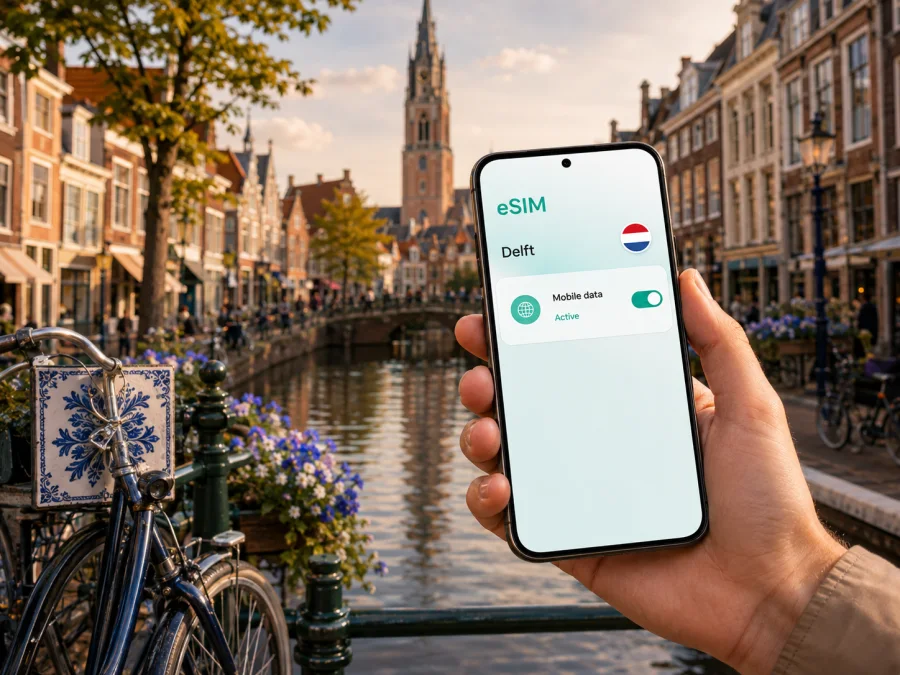
Delft eSIM: mobile connection and internet for your trip
Arriving in Delft is easier when your phone is ready before you leave the train, airport transfer, or hotel lobby. You may need mobile internet to find your accommodation, check a route across the canals, coordinate a meeting, translate a menu, or message the person waiting for you. An eSIM, or digital SIM, can help you use mobile data in the Netherlands without removing your everyday physical SIM card.
For a visit to Delft, the practical question is not simply whether you need “internet abroad”. It is how your trip will work: a short walk through the historic centre, a study or business visit near TU Delft, a hotel outside the old town, or a wider itinerary through the Netherlands. A suitable tariff can be selected for the country or region and installed on a phone that supports eSIM; check compatibility before travelling.
Why mobile internet matters in Delft
Delft is compact, but a compact city can still create small navigation problems. Canals, bridges, one-way streets, cycle paths, courtyards, and pedestrian passages do not always match the route you first imagine. A map on your phone is useful when you are carrying luggage from the station, looking for a hotel entrance, or choosing between walking, cycling, and public transport.
Mobile data can also make the first hours more predictable:
- open a saved hotel or apartment reservation;
- share your arrival time with a host, colleague, or family member;
- check a changing transport connection;
- use a map while walking around Markt, Oude Delft, and the surrounding streets;
- access a translation tool or digital ticket when Wi‑Fi is unavailable;
- send photos and messages without searching for a café or hotel network.
The Delft scenarios where an eSIM can help
Arrival with luggage
The route from a station or airport transfer is the moment when a connection is most useful. You may need to compare the address in a booking confirmation with the street in front of you, contact a host about check-in, or find a platform for the next part of your journey. Preparing the eSIM before departure means you can keep your regular SIM in place and choose the travel profile for mobile data when appropriate.
If your accommodation is near the old canals, the final walk may include bridges, narrow streets, and entrances that are easy to miss. Save the address and check-in details, but keep mobile data available for changes.
Walking through the historic centre
The historic heart of Delft is shaped by water and older streets. Oude Delft is a particularly useful reference point: it is a historic canal lined with monumental buildings, and the Oude Kerk is one of the landmarks along it. Markt brings together the town hall and Nieuwe Kerk. A map helps you move between these areas without spending your visit repeatedly retracing the same route.
Cycling and local movement
Bicycles are a visible part of everyday movement in Delft. If you rent one, distinguish cycle paths, pedestrian areas, and roads; use navigation as an aid while following local signs and watching traffic. Walking may be enough for the centre, while a bicycle or local transport can help with a hotel outside the old town or a visit near TU Delft. Check the route and final entrance before leaving.
Meetings, study, and remote work
Delft attracts visitors for university-related work, research, design, technology, conferences, and meetings. An eSIM tariff for mobile data can support email, authentication, documents, calls, and navigation while you move between a hotel, the station, the centre, and TU Delft. Estimate work usage realistically: video meetings, cloud files, and photo uploads use more data than messages. Where possible, use dependable Wi‑Fi for long meetings and mobile data for travel and coordination.
A stopover or one-night visit
Delft can be part of a wider route through the Netherlands. On a brief stop, you may need to reach the centre, leave luggage, walk along a canal, and return to the next train. Choose a tariff whose validity and data allowance fit the whole journey; navigation, tickets, messages, and a little browsing may be enough, but onward travel can change the estimate.
How to choose an eSIM tariff for Delft
Start with the route, then the phone, and only then the amount of data. Delft is in the Netherlands, so select a tariff valid there. For a wider itinerary, read the covered destinations rather than assuming that one city determines the whole route.
Use this checklist when comparing options:
- Confirm the destination. Select the Netherlands or the relevant region for the places you will actually visit.
- Check the validity period. Match the tariff duration to the full period when you may need mobile data, including arrival and departure days.
- Estimate your usage. Consider maps, messaging, work calls, social media, streaming, photo uploads, and hotspot use separately.
- Review the allowance. Make sure the data volume is reasonable for your routine; do not pay for usage you are unlikely to need, but leave room for navigation and changed plans.
- Read activation conditions. Find out when validity begins, whether activation should happen on arrival, and whether the eSIM profile can be moved after activation.
- Check management. Review where you can see the balance, expiry, and support options.
The tariff is for mobile data unless its conditions say otherwise, not a replacement for your usual number. Ordinary calls and SMS are not included unless explicitly stated. You can keep your main line for calls and use the travel eSIM for data; messaging and voice apps still use the allowance.
At the planning stage, Kaspersky eSIM Store is an app and website that helps you choose, arrange, and activate an eSIM with a suitable tariff for a trip abroad. You can review the destination, data allowance, and duration, then keep the travel profile ready for Delft. For the Netherlands, you can review the available options for your trip when you are ready to compare the current conditions.
A practical data plan for different types of Delft trip
Your habits matter more than the label on the trip:
| Trip pattern | Likely data activities | What to consider |
|---|---|---|
| Short city break | Maps, messages, reservations | Save key details and allow for live navigation |
| Delft plus nearby cities | Maps, transport checks, photos | Confirm that the tariff covers the wider route |
| Business or university visit | Email, documents, calls, navigation | Allow for work traffic and use Wi‑Fi for long meetings |
| Stopover | Routes, tickets, messages, searches | Match validity to the entire transit window |
| Shared travel or hotspot use | Your data plus another device | Check tethering conditions |
Use Wi‑Fi for large downloads and updates when convenient. Turn off automatic photo backup and app updates for more control.
Before you install: device and account checks
Before purchase and installation, check that your phone supports eSIM and is not locked to an operator. Model support can differ by region and version, so a similar-looking device is not enough. Check your device compatibility before you commit to an installation plan.
Also prepare the conditions needed for installation:
- a stable internet connection for downloading the eSIM profile;
- access to the email address or account where the purchase details will appear;
- enough battery power to finish the process;
- the QR code or activation information for the selected eSIM;
- a clear choice of the line for calls and the line for mobile data.
Do not delete your primary SIM while setting up the travel profile. It may still be needed for calls or verification messages. Check roaming on the primary line so it does not use data unintentionally.
How to install and activate an eSIM for Delft
The names of menus vary by phone model and operating-system version. Follow the instructions shown by your device and the selected tariff. If you need a detailed device walkthrough, use the Android installation instructions or the iOS installation instructions.
1. Prepare the phone and internet connection
Confirm eSIM support and the absence of an operator lock; check compatibility. Use Wi‑Fi or another reliable connection, and keep the QR code accessible on a different screen if needed.
2. Add the mobile plan
Open mobile-network or cellular settings, choose the option for adding an eSIM or mobile plan, and scan the QR code or enter the details manually if offered.
3. Label the new line
Give the profile a clear label such as “Delft trip” or “Netherlands travel” so it is easy to identify later.
4. Choose the data line
Set the travel eSIM as the line for mobile data when you want to use it. Keep your regular line for calls or messages if that fits your home plan, and disable automatic data switching if necessary.
5. Activate at the right time
Validity may begin when the profile connects to a supported network, although conditions vary. Read the tariff information and decide whether to install before departure but activate after arrival; early activation may reduce the time available in Delft.
6. Check the connection after arrival
If the connection does not appear immediately, give the phone a few minutes to register. Confirm that mobile data uses the travel eSIM and, if required, enable data roaming for that profile only.
Using the phone around Delft
Station to accommodation
Before leaving the station, open the complete address and note the nearest street or stop. A short route to a historic building may include bridges or cobbled sections, so check the path rather than distance alone.
Centre, canals, and landmarks
Treat the old centre as a sequence of areas: start near Markt, walk towards Oude Delft, follow the canals, and return through the surrounding streets. Mobile data lets you adjust the route when plans change. Step aside before checking the map so you do not block a cycle path or doorway.
TU Delft and the city edge
Visitors heading to TU Delft should confirm the building name, entrance, and meeting time in advance. A city-centre hotel and the campus are different parts of the trip, and mobile data can help with the final approach or a message to your host.
Trips beyond Delft
If Delft is one stop in a Netherlands itinerary, review the tariff for the entire route. Train changes, hotel searches, and platform information can add data use. A country tariff may suit the route, but always check the listed destinations and conditions.
If something does not work
Isolate one setting at a time:
- Check that the eSIM profile is switched on.
- Confirm that the travel eSIM is selected for mobile data.
- Check whether the tariff has started and whether its validity remains active.
- Review the required data-roaming setting for the travel profile.
- Wait a few minutes for network registration, then restart if necessary.
Avoid deleting the profile as a first response: transfer or reinstallation may not be possible after activation. If the issue continues, contact support with the device model, eSIM status, and steps already tried. Do not share a QR code publicly.
A departure checklist
Use this list before your Delft trip:
- [ ] The phone supports eSIM and is not operator-locked.
- [ ] The selected tariff covers the Netherlands and any additional destinations on the route.
- [ ] The allowance and validity match the trip rather than an imagined “average” use.
- [ ] The eSIM details are available in your account or email, and the phone has enough battery.
- [ ] Important hotel, meeting, and transport details are saved.
- [ ] Your regular SIM remains installed if you need its number.
- [ ] You know which line will be used for mobile data after arrival.
This keeps the eSIM in the background while you focus on the hotel, meeting, or canal.
Frequently asked questions
Is an eSIM useful for a short visit to Delft?
Yes, it can be useful when you need maps, messages, reservations, or transport information for only a short period. Choose a tariff whose validity and data allowance fit the actual stopover or city break.
Does an eSIM give me a Dutch phone number?
Not usually. The eSIM described here is intended for mobile internet, and ordinary calls or SMS are not included unless the selected tariff explicitly says so. Keep your normal line for number-based communication if your home plan permits it, or use internet messaging services for data-based calls and messages.
Should I turn on roaming?
Data roaming may need to be enabled for the travel eSIM on some devices. Check the tariff instructions and enable it for the correct profile only. Keep roaming disabled on your primary line unless you have confirmed the charges and conditions with your home operator.
Make your Delft connection plan before departure
For Delft, a good eSIM setup is built around the actual route: arrival, accommodation, the historic centre, bicycle or public transport, meetings near TU Delft, and any onward travel through the Netherlands. Check the device, choose the destination and tariff conditions carefully, install the profile with a reliable connection, and select it for mobile data when you are ready.
Kaspersky eSIM Store helps you choose, arrange, and activate an eSIM tariff for mobile internet during a trip abroad. When the details fit your route and device, choose an eSIM tariff for your Netherlands journey and keep your phone ready for Delft.


