Travel connectivity guide
Denigomodu eSIM: Mobile Internet in Nauru
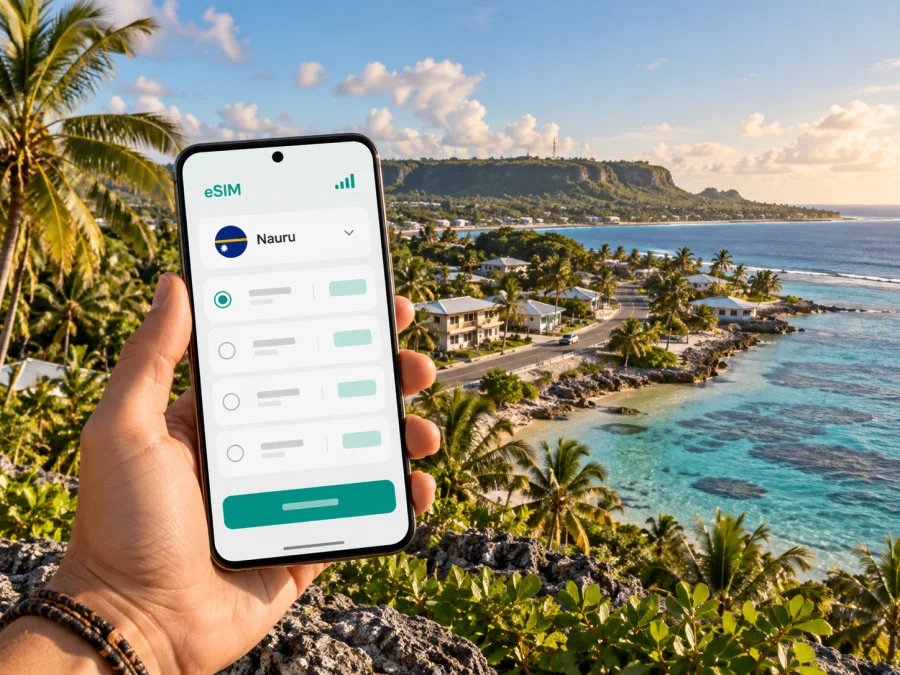
Denigomodu eSIM: mobile connection and internet for your Nauru trip
Denigomodu is one of Nauru’s districts, not a large city with a separate urban transport network. A visit here is best planned as part of a stay on the island: you may travel between your accommodation, workplaces or local services in Denigomodu and other districts along the coast. Mobile data can help with directions, messages and changing plans, but local coverage and the terms of any travel eSIM should be checked rather than assumed.
This guide covers arrival from Nauru International Airport, local transport, navigation, data planning and device preparation. Although Nauru is a small island, confirm transfers and local access with your host or driver instead of assuming every service or signal is available.
Denigomodu at a glance
Denigomodu is an administrative district of the Republic of Nauru. It belongs to the island’s network of coastal communities rather than a city grid with named metro lines, a large bus system or a dense taxi fleet. For a visitor, this distinction changes how you should use mobile internet: maps are useful for orientation, while a confirmed pickup and a local contact remain important for the actual journey.
Nauru is a single, small coral island south of the equator, with a coastal strip around a raised central interior. Its government describes the island as surrounded by coral reef and dotted with pinnacles. Denigomodu sits within this island setting. Do not assume that a road or footpath shown in a generic mapping app is a public visitor route, or that a map pin provides enough information to reach a private property, workplace or guesthouse.
| Trip question | Useful approach in Denigomodu |
|---|---|
| Is Denigomodu a city? | It is a district in Nauru. Treat it as a local area within a small island country. |
| Where do I arrive? | Nauru International Airport is in Yaren District. Confirm the transfer to your Denigomodu accommodation in advance. |
| How do I get around? | Ask your host or local contact about a driver, vehicle or walking route for each leg. |
| What is mobile data useful for? | Messages, online maps, checking bookings and coordinating pickup times, subject to the tariff and local network conditions. |
| Is an eSIM guaranteed to work? | No. Confirm that a plan specifically covers Nauru and check its network, device and activation terms before purchase. |
Arriving in Nauru and continuing to Denigomodu
Nauru International Airport is in Yaren District. Denigomodu is elsewhere on the island, so the airport is not in the destination district and there is no reason to treat a flight arrival as the final step of your journey. Ask your accommodation whether it arranges collection, whether a driver needs your flight details, and what to do if your flight time changes. Keep that information available offline as well as in a message thread.
At the airport, a usable connection may help you tell a host that you have landed or confirm where to meet. It should not be your only transfer plan. Before departure, save the accommodation name, a local contact number, pickup instructions and a map view on your phone. If you expect to meet someone outside the terminal, agree on a clear landmark and a fallback method, such as waiting at the agreed point or asking airport staff for help.
A sensible arrival checklist:
- Save the address or location pin for your accommodation, plus a written description of the entrance.
- Confirm your driver’s name, meeting point and payment arrangement before boarding your flight.
- Download an offline map of Nauru and keep a screenshot of the route to Denigomodu.
- Keep your passport, booking information and essential contact details accessible without mobile data.
- Check whether your eSIM should be installed before travel and when its validity begins; follow the exact plan instructions.
- Keep your primary SIM active if you need its number for calls or verification messages, and set data selection deliberately.
Mobile access is most helpful for coordination once you know whom you are contacting. Do not rely on finding a ride through an app unless you have verified that the service operates locally. A small destination may have fewer on-demand transport options than a major capital, and online maps can show roads without explaining access, road conditions or local etiquette.
Moving around the district and the island
Nauru’s compact scale does not guarantee an easy transfer. A map may not show access details, and transport options can be limited. Arrange each ride with a host or local contact rather than assuming taxis or scheduled public transport will be available.
For a Denigomodu stay, plan each movement as a point-to-point trip:
- Ask your host which entrance or nearby landmark is easiest for a driver to find.
- Agree on the pickup time and confirm whether the driver will wait if your plans run late.
- Save the destination and return point on your map before leaving Wi‑Fi.
- Carry water and sun protection for any walk, and check conditions before setting out.
- If you are travelling onward to another district, ask locally about the route and return transport before you leave.
Use maps for orientation, then confirm the correct entrance with your host. Labels and route lines can be approximate. For offices or community sites, check visitor access, hours and appointment requirements before setting out.
For walks, check daylight, weather and road conditions with a local contact. Do not assume coastal or interior paths are open to visitors; respect private land and follow recommended routes.
Mobile coverage, local networks and realistic expectations
Telecommunications conditions can change, and national coverage figures do not promise a signal at a particular room, road or moment. The International Telecommunication Union’s Nauru profile reports high population coverage for mobile networks, including LTE in its published indicators, but these figures are national and do not show reception at a specific address in Denigomodu. Buildings, terrain, congestion, weather, network maintenance and the device itself can all affect the experience.
Current official operator information also requires care. Digicel Pacific lists Nauru retail locations, including an airport kiosk that operates during flight hours and an office in Aiwo. Nauru’s official telecom regulator describes a licensing and regulatory framework for communications providers, and Neotel’s public site presents its service as a Nauru mobile network. This is useful context for understanding the local market; it does not establish which partner network a particular international eSIM uses or whether a specific eSIM tariff is available for Nauru.
Before choosing any eSIM, verify these details on the actual offer page:
- Nauru is explicitly included as a destination, not inferred from a broader regional label.
- The named partner network and the technology supported are shown where available.
- The package is for mobile data, and you understand whether voice calls or SMS are included separately.
- The validity period, data allowance, top-up rules and start time are clear.
- Any restriction on tethering, hotspot use or background traffic is stated.
- Your device supports eSIM and is not carrier-locked.
If the plan page does not identify the local network or does not clearly include Nauru, pause and ask support before paying. Availability, roaming partnerships and plan terms can change. Do not choose a package simply because it appears under “Oceania” or another regional heading: verify the countries included in the specific tariff.
Choosing data for a Denigomodu stay
There is no single data allowance that suits every visitor. A short stop with pre-arranged transport and saved maps uses a different amount of data from a longer stay with frequent video calls, cloud uploads or hotspot use. Begin with the activities you actually expect, then compare the plan’s allowance and validity period. A longer validity does not automatically mean more data, and an apparently generous allowance is not useful if the plan excludes Nauru.
| How you use your phone | What to check when estimating data |
|---|---|
| Messaging and occasional directions | Background app updates and map downloads can use data; download maps before arrival where possible. |
| Email and web browsing | Attachments, image-heavy pages and automatic syncing can increase use. |
| Video calls | Quality and duration affect consumption. Use Wi‑Fi when suitable and agreed with your accommodation. |
| Photo or file uploads | Pause automatic backups or choose a manual upload setting if your plan is limited. |
| Hotspot for a laptop | Confirm tethering is permitted and account for laptop updates and cloud sync. |
| Longer island stay | Compare validity with your full itinerary and check whether a top-up is possible under the tariff. |
Review your recent data use and allow for navigation and changes. Pause automatic downloads and photo backups over mobile data, then save documents before departure.
To review the destination currently listed for Nauru, check available Nauru eSIM options. Read the offer’s coverage, network, validity, data and activation terms. The page does not guarantee a particular operator or reception at your Denigomodu accommodation.
Before you buy: device and account checks
An eSIM works only when the phone or tablet supports the feature and the device is eligible to add a mobile plan. Support can vary by exact model and regional variant, so a model family name alone may not settle the question. Check the manufacturer’s settings or specifications for your exact device and region, and confirm that the phone is not locked to a carrier. Check whether your device supports eSIM before making a purchase.
Keep in mind that the travel eSIM described in a data plan may provide mobile internet without giving you a conventional local phone number. Unless the plan expressly says otherwise, do not expect it to replace normal voice service or SMS on your primary number. Messaging and internet calls can work through apps when data is available, but account verification messages may still go to your original SIM.
Before checkout, make sure that:
- You selected Nauru or a clearly defined regional plan that explicitly includes Nauru.
- Your device can store and use an eSIM, and your carrier has not restricted it.
- You know whether the plan activates at installation, at first connection, or at another stated time.
- You have a stable internet connection for installation and access to the QR code or in-app setup steps.
- You can identify which SIM will be used for mobile data after installation.
- You understand how to reach support if the eSIM profile does not install or connect.
Kaspersky eSIM Store is an app and website where you can select, arrange and activate an eSIM with a suitable plan for mobile internet while travelling abroad. The underlying tariff’s coverage and terms come from the specific offer, so review them rather than relying on a general description of Nauru or Denigomodu.
Installing and activating an eSIM
Install the eSIM when you have reliable Wi‑Fi and enough time to follow the instructions carefully. Some plans require the profile to be installed before travel; others have different activation rules. Follow the instructions displayed for your chosen plan, and avoid deleting an installed eSIM profile if you are unsure whether it can be added again.
- Check the plan. Confirm Nauru is included and read the activation, validity and data conditions.
- Prepare the phone. Update it if needed, connect to Wi‑Fi and keep the display awake during setup.
- Add the eSIM. Use the app’s installation flow or scan the QR code, depending on the instructions provided.
- Label the line. Give it a clear label such as “Travel data” so you can distinguish it from your primary SIM.
- Choose the data line. Set the travel eSIM as the mobile-data line when you intend to use it. Keep calls and messages on your usual number if required.
- Activate at the right time. Follow the plan’s stated start condition. If it begins on first connection, consider waiting until you are ready to use it in Nauru.
- Check the connection. Once in the destination, enable the eSIM line and mobile data. Data roaming may need to be enabled for that eSIM if its setup instructions say so.
For device-specific steps, see the Android eSIM installation guide or the iPhone eSIM installation guide. Menu names vary by operating-system version and manufacturer. If the interface differs, use the manufacturer’s current instructions for your exact device and the activation guidance supplied with your plan.
If the eSIM does not connect
Start with the checks that do not require changing advanced settings. Confirm that the eSIM line is enabled, mobile data is assigned to it, airplane mode is off and the plan still has validity and data. Restart the phone once, then give it time to register. If the plan instructions specify a network selection or data-roaming setting, follow those steps exactly. Avoid deleting the profile unless support or the plan instructions explicitly advise it.
Use this quick troubleshooting sequence:
| Symptom | First check | Next step |
|---|---|---|
| No service indicator | Confirm the eSIM line is switched on and the destination is covered by the plan. | Move to a place where the local signal may be clearer and wait briefly. |
| Signal but no data | Check the selected data line, remaining allowance and plan validity. | Review APN or roaming instructions supplied for the plan. |
| Connection is intermittent | Check whether the same issue occurs in another place and whether your device is overheating or in low-power mode. | Save essential tasks for a more stable connection and contact support if it persists. |
| QR code cannot be added | Confirm you have Wi‑Fi and that the profile has not already been installed. | Use the in-app steps or contact support before attempting another installation. |
| Unsure which SIM is active | Open mobile-network settings and inspect the data-line selection. | Label the lines clearly and turn off data switching if you do not want the phone to change lines automatically. |
If the connection remains unavailable, send support the plan name, device model and a concise description of the steps you tried. Do not share passwords or one-time verification codes. When you need immediate help with transport, contact your host or driver through the fallback method you agreed before departure.
Frequently asked questions
Is Denigomodu a city in Nauru?
Denigomodu is a district of Nauru. This article uses “city guide” in the travel-content sense, while the actual administrative status is a district within the island country.
Is Nauru International Airport in Denigomodu?
No. Nauru Airlines lists its Nauru office at Nauru International Airport in Yaren District. Arrange onward transport to your Denigomodu accommodation before you arrive.
Can I use an eSIM in Denigomodu?
Possibly, if your exact device supports eSIM, the device is unlocked and the specific plan explicitly covers Nauru. Confirm the network and activation terms on the offer page; a general regional label is not enough to establish coverage.
Does a travel eSIM include calls and text messages?
Do not assume it does. Many travel data plans are for mobile internet, and ordinary calls, SMS or a local phone number may not be included unless the offer states this. Keep your primary SIM available if you need its number.
Should I install the eSIM before travelling?
That depends on the plan’s instructions and activation rule. Install it while you have a reliable internet connection if the plan allows, and check whether validity starts at installation or when the eSIM first connects in Nauru.
Will a phone show a signal everywhere on the island?
No coverage map or national statistic guarantees reception at every address. Coverage, terrain, buildings, network conditions and device support can affect service. Save directions and key contacts offline.
What should I do if I have no mobile data after landing?
Check that the travel eSIM is enabled, selected for data and still within its validity. Follow the plan’s network and roaming instructions, then contact support if the issue continues. Use the airport or accommodation contact details you saved in advance for transport coordination.
A simple preparation plan
A smooth Denigomodu visit starts with the details that are easiest to settle before departure: confirm the airport pickup, save the accommodation location, check eSIM compatibility, read the Nauru plan’s terms and download what you will need offline. On arrival, use mobile data as a useful tool for directions and communication while keeping your local arrangements and offline information close at hand.
When you are ready, review current eSIM options for Nauru and choose a plan only after checking its destination coverage, network, validity and data conditions. Kaspersky eSIM Store lets you select, arrange and activate an eSIM through its app and website for mobile internet on an international trip. Complete the setup on a compatible, unlocked device and follow the exact activation instructions for your selected plan.


