Travel connectivity guide
Dennery eSIM: Mobile Internet in Saint Lucia
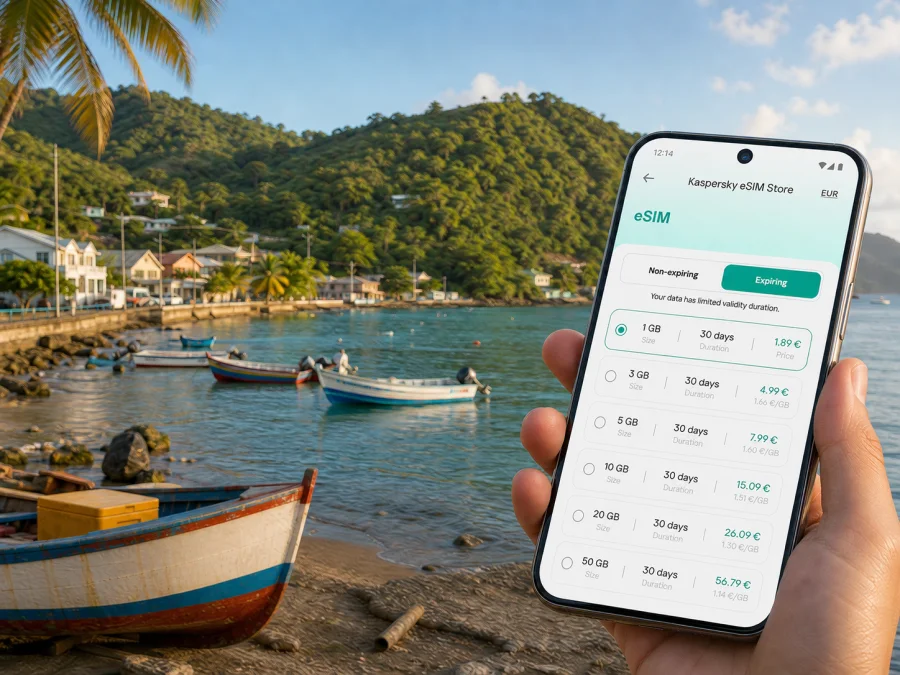
Dennery eSIM: mobile connection and internet for your Saint Lucia trip
Dennery is a practical base for exploring Saint Lucia’s east coast, whether you arrive for a quiet seaside stay, a short stop between transfers, or a longer island itinerary. Mobile internet helps with drivers, bookings, maps, meeting points, and messages to family.
An eSIM, or digital SIM, can give you a separate mobile-data profile for a trip to Dennery without removing your physical SIM card. Kaspersky eSIM Store is an app and website that helps you choose, arrange, and activate an eSIM with a suitable plan for mobile internet during an international trip. The eSIM service follows the conditions of the selected plan and the networks available in Saint Lucia, so review those conditions before travelling.
This guide focuses on Dennery: arrival from an airport, movement through the town and nearby communities, navigation on the east coast, accommodation and work scenarios, and short journeys to other parts of Saint Lucia.
When an eSIM may be useful in Dennery
Dennery is not a trip where every useful action happens at a hotel desk. You may need to coordinate a road transfer, find a guesthouse, send a location, check an activity, or change plans when rain affects a coastal outing. A working data connection gives you more flexibility in those small decisions.
The most useful scenarios are usually:
- Arrival and transfer: message the person meeting you, view the accommodation address, and keep the route available while travelling from Hewanorra International Airport or the Castries area.
- Local orientation: distinguish the town centre, coast road, inland roads, and the approach to your accommodation. Downloaded map information is still a sensible backup.
- Transport: communicate with a taxi driver, compare the route with your booking, or check where you need to wait for a bus or transfer. Local availability and timing can vary.
- Daily travel: use maps, weather information, reservations, translation, and messages while moving between Dennery and other parts of Saint Lucia.
- Work and family contact: keep trip data separate from your home SIM. Video calls, document uploads, and hotspot use need more data than maps and text messages.
Short answer: an eSIM is most useful in Dennery when you need mobile data from the airport transfer through the return journey, without depending on public Wi-Fi or searching for a physical SIM after arrival.
Dennery in the context of your route
Dennery sits on Saint Lucia’s eastern coastline, between the island’s northern and southern travel corridors. The town and wider Dennery area combine a coastal settlement with green inland slopes, fishing activity, and agricultural land. That mix affects planning: a route can include winding roads, hills, pauses, and changing weather, even when two points look close on a map.
For planning, separate the itinerary into three layers:
- The town: save your accommodation address, the nearest meeting point, places to eat, and the route back to the main road.
- The east-coast day: leave time for local food, a community event, or a nature stop such as Sault Falls when it fits your plans and current access conditions. Confirm the meeting point with the organiser.
- The cross-island route: keep your next address and transfer details available before leaving Dennery.
Arriving in Dennery: airport and transfer planning
Saint Lucia has two airports. Hewanorra International Airport is in the south near Vieux Fort; George F. L. Charles Airport is near Castries in the north. Save the Dennery address, host contact, and transfer instructions before landing.
If Hewanorra is on your booking, the road transfer brings you north toward Dennery. Arrival through Castries means travelling from the north. In both cases, mobile data helps with meeting points, messages, and route decisions before check-in.
Arrival checklist
- Save the accommodation name, full address, and phone number in your notes.
- Ask for a clear driver meeting point, not only a property name.
- Keep your booking confirmation available offline.
- Check that the eSIM is installed before departure, or that its setup details are accessible after landing.
- Carry screenshots of the address, transfer details, and an emergency contact.
Moving around Dennery without losing the route
Dennery rewards a location-aware approach. For a short walk, keep the starting and return points visible. For a ride, send the exact accommodation or meeting location rather than a vague neighbourhood name. If you hire a car, set the route before departure and do not operate the phone while driving.
Public transport and taxis can both be relevant on Saint Lucia, but routes, waiting times, and pickup arrangements vary. A bus journey may require patience and a clear idea of where to get off. A taxi or pre-arranged transfer may be simpler for luggage, an early departure, or accommodation away from the centre. Mobile data helps you ask questions, but cannot guarantee availability, a fixed fare, or a waiting time.
Search for the accommodation, activity, or meeting point by its full name, compare the pin with the written address, and open the route while you still have time and battery. Save the destination and return point before leaving, and recheck after a weather or transport change.
How to choose a plan for a Dennery trip
Choose a plan for your real route, not only for the number of nights in one room. A two-day stop may include airport transfer, navigation, photos, messages, and a day elsewhere. A longer stay may use less data if large files are handled on accommodation Wi-Fi.
Before selecting a plan, answer four questions:
- How long will it be needed? Check the validity period and when it begins. Activation or first use may affect the rules.
- Where will it be used? Confirm that the destination is Saint Lucia and that the plan fits a route through Dennery, Castries, Soufrière, or Vieux Fort. If the itinerary continues to another country, check that separately.
- How much data will you use? Maps and messages differ from video calls, cloud backups, social video, or hotspot use. Estimate from your habits and allow room for an extra day.
- What is included? Review traffic volume, validity, network conditions, activation steps, top-up or renewal terms, and refund conditions before paying.
Once you know your route and usage, you can choose an eSIM plan for a trip to Saint Lucia and compare the available conditions. The page is for the country because Dennery uses the Saint Lucia destination, not a separate city-only plan. Availability, price, traffic volume, and validity are the values to check at the time of selection.
Match the plan to the day
| Travel pattern in Dennery | Main data tasks | Planning consideration |
|---|---|---|
| Overnight stop | Arrival messages, maps, booking details | A shorter-validity option may fit if its terms match your dates. |
| Several coastal days | Navigation, messages, photos, weather | Include arrival and departure days plus a small buffer. |
| Dennery plus island circuit | Repeated navigation and transfers | Check the conditions for the whole Saint Lucia segment. |
| Remote work | Calls, files, email, hotspot, authentication | Estimate workdays separately from sightseeing use. |
Check your device before buying or installing
Your phone must support eSIM and must not be restricted by an operator. Models with the same name can differ by market or region, so do not rely only on a product family name. Before selecting a plan, check whether your device is compatible with eSIM.
Also confirm that:
- the phone is unlocked for use with other networks;
- the operating system supports the eSIM settings;
- you can connect to Wi-Fi during installation if required;
- the phone has enough battery for setup and the first trip segment;
- you know which line should handle home calls and SMS and which should handle travel data;
- the email, account, or QR code with installation details is accessible.
Travel eSIM arrangements are primarily for mobile data. Unless the selected plan says otherwise, do not expect a separate ordinary phone number, standard voice calls, or SMS. Keep your home SIM available for account verification and use messaging or calling apps over data when appropriate.
Installing an eSIM before departure or after arrival
Installation is easier with stable Wi-Fi, a charged phone, and time to check the settings. If you prepare before departure, you can complete the setup at home. If you install after arrival, keep the QR code or profile details accessible and arrange another temporary connection if setup requires it.
For device-specific screens, use the Android eSIM installation instructions or the iOS eSIM installation instructions. Menu labels can vary by operating-system version.
A careful setup sequence
- Check compatibility. Confirm eSIM support and the absence of an operator lock.
- Connect to the internet. Use stable Wi-Fi while adding the profile.
- Open mobile-network settings. Choose the option for adding a mobile plan or eSIM.
- Scan or enter the details. Use the supplied QR code or activation information.
- Label the profile. “Saint Lucia” or “Dennery trip” makes it easier to identify later.
- Choose the data line. Select the travel eSIM for mobile data when you want to use it.
- Review data roaming. Some travel eSIMs may require data roaming for that profile; follow the plan and device instructions.
- Test a small task. Open a map or send a short message before leaving Wi-Fi.
Do not delete the eSIM profile after the trip without checking the terms. Reinstalling it on another device may not be possible, and moving it is not automatically supported.
Using mobile data in Dennery with control
After installation, check that the travel profile is selected for mobile data. If your home SIM remains active, review its data-roaming setting so the phone does not use the wrong line unexpectedly. The exact menu names differ, but one profile should be clearly assigned to travel data.
Coverage and performance can vary with location, terrain, congestion, indoor walls, weather, and the networks available under the selected plan. A weak signal in a bay, building, or hillside area does not automatically mean the setup is wrong. Check the selected data line, move to a more open location, and review the plan conditions.
Dennery stays, work, and local activities
Near the coast or town centre, data helps with short rides, food stops, and meeting points. For an inland activity or nature visit such as Sault Falls, save the organiser’s instructions, pickup time, and return plan, and confirm current access. For business, test email, two-factor authentication, video calling, documents, and any hotspot requirement; keep meeting details offline and use Wi-Fi for large files. During a one-night stopover, the main value may be coordinating check-in and reaching the next destination.
Day trips from Dennery
Dennery can be one point in an itinerary that continues to Castries, Soufrière, Vieux Fort, or another base. Treat every day trip as a route with three contacts: where you start, where you are going, and how you return.
Before leaving, save the departure point, pickup time, destination address, accommodation address for the return, organiser’s number, and a backup plan for a delayed transfer.
If several towns are included, a Saint Lucia plan with suitable validity can avoid changing data arrangements at each stop. Still verify the actual destination and usage terms. A country-specific plan should not be assumed to cover another island or a later international leg.
Three practical scenarios
Short coastal stop: prepare the eSIM before the airport transfer, use data for the driver and accommodation, save the return address, and disable automatic media backups.
Several days in Dennery: choose validity that includes arrival and departure days, estimate navigation and message use, and leave a buffer for one extra outing. Check the data line each morning if the home SIM remains active.
Dennery in a longer island route: choose for the whole Saint Lucia segment, save every accommodation address, test the eSIM on a small task, and check remaining traffic before a long transfer or workday.
FAQ about using an eSIM in Dennery
Is an eSIM useful for a short stay in Dennery?
Yes. Even a short stay may include an airport transfer, check-in messages, navigation, and a departure journey. Choose validity and destination conditions that match those dates.
Will it work in every part of Dennery?
No connection should be described as guaranteed in every location. Terrain, buildings, weather, congestion, and available networks can affect service. Keep key addresses offline and allow extra time for routes beyond the centre or along hills.
Prepare your Dennery connection before departure
Use a simple sequence: confirm the route, choose a Saint Lucia plan with suitable traffic and validity, check the device, install the eSIM while you have a stable connection, and test the correct data line. Save the Dennery accommodation details and a map backup so the first hours do not depend on a single app or signal.
When you are ready, select an eSIM plan for your Dennery itinerary, review the displayed conditions, and follow the device installation steps. Kaspersky eSIM Store helps you choose, arrange, and activate the eSIM plan; actual service depends on the selected plan, your device, and available networks in Saint Lucia.


