Travel connectivity guide
Deshaies eSIM: Mobile Internet in Guadeloupe
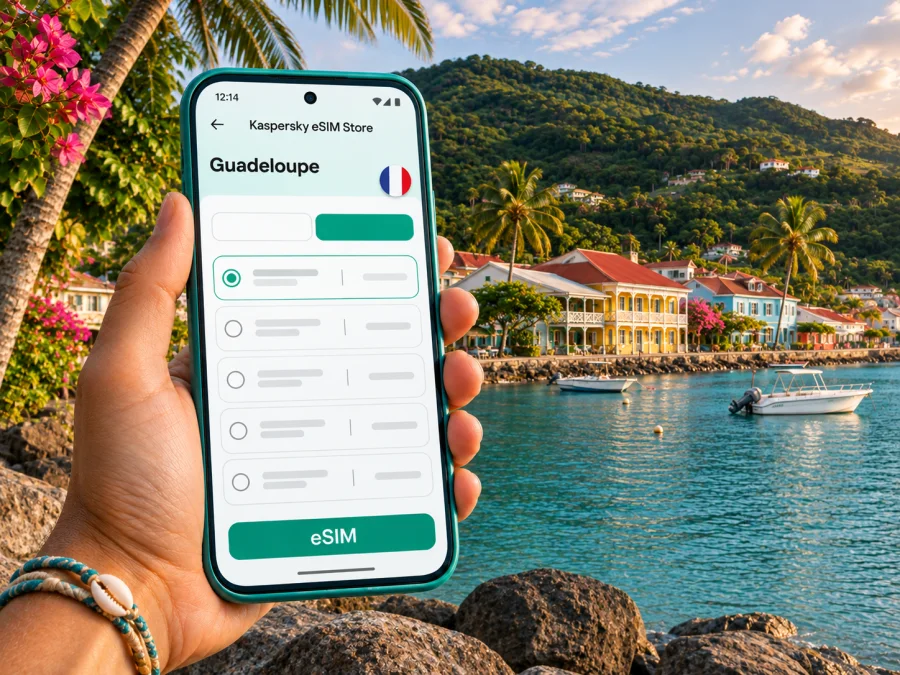
Deshaies eSIM: mobile connection and internet for your trip
Deshaies is a small coastal commune on the northwest side of Basse-Terre, Guadeloupe. A visit often means moving between the village, a beach, a garden and a place to stay rather than spending the day in one dense urban centre. Mobile internet can help with the practical links between those stops: finding your accommodation, checking a route, contacting a driver or sharing a change of plan.
An eSIM lets you add a digital mobile-data profile to a compatible phone without inserting another physical SIM. Before travelling, check that your device supports eSIM, that it is not locked to a home carrier, and that the plan’s coverage details explicitly include Guadeloupe. The island is geographically in the Caribbean and is a French overseas department and region; its location does not mean every plan labelled “France” includes it.
Why mobile internet helps in Deshaies
Deshaies is not a large grid of streets with every service close at hand. The village centre, beaches and places to stay are spread along a coastal area and surrounding hills. If you are driving, a map can help you follow the route to a guesthouse, identify a turning or check where to park. If someone else is driving, you can look up opening details, send a meeting point or message your host without stopping to find public Wi-Fi.
Useful moments for a data connection include:
- On arrival: retrieve your accommodation address, message your host and keep the route available while leaving the airport area.
- Between the village and the coast: compare the route to Grande Anse, La Perle or another beach with the directions supplied by your accommodation.
- Around the village: locate a restaurant, check a booking message or find the waterfront meeting point for an excursion.
- During a change of plans: check weather alerts or opening hours, then let other travellers know if you are arriving later.
- For a longer island itinerary: keep your maps, reservations and transport details accessible while travelling between Deshaies and other parts of Basse-Terre or Grande-Terre.
A connection is a useful tool, not a substitute for planning. Mobile signal can vary with terrain, buildings, weather and the local network serving your eSIM. Save the address of your accommodation, a map area and essential booking details offline before setting out, especially if you will travel beyond the village or spend time on a beach.
Plan the first leg from Pointe-à-Pitre
Most visitors arriving by air use Pointe-à-Pitre Le Raizet Airport, in Les Abymes. Deshaies is on Basse-Terre, so reaching it means crossing the island’s connected road network rather than walking out of the terminal into the village. The drive is scenic, but allow time for airport formalities, collecting a rental car or meeting a transfer, and the route itself. The Guadeloupe Islands tourism board describes a route through the Route des Mamelles and another along the north coast via Sainte-Rose; check current navigation and road conditions on your travel day.
If you are renting a car at the airport, save the rental confirmation and pick-up directions before landing. The airport’s dedicated car-rental zone is reached by shuttle. If a host or driver is collecting you, agree on a meeting point and save their contact details offline.
There is also regional public transport. The regional authority lists route L103 between Deshaies, Sainte-Rose, Lamentin and Pointe-à-Pitre. A listed route does not guarantee a departure at the time you need: check the current timetable, service notices, stop location and return options before relying on it. For an early flight, late arrival or accommodation outside the village centre, confirm a transfer with your host in advance.
| Arrival plan | What mobile internet can help with | What to prepare offline |
|---|---|---|
| Rental car | Directions to the rental area, accommodation and planned stops | Rental booking, licence details and accommodation address |
| Pre-booked transfer | Messages with the driver and a shared meeting point | Driver’s name, phone number and agreed meeting instructions |
| Regional bus | Current route information and a backup contact method | Timetable, stop name and a second option if the schedule changes |
| Late or disrupted arrival | Rebooking messages and updates to your host | Booking references, payment method and essential phone numbers |
Getting around the village, beaches and nearby stops
The compact village is a useful base for walking between some central services, the waterfront and places to eat. Other stops are farther apart. Grande Anse is a short drive from the village centre, while La Perle and the botanical garden are separate destinations; confirm each route and its current access details before you go. A map is especially useful when a booking uses a property name or local landmark rather than a familiar street address.
Build margin into beach and excursion plans. Stops or traffic can change arrival times, so share your expected return with your host if you are walking away from the village. Download a map area in advance; live updates and new searches may still need data.
For a day around Grande Anse, keep the beach access point and your return route saved before you set off. For the Jardin Botanique de Deshaies, check its current visiting information and opening hours directly before travelling. If you are meeting a tour operator, ask for a precise meeting point: “Deshaies” alone can refer to the wider commune, not one exact spot.
The eSIM is most useful when your day is mobile: checking directions, contacting a host, confirming a reservation or using messaging apps. It does not automatically provide a local phone number. Unless the selected plan states otherwise, treat it as mobile data; keep your usual line available for calls and SMS if your device and home plan allow it, and check any roaming charges with your home carrier.
Choosing an eSIM plan for Deshaies
Choose based on the full route and the way you use your phone, not just the town name. A short stay based in Deshaies has different needs from a multi-stop itinerary across Guadeloupe or several Caribbean destinations. Before payment, read the plan details for the covered destination, data allowance, validity period, price, activation rules and any limits on hotspot use. These conditions belong to the selected plan and may change.
For this trip, make the coverage check explicit. Guadeloupe is a French overseas region in the Caribbean with its own local mobile-network market. The word “France” on a plan page is not enough to establish where that plan works. Look for Guadeloupe in the destination list or coverage terms; if the wording is unclear, ask the service’s support team before purchasing. Also distinguish Guadeloupe from nearby destinations such as Martinique, Dominica and Saint-Martin: a plan for one does not automatically include the others.
If you are comparing a local destination plan with a regional Caribbean plan, use the route rather than the package name as your guide. A regional option may be relevant if your itinerary genuinely crosses more than one included territory. Confirm every stop in the coverage list and compare the data amount and validity against the whole trip. Do not assume that an island-hopping itinerary is covered simply because the plan says “Caribbean.”
Kaspersky eSIM Store is an app and website where you can choose, arrange and activate an eSIM with a suitable mobile-data plan for an international trip. To review the current destination options and plan conditions, browse eSIM plans for Guadeloupe. This is the country or territory destination page for the trip; it is not a promise of coverage at every address in Deshaies.
Estimate how much data you need
Think about your normal phone use over the trip, then add a modest buffer for route searches, booking messages and unexpected changes. Navigation with frequent live searches, uploading photos, video calls and streaming can use more data than text messages or checking a reservation. If you expect to work remotely, test the connection and your work tools before relying on them; do not make an eSIM data allowance your only plan for a critical meeting.
| Typical use | How to plan |
|---|---|
| Maps, messages and occasional searches | Estimate the days you will be out and keep offline maps available |
| Photo sharing and frequent browsing | Allow for uploads and updates, and monitor data use during the trip |
| Video calls or remote work | Check the plan’s allowance and hotspot terms; arrange reliable accommodation Wi-Fi as a backup |
| Several islands or territories | Verify every destination separately and compare a regional plan only if all stops are listed |
Before choosing, answer four questions: How long will you be away? Which territories are on the itinerary? How much data do your usual apps use? Do you need your home number to remain active for calls or verification messages? These answers are more useful than choosing the largest package by default.
Check your phone before buying
Check the exact device model and the country or region where it was sold. eSIM availability can differ between variants of a product with the same retail name, and a carrier-locked phone may reject a profile from another provider. The manufacturer’s specifications and your current carrier can confirm those details. Check whether your device supports eSIM before you select a plan.
Also confirm that your phone has been updated, that you can connect to Wi-Fi during installation, and that you know how to open its mobile-data settings. If you plan to keep your home SIM active, check how your phone labels each line and which one is selected for mobile data. This avoids confusing the travel profile with your regular number.
A quick pre-purchase checklist:
- [ ] The exact device variant supports eSIM.
- [ ] The phone is unlocked for use with another carrier’s eSIM profile.
- [ ] The selected plan lists Guadeloupe as a covered destination.
- [ ] The plan’s data allowance and validity match the full stay.
- [ ] You understand when validity begins and whether the plan can be installed before departure.
- [ ] You have reliable Wi-Fi available for downloading the eSIM profile.
- [ ] You know how to contact support and have saved essential trip details offline.
If you cannot confirm a point, pause the purchase and check the device maker, your home carrier or the plan’s support information. Do not rely on a model-family name alone: regional versions may use different SIM arrangements.
Install and activate before travel or after arrival
Where the selected plan allows, install the eSIM while you have stable Wi-Fi and time to follow the setup prompts. Read its activation instructions first. Some plans begin their validity when installed, while others begin when the eSIM first connects to a supported network; use the plan’s stated rule rather than guessing. If you prefer to install after landing, keep the QR code or installation details accessible without relying on the same phone’s mobile data.
- Check the device and plan. Confirm eSIM support, carrier-unlock status and Guadeloupe coverage.
- Open the eSIM settings. In your phone’s mobile or cellular settings, choose the option to add an eSIM.
- Add the profile. Scan the supplied QR code or follow the provider’s manual setup steps. Keep the QR code available on another screen or printed page if needed.
- Label the line. Use a clear label such as “Travel” so you can distinguish it from your regular SIM.
- Choose the mobile-data line. Select the travel eSIM for data when you are ready to use it. Keep your home line’s data roaming setting in mind to avoid unintended charges.
- Enable data roaming only if instructed. Some travel eSIM profiles require roaming to be enabled on that profile. Follow the plan’s instructions and make sure the setting applies to the correct line.
- Allow time to register. After landing, the profile may take a few minutes to connect. If it does not, check the plan’s troubleshooting steps before removing or reinstalling the profile.
For steps, read the Samsung-specific Android eSIM installation guide or the iPhone and iOS eSIM installation guide; labels may vary by model and software version.
Do not delete an eSIM profile as a first troubleshooting step. Some profiles cannot be reinstalled after removal. First check that the profile is turned on, the correct line is selected for mobile data, the destination is covered, and any required roaming setting is enabled. If the issue continues, contact support using the details associated with the plan.
Keep data use predictable
Photo backups, automatic updates and video can use more data than maps and messages. Before travelling, limit background data if needed, download large files on Wi-Fi and keep some allowance for directions and trip updates. If the eSIM is data-only, ordinary calls and SMS are not included unless the plan says otherwise; check with your home carrier about receiving messages abroad.
Three practical Deshaies travel scenarios
A first evening after landing
You arrive in Guadeloupe, collect your luggage and head towards Deshaies. Before setting off, confirm the accommodation address, open the route and message your host with an estimated arrival time. If your flight is delayed or you need to stop, update the host while you still have a connection. Save the route and key details so you are not dependent on live data for every turn.
A beach day with a flexible return
You plan to visit Grande Anse and then return to the village for dinner. Save the beach and restaurant locations in advance, check the route and agree where the group will meet if people separate. Keep enough data for a message or a change of plan, and remember that conditions near the coast or hills may affect signal. Offline directions and a meeting point provide a useful fallback.
A work call during a longer stay
If you expect to join a video call from Deshaies, test the connection at your accommodation before the meeting day. Check the room’s Wi-Fi, mobile-data plan allowance and whether hotspot use is permitted. Keep a phone-call or rescheduling option ready, and download the meeting details beforehand. A destination eSIM can provide a data option, but it cannot guarantee a particular speed, indoor signal or uninterrupted call.
Troubleshooting when you are in Deshaies
If mobile data does not work after installation, use this sequence:
- Check that the eSIM profile is enabled and selected for mobile data.
- Confirm that the plan is active, has remaining data and includes Guadeloupe.
- Check whether the plan’s instructions require data roaming on the eSIM line.
- Turn airplane mode on briefly, then off, or restart the device.
- Move to a different location and wait a few minutes before trying again.
- If the problem continues, contact the plan’s support team and keep the profile installed unless they advise otherwise.
A weak signal at one spot does not prove that the plan is invalid. Reception can vary across beaches, hills, buildings and roads. Keep addresses and essential information offline, and never handle the screen while driving.
Frequently asked questions
Is Deshaies in France or in the Caribbean?
Deshaies is a commune on Basse-Terre in Guadeloupe, in the Caribbean. Guadeloupe is a French overseas department and region and an EU outermost region. For an eSIM, the decisive practical detail is the destination coverage written in the selected plan.
Does a France eSIM automatically work in Deshaies?
Not necessarily. Plan names and coverage differ. Check the coverage terms for Guadeloupe specifically, even though Guadeloupe is part of France. Do not infer coverage from a mainland-France label.
Can I rely on mobile internet everywhere around Deshaies?
No plan can guarantee reception at every point. Local terrain, indoor locations and the network available to the plan can affect service. Save essential information offline and check the selected plan’s coverage terms.
Do I need a car to visit Deshaies?
Not in every case. Regional bus service includes a route serving Deshaies, but you should check current schedules and stops. A car or pre-arranged transfer may be more practical for accommodation or beaches outside the village centre.
Will an eSIM give me a French phone number?
Usually, a travel data eSIM is for mobile internet and does not add an ordinary phone number, calls or SMS unless the plan says otherwise. Messaging apps can use data, but retain another way to receive important calls or codes.
Can I install the eSIM after I reach Guadeloupe?
Usually, if the plan permits it and you have Wi-Fi for setup. Check when validity begins: it may be installation or first connection, depending on the plan.
Prepare your connection for the trip
For Deshaies, plan for the journey from the airport, local stops and onward travel. Confirm Guadeloupe coverage, data allowance and validity; check the device variant and carrier lock; then install the profile over stable Wi-Fi. Keep maps, accommodation details and transport arrangements available offline.
When you are ready, choose an eSIM plan for Guadeloupe and review its current terms before completing your selection. Kaspersky eSIM Store helps you choose, arrange and activate an eSIM for mobile data on an international trip; service availability and performance depend on the specific plan, device and local network.


