Travel connectivity guide
Dhiraagu eSIM in the Maldives: what to check
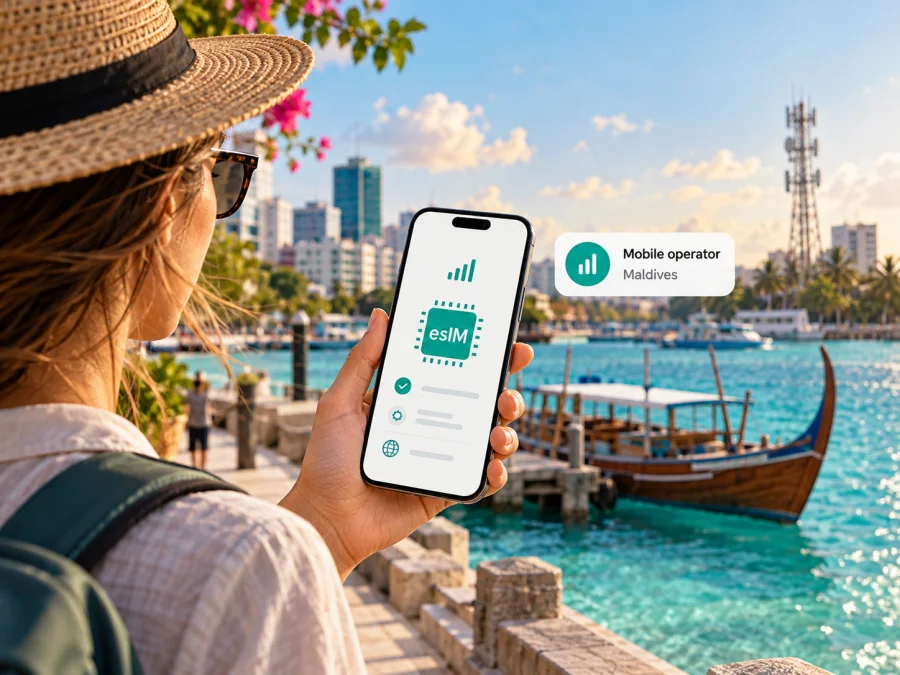
Dhiraagu eSIM in the Maldives: what travellers should know
Planning mobile data in the Maldives means thinking beyond the airport and your first hotel. The country is an archipelago, and an itinerary may move between Malé, another inhabited island, a resort island, a guesthouse, a boat or a domestic transfer. Dhiraagu offers eSIM service and an online Tourist eSIM route, so an eligible visitor can consider a digital local connection alongside other travel options. The practical choice depends on your phone, how and where you will use data, and the current terms Dhiraagu provides when you apply.
This guide explains what is publicly confirmed about Dhiraagu eSIM, how to prepare before travel, and what to check before relying on mobile data. It does not reproduce offers or plan details, which may change. Check the current requirements with Dhiraagu before ordering or changing a SIM.
Dhiraagu and mobile service in the Maldives
Dhiraagu is a telecommunications provider operating in the Maldives. Its corporate information describes Dhivehi Raajjeyge Gulhun Public Limited as established in 1988 and providing telecommunications and digital services in the country. In its public company information, Dhiraagu describes mobile, broadband and other digital services; that background helps explain why visitors may encounter the operator’s own service centres and online account channels while arranging connectivity.
What Dhiraagu eSIM means for a visitor
An eSIM is a digital subscriber profile that a compatible device can store and activate without inserting a removable SIM card. With Dhiraagu, there are two broad situations to distinguish:
- A new tourist connection: Dhiraagu’s Tourist SIM page offers an online route to buy a Tourist eSIM. The official page describes selecting an offer and completing the purchase online. It also describes an airport collection option for a physical Tourist SIM, which is a separate route.
- A change to an existing Dhiraagu line: Dhiraagu’s general eSIM page says customers can change from a physical SIM to an eSIM through the Dhiraagu App. This is about managing an existing Dhiraagu service and should not be assumed to describe the tourist application process.
The operator’s dedicated activation page is presented as a step for activating Dhiraagu eSIM on a handset. Before following it, read the current instructions and check whether it applies to your specific purchase. A tourist eSIM and a conversion of an existing local line can have different eligibility checks, account steps and support routes.
For a visitor, an online application can reduce the need to find a physical SIM counter after landing, but it still depends on successful purchase, identity or eligibility checks if requested, a compatible unlocked phone, and following the operator’s activation instructions. Do not assume that an eSIM profile bought before departure will connect before you arrive, or that it will activate at a particular moment: use the timing and network-selection instructions supplied by Dhiraagu for the exact product you select.
Dhiraagu’s public pages confirm general and tourist eSIM options, but visitors should confirm live application requirements directly. Check accepted identity documents, whether online verification is required, and how to contact support from abroad. The Tourist SIM page describes passport use for physical SIM collection; do not treat that as a complete list of online eSIM requirements.
Before you buy or convert a SIM
A short check before purchase can prevent avoidable setup problems. Keep a note of the exact device model and regional variant, not just the retail name printed on the box. A phone with the same family name can differ by model number or market, and cellular or eSIM features can vary. Dhiraagu’s 5G device information is a compatibility reference for 5G service; it is not by itself an eSIM compatibility list. Check eSIM capability separately with your phone maker and Dhiraagu.
Use this checklist:
- Confirm that the exact phone variant supports eSIM. In the device settings, look for an option to add a mobile or cellular plan; the wording depends on the operating system.
- Check that the phone is not locked to another carrier. A SIM lock can prevent a new operator profile from working even when the handset has eSIM hardware.
- Install current system updates while you have a stable connection, and make sure you can access the email address or account used for the purchase.
- Read Dhiraagu’s current tourist eSIM instructions and eligibility terms. If the page or checkout is unclear about documents, timing or activation, ask Dhiraagu before paying.
- Keep access to Wi-Fi or another internet connection during setup. Downloading a profile or resolving an activation prompt may require data access.
- Save the operator’s order confirmation and support details somewhere available offline. Do not share a QR code or activation details publicly; they are intended for your device and transaction.
- If you need to retain your home line for calls or account messages, check whether your device can keep both lines available and learn how to choose which line uses mobile data.
Do not delete a downloaded eSIM profile simply to troubleshoot a temporary connection issue. Some profiles may not be reusable after removal. First check the operator’s recovery instructions and contact Dhiraagu support if you are unsure whether reinstallation is permitted.
Device compatibility and regional variants
“eSIM-compatible phone” is not enough to establish compatibility. Manufacturers may sell different regional variants under one product family, with different SIM configurations or supported bands. Find the exact model identifier in settings or purchase documentation, then compare it with current manufacturer information and Dhiraagu’s guidance. Compatibility also depends on software support, an unlocked handset and the operator accepting that device and service type. Dhiraagu’s 5G device information is not by itself an eSIM compatibility list.
For another device check, see the eSIM device compatibility guide. It is general guidance, not a guarantee of Dhiraagu acceptance. If the exact variant is unclear, ask the operator before travel.
How to plan coverage across islands
Dhiraagu’s public material describes 3G, 4G LTE and 5G mobile service and provides a 5G coverage resource. Its company information also discusses service reach across inhabited islands. These are high-level descriptions, not a promise of consistent indoor reception or service on every island, resort or sea route. The 5G page says use depends on a compatible device and an area with coverage.
Coverage information and population figures change over time and cannot predict a connection at a specific address. Check the current map for each stop. Ask your resort, guesthouse or vessel about its own connectivity, and download essential directions and bookings before travelling between islands.
| Trip location | Check before relying on mobile data |
|---|---|
| Malé or Hulhumalé | The current coverage map and indoor conditions at your accommodation. |
| Inhabited or resort island | The exact island and accommodation; ask the host if connectivity is important. |
| Boat or domestic transfer | Ask the provider about service along the route; do not assume coverage offshore. |
A 5G-capable handset may use another technology where 5G is unavailable. Device variants can support different radio bands, and congestion, buildings and local conditions affect performance. Plan offline access for essential travel tasks. A network technology label does not guarantee a particular speed or connection at a given time.
Buying and activating a Dhiraagu Tourist eSIM
Dhiraagu’s official Tourist SIM page, checked on 1 November 2026, says visitors can buy the Tourist SIM as an eSIM online. The same page describes a different physical-SIM option that can be purchased online and collected at the airport business centre. The operator’s online purchase flow is the most relevant place to check current eligibility, documents, payment and activation instructions because these details can change.
A practical sequence is:
- Check your phone. Confirm eSIM support for the exact regional model and make sure it is unlocked.
- Review Dhiraagu’s current Tourist eSIM page. Check eligibility, verification and the live purchase conditions.
- Complete the online flow. Use the identity details requested and contact Dhiraagu if verification fails.
- Follow the supplied installation instructions. Keep the QR code or activation details private and available during setup.
- Install and activate at the right time. Whether setup can happen before travel and when service starts depends on the current product instructions.
- At destination, select the right line. If you retain a home SIM, choose which line uses mobile data and review its roaming settings.
- Test service and keep support details. If it does not connect, check that the profile is enabled and follow Dhiraagu troubleshooting steps.
The official page also describes a separate physical-SIM purchase and airport collection route. Do not confuse it with online eSIM activation. A successful QR scan confirms only that a profile was installed; the device, service status and local coverage must also be suitable.
Installing an eSIM on iPhone or Android
Menu names vary by phone and operating system. Use the current steps from your handset maker and Dhiraagu. In general, connect to Wi-Fi, open mobile or cellular settings, choose “Add eSIM” or the equivalent, then scan or enter the operator’s activation information. On iPhone, look under Cellular settings; Android labels can include Network & internet, SIMs or Connections. Keep the QR code private.
After setup, give the line a clear label and choose which SIM handles mobile data. Internet messaging apps can use data, but they do not provide a standard phone number or guarantee cellular calls and SMS. Check the service terms before assuming those functions are included. Do not delete an installed profile while troubleshooting unless Dhiraagu confirms that it can be restored.
Local Dhiraagu service or a travel eSIM?
A local operator option and a travel eSIM solve related but different needs. A local Dhiraagu Tourist eSIM is an operator service for use in the Maldives, with purchase and activation conditions set by Dhiraagu. It may be useful if you specifically want a local operator connection and are comfortable completing the operator’s application process. A travel eSIM is arranged for travel and may be convenient when you want to prepare connectivity before departure or use one service across a multi-country itinerary. Its coverage depends on the particular service and the networks it uses in each destination.
Neither label by itself determines which option suits you. Compare the current terms for the exact product you are considering: where it works, whether it supports data only or other services, how activation begins, what device requirements apply, how support is reached, and whether tethering or other features are permitted. This article does not compare specific plan parameters or make a claim about price or performance. Terms can change, so check the provider’s current information before purchase.
Your home SIM may remain useful for receiving messages or calls, but keeping it active can also create roaming charges if it uses a partner network. Review your home carrier’s rules and your device’s dual-SIM settings. You can often keep one line available for calls while selecting another for data, but the exact behaviour depends on the phone and service. Where appropriate, disable data roaming on the home line and confirm which SIM is selected for mobile data.
If you want to explore a travel eSIM for the destination, check the current Maldives options in Kaspersky eSIM Store. The country page is a place to review the currently displayed travel options; it is not a Dhiraagu tariff page and does not mean that the displayed service is provided by Dhiraagu. Check the included coverage and conditions for the specific option before choosing it.
Kaspersky eSIM Store is an app and website that helps you choose, arrange and activate an eSIM with a plan for mobile data during an international trip. Kaspersky eSIM Store is not a mobile network operator, does not own a mobile network, and does not itself provide mobile internet coverage. The service you select is subject to the relevant provider’s terms and network availability.
Troubleshooting before and during the trip
If an installed profile does not connect, check that you are within the service area, that the eSIM line is enabled and selected for data, and that activation is complete. Confirm the phone has a signal, then try a brief airplane-mode toggle or restart. Review network selection and data-roaming settings using the provider’s instructions; roaming settings can be separate for each SIM. If the issue remains, note the error and contact the relevant provider over Wi-Fi.
Avoid deleting the profile or resetting network settings without understanding the effect. Before a boat or island transfer, save maps, booking references, accommodation details and directions for offline use. This is useful even if the connection has worked elsewhere.
Questions travellers often ask
Does Dhiraagu offer eSIM in the Maldives?
Yes. Dhiraagu’s general eSIM page covers customer eSIM service, and its Tourist SIM page describes online purchase of a Tourist eSIM. Both pages were checked on 1 November 2026. Confirm current eligibility and steps before travelling.
Can I order it before arriving or convert an existing SIM?
Dhiraagu describes an online Tourist eSIM route. Separately, its general eSIM page says existing customers can switch a physical SIM through the Dhiraagu App. These are different processes. Check checkout instructions for verification, installation and activation timing.
Will my phone work, and is 5G available everywhere?
Compatibility depends on your exact regional model, eSIM hardware, software, carrier lock status and Dhiraagu’s requirements. Dhiraagu provides 5G and coverage information, but that does not guarantee service in every room, island or boat route. Check the current coverage resource for your itinerary.
Is a Dhiraagu eSIM the same as roaming?
No. A Dhiraagu eSIM is a local operator profile; roaming uses your home provider’s arrangements. A travel eSIM is another option. Select the intended data line and review your home provider’s roaming terms.
A practical choice for your Maldives itinerary
For a short stay centred on one island, first decide whether you need a local Dhiraagu connection, a travel eSIM arranged for the trip, or simply Wi-Fi at your accommodation. For a route with several islands, add the coverage checks for each stop and ask your resort, guesthouse or vessel about connectivity. For a multi-country journey, consider whether you prefer to arrange a separate service for each destination or use an option whose stated coverage matches the entire route.
Before committing, make sure you can answer four questions: does your exact phone support the eSIM you plan to install; do you understand the operator’s verification and activation process; have you checked coverage for the actual itinerary; and do you know which line will use mobile data? If any answer is uncertain, resolve it before relying on the connection for navigation, transfers or time-sensitive travel arrangements.
Dhiraagu’s current public pages confirm a general eSIM service and an online Tourist eSIM option in the Maldives. They also provide operator-specific setup and coverage information. Use those official instructions for a local Dhiraagu service, and verify details again at the point of purchase. If you prefer to review a travel eSIM, Kaspersky eSIM Store can help you check current options for the destination and prepare a compatible device. The available service depends on the selected provider and its terms.
Kaspersky eSIM Store is not affiliated with Dhiraagu. The names are used only to identify the operator discussed in this independent travel guide.


