Travel connectivity guide
Diani Beach eSIM: Mobile Internet in Kenya
Diani Beach eSIM: Mobile Connection and Internet for Your Kenya Trip
Diani Beach is a coastal holiday destination on Kenya’s South Coast, where a beach day can easily turn into a transfer from the airport, a ride to dinner, or an excursion beyond the resort strip. Mobile internet helps with the practical transitions: checking a driver’s pickup point, opening a saved booking, sharing your location, and confirming a return journey. An eSIM can make it easier to prepare a travel data connection before you arrive, provided your phone supports eSIM and the plan you select covers Kenya.
Diani Beach is not a compact city centre with every hotel, restaurant, and beach access point gathered around one square. The destination stretches along the coast near Ukunda, and your day may involve short trips between accommodation, shops, restaurants, and activity meeting points.
This guide explains how to plan mobile data for Diani Beach, what to consider on arrival from Mombasa or Ukunda, how to prepare your phone, and which details to verify before choosing a travel eSIM.
Where Diani Beach is and how visitors arrive
Diani Beach lies on Kenya’s South Coast in Kwale County, south of Mombasa. The name usually refers to a broad beach and resort area rather than a single dense downtown. You may see Ukunda used in addresses and transport details; it is the nearby town and airstrip area that serves the coast. When arranging a pickup, use the exact name and pin shared by your hotel, host, airline, or driver instead of assuming that “Diani” identifies one arrival point.
Many international itineraries reach the coast through Mombasa, then continue south by road. The route from Mombasa Island crosses the Likoni Channel by vehicle ferry; waiting and road conditions can change. Kenya’s tourism information also identifies Ukunda as an airstrip serving the South Coast, including charter flights. Confirm your arrival point and arrange a matching pickup.
| Arrival point | What to plan | Useful mobile-data task |
|---|---|---|
| Mombasa airport | Confirm the transfer company, pickup zone, vehicle details, and destination pin before landing. | Keep the booking and driver contact available offline; use data to confirm any last-minute meeting-point change. |
| Mombasa town or ferry approach | The journey may include road traffic and the Likoni crossing. Timing varies. | Share your live location if requested and message your accommodation when the vehicle is moving again. |
| Ukunda airstrip | Check that your driver expects an airstrip arrival and knows your flight details. | Open the pickup message and map pin before leaving the arrivals area. |
| Diani accommodation | Some properties use a gate, reception, or a specific beach-road entrance. | Save the property address and arrival instructions, including a contact number, before travelling. |
Avoid relying on a precise transfer time unless your provider has confirmed it for your date. Download the map area and save key addresses over Wi-Fi, then use mobile data for updates on the move.
Why mobile internet is useful around Diani
In Diani, mobile data is useful for everyday tasks: directions to a restaurant, a message from a tour operator, a ride confirmation, a payment screen, or keeping your travel party informed when plans change.
Coverage and performance are not uniform guarantees. They can vary by network, handset, building materials, distance from a site, congestion, weather, and the route you take. A connection that works well in one accommodation may be weaker inside another building or at a quieter stretch of coast. Before booking a room, ask the property whether guest Wi-Fi is available where you expect to use it, and treat mobile data as a useful complement rather than a promise of uninterrupted service.
Typical uses are confirming a transfer, comparing an address with its map pin, checking an excursion pickup, messaging your host, and opening work documents. Connection quality can differ between properties, so ask about Wi-Fi where you expect to work and treat mobile data as a useful complement rather than a guarantee.
A data plan does not automatically provide a Kenyan number, voice calls, or SMS. Check the plan terms. If you need your home number for verification, keep that line enabled and ask your operator about roaming charges. Messaging apps over data do not replace emergency calling or a local phone number.
Choose data for your kind of stay
The right amount depends on your activities, trip length, accommodation Wi-Fi, and use of video or hotspot sharing. Check your recent phone usage rather than estimating only by trip duration.
| Travel pattern | Likely data habits | Before selecting a plan |
|---|---|---|
| Travel pattern | Likely data habits | Before selecting a plan |
| --- | --- | --- |
| Resort-focused break | Messages, maps, bookings, occasional browsing. | Check room Wi-Fi; keep navigation and confirmations offline. |
| Active beach holiday | Maps, activity updates, photos, ride coordination. | Allow for uploads and pause automatic photo backup if needed. |
| Work trip | Email, documents, messaging, video meetings. | Check accommodation Wi-Fi; a data plan may not replace a stable work connection. |
| Short stop | Transfer coordination and essential messages. | Prioritise arrival details and offline maps. |
| Shared connection | Hotspot use for a laptop or another traveller. | Check tethering terms; multiple devices can use data quickly. |
To conserve data, pause automatic app updates and cloud photo uploads on mobile data. Download media and offline maps over Wi-Fi before leaving your accommodation.
Compare destination, allowance, validity, activation conditions, top-up options, and included functions. A Kenya plan may suit Diani Beach, but it does not guarantee the same coverage at every hotel or stretch of coast. Check the full route if you travel beyond Diani.
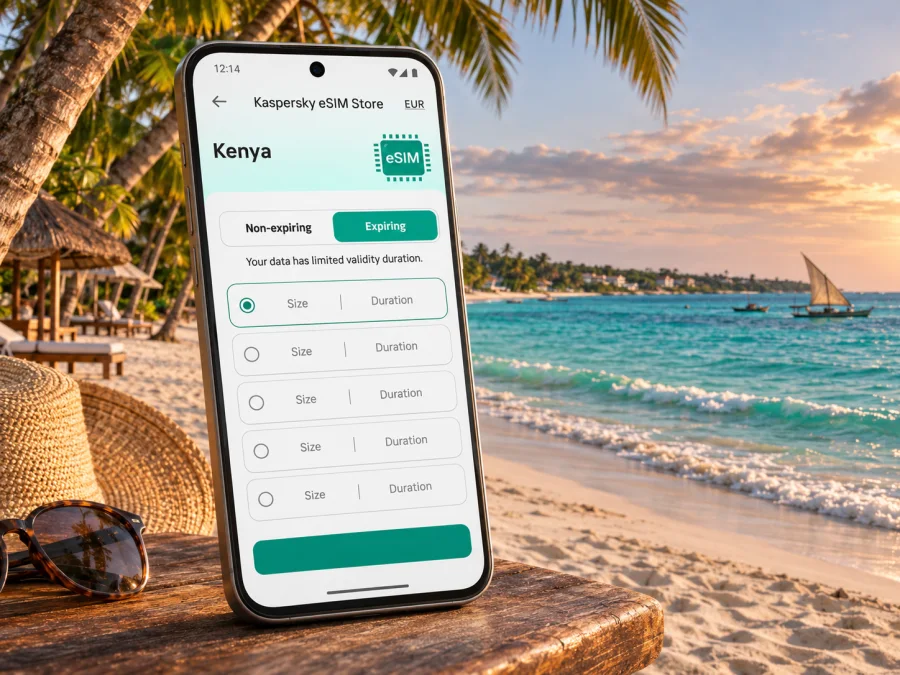
If you want to review current Kenya options before travelling, browse the available eSIM plans for Kenya. Kaspersky eSIM Store is an app and website for choosing, arranging, and activating a travel eSIM with a suitable data plan. Review the current terms and destination details at checkout; availability, allowances, validity, and prices can change.
Prepare your phone before leaving
A little preparation at home can prevent a rushed setup in an arrivals area. The exact menus differ between phones and operating-system versions, and regional variants of the same device name may have different SIM features. Check the handset you will actually carry, not just a product family or a similarly named model.
Check device support and lock status
Confirm that your exact device variant supports eSIM and is not carrier-restricted. The manufacturer, original seller, and your carrier can clarify regional differences. If unsure, check whether your device supports eSIM and confirm before purchase.
If your phone has two SIM lines, decide which one will handle data and which will remain available for your usual number. Menu labels vary. Avoid deleting an existing profile unless you understand the consequences; an activation code may be single-use.
Install while you have a dependable connection
Install when you have time to follow the steps and Wi-Fi if required. Charge your phone and make sure you can access the account or email containing installation details. Keep booking and support information available offline, and protect QR codes or activation details.
Use the step-by-step guide for your platform: eSIM installation instructions for Android or eSIM installation instructions for iOS. Follow the instructions attached to your specific plan if they differ from general device menus.
A practical sequence is:
- Check the terms. Confirm Kenya coverage, allowance, validity, and activation timing.
- Add the profile. Follow the device steps or scan the supplied QR code.
- Label and select the line. Make the travel eSIM easy to identify and choose it for data when appropriate.
- Review roaming settings. Some travel eSIMs require roaming on that line. Follow the plan’s instructions and consider charges on your home line.
First registration may take a few minutes. If the phone does not connect, check that the travel line is enabled, selected for data, and has any required roaming setting turned on. Follow the plan’s troubleshooting steps and contact its support channel if the issue continues.
Getting around and staying oriented
Diani’s accommodation and activities are spread along the coast. Ask your host how to describe the property entrance and whether a driver should use a particular gate or landmark. Save these directions offline.
Transport options include pre-booked hotel transfers, buses and matatus along the coast, and taxis. Choose according to your route, luggage, and familiarity with local stops. Confirm fares and pickup details directly with the provider.
Save your accommodation, arrival point, and meeting places as starred locations, and download an offline map. Confirm the destination name with the driver, share trip details with your group, and stop somewhere safe before checking directions.
At the beach, mobile service should not be treated as a substitute for local safety advice. Follow posted notices and instructions from lifeguards, guides, or activity operators. For boat trips, excursions, or water sports, confirm the meeting location and return plan directly with the organiser before leaving your accommodation. Store the organiser’s contact details in your phone and in an offline note.
Local outings and trips beyond Diani
Diani can be a base for beach days or organised outings. Kenya’s tourism board highlights Colobus Conservation, the Kisite-Mpunguti marine area, dhow cruises, kitesurfing, and Shimba Hills National Reserve. Check current booking, weather, and pickup information with the operator.
Use data to confirm meeting points, departure times, operator updates, and your return transport. Share the itinerary with your companion before a longer day trip.
If you plan to continue from Diani to another Kenyan destination, check route and network details for the full itinerary rather than assuming the conditions along the beach apply elsewhere. The same principle applies when crossing a national border: verify that the plan covers each country before relying on it for data there.
A low-stress arrival checklist
Before boarding your final flight or starting the road transfer, make sure you can reach the information you will need even if you temporarily have no signal.
- [ ] Accommodation name, full address, map pin, and check-in instructions saved offline.
- [ ] Driver or transfer company contact and pickup instructions available without searching your inbox.
- [ ] Flight details and the correct arrival point confirmed: Mombasa airport or Ukunda airstrip.
- [ ] Kenya destination and eSIM plan validity checked.
- [ ] Device eSIM support and carrier-lock status confirmed for your exact regional variant.
- [ ] eSIM installed or installation information stored securely, according to the plan’s activation instructions.
- [ ] Home SIM roaming and data settings understood to avoid unwanted charges.
- [ ] Offline map downloaded and the phone charged.
- [ ] A second way to contact your group or accommodation recorded.
If setup fails, use Wi-Fi where available, ask your transfer provider for the meeting procedure, and contact the support channel in your order details. Keep essential arrival information offline.
Frequently asked questions
Is Diani Beach a city or a beach destination?
Diani Beach is commonly used for the South Coast beach and resort destination near Ukunda in Kwale County. It is best to use the exact accommodation or meeting-point address because the destination is spread out rather than centred on a single compact downtown.
Can I use an eSIM in Diani Beach?
You can use a travel eSIM there if your exact device variant supports eSIM, it is not restricted from adding another provider, and the plan you choose covers Kenya. Actual service depends on the supported local network and conditions at your location, so check the plan details and ask your accommodation about its own connectivity.
What if my phone supports eSIM only in some regional versions?
Check the full model number and country or region of purchase. A shared marketing name does not guarantee identical SIM hardware in every market. Confirm compatibility with the manufacturer, original seller, or your carrier before selecting a plan.
What is the best way to save data during a beach holiday?
Download maps and media over Wi-Fi, turn off automatic cloud uploads and app updates on mobile data, and use lower video quality when needed. Check your phone’s usage screen during the trip so you can adjust before you reach your allowance.
Make your connection plan before you travel
For a trip to Diani Beach, prepare the parts you can control: verify your exact phone variant, save the arrival and accommodation details offline, and choose a Kenya data plan whose terms match your route and expected usage. Keep local transport and activity confirmations accessible, and treat coverage as something that depends on the network and your exact location.
Use Kaspersky eSIM Store on the app or website to review current options, choose and arrange an eSIM for your travel needs, and follow the activation guidance for your device. Explore eSIM options for your Kenya trip and check the plan details before completing your selection.


