Travel connectivity guide
Diego Suarez eSIM: Mobile Internet for Your Trip
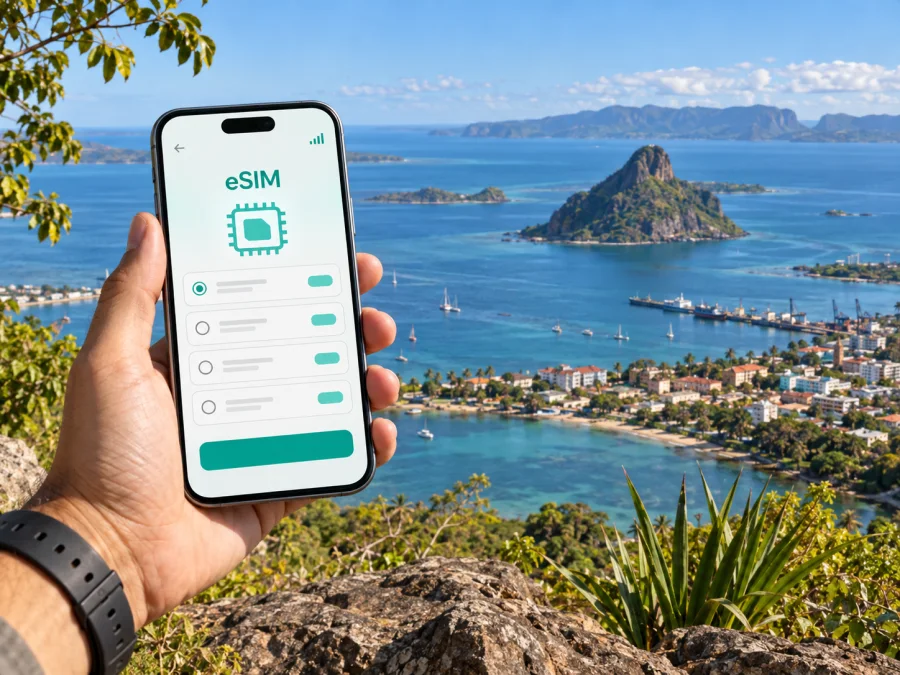
Diego Suarez eSIM: mobile connection and internet for your city trip
Diego Suarez, also known as Antsiranana, sits at Madagascar’s far northern tip beside a broad natural bay. A city stay can include airport arrival, errands in the centre, waterfront time and day trips beyond town. Mobile internet is useful for checking transfer details, finding your lodging, keeping itinerary notes together and messaging people you are meeting. An eSIM can make that data connection easier to prepare before travel, without handling a physical local SIM card on arrival.
This guide covers arrival, local movement, offline preparation for outings and eSIM planning for Madagascar. Coverage and speed depend on the local network, location, device and selected plan, so keep essential information available offline.
Why mobile internet helps in Diego Suarez
The city is often referred to by two names: Diego Suarez and Antsiranana. You may see either name in travel details, maps or local references. Keep both spellings in your notes when searching for an address or confirming a pickup, especially if the person arranging your arrival uses one form and your booking uses the other.
The city itself is a practical base for exploring the far north, but plans can involve several different settings: a flight arrival, a ride to accommodation, walking around the central streets, a meeting near the port, a coastal outing or a longer road journey. A working data connection can help you check messages and map routes as plans change. It is also useful for translating a short note, reviewing a reservation or sharing an updated arrival time.
Common city-trip uses include:
- opening your saved map while walking between your accommodation, cafés and central services;
- confirming a driver’s meeting point and sending a message if your arrival changes;
- checking a hotel or guesthouse location before leaving the airport;
- keeping transport arrangements and day-trip details accessible in one place;
- sharing your location or itinerary with a travel companion, when you choose to;
- using email, messaging and work tools during a business stay.
Save key addresses, bookings, contacts and map areas for offline access in case a live page is unavailable.
Plan the arrival before you land
Arrachart Airport serves Diego Suarez. For a smooth arrival, confirm how you will travel from the airport to your lodging before departure: who is meeting you, where to find them, what name they will use, and how to contact them if the flight is delayed. Do not assume a driver can identify you from a booking alone. A short message with your name and a clear meeting point can prevent confusion.
Before the flight, keep these items available offline or in a screenshot:
- the lodging name and full address as supplied by the property;
- the name and telephone or messaging details of the person arranging your pickup;
- your booking reference and expected arrival time;
- an alternate contact method in case mobile data is unavailable;
- a pin or map screenshot showing the destination.
After landing, check essential messages and, if you use an eSIM for data, confirm that the correct data line is selected. Your phone’s menu labels vary, so review the settings before travel. When you meet a driver, confirm the destination and fare arrangement you agreed in advance. Use a clear landmark for the pickup, and keep the saved map available if mobile data is slow to connect.
Moving around the centre and the bay
For short distances in central Diego Suarez, walking may be convenient when the route, weather and time of day make it comfortable. For longer trips, luggage, heat or an unfamiliar route, arrange a car or local taxi. Ask your accommodation or host how visitors typically organize rides for the particular journey; availability, prices and arrangements can vary, so avoid planning around an assumed timetable.
A simple movement plan can reduce backtracking:
| Trip situation | Useful preparation | What mobile data can help with |
|---|---|---|
| Airport to lodging | Confirm the pickup and save the address | Message the driver and check the route |
| Central errands | Group nearby stops and save map pins | Reopen directions or update an appointment |
| Waterfront or port visit | Confirm the exact meeting point | Share a location if plans change |
| Coastal outing | Agree on return arrangements before leaving | Contact your host or driver when needed |
| Day trip outside town | Set the route and pickup plan in advance | Send updates where a connection is available |
The port and bay are prominent points of orientation, but a shoreline is not a single destination. If a booking says “waterfront” or “near the port,” ask for a specific entrance, street, business or meeting point. A pin can be helpful, but use the written address as well: map labels and pins may not make the final approach obvious to a first-time visitor.
Navigation apps are most useful when you treat them as a guide rather than an authority on every local road. Check the suggested route with your driver or host, especially before a longer journey. Save the route and destination details while connected, and take a screenshot of the return meeting point before you leave the centre.
Choose a place to stay around your itinerary
Compare an accommodation’s exact address with your plans rather than relying only on a district label. A central stay may make errands and meals easier on foot; somewhere closer to the bay or outside the centre may require more rides. For a day trip, ask whether pickup from the property is practical and arrange the return before leaving.
Before confirming, check the full address, airport pickup options, how to contact staff if arrival changes, and whether the property’s Wi-Fi suits any larger downloads or video calls. For business meetings, save the venue and a backup contact offline. Mobile data can help with messages and navigation, while heavier work may be better planned around the property’s Wi-Fi.
Prepare an eSIM for Madagascar
An eSIM is a digital SIM profile that can provide mobile data when it is supported by your phone and the selected plan. Kaspersky eSIM Store is an app and website where you can choose, arrange and activate an eSIM with a suitable plan for an international trip. Connection availability and performance depend on the local network, your location, device and the selected plan’s terms.
For Diego Suarez, begin by checking that the plan you are considering includes Madagascar and matches the length and shape of your trip. If you will travel onward from the city, confirm whether the plan also covers those destinations rather than assuming a city visit and a wider route have identical needs. Review the plan’s data allowance, validity, activation conditions and any restrictions before completing your choice. The available details can change, so use the current offer information shown when you select a plan.
A practical way to estimate data is to consider how you will use your phone:
- Maps, messages and browsing: save map areas in advance and review automatic photo uploads and background-data settings.
- Work and media: account for email, documents, calls and video separately; use Wi-Fi for large transfers when practical.
These are usage patterns, not guaranteed data estimates. App settings and time online affect consumption, so review usage and adjust automatic downloads as needed.
If you want to compare options for the country while planning this city visit, review the eSIM options for Madagascar and check the current terms before choosing.
Install and activate before the trip
Prepare the eSIM while you have a stable internet connection and enough time to follow the setup carefully. Before purchase, confirm that your phone supports eSIM and is not restricted by a carrier lock. Check your device’s eSIM compatibility. Compatibility can depend on the exact model and its regional version.
A typical preparation sequence is:
- Choose a plan for Madagascar and review its coverage, allowance, validity and activation instructions.
- Follow the setup flow for your phone: Android installation instructions or iOS installation instructions.
- Label the new profile something recognizable, such as “Madagascar data,” so it is easy to distinguish from your usual line.
- Decide which line will handle mobile data. Keep your regular number selected for calls or messages if you need it and your device supports that arrangement.
- Read when the plan begins and whether data roaming must be enabled for that eSIM. Change the setting only as directed by the plan instructions.
- Keep the installation details accessible until the profile is added successfully; avoid deleting an installed eSIM unless the provider’s instructions say it is safe to do so.
Some plans are intended to be installed before departure and used after arrival; activation rules vary. Read the specific instructions for your selected plan instead of assuming that installation and the start of validity are the same event. If setup requires a QR code displayed on the same phone, check whether your device offers a manual entry option or arrange a second screen before beginning.
Short stay, work trip or northern Madagascar route?
The right setup depends on how Diego Suarez fits into your itinerary.
For a short stopover: keep the essentials simple. Confirm the airport transfer, accommodation address and next departure. Use a small set of saved map pins and make sure you can reach the person meeting you. If you are only passing through the city, avoid relying on a complex excursion plan that leaves no time for delays.
For a city break: combine central errands and waterfront time into sensible blocks. Check directions before you leave, save the return point, and allow for time to arrange transport instead of assuming every ride can be booked instantly. Messaging and map access are often more useful than continuous streaming.
For a business visit: store meeting locations, names and backup contact details offline. Confirm Wi-Fi suitability with your accommodation for heavier work and use mobile data for messages, navigation and quick changes while moving around town.
For a longer northern route: Diego Suarez can be a starting point for journeys beyond the city, including visits toward Montagne d’Ambre and Ankarana. Those outings involve separate travel planning; confirm current road access, transport, opening arrangements and guiding requirements locally before setting out. Download maps and keep return plans in writing, since the same data experience should not be assumed outside the urban area.
Questions travelers often ask
Is Diego Suarez the same place as Antsiranana?
The names are both used for the city. Keep both in your travel notes and confirm which one appears on your ticket, booking or local arrangement.
Should I install an eSIM before I arrive?
If the plan’s instructions allow it, installing while you have reliable internet and time to troubleshoot can make arrival easier. The point at which a plan activates varies, so check the specific terms before installation and before enabling mobile data.
Can I rely on mobile data everywhere around the bay?
Signal and performance vary with network coverage, terrain, buildings, device and local conditions. Save essentials offline and ask locally about a particular excursion.
What if my map or message will not load?
Check that the intended data line is selected and follow the plan’s setup instructions for mobile data or roaming. Use saved offline information while troubleshooting. For a time-sensitive pickup, use the alternate contact details saved before the trip.
How can I avoid using more data than expected?
Download maps over Wi-Fi, review automatic backups and check app-level data use. Video and cloud uploads usually need more data than text messaging.
A simple checklist before leaving for Diego Suarez
- Save your accommodation address and airport pickup details offline.
- Note both Diego Suarez and Antsiranana if your documents use different names.
- Confirm that your selected plan covers Madagascar and review its current conditions.
- Check eSIM support and carrier-unlock status for the exact phone model.
- Install and label the profile following the relevant phone instructions.
- Set mobile data to the intended line and follow the plan’s activation guidance.
- Download map areas and keep a charger or power bank available.
- Arrange transport and return details before an outing beyond the city.
The useful question is not simply whether you will have data, but when you need it and what you need to access. For the airport, central errands and changing meeting plans, messaging and maps may be enough; longer excursions call for saved information and confirmed transport as well. A little preparation helps you use Diego Suarez as a comfortable base without depending on a live connection for every step.
Get ready for your trip
Choose a plan that fits your Madagascar itinerary, review its current conditions and install the eSIM when you have a stable connection and time to complete setup. You can choose an eSIM plan for Madagascar through Kaspersky eSIM Store, then follow the activation instructions for your device before heading to Diego Suarez.


