Travel connectivity guide
Diffa eSIM: Mobile Internet for Your Trip
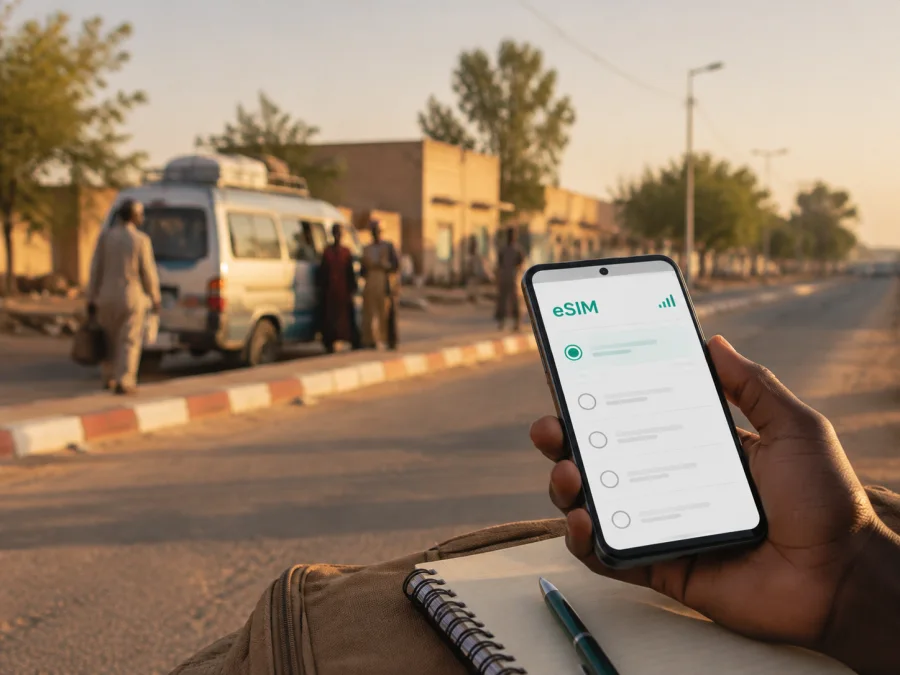
Diffa eSIM for Mobile Connection and Internet in Niger
Arriving in Diffa, Niger, is easier when your phone is ready for the practical tasks that begin as soon as you leave the aircraft or start a road journey. You may need to contact a driver, confirm accommodation, share your location, check a route, or send a message to a colleague. An eSIM can provide mobile internet for the trip without removing the physical SIM card already in your phone.
Kaspersky eSIM Store is an app and website where you can choose, complete, and activate an eSIM with a suitable tariff for mobile internet during an international trip. For Diffa, the useful question is not simply how much data you can get. It is how long you will stay, whether your plans include travel beyond the city, and which tasks must keep working when public Wi‑Fi is unavailable.
Why an eSIM can be useful in Diffa
Diffa is the regional capital of Niger’s southeastern Diffa Region. It is close to the border with Nigeria and is associated with the Komadugu Yobe river corridor and the wider Lake Chad basin. That setting makes the city a practical base for several kinds of visitors: people travelling for work, humanitarian or development programmes, researchers, drivers, family visits, and short stays connected with regional travel.
An eSIM may help in several specific moments:
- after landing, when you need to reach the person meeting you;
- during a transfer, when you want to keep a map or contact details available;
- while moving between your accommodation, an office, a market, and meeting points;
- when a booking, address, or schedule changes;
- during a short stopover, when buying and fitting a physical SIM would add an extra task;
- before travelling onward from Diffa, when you need to check the next leg with your driver or local contact.
The benefit is access to mobile internet on a compatible device, while signal quality can vary with the location, phone, tariff, and local network conditions.
Diffa travel scenarios where mobile internet matters
Arrival and the first hours
Diffa Airport serves the city, but flight availability, permissions, and schedules can change. Confirm your flight and transfer arrangements before departure, and do not rely on an old timetable saved in your phone. If you are arriving by road, the same principle applies: agree on the meeting point and the person to contact before the journey begins.
Keep the following information available offline as well as online:
- The name and phone number of your host, driver, hotel, or local coordinator.
- The full address or a clear description of the accommodation.
- Your arrival details and the next planned appointment.
- A screenshot of any important confirmation.
- A note with the language and wording you will use when asking for directions.
Mobile data gives you a way to send a message or update a contact if the plan changes. It also lets you use maps and translation tools when you have not yet found a trusted Wi‑Fi network. Save key details first, because an online connection should be treated as a helpful layer, not as the only copy of your travel information.
Moving around the city
Diffa’s useful places may be spread across the central urban area and less dense edges of the city. The best way to plan a local transfer is to ask your accommodation, host, or colleague which meeting point is easiest to identify. A map pin can help, but a nearby landmark and a local description are often useful additions.
Plan for a mix of short urban trips and waiting time. You may need data to:
- confirm whether a meeting point has changed;
- send your estimated arrival time;
- open a map while walking or riding;
- contact a driver rather than searching for a new vehicle on arrival;
- share a location with a family member or colleague;
- check a message while moving between appointments.
Avoid filling your itinerary with assumptions about journey times. Heat, road conditions, checkpoints, traffic, weather, and local arrangements can change how long a transfer takes. Your eSIM plan should support communication and navigation, while the people arranging the trip remain the best source of current local instructions.
Accommodation, work, and everyday errands
At a hotel, guesthouse, staff residence, or other accommodation, internet access may vary. Mobile data is useful for checking in with someone outside the property, receiving a document, confirming a pickup, and keeping contact with people at home. For a business stay, keep calendars, addresses, documents, and contact names available on the phone; reserve larger downloads and backups for a connection you trust.
If your work or visit takes you outside central Diffa, discuss the route and communication plan with the organisation or local host. Do not infer coverage or travel time from a map alone. Ask where the vehicle will stop and what to do if the group is delayed. These are local planning questions that an eSIM cannot solve by itself.
How to choose an eSIM tariff for a trip to Diffa
Start with the country and region where the tariff must work. A city article can help you plan for Diffa, but an eSIM tariff is normally selected for a country, region, or wider route rather than for one street. If you will also travel through other places in Niger or cross a border, check that the direction shown in the tariff conditions matches the whole itinerary.
Next, estimate four things:
| Planning factor | What to consider for Diffa |
|---|---|
| Length of stay | Include arrival, departure, and possible buffer days rather than counting only scheduled nights. |
| Main activities | Messaging and maps use less data than video calls, cloud work, or frequent media uploads. |
| Route | A city-only stay differs from a trip that continues along regional roads or across a border. |
| Backup needs | If your host or driver depends on messages, leave room for changes and unexpected delays. |
Choose the validity period so it covers the real travel window. Check when the validity begins: depending on the tariff and activation process, the start may relate to installation, activation, or the first connection. Read the conditions shown at the time of selection and avoid installing earlier than necessary if the terms could make that relevant.
The amount of data should reflect your communication pattern. Messages and occasional map checks use less data than video meetings, tethering where permitted, frequent uploads, automatic backups, app updates, and continuous video. Before travelling, turn off automatic updates over mobile data, review photo backup settings, and download documents you know you will need.
When your destination and usage are clear, you can choose an eSIM tariff for your trip to Niger and compare the available conditions for the direction. Kaspersky eSIM Store helps you review the destination, data amount, validity, and price before you complete the selected order.
Do not choose by price alone. Compare the conditions you need: direction, validity, data volume, activation rules, and the way you expect to use the phone. A plan that is too small can create interruptions, while a much larger one may not be the most sensible fit.
Prepare your phone before leaving
The smoothest eSIM experience starts before the journey. You need a compatible, unlocked phone, access to the account or profile where the eSIM will appear, and a reliable internet connection for installation. If your device has two SIM profiles, decide in advance which one will handle mobile data and which one will remain available for your usual number.
Before selecting a tariff, check whether your device supports eSIM. Some models differ by country or region of sale, and an operator lock can prevent a profile from being used even when the hardware supports eSIM. Also check that your phone has enough battery, storage, and current system settings for the installation process.
Use this preparation checklist:
- [ ] The phone supports eSIM and is not locked to an operator.
- [ ] The operating system is ready for the installation steps.
- [ ] Your account credentials are available.
- [ ] The tariff’s country or region matches the journey.
- [ ] The validity period covers the intended dates and possible delay.
- [ ] You know whether the tariff is for data only.
- [ ] Your physical SIM settings are recorded before making changes.
- [ ] Important addresses, bookings, and contact details are saved offline.
- [ ] A charger or power bank is packed for long transfers.
How to install and activate an eSIM for Diffa
Install the profile while you have a stable internet connection, ideally before departure or at your accommodation. The exact menu names vary by phone, but the sequence is usually straightforward:
- Open the profile or app where the purchased eSIM is available.
- Follow the on-screen installation instructions or use the QR code supplied with the profile.
- In your phone’s mobile-network settings, choose the option to add an eSIM.
- Select the new eSIM for mobile data when you want to use it in Niger.
- Keep your regular SIM available for calls or messages if you need it, and review which line is selected for each service.
- If the device or tariff requires it, enable data roaming for the eSIM profile.
- Allow a few minutes for activation and test a simple webpage or message before setting off.
For platform-specific steps, use the Android eSIM installation instructions or the iOS eSIM installation instructions. Follow the instructions for your device rather than copying menu names from a different model.
Test the setup without creating confusion
After installation, give the eSIM a clear label such as “Niger trip” or “Diffa”. Check that mobile data is assigned to the intended profile and that automatic switching between SIMs is configured the way you expect. If you want to avoid unexpected charges on your usual line, review data roaming and mobile-data switching for that line before departure.
If the profile does not connect on the first attempt, check the selected data line, signal, airplane mode, APN instructions if supplied, and whether data roaming is required. Activation can depend on the device and local network conditions. If the issue remains, contact support with the device model and the steps already taken.
Diffa as a base for onward travel
Diffa may be a stop before routes toward N’Guigmi, Bosso, the Lake Chad basin, or west along the main road network. Confirm current road conditions, security arrangements, and transport before treating the next leg as a routine transfer.
Before leaving Diffa, confirm:
- The exact destination and the planned route.
- Who is arranging the vehicle and how you will recognise the meeting point.
- Where you are expected to check in during the journey.
- Whether your data tariff covers the next country or region if you cross a border.
- Which information should be stored offline in case the connection is intermittent.
Your phone can support coordination, but it cannot replace local route planning. Follow current instructions from your host, employer, transport coordinator, or other responsible local contact. Recheck travel conditions close to departure instead of relying on a plan made several weeks earlier.
Frequently asked questions
Is an eSIM useful for a short stop in Diffa?
Yes, it can be useful when the main need is a connection during arrival, a transfer, or a short meeting. Choose a validity period that covers the complete stopover and enough data for messages, navigation, and coordination. Confirm the current travel and flight arrangements separately.
Can I use an eSIM in Diffa and keep my usual SIM?
Usually, a compatible dual-SIM phone can keep the physical SIM while using the eSIM for mobile data. The exact behaviour depends on the device. Review the settings for calls, messages, mobile data, and automatic line switching before you travel.
Will the eSIM include a phone number?
Not normally. The eSIM in this travel context is intended for mobile internet, and ordinary calls and SMS are not included unless the selected tariff explicitly states otherwise. Internet messengers can be used for calls and messages when data is available.
Should I install the eSIM before I arrive in Niger?
Installing before departure can make the first hours easier, provided you have checked compatibility and read when the tariff starts. You can also install after arrival if you have a stable internet connection. Keep the QR code or profile instructions accessible until activation is complete.
What if the eSIM does not connect immediately?
Check that the eSIM is enabled, selected for mobile data, and allowed to use data roaming when the device or tariff requires it. Confirm the tariff direction and restart the phone if appropriate. Connection time can depend on the device and local network. If you still need help, contact support and describe the exact model and settings.
Prepare your Diffa connection before the journey
For a trip to Diffa, the useful preparation is simple: confirm the route, check the phone, choose a tariff for the right direction and dates, install the eSIM carefully, and save the information you may need offline. This gives you a practical way to use mobile internet for arrival, local movement, work, and communication without removing your regular SIM.
When you are ready, choose an eSIM tariff for your journey to Niger, review the conditions, and activate it on your compatible device. If questions arise during installation, use the relevant instructions or contact support with the details of your device and profile.


