Travel connectivity guide
DIGI eSIM in Belgium: setup and travel guide
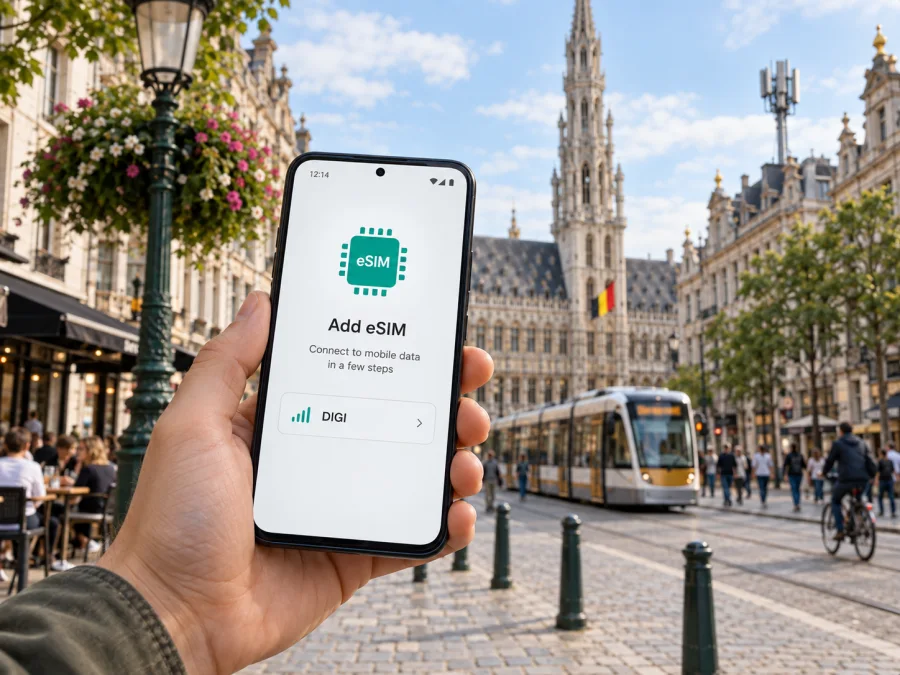
DIGI eSIM in Belgium: setup, coverage and travel checks
Information checked on 26 September 2026. DIGI and its marks belong to their respective owner. Kaspersky eSIM Store is not affiliated with DIGI and is not its official partner or distributor.
If you are visiting Belgium, the practical question is whether a DIGI eSIM fits your stay and whether you can complete its onboarding before you need mobile data. DIGI confirms that eSIM is available for mobile services and that some prepaid service is offered as an eSIM. The exact eligibility, identity check, handset support and intended use matter: the local prepaid option is described as valid only in Belgium, while roaming is not included. That can make it relevant for a stay in Belgium, but unsuitable as a single profile for a multi-country trip.
DIGI is a mobile and telecommunications operator serving customers in Belgium. Its Belgian service is in active development, including an own mobile network rollout and the use of partner network access. A visitor should assess the service by their own itinerary, device and ability to sign up, rather than by general claims about national coverage or network quality. Conditions can differ between a permanent resident, a newcomer settling in the country and a short-term visitor.
This guide covers setup, traveler eligibility, coverage and travel-data alternatives. Confirm current requirements directly with DIGI before ordering.
What DIGI’s eSIM is for
An eSIM is a digital SIM profile that a compatible device can install without inserting a plastic card. DIGI’s support information describes QR-code installation through MyDIGI. Once an eSIM is ordered, DIGI says activation takes place automatically; the customer then installs the profile and completes any number transfer that applies. In practice, the word “activation” can refer to more than one step, so distinguish the service order becoming active from scanning the QR code, connecting to the network and moving an existing number.
DIGI’s English FAQ sections “Mobile” and “Prepaid” confirm eSIM support and QR-code installation, and DIGI’s mobile launch announcement describes eSIM as part of its mobile service. These official pages were checked on 26 September 2026. Availability is therefore confirmed in DIGI’s public information, but that does not mean every device, customer type or travel purpose qualifies. The operator directs customers to its device configurator for its supported models and to its sign-up flow for current enrollment requirements.
The public prepaid information says that a prepaid option is available online as either an eSIM or a physical SIM, and that it is intended for private customers. It also says this prepaid service is valid only in Belgium and does not include roaming. For a traveler, that is a material boundary: a profile intended for domestic use should not be assumed to work after crossing into a neighboring country. DIGI’s subscription service has separate roaming information and partner-network arrangements, so check the exact service type and destination before relying on it outside Belgium.
A local operator eSIM may suit someone who needs Belgian mobile service or a local number, subject to DIGI’s identity checks and service conditions. A data-only travel eSIM serves a different purpose: mobile data for a destination or region, usually without a new local number.
Can a visitor sign up?
Do not assume that a foreign visitor can complete an online DIGI order with any passport. DIGI’s “Subscription & Invoice” FAQ explains that new online customers verify identity using a supported identity document or itsme. The listed documents include a Belgian identity card or residence card and passports from a specified set of countries. That list is selective. If your document is not listed, the public FAQ does not confirm that it will be accepted through the online flow.
Check the current supported-document list and ordering steps directly with DIGI before planning around the service. Your eligibility may depend on the selected offer and verification method. The FAQ tells customers to review their contact details, invoice address and payment method in the order flow, so have the information that applies to you ready. Do not enter inaccurate details or rely on an assumption based on another traveler’s experience.
A short-term visitor should not assume that buying a local SIM and opening a verified subscription are the same process. DIGI does not promise that every tourist can subscribe. If your identification method is unsupported or you need data immediately on arrival, consider alternatives and check their own compatibility and service conditions before traveling.
For a longer stay, consider whether a Belgian number is useful for local calls, messages or account registration. Before porting an existing number, check which accounts use it for login or verification. DIGI treats number transfer as a step after eSIM installation; keep the previous line available until the transfer completes. If you only need data, a separate profile may let you retain your home number, provided the phone supports dual SIM operation.
For mobile internet during a visit, Kaspersky eSIM Store is another preparation route. It is an app and website where travelers can choose, purchase and activate an eSIM plan for mobile internet abroad. Its Belgium destination page and setup information were checked on 26 September 2026. Kaspersky eSIM Store is not affiliated with DIGI, is not its official partner or distributor, and is not an operator, network owner or mobile internet provider. The selected plan’s underlying network arrangements determine service.
If this approach fits your itinerary, view eSIM options for Belgium and review the current conditions before purchase. Confirm Belgium coverage, installation and activation steps, whether data roaming must be enabled on your device, and whether the eSIM is data-only. Install while connected to Wi-Fi and keep your home SIM available for calls and verification messages if needed.
Coverage and network technology
DIGI describes a developing Belgian mobile network with its own rollout and partner access. Its public network information describes 4G service through a partnership while its own 5G deployment expands. These statements explain the network arrangement; they do not predict service at a particular address, station, indoor venue or rural route. DIGI’s mobile FAQ, prepaid FAQ and service terms were checked on 26 September 2026.
Coverage depends on location, handset support, buildings, terrain, local conditions and the service arrangement for the customer. Review DIGI’s current coverage information for accommodation, airports, stations and the route between them. Treat a coverage map or address check as a planning aid, not a promise of uninterrupted service. Ask DIGI which technologies and roaming agreements apply to the service you intend to use.
The eSIM configurator lists supported smartphone models; DIGI says support is limited to certain phones and does not generally include tablets or wearables. A phone may support eSIM as a feature but still be absent from DIGI’s list, carrier-locked, or configured for another region. Check the manufacturer’s requirements and DIGI’s configurator against the exact regional model. For offline resilience, save maps, tickets and your first destination before departure.
How to install a DIGI eSIM
DIGI’s public instructions use MyDIGI and an eSIM QR code. The broad process is below; follow the current on-screen steps because account pages can change.
- Check eligibility and the device. Confirm that your identity document is accepted, your phone supports eSIM and is unlocked, and DIGI lists the exact model as compatible.
- Prepare internet access. Use Wi-Fi or another working data connection to open MyDIGI and retrieve the QR code. Keep access to the email address used for the order.
- Open the eSIM details. DIGI says to sign in, go to “My products,” manage the relevant mobile service, open settings and request the eSIM QR code.
- Install the profile. In the phone’s mobile-network settings, choose to add an eSIM, scan the QR code with the device that will use it, and follow its prompts.
- Choose the data line. If another SIM is installed, set the intended line for mobile data. Keep the home line active if you need its calls or verification messages.
- Transfer a number if needed. DIGI describes this as a separate step after eSIM installation. Keep the previous SIM available until the transfer is complete.
- Check network settings. Follow DIGI’s APN instructions if mobile data does not start. Contact support if the profile installs but cannot connect.
DIGI says an eSIM order is activated automatically and billing starts from the order date. Check that timing before ordering ahead of travel. Installing a profile, registering on a network and beginning a service are different steps; read the current confirmation and account status.
Belgium mobile data for short stays
The right choice depends on how long you are in Belgium and what you need from the connection. For a short city visit, reliable access to maps, transport information, translation and messaging may be the primary goal. For a longer stay, a local number and ongoing account access may matter. For a journey that continues through several countries, regional coverage and clear roaming rules become more important than the brand of the first local network you encounter.
A travel eSIM is a separate option for mobile data during a trip, rather than a Belgian phone number or DIGI service. Review the selected provider’s current conditions and network arrangements before relying on it.
A travel eSIM should not be treated as a substitute for a Belgian mobile number or emergency arrangements. If you need ordinary calls, SMS, a local number, or a service tied to a Belgian subscription, check whether the travel plan includes those functions; data-only eSIMs generally do not. For voice communication on a data line, internet calling apps may work if both sides use them and a data connection is available. Keep access to local emergency numbers and your home operator’s roaming instructions as part of travel preparation.
Choosing between a local line and a travel eSIM
Consider these questions before deciding:
| What you need | What to verify |
|---|---|
| A Belgian mobile number | Whether the DIGI service gives you a number and whether you can complete identity verification |
| Mobile data only during a visit | Whether a travel eSIM covers Belgium and suits your device and usage needs |
| A prepaid option | Whether DIGI’s current prepaid service is available to you and its domestic-only limitation |
| A multi-country itinerary | Whether each country is supported by the selected service and how roaming works |
| Calls and verification texts | Which line receives calls and SMS, and whether your phone can keep both profiles active |
| An existing number | The steps and timing for number transfer and what happens to the previous SIM |
These are decision points, not comparisons of specific offers. The answers depend on current terms, the selected service, device and eligibility. eSIM describes how a SIM profile is delivered; service conditions explain where it works and what it supports.
Frequently asked questions
Does DIGI offer eSIM in Belgium?
Yes. DIGI’s current public FAQ describes eSIM for Belgian mobile service, with QR installation through MyDIGI. Support is limited to compatible smartphones, and customers must meet the current order and identity requirements.
Can a tourist buy a DIGI eSIM?
Eligibility is not confirmed for every visitor. DIGI requires online identity verification using an accepted document or itsme. Check whether your documents are accepted before relying on the service.
Does DIGI prepaid eSIM work around Europe?
DIGI’s prepaid FAQ says prepaid is valid only in Belgium and does not include roaming. Do not treat it as a multi-country roaming solution. Conditions for another mobile service may differ.
Does eSIM installation transfer my existing number?
No. DIGI describes number transfer as a separate step after installing the eSIM. Keep the previous line available until the transfer completes.
Does Kaspersky eSIM Store provide a DIGI line?
No. Kaspersky eSIM Store helps travelers choose, purchase and activate travel eSIM plans for mobile data. It does not provide a DIGI number or operate a mobile network.
DIGI eSIM can be a practical way to use a digital SIM profile for its Belgian mobile service if you are eligible, have a supported device and the service fits your route. Its prepaid service is limited to Belgium, while a multi-country journey requires separate confirmation of roaming or another travel-data option. Verify current coverage, conditions and signup requirements directly with DIGI before purchase.


