Travel connectivity guide
Digi eSIM in Romania: Visitor Guide
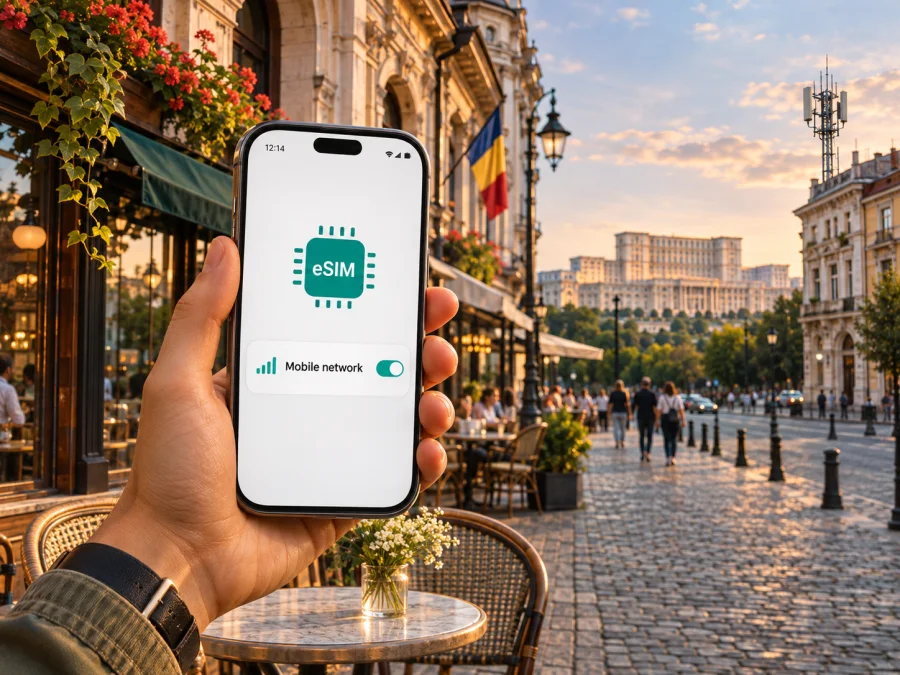
Digi eSIM in Romania: a practical guide for visitors
If you are travelling to Romania and considering a Digi eSIM, the key point is that Digi does offer eSIM service in the Romanian market. Its official eSIM information describes QR-code activation for mobile subscriptions and says prepaid users can also use eSIM. That confirms the technology is available, but it does not mean every visitor can order every Digi service: eligibility, registration, payment and the type of line depend on the specific service and current terms.
This guide explains how to assess a Digi eSIM before a trip, what activation generally involves, how to check coverage for your route, and when a travel eSIM may be a more suitable way to arrange mobile data. It does not list or compare individual plans. Conditions change, so confirm current requirements with Digi before placing an order.
Digi in Romania: what the operator provides
Digi Romania S.A. provides mobile telecommunications services in Romania as part of its broader communications business. For visitors, the most relevant distinction is between a local Digi mobile line and an eSIM intended primarily for mobile data during a trip. A local line can be useful if you need a Romanian number and want to use the operator’s own mobile service, subject to its customer and registration requirements. A travel eSIM can be useful when the main goal is getting data online without replacing your existing physical SIM or arranging a local number.
Digi’s current eSIM page confirms two broad routes: selecting eSIM when ordering a mobile subscription, and obtaining eSIM for prepaid use. The operator describes QR delivery and installation on a compatible phone. Its separate prepaid eSIM page also shows that a particular prepaid route has eligibility conditions and requires identity information during ordering. The page’s age wording is not fully consistent between its offer panel and explanatory steps, so anyone considering that route should ask Digi to confirm the current age rule and application criteria instead of relying on an old description or assuming that an overseas visitor qualifies.
Does Digi support eSIM in Romania?
Yes. Digi Romania’s official “eSIM” page states that eSIM can be selected for a mobile subscription and can also be used by prepaid customers. It describes an email containing the phone number and QR code after the order or payment process. The QR code is intended for installation on an eSIM-compatible device. Digi also documents replacing an existing physical SIM with an eSIM and replacing an eSIM profile, with the existing number continuing to be usable after the change.
For prepaid service, Digi has a separate online ordering page. It describes identity validation and sending an activation QR code by email after the required steps. The same form requests a Romanian personal numeric code (CNP), a name, an identity document and Romanian county details. This is a material consideration for a traveller: do not assume that a passport alone, a foreign address or a short visit will meet the form’s requirements. Ask Digi whether it can register your circumstances and which documents it accepts before beginning an order. If you cannot meet the requirements or cannot get a clear answer, plan around another way to connect.
Digi also lists QR scanning as the usual installation route. The phone must support eSIM, have a working internet connection during setup, and be able to display the QR code on another screen or receive it by email on a different device. Some phones let you add the profile manually or transfer an eSIM through the operating system, but those alternatives are device- and operator-dependent. Follow Digi’s current instructions for the specific line you order.
What to check before you order
A quick pre-trip check can prevent the most common surprises:
- Phone support: Confirm that the exact phone model and regional variant support eSIM. A product family name is not enough; regional versions can differ.
- Network lock: Check that the phone is not locked to another carrier and that it can add a profile from a different provider.
- Digi registration: Check whether you are applying for a subscription or prepaid service and whether Digi accepts your identity documents and personal details for that route.
- Activation access: Make sure you will have Wi-Fi or another internet connection while installing the eSIM. Keep the QR email accessible on a second screen if the phone cannot scan its own display.
- Travel timing: Ask when the line becomes usable and whether the profile should be installed before departure or after reaching Romania. Do not assume that scanning the QR code and starting service are always the same event.
- Existing number: If you are converting a physical Digi SIM to eSIM, Digi says the physical card is deactivated after the change. Make sure you understand which line and number will remain active.
- Coverage on your route: Look up the towns, accommodation and rural sections you will actually visit on Digi’s coverage map. A national-level statement does not guarantee signal in a particular building or at a specific location.
- Roaming: If Romania is one stop on a wider itinerary, check the terms for using the local Digi line outside Romania. Domestic service availability does not by itself establish roaming access or its conditions.
Coverage and mobile technologies
Digi operates a mobile network in Romania and publishes coverage information for 2G, 4G LTE and 5G. Its coverage map labels these layers and was marked as last updated on 16 October 2026 when checked for this guide. Digi Communications’ 2024 annual report separately describes the company’s Romanian mobile network and includes a map distinguishing 2G voice, combined 2G/4G voice and data, and combined 2G/4G/5G service. The annual report’s network figures refer to 31 December 2024, so they should be understood as dated reporting, not a promise of present-day service at a particular address.
For a real trip, check the current map for the airport, accommodation, route and any rural destinations. Use the technology layer relevant to your handset; a phone may fall back to a lower-generation network where a newer one is unavailable.
Digi cautions on its coverage page that the map is informational and predictive. It estimates outdoor radio coverage, may show limited or absent coverage within areas that otherwise appear covered, and does not guarantee service availability or signal level. Actual experience can vary with the building, walls and windows, local network load, temporary faults, handset capability, interference, weather and changes to the network. A coverage map is a planning aid, not a guarantee of continuous connectivity.
Device compatibility also matters at the radio level. eSIM support only means that the phone can store a digital SIM profile; it does not guarantee that the phone supports every radio band or network feature used by Digi. If you are bringing a phone purchased in another market, check its exact model number and regional specification against Digi’s published device and network requirements. Ask the seller or device maker if the specification is unclear. Voice service, 4G/5G data and features such as VoLTE may have separate device requirements.
A 4G or 5G icon does not guarantee a particular speed; actual service depends on location, network conditions, plan and handset.
Local Digi eSIM or a travel eSIM?
The right choice depends on what you need from the connection and whether you can satisfy the provider’s onboarding conditions.
A local Digi eSIM may fit a traveller who wants service from a Romanian operator, needs a local number or expects to stay long enough to make local registration worthwhile. Digi confirms eSIM availability for subscription and prepaid routes, but service eligibility and registration are not universal. Its prepaid ordering form asks for particular identity details, so visitors should confirm in advance whether they can complete the process. If a local number matters, also verify which calling, SMS and roaming functions apply to the line you would receive.
A travel eSIM may fit a shorter visit, a multi-country itinerary or a traveller who wants to arrange mobile data before arrival. It can be installed alongside an existing SIM on many compatible phones, allowing the user to retain the home number while selecting the travel profile for data. The selected eSIM may be data-only; check the destination, network access, validity rules and any restrictions displayed at purchase. There is no universal travel eSIM condition, so read the specific terms rather than assuming it behaves like a local mobile subscription.
Kaspersky eSIM Store is a website and app that helps users choose, arrange and activate an eSIM with a plan for mobile internet while travelling abroad. It is not a Romanian mobile operator, does not own a network and does not itself provide mobile connectivity. If you want to explore a travel eSIM for the destination, check the available Romania options in Kaspersky eSIM Store. This is a destination page for browsing current travel options, not a Digi tariff or a statement that a Digi service is included.
Before deciding, consider whether you need a local number, conventional calls or SMS, data only, service in other countries, or setup before landing. Your route, handset and registration eligibility determine which arrangement is practical.
How to prepare and activate a Digi eSIM
Digi’s current guidance describes installation by QR code. Use the following as a preparation checklist, then follow the instructions shown in your order and on your phone:
- Confirm the exact device variant. Check that eSIM is supported in your phone’s regional model and that the device is unlocked. Review Digi’s compatibility guidance or contact support if the model is uncertain.
- Confirm eligibility and order the service. Select the Digi service route that fits your situation. For prepaid service, review the current identity and registration requirements before submitting documents. A visitor should ask Digi directly whether their details can be accepted.
- Wait for the activation details. Digi says it sends the QR code by email as part of the relevant ordering process. Keep that message and any account confirmation available. Treat the QR code as private; it represents your SIM profile.
- Connect to Wi-Fi. The phone needs an internet connection to download the eSIM profile. Do this where you have stable access, rather than waiting until you have no data connection at your destination.
- Add the mobile plan. Open the phone’s cellular or mobile-network settings, choose the option to add an eSIM or mobile plan, and scan Digi’s QR code. Confirm the prompts on screen. Menu labels vary by operating-system version.
- Label the line and set preferences. Give the new profile a clear name, choose the intended line for mobile data, and decide how calls and messages should use your existing SIM. If you want to avoid unintended roaming on your home SIM, check its data settings before travel.
- Test the connection. Once the line is active and you are in the service area, check that the phone registers on the network and can open a page using the intended data line. If it does not, review the selected SIM, mobile-data setting, airplane mode and any network prompts before deleting the profile.
For iPhone, use the cellular settings to add an eSIM and follow the on-screen QR-code flow. On Android, the path is usually in Network & Internet, SIM manager or Mobile network settings, depending on the manufacturer and software version. The phone maker’s setup screen may offer QR scanning or manual details. These are general device steps; Digi’s instructions for your account take precedence. Do not erase an eSIM just to troubleshoot unless Digi confirms that you can install it again or issue a replacement.
For a travel plan, follow its own installation instructions and check whether data roaming must be enabled on that line. For help with eSIM-compatible devices, review device compatibility before purchase.
If activation or service does not work
Check that the profile appears in settings, the line is switched on, mobile data is assigned to it and airplane mode is off. Restart the phone if it has not registered. Confirm your location is on Digi’s coverage map and review any account or data restriction.
If QR scanning fails, check the code, internet connection and order details. Digi says the QR has a limited validity period; if it has expired, activation is incomplete or the profile was deleted, contact Digi before trying to reuse it or removing another profile. Keep activation details private.
If the issue continues, contact the relevant provider with your exact phone model, location and the step where setup stopped. Digi can assist with its line and local service; the travel eSIM’s support channel handles that plan. Do not share your QR code publicly.
Is Digi eSIM suitable for a short visit?
It can be suitable if you can complete Digi’s current registration process and if the local service meets your needs. The technology itself is confirmed: Digi lists eSIM for mobile subscriptions and prepaid use. The practical question for visitors is whether their documents, account route and expected length of stay fit the operator’s terms. Because the prepaid order flow requests a Romanian personal code and identity information, check that point before depending on prepaid activation at the airport or on arrival.
If you are visiting briefly and only need data, a travel eSIM may reduce the number of local onboarding steps. If you need a Romanian phone number, local voice service or an ongoing customer relationship, a local Digi service may be more relevant, provided you can register. Neither option is automatically better for every trip. Consider how you will receive verification codes, how your home number will remain available, and what coverage you need along your route.
Frequently asked questions
Does Digi offer eSIM in Romania?
Yes. Digi’s official page confirms eSIM for mobile subscriptions and prepaid service, with QR-code activation. Eligibility depends on the service route.
Can a tourist order Digi prepaid eSIM?
The public order form requests a CNP, identity document and Romanian customer details. It does not confirm that every foreign visitor can register. Ask Digi about your documents and eligibility; its page also has inconsistent age wording for the restricted offer.
Does Digi eSIM work on every phone?
No. The exact regional phone model must support eSIM and the relevant network requirements, and it must be unlocked to accept another provider’s profile.
Can I keep my existing SIM active?
Many dual-SIM phones can hold both profiles, depending on the model. Digi says converting an existing Digi physical SIM to eSIM deactivates that physical card. Set the intended line for mobile data.
Is Digi coverage guaranteed everywhere?
No. Digi publishes 2G, 4G and 5G coverage layers, but says its map is an estimate and service may vary by place, building and network conditions.
Should I install the eSIM before travel?
Follow the instructions for your service. Wi-Fi is needed for QR installation, but the start of service can depend on the activation process. Confirm timing with Digi or the travel eSIM provider.
A practical decision
Digi’s Romanian eSIM support is confirmed, and the operator documents QR-code activation for both subscription and prepaid service. For visitors, the more important question is eligibility: Digi’s prepaid process requests Romanian identity details, while the terms for a mobile subscription can depend on the account and customer route. Check those requirements directly with Digi before planning to rely on a local line.
Use Digi’s current coverage map to review the actual places on your itinerary, and confirm that your phone’s exact regional variant supports eSIM and the network technologies it may need. If local registration is not practical and your priority is data for the trip, a travel eSIM is another option to consider. Kaspersky eSIM Store can help you browse and arrange a travel eSIM plan, but it is not affiliated with Digi and is not a mobile operator or network provider. Always check the conditions displayed for the option you choose.
Source note: Information was checked on 5 November 2026 against Digi Romania S.A.’s official “eSIM,” “Prepaid eSIM,” customer support and mobile coverage pages; the Digi Communications N.V. 2024 Annual Report (network information dated 31 December 2024); and the Kaspersky eSIM Store Romania destination page. Digi’s coverage page showed a 16 October 2026 update when checked. Product rules, registration requirements and mapped coverage can change.


