Travel connectivity guide
Digicel eSIM in Antigua and Barbuda: visitor guide
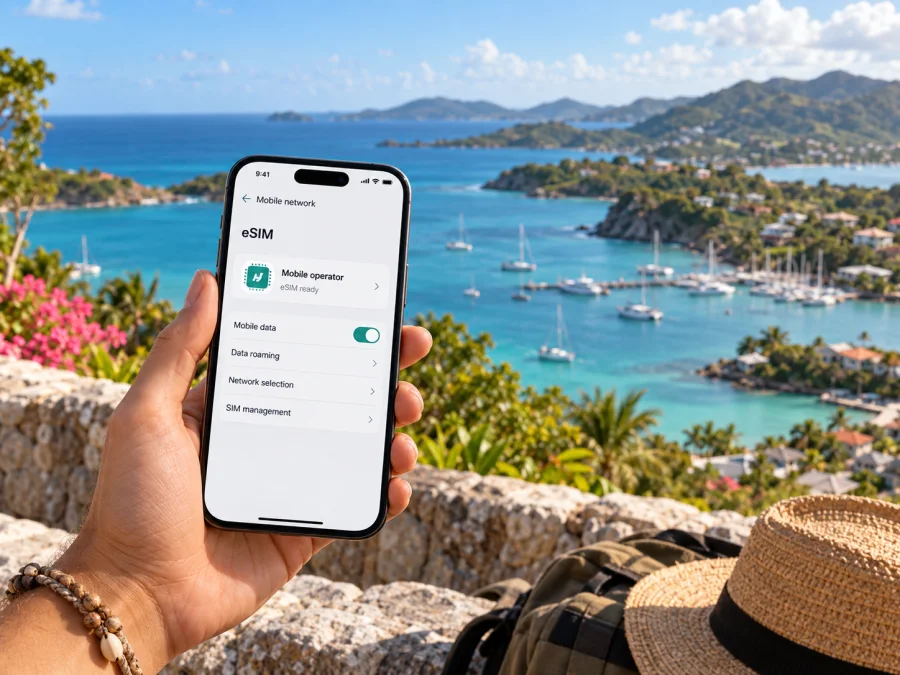
Digicel eSIM in Antigua and Barbuda: what travelers should know
If you are visiting Antigua and Barbuda, Digicel currently presents a visitor eSIM option on its local website. Before relying on it, check that your phone supports eSIM, review the current sign-up steps, and confirm what identification or other registration details are required for your situation.
Digicel’s Antigua and Barbuda Tourist SIM page, checked on 26 September 2026, describes an eSIM offer for visitors and says it is intended for compatible devices. The page also links the offer with travel and says customers can manage their account through MyDigicel. Its public information confirms general availability, but the precise purchase flow, eligibility, and activation details can change. Review the current instructions on Digicel’s own local site before buying.
This article describes the local market and travel preparation. It is independent editorial information: Digicel and its marks belong to their respective owners. Kaspersky eSIM Store is not affiliated with Digicel and is not its official partner or distributor.
Digicel’s role in the local mobile market
Digicel operates mobile services in Antigua and Barbuda and maintains a local customer website. Its Prepaid and Tourist SIM pages, checked on 26 September 2026, present prepaid service and visitor connectivity; its support pages provide help and contact entry points. Check current availability because signup processes can change.
For context about the wider country, the Government of Antigua and Barbuda’s Digital Nomad internet information page, reviewed on 26 September 2026, identifies Digicel among the country’s internet service providers and describes local telecommunications as including 4G LTE advanced networks. This is a country-level description, not a guarantee of Digicel service at a particular address or an assurance of any particular signal indoors, on a boat, or in a remote area. Digicel’s local visitor page does not publish a detailed mobile coverage map or a list of radio bands alongside the eSIM offer. Ask Digicel about a specific location or device if that detail affects your plans.
Is a Digicel eSIM available in Antigua and Barbuda?
As checked on 26 September 2026, Digicel’s local Tourist SIM page explicitly promotes an eSIM for people visiting Antigua and Barbuda. It describes the service as available on compatible devices. This confirms current public availability, subject to device and visitor eligibility.
The offer appears in a visitor context. The practical details can still depend on the way you buy it, your device, the identity checks in force, and any current terms shown during the order. If the local page changes or the eSIM selection is not visible when you are ready to purchase, contact Digicel through its Antigua and Barbuda support channels and ask whether a visitor eSIM can currently be issued to a short-term traveler.
Digicel’s regional Visitor SIM Terms and Conditions page for Barbados, reviewed on 26 September 2026, lists Antigua and Barbuda among its territories and says short-term visitors may need to show valid identification to an authorized agent. The page is published under another market’s local terms, so treat it as a reason to prepare and verify—not as definitive proof of every Antigua and Barbuda registration rule. Bring an accepted identity document and confirm local requirements with Digicel before travel, especially if you intend to purchase in person.
What to check before choosing the eSIM
Start with your handset. It must support eSIM, and it should not be barred from adding a profile by a carrier lock or device restriction. A supported model name alone may not settle the question: eSIM functions can vary by exact model, market version, operating-system configuration, and existing profiles. Use the compatibility information from the phone manufacturer and Digicel’s current guidance, and check that the device settings include an option such as “Add eSIM” or “Add mobile plan.” Digicel’s regional Visitor SIM Terms and Conditions page, reviewed on 26 September 2026, also describes checking for an EID on the device as one way to identify eSIM capability.
Next, establish the purchase and identity requirements. A visitor may need an accepted government-issued document, an account profile, and a working email address or other contact detail. The requirements depend on the purchase method and current rules. Do not assume that the information requested for a physical SIM, an online order, or an eSIM issued in a different Digicel market is identical. If a particular document is essential for your trip, confirm that Digicel accepts it before starting signup.
Check how installation and activation are separated. Downloading an eSIM profile adds it to the device; it does not necessarily mean that the line is already selected for mobile data or that service will be usable before arrival. Digicel’s general Mobile Services Terms and Conditions, reviewed on 26 September 2026, describe eSIM activation by scanning a QR code onto a compatible handset. Its visitor information for another regional market advises that an internet connection is needed during setup. Exact steps and timing may differ for the Antigua and Barbuda visitor product, so follow the instructions shown with your order and keep a reliable Wi-Fi connection available during installation.
Coverage, technology, and realistic expectations
The Government of Antigua and Barbuda’s Digital Nomad information page describes 4G LTE advanced networks and island-wide data and voice coverage in general terms. That country-level overview is not a Digicel-specific guarantee at every site. Digicel’s roaming guidance asks travelers to check whether their devices support 4G or 5G when preparing for roaming, but that general advice does not confirm that Digicel offers 5G service in Antigua and Barbuda. The public local visitor eSIM page does not state specific network bands or promise a technology generation in each area. On that basis, it is reasonable to check that the handset supports the local network configuration and to ask Digicel which technologies are available at the locations you plan to visit; it is not reasonable to assume identical performance everywhere.
Installing and activating a visitor eSIM
The exact screens differ between phone models, but the overall sequence is similar. Read Digicel’s current purchase instructions first, then use this preparation list:
- Confirm compatibility. Check the exact device model and regional version, look for an EID or an “Add eSIM” setting, and confirm that the phone is unlocked or otherwise permitted to use the profile.
- Complete signup using the current local process. Provide the details requested by Digicel and keep any order confirmation or activation instructions. If identification is requested, use a document that Digicel confirms it accepts.
- Connect to Wi-Fi. Profile installation commonly needs an internet connection. Keep the order’s QR code or in-app installation option accessible on a second screen or printed page if your phone cannot scan its own display.
- Add the mobile plan. In the phone’s cellular or mobile-network settings, choose the option to add an eSIM and follow the on-screen steps. If scanning a QR code, make sure it is the one issued for your order and do not share it with anyone.
- Label the profile. Give it a clear label such as “Antigua trip” so that it is easy to distinguish from a home line. A label is only for your convenience and does not change the service.
- Choose the line settings and test. Select the eSIM for mobile data when appropriate, check your home line settings, then confirm that a basic webpage loads once service is available. Follow the order’s activation timing and Digicel troubleshooting guidance before removing the profile.
For Kaspersky eSIM Store, device setup follows the separate instructions in its own app or website; those instructions do not activate a Digicel account. You can review the general eSIM device compatibility guide and follow the prompts for your own device. On iPhone, the relevant controls are generally under Settings and Cellular; on Android, look under Settings and Network or SIM management. The exact wording depends on the manufacturer and software version.
Local visitor eSIM or travel eSIM: which route fits?
A local visitor eSIM and a travel eSIM can both place a digital profile on a compatible phone, but they are separate services. The Digicel visitor option is issued by Digicel for the local destination and should be assessed using Digicel’s own purchase, registration, support, and usage terms. A travel eSIM selected through Kaspersky eSIM Store is a separate way to prepare mobile data for an overseas trip. It does not create a Digicel account or guarantee access to Digicel’s network.
Kaspersky eSIM Store is an app and website that helps travelers select, purchase, and activate an eSIM plan for mobile internet abroad. Its Antigua and Barbuda destination page and FAQ, reviewed on 26 September 2026, describe travel eSIM options and explain device setup. This is separate from Digicel’s visitor eSIM, and the two should not be presented as the same product. Check the current availability, technical compatibility, service details, and activation instructions for whichever route you choose.
If you want to explore a travel eSIM for the destination, you can view eSIM options for Antigua and Barbuda. This page is a starting point for the Kaspersky eSIM Store service; review its conditions and check that your device is compatible before purchase. It should not be read as a Digicel offer or a promise that the service uses a particular local network at every location.
A practical checklist for the trip
Before leaving home:
- Confirm eSIM compatibility and that your phone can accept another profile.
- Ask Digicel about visitor eligibility, ID, activation timing, and coverage at your destinations.
- Keep the confirmation and profile instructions secure; have Wi-Fi available for setup.
- Review your home SIM’s roaming settings and save essential travel details for offline use.
Frequently asked questions
Does Digicel offer an eSIM for visitors in Antigua and Barbuda?
Digicel’s local Tourist SIM page currently promotes an eSIM for visitors to Antigua and Barbuda on compatible devices. Availability was checked on 26 September 2026. Because eligibility and purchase steps can change, verify the current local page or ask Digicel before making plans.
Do I need to show identification?
A Digicel visitor-SIM terms page says short-term visitors may need valid identification and names Antigua and Barbuda among its regional territories. Since that specific terms page belongs to another market, it cannot settle every local requirement. Confirm the current rule for the Antigua and Barbuda visitor eSIM and bring an accepted ID if Digicel advises that one is needed.
Is 5G available everywhere in the country?
The official country information cited here describes 4G LTE networks. Digicel’s general roaming advice mentions 4G and 5G device support but does not confirm local 5G coverage for the Antigua and Barbuda visitor service. Ask Digicel about the locations you plan to visit and do not assume that one technology or performance level is available nationwide.
Will the eSIM replace my usual phone number?
Not necessarily. An eSIM is a digital SIM profile, and some phones can keep more than one line available. Whether the Digicel visitor product includes a local number, calls, or messages must be checked in its current conditions. A travel eSIM in Kaspersky eSIM Store is intended for mobile data unless its specific conditions state otherwise. Keep your home SIM active only if you understand how the device selects lines and how your home operator handles roaming.
What if I only need internet access while traveling?
You can compare the role of a local visitor service with a travel eSIM for data, then check each product’s destination coverage and terms. Kaspersky eSIM Store provides an app and website to select, purchase, and activate an eSIM plan for mobile internet abroad. It is not a mobile operator and does not own the radio network. Choose based on the service features you actually need, your device’s compatibility, and the current provider conditions.
Who should I contact if the profile does not connect?
Use Digicel’s Antigua and Barbuda support information for a Digicel visitor eSIM. For a travel eSIM purchased through Kaspersky eSIM Store, use that service’s support route. Keep the eSIM order information private and be ready to identify your device model, approximate location, and troubleshooting steps without posting the QR code publicly.
Final considerations
Digicel’s public Antigua and Barbuda website confirms a visitor eSIM offer and separate prepaid information. The key practical steps are to verify device compatibility, check visitor registration and identification requirements, understand the activation flow, and ask about service in the places you plan to go. Public country-level information describes 4G LTE technology, but the material reviewed does not establish precise Digicel coverage, bands, or 5G availability for every location.
If you prefer to prepare a data eSIM for travel through a separate service, Kaspersky eSIM Store can help you select, purchase, and activate an eSIM plan for mobile internet abroad. It is an app and website, not an operator or network provider, and it is not affiliated with Digicel. You can check travel eSIM options for Antigua and Barbuda and review the device and service conditions before choosing.


