Travel connectivity guide
Digicel eSIM in Aruba: what to check
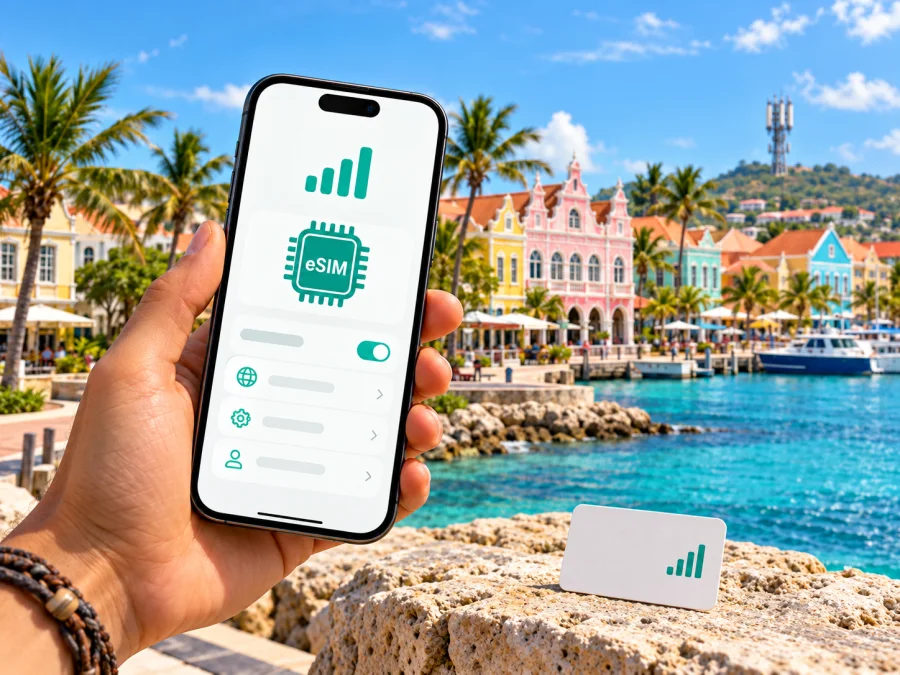
Digicel eSIM in Aruba: what travelers should know
Planning a trip to Aruba and searching for a Digicel eSIM? Digicel has a tourist eSIM offer for the island, alongside its prepaid mobile service. The right option depends on whether you want a local mobile line and the services attached to it, or mainly need mobile data for a short stay. Device support, the way the eSIM is issued, and the current terms all matter.
This guide explains what is publicly confirmed about Digicel in Aruba, what to check before you travel, and how a travel eSIM can fit a different use case. It does not list or compare specific plans: offers and conditions can change, so confirm them directly with Digicel before purchase.
Digicel’s place in Aruba’s mobile market
Aruba is a Caribbean island with a local mobile market. Aruba’s official tourism site, in its cellphone service guide checked on 2 November 2026, identifies Digicel and SETAR as the island’s two mobile providers and says both serve international visitors. That establishes Digicel as one of the local options for a traveler who wants service associated with an Aruba mobile operator. It does not establish that one network is better than another, or that a signal is available at every address or venue.
Digicel’s Aruba website presents mobile service for local customers as well as visitor-focused options. Its prepaid section describes prepaid mobile data and other prepaid services in general terms. The operator also has a separate Tourist eSIM page, which describes its visitor eSIM as providing local mobile service. The Tourist eSIM and standard prepaid service are separate ways to approach connectivity; do not assume that their purchase routes, eligibility rules, activation steps, or included features are identical.
Does Digicel offer eSIM in Aruba?
Yes. On the date checked, Digicel Aruba’s official Tourist eSIM page advertised a visitor eSIM for Aruba. The same page describes local data, calls, and text messaging as services available through its tourist eSIM. Digicel’s Aruba prepaid page also provides an online route to review prepaid services, while the tourist page has its own selection flow. These pages confirm that an eSIM option is publicly presented for visitors; they do not mean that every phone, customer type, or Digicel product can be activated in the same way.
Digicel’s 2024 Aruba postpaid terms describe eSIM activation for its standard service through an authorized Digicel retail store, using a QR code to download the eSIM profile to a compatible phone. The current tourist eSIM page describes the visitor product separately and offers a purchase flow. As those are different product contexts, check the instructions shown for the exact option you intend to use. Ask whether your eSIM can be obtained online or requires a store visit, which identity or account details are needed, and when the profile or service becomes usable.
The distinction between an eSIM profile and a mobile plan is useful. The profile is the digital SIM installed on your phone; the plan is the mobile service associated with it. Buying or adding a profile does not by itself prove that it has activated, that data service has started, or that the phone has selected it for mobile data. Follow the steps supplied for the specific Digicel product and keep the confirmation available until you have tested the connection.
Choosing between a local Digicel eSIM and a travel eSIM
A local operator eSIM and a travel eSIM address overlapping but different needs. Digicel’s visitor offer is presented as local mobile service in Aruba, with voice and messaging mentioned on its product page. A travel eSIM arranged through a travel service is generally intended to give a traveler a separate mobile data profile for a destination or region. What it includes depends on the specific service and plan, so check the details rather than assuming voice calls, SMS, a local number, or hotspot use are included.
Kaspersky eSIM Store is an app and website that helps travelers choose, purchase, and activate an eSIM with a plan for mobile internet abroad. It is a possible alternative when your priority is travel data rather than a local Digicel line. The eSIM service and its network coverage depend on the selected offer and its provider; Kaspersky is not the mobile operator, network owner, or provider of mobile internet. Review the destination and terms before deciding whether that travel-data setup fits your needs.
Coverage and mobile technology: what can be confirmed
A provider’s presence in Aruba does not guarantee identical reception everywhere on the island. Indoor signal, building materials, terrain, device bands, network load, maintenance, and local conditions can affect the connection. Maps, messages, and other apps may work differently across locations even when the phone shows a signal. If reliable access is important for a particular hotel, workplace, or rural stop, ask Digicel about coverage there and check any current coverage information it publishes.
Aruba’s tourism guide confirms that Digicel is a local mobile provider serving visitors. The public material reviewed for this article did not provide a sufficiently specific, current technical statement to support a claim here about the exact radio generations, frequency bands, or island-wide coverage footprint of the Digicel eSIM offer. Therefore, this guide does not promise a particular technology, speed, or signal level. A device may connect using the available technology supported by both its hardware and the local network; the exact result depends on the location and the device variant.
Before you buy: traveler checklist
Use this short checklist before choosing Digicel eSIM in Aruba:
- Confirm eSIM support. Check the exact phone model and regional version in the manufacturer’s documentation and device settings. Look for an option such as “Add eSIM” or “Add mobile plan.”
- Check the carrier lock. A phone restricted to your home carrier may not accept another operator’s eSIM. Ask the carrier that sold or manages your phone whether it is unlocked.
- Confirm the product and purchase channel. Digicel describes a tourist eSIM separately from standard eSIM service. Verify the purchase route and any store, account, or identity requirements for the product you select.
- Read the current terms. Confirm where the service works, when it starts, what services are included, whether top-up or renewal is possible, and what happens if your device cannot install the profile.
- Keep internet access for setup. Downloading an eSIM usually requires a Wi-Fi or mobile connection. Install it somewhere you can connect to the internet and follow the product’s instructions.
- Plan which line uses data. If you keep your home SIM active, set the intended eSIM as the mobile-data line after installation. Check your home carrier’s roaming settings separately to avoid unintended use.
- Check your route. If you are visiting other destinations, confirm that the selected service covers each one. An Aruba-only service should not be treated as a multi-country offer unless Digicel explicitly says so.
How to install and start using an eSIM
Follow the installation instructions supplied with your chosen service. Menu names can differ by phone manufacturer, operating-system version, and region. The steps below describe a general travel-eSIM setup and are not a substitute for Digicel’s product-specific instructions.
Before installation
Make sure the phone is eSIM-compatible, unlocked, charged, and connected to the internet. Have the QR code or installation details ready on another screen or device if the phone needs to scan it. For a Digicel eSIM, check whether the product you selected requires an authorized store visit; Digicel’s standard eSIM terms specify an in-store QR activation process, while its Tourist eSIM page is a separate visitor offer.
Add the eSIM on iPhone
- Open Settings and choose Mobile Service or Cellular, depending on your iOS language and version.
- Select Add eSIM and follow the on-screen instructions for a QR code or manual installation details.
- Label the line so you can distinguish it from your home SIM, for example “Aruba.”
- Choose which line should handle mobile data. Keep your home line’s voice and message settings as needed.
- Turn on data roaming for the travel eSIM only if the service’s instructions require it. Roaming settings for your home SIM are separate.
Add the eSIM on Android
- Open Settings and go to Network & internet, Connections, or the equivalent mobile-network menu on your device.
- Choose SIMs, SIM manager, or Add eSIM, then follow the QR-code or manual setup instructions.
- Give the new line a recognizable label such as “Aruba.”
- Select it as the mobile-data SIM if that is the line you want to use for internet access.
- Enable data roaming for that eSIM only when required by the service instructions, and keep your home SIM’s roaming setting in mind.
For Kaspersky eSIM Store, the installation flow and supported-device checks are provided in the app or website. Review the device compatibility information before choosing a travel plan. You can also see eSIM options for Aruba and check the current destination coverage and terms there. This is a travel-data option, not a Digicel subscription or a claim that Digicel’s local visitor service is included.
What if the eSIM does not connect?
Then try these steps:
- Check that the eSIM profile appears in the phone’s SIM settings and is switched on.
- Confirm that the intended eSIM is selected for mobile data.
- Follow the provider’s instructions about data roaming and network selection.
- Move to a location with a clearer view of the sky or outdoors and wait for the phone to register.
- Restart the phone once, then check the connection again.
- Contact Digicel or the travel-eSIM provider using the support channel associated with the product.
Digicel eSIM in Aruba: frequently asked questions
Can a visitor get a Digicel eSIM in Aruba?
Digicel Aruba’s Tourist eSIM page advertises an eSIM option for visitors. Check the current eligibility, purchase route, and requirements on Digicel’s own page or with its support team before relying on it, because the rules for a tourist product may differ from standard customer eSIM activation.
Does a Digicel eSIM work on every phone?
No. The phone must support eSIM, and regional device versions can differ. It may also need to be unlocked. Confirm compatibility for the exact model and carrier status before purchase.
Can I activate the eSIM before flying?
The correct timing depends on the product. Digicel’s standard eSIM terms describe activation at an authorized retail store with a QR code. Its tourist eSIM has a separate product flow. Check the instructions for the exact eSIM and confirm whether installation or service activation can happen before arrival.
Does the eSIM include a phone number, calls, or SMS?
Digicel’s Tourist eSIM page describes local data, calls, and text messaging as part of the visitor service, but the current details depend on the offer you select. Read the terms directly with Digicel if you need a local number or need to call or text particular destinations. A data-only travel eSIM may have different capabilities.
Can I keep my regular SIM active?
Often a dual-SIM phone can keep a physical SIM and an eSIM enabled, but the available combinations depend on the exact device. Check the manufacturer’s guidance. Choose carefully which line handles mobile data, and review your home carrier’s roaming conditions before leaving that line on.
Is a travel eSIM the same as Digicel’s local eSIM?
No. A travel eSIM is a separate service intended for a trip and may focus on mobile data. Digicel’s visitor eSIM is offered by the local operator and describes local mobile services. Coverage, activation, included services, and support depend on the specific offer; compare the service descriptions rather than assuming the products are interchangeable.
What should I do if my phone has no signal?
Check that the eSIM is installed and enabled, confirm it is selected for data, and follow the provider’s network instructions. If the issue remains, contact the provider with the error details and phone model. Do not remove the eSIM profile until support confirms that it can be installed again.
A practical way to decide
If you mainly need mobile data for travel and want to prepare through an app or website, Kaspersky eSIM Store can help you choose, purchase, and activate an eSIM plan for the destination. Review the selected offer’s coverage and conditions, and verify device compatibility before buying. Your home SIM can remain useful for your usual number, subject to your carrier’s roaming rules.
The names and trademarks in this article belong to their respective owners. Kaspersky eSIM Store is not affiliated with Digicel and is not its official partner or distributor. Facts in this guide were checked against Digicel Aruba’s Tourist eSIM page, Prepaid page, and 2024 Postpaid Terms and Conditions, as well as Aruba’s official tourism cellphone-service guide, on 2 November 2026. Product availability, activation rules, network information, and service conditions can change; confirm current details with Digicel before purchase.
When a separate travel-data option fits your trip, review eSIM options for Aruba and check the current destination terms before selecting a plan.


