Travel connectivity guide
Digicel eSIM Bermuda: what travellers should check
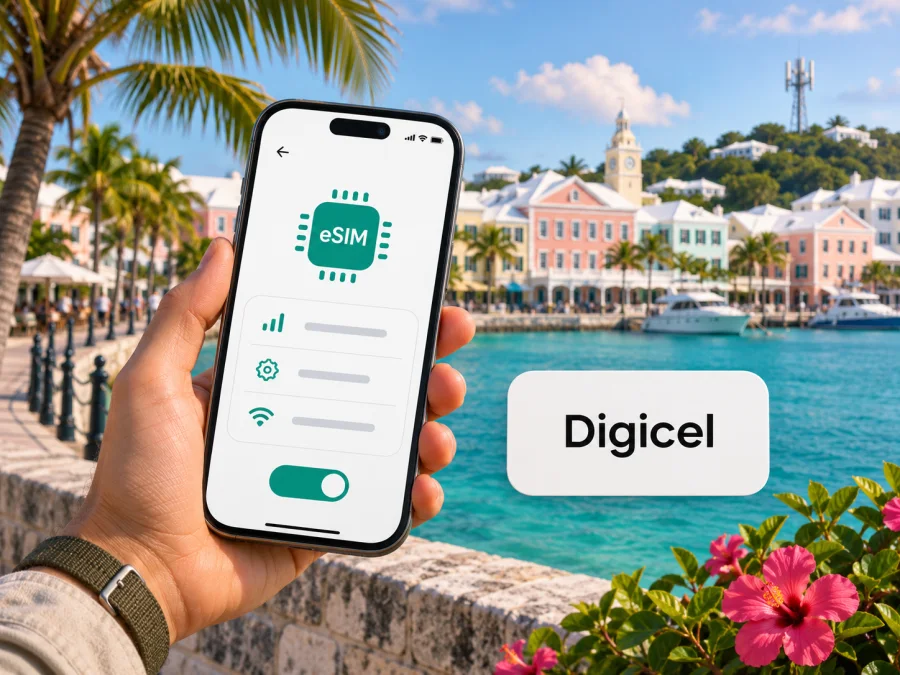
Digicel eSIM in Bermuda: what travellers should check
Published: 3 November 2026. Digicel and related names are the property of their respective rights holders. Kaspersky eSIM Store is not affiliated with Digicel and is not its official partner or distributor.
Digicel is a mobile communications operator serving Bermuda. Its current Bermuda website presents mobile service, prepaid service and a 5G+ coverage map. Here, “Digicel eSIM” can refer to a local Digicel line converted to a digital SIM profile or a travel eSIM arranged for a visit. The setup, account and service conditions may differ, so identify which service you need before travelling.
Digicel’s Bermuda mobile terms describe local eSIM service and state that activation takes place at an authorized retail store, with a QR-code scan and profile download. Digicel’s Bermuda eSIM page also shows a regional travel eSIM section, but its visible copy says “Visiting Jamaica?” and does not name all covered destinations. It therefore does not, by itself, confirm that this travel product includes Bermuda. Official Digicel and Government of Bermuda pages cited below were checked on 3 November 2026.
Which Digicel eSIM do you mean?
People searching for “Digicel eSIM Bermuda” may be asking about a local mobile line or data for a trip. The distinction matters: local service follows Digicel Bermuda’s account and activation process, while its eSIM page also displays a regional travel eSIM section. That page’s trip example refers to Jamaica and does not enumerate all covered destinations, so confirm directly with Digicel whether it applies to Bermuda. The products should not be assumed to share eligibility, phone-number provision, roaming arrangements or customer support.
A local Digicel eSIM is a digital SIM profile used for Digicel mobile service instead of a physical SIM. Digicel Bermuda’s terms say the eSIM may be used with local prepaid or postpaid service. They also state that a new customer receives a new number and an existing customer retains their current Digicel number after activation. These are the terms’ stated rules; confirm the current process with Digicel before converting a physical SIM or opening an account.
Digicel’s Bermuda eSIM page labels the travel offer “Caribbean,” but the visible introduction says “Visiting Jamaica?” and the page does not list every covered destination. Treat Bermuda availability as unconfirmed until Digicel confirms it for the exact product. Its international top-up FAQ separately lists Bermuda among Digicel territories for top-up services, which is not proof that a particular travel eSIM includes Bermuda. A third-party travel eSIM may also use a local host network; its profile and support belong to the named provider even if the phone displays Digicel.
Digicel in Bermuda and the destination’s geography
Bermuda is a British Overseas Territory in the North Atlantic, not part of the United States and not geographically in the Caribbean. The Government of Bermuda’s 2026 profile identifies it as a British Overseas Territory in the North Atlantic. A product described as “Caribbean” may include Bermuda, but the regional label alone is not enough. Look for Bermuda by name in the current coverage information for the exact service you plan to use.
Local Digicel service, prepaid access and travel eSIM
Digicel Bermuda lists prepaid mobile service, and its terms describe prepaid and postpaid service in general. Plan names, allowances, validity periods and charges can change, so this guide does not reproduce them. Ask Digicel for the current conditions that apply to you.
Digicel’s international top-up FAQ lists Bermuda among Digicel territories for prepaid top-up services. Visitors considering local prepaid service should still check registration eligibility, identification or account requirements, payment methods and whether activation requires a store visit. Digicel’s Bermuda eSIM terms state that local activation requires an authorized retail store, a QR-code scan and downloading the profile to an eSIM-compatible phone. This describes local service, not the separate travel eSIM in Digicel’s international FAQ. Confirm eligibility, store hours and current steps before visiting.
A travel eSIM may suit a visitor who mainly needs data and wants to prepare online, if the product explicitly covers Bermuda. Digicel’s current Bermuda eSIM page does not resolve that coverage question in its visible copy. Check whether it is data-only, whether it includes a number or regular calls and SMS, whether tethering is allowed, and when activation or data use begins. “eSIM” describes the digital profile format; it does not guarantee a particular feature set.
A local Digicel line may fit someone who needs a Bermuda number or local voice and messaging options. A travel eSIM may fit someone who wants data arranged before arrival. Consider how you need to be reached, the length of your stay and how much setup support you want.
| Travel question | Local Digicel eSIM | Travel eSIM |
|---|---|---|
| Who manages it? | Digicel Bermuda under its customer terms | The named provider; Digicel may be the host network |
| Setup described | In-store QR activation in Digicel’s terms | Follow the specific product instructions |
| Is a local number assured? | Confirm the current rule with Digicel | Do not assume one is included |
| What should you check? | Visitor eligibility, documents and activation | Bermuda coverage, compatibility and service features |
This compares service types, not plans or prices. It does not mean every Bermuda travel eSIM uses Digicel or supports the same network features.
Check your phone before choosing
An eSIM requires a compatible phone and, where relevant, no carrier restriction that blocks another provider. Support can vary by exact model and regional variant, so check the model number and country of purchase rather than relying on the family name.
Before choosing, confirm that the phone supports eSIM, is unlocked where needed, and can connect to Wi-Fi during installation if required. Check that the exact service lists Bermuda and supports your intended use. Read when activation begins, keep access to the account or QR code, and do not delete an installed profile unless the provider confirms it can be reinstalled.
Some variants sold in mainland China, Hong Kong or Macao differ from models sold elsewhere. This is a reason to check your exact device, not a claim that a particular model is supported or unsupported by Digicel. Use the device compatibility check for a Kaspersky eSIM Store travel eSIM, then confirm local Digicel requirements separately.
Preparing for local Digicel eSIM activation
Digicel Bermuda’s eSIM terms describe in-store activation. The terms are dated 1 May 2023, although the legal page was marked updated on 28 October 2025. Check the current process before visiting. Ask whether visitors are eligible, which documents or account details to bring, and how a conversion affects your number and physical SIM. New customers should confirm registration requirements and whether they can use a phone they already own.
A simple preparation sequence:
- Check the phone for eSIM support and carrier lock.
- Contact Digicel about current availability, visitor eligibility, store location and required information.
- Back up SIM-stored contacts. Digicel’s terms advise existing customers to back up data stored on a physical SIM before conversion.
- Ask about number continuity and when the new profile becomes active.
- Follow the store’s steps for QR scanning and downloading the profile; keep internet access available and ask how to reach support.
- Test the service before leaving if possible.
The terms refer to an authorized Digicel retail store; they do not guarantee that activation is offered at every location or time. Confirm store details with Digicel and do not share an activation QR code publicly.
Installing a travel eSIM for Bermuda
Use the provider’s instructions rather than Digicel’s local SIM-conversion steps. You will generally need a compatible, unlocked phone and internet access for installation, but the exact activation point depends on the product. Read its terms instead of assuming another eSIM’s process applies.
- Confirm Bermuda appears in the exact product’s current coverage details.
- Check whether the service is data-only, includes a number or calls, and allows tethering.
- Install through the provider’s app, account flow or QR code.
- Label the profile clearly, such as “Bermuda travel.”
- Select the travel profile for mobile data when its service begins; keep your usual line available if needed.
- Enable data roaming only on the line specified by the provider. This does not control roaming charges on your home line.
- After arrival, check that the profile is enabled, Bermuda is covered and the correct data line is selected. Follow any APN or network-selection instructions.
Keeping your home SIM active may help you receive calls, security codes or messages, but your home operator may charge roaming fees if that line uses data or makes calls abroad. Review its terms and adjust the line’s data settings where appropriate.
Coverage and connection expectations
Digicel’s Bermuda 5G coverage-map page presents a map for its 5G+ network and says devices may move to 4G LTE outside the mapped 5G+ areas. Check the current map for Hamilton, your accommodation, transport routes and planned activities. The map is a planning aid, not a guarantee of a signal at every address or indoors. Buildings, terrain, weather, network load and device support can affect a connection.
A travel eSIM’s experience depends on more than Digicel’s map. Its provider needs a roaming arrangement that allows the profile to register, and the product may have its own network-selection or technology restrictions. A local Digicel profile and a travel eSIM using Digicel as a host network are not interchangeable for account support. Contact the profile issuer about a travel eSIM; contact Digicel about a local Digicel account.
A phone can support eSIM without supporting every local radio band or 5G feature. Public coverage information does not confirm every imported device variant or third-party profile. If connectivity is important for work, navigation or accessibility, ask the provider to confirm your exact model and prepare offline alternatives such as saved maps and booking details.
Kaspersky eSIM Store as a travel option
Kaspersky eSIM Store is an app and website that helps travellers choose, arrange and activate an eSIM with a mobile-data plan for an international trip. It is not a mobile operator, does not own a Bermuda network and does not itself provide mobile coverage. The Kaspersky eSIM Store Bermuda destination page identifies Digicel among local telecommunications providers for the travel eSIM option shown there. Product availability and conditions can change, so check the current destination page and selected product terms before purchase.
This travel use case is different from opening a local Digicel mobile account. A travel eSIM may be useful if you want to arrange data access online and do not need a Bermudian number. It may not replace your usual voice line, and service scope, activation and support depend on the selected product. Check your device, destination, data-only status, activation timing and tethering terms. If you need local calls, SMS or a Digicel number, ask Digicel whether its local service fits.
You can check eSIM options for Bermuda in Kaspersky eSIM Store and review the current destination information. This is a link to the Bermuda page for browsing travel eSIM options; it does not identify a specific Digicel local tariff. Kaspersky eSIM Store is not affiliated with Digicel and is not its official reseller or distributor.
If your eSIM does not connect
Before deleting a profile, check that the phone is unlocked, the right line is enabled for mobile data and the exact product covers Bermuda. Follow the provider’s instructions for data roaming, APN or manual network selection, then try a location with a clearer signal. For a local Digicel profile, contact Digicel; for travel eSIM, contact the issuing provider even if the phone displays Digicel as the network. Share your device model and error message, but never post an activation QR code or password publicly.
Common questions
Does Digicel support eSIM in Bermuda?
Digicel Bermuda’s mobile terms describe local eSIM for prepaid and postpaid customers, activated at an authorized retail store. The Bermuda eSIM page also shows a regional travel eSIM section, but its visible copy refers to Jamaica and does not enumerate destinations. Confirm whether that travel product covers Bermuda; the local terms contain dated wording.
Will it include a Bermuda number or 5G?
Do not assume a travel eSIM includes a local number or 5G access. Check the product, coverage map and your exact phone model.
Before you travel: a short checklist
- Choose local Digicel service, a travel eSIM, or both based on your needs.
- Check Bermuda in the exact service’s coverage details.
- Verify the phone’s model variant, eSIM support and unlocked status.
- Ask Digicel about visitor eligibility and activation before visiting a store.
- For travel eSIM, check the issuer, service features, activation and support.
- Review home-line roaming and save key information for offline access.
Digicel’s local eSIM and a travel eSIM serve different needs. Identify the issuer, verify the phone and destination, and confirm activation steps before relying on service.
Checked 3 November 2026. Coverage, service terms, activation procedures and product availability can change; confirm current details with Digicel or the named travel eSIM provider before purchase.


