Travel connectivity guide
Digicel eSIM in the Cayman Islands: What to Check
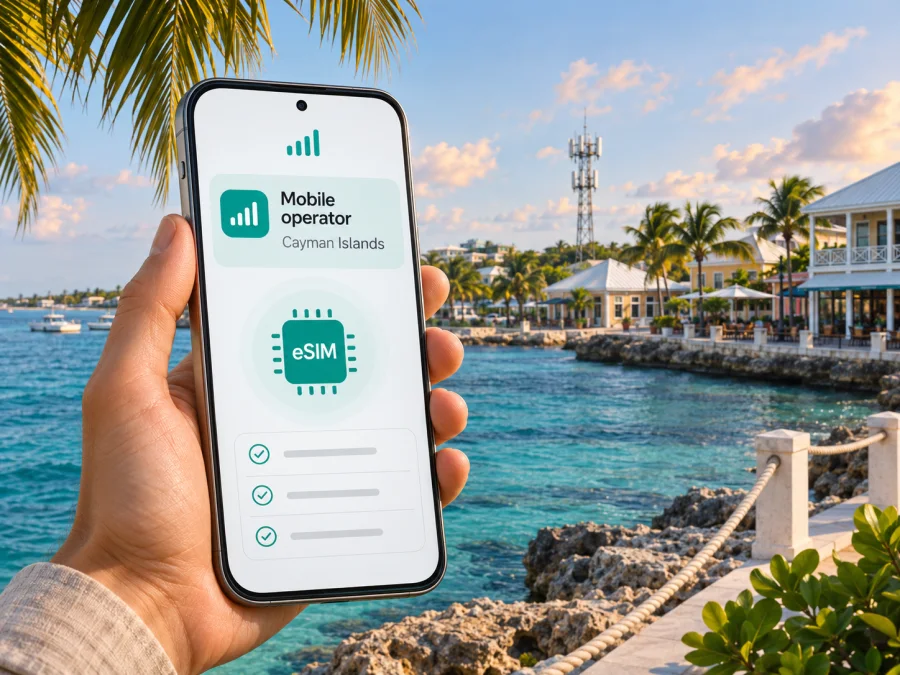
Digicel eSIM in the Cayman Islands: what visitors should know
If you are travelling to the Cayman Islands and want mobile data on arrival, Digicel is one local option to investigate. Its Cayman eSIM information describes a local service with eligibility conditions, while a separate Digicel travel eSIM is presented for Caribbean trips. Those routes are not interchangeable: check which one you are buying, who can activate it, and which network it uses before you travel.
The Cayman Islands are a British Overseas Territory in the western Caribbean, made up of Grand Cayman, Cayman Brac and Little Cayman. The territory’s government describes George Town as its capital, on Grand Cayman. That geography matters when planning connectivity: an offer for the Cayman Islands should state whether it applies across the islands, and a signal at one address cannot guarantee service at every beach, building or part of the route.
Brand notice: Digicel is named only to identify the local operator and its service. Kaspersky eSIM Store is not affiliated with, endorsed by, or an official partner or distributor of Digicel. Trademarks belong to their respective owners.
Does Digicel offer eSIM in the Cayman Islands?
Digicel’s Cayman Islands eSIM FAQ confirms that a local Digicel eSIM is available, but the page says it is currently available to postpaid customers only. It directs people interested in getting one to a Digicel retail store. That is a meaningful limitation for visitors: the public information does not establish that a short-stay traveller can simply buy and activate a local prepaid eSIM online before departure.
There is a separate travel-oriented offer. Digicel’s online top-up FAQ describes an eSIM for Caribbean trips and includes Cayman among the listed Digicel territories where the service is available. That page does not by itself confirm every detail a traveller may need, such as the activation process for a particular phone, whether the product connects to Digicel Cayman locally, or what services are available after purchase. Confirm those points on the current purchase flow and the applicable terms before relying on it.
These official pages were checked on 5 November 2026: Digicel Cayman’s “eSIM FAQs” and “Prepaid” pages, and Digicel Online Top Up’s “FAQ” section. Digicel’s Cayman prepaid page also shows that prepaid service exists in the market, but it does not establish that the local prepaid offer can be activated as an eSIM. The operator may change eligibility or sales procedures, so ask Digicel directly for the latest position before travelling.
What Digicel means for a visitor
Digicel is a mobile operator serving customers in the Cayman Islands. Its local mobile service is distinct from a roaming arrangement with your home carrier and from a regional travel eSIM product. If you need a Cayman phone number, local calls, or an ongoing account, ask about local service and eligibility. If your main need is internet access for maps, messaging, booking details and email during a holiday, a data-focused travel eSIM may be easier to evaluate, provided its destination coverage and device requirements fit your trip.
The distinction between local and travel service is practical, not merely a label. A local Digicel eSIM may be tied to the operator’s account requirements and a store-based process. A regional travel eSIM may be purchased through a separate online channel and may be intended for short-term data use. Do not assume that the travel option includes a Cayman mobile number, standard voice calls or SMS; check the product description. Likewise, do not assume that a local postpaid eSIM is open to a visitor or can be installed without visiting a store.
Local eSIM and regional travel eSIM: questions to separate
| Check | Local Digicel Cayman eSIM | Digicel Caribbean travel eSIM |
|---|---|---|
| Publicly described audience | Digicel Cayman FAQ says postpaid customers | The online top-up FAQ describes a Caribbean travel product |
| Publicly described route | Visit a Digicel retail store and speak with an agent | Check the current online purchase and activation flow |
| Cayman relevance | Local Cayman operator service | Cayman is included in the listed territories |
| What still needs confirmation | Visitor eligibility, identity requirements, account terms and device approval | Cayman network access, compatible devices, start of service, data-only or voice features, and support |
This is a summary of the type of offer and the published access route, not a comparison of packages. Digicel’s website can change; verify the details directly before making a decision.
eSIM compatibility and device variants
An eSIM is a digital subscriber profile stored in a device’s built-in eSIM hardware. The phone must support eSIM, and the device’s exact regional variant matters. Two phones sold under the same model name can differ by market: some variants support eSIM, while others may use only physical SIM cards. A manufacturer’s compatibility list for the exact model number is more useful than a general claim about a product family.
Also check whether the phone is carrier-unlocked. Digicel Cayman’s FAQ says a Digicel eSIM works if the phone is unlocked or locked to Digicel. A phone locked to a different carrier may reject a new profile, even if its hardware has eSIM capability. Ask the original carrier to confirm unlock status before departure; installing a QR code cannot remove a network lock.
Before purchase, check all of the following:
- The exact model and regional variant support eSIM, not only the model family.
- The phone is unlocked, or is locked to Digicel if you intend to use a local Digicel eSIM.
- Your operating system is current enough for the manufacturer’s eSIM setup method.
- You have a stable internet connection available during installation, plus access to the email or account containing the activation details.
- You know whether you are moving an existing number to eSIM or adding a separate line. The local operator’s FAQ says transferring a current number to eSIM disables the old physical SIM for that number.
- You have a plan for the other SIM line if you want to keep your home number active for calls or verification messages.
If the device has no “Add eSIM” or “Add mobile plan” option, do not assume the profile is faulty. First confirm the exact model variant, carrier lock status, software version and the operator’s supported-device guidance. See eSIM device compatibility for a general compatibility check, then confirm Digicel-specific support with the operator.
How activation may work
For a local Digicel Cayman eSIM, the operator’s FAQ directs interested users to a retail store. Contact the store before travelling to confirm whether it can process your request, which customer types are eligible, what identification or account documentation is needed, and whether the exact device variant is supported. The page describes using a QR code to install an eSIM and says a replacement profile can be requested through a store after verification. Keep any issued QR code and account details secure; treat them as credentials, not as a public setup image.
The FAQ outlines a general QR-code activation path. On many Android phones, the setting is under the SIM or mobile network section, where you add a mobile plan and scan the carrier’s QR code. On iPhone, the equivalent control is generally in Settings under Mobile Service or Cellular, followed by Add eSIM or Add Mobile Plan. Menu names vary by operating system version and manufacturer. Use the instructions shown by your device and the activation details supplied by Digicel rather than following steps for a different model.
A QR code is commonly single-use or associated with a particular activation. Do not delete a working profile, reset the phone, or move it to another handset until Digicel confirms how to restore or transfer it. Digicel’s FAQ notes that an eSIM profile can be deleted and directs customers to retain the QR code for rescanning if it is accidentally removed. The same FAQ describes a store-based process for certain device changes. Ask the operator whether the original code remains valid and whether a replacement is required.
For Digicel’s regional travel eSIM, follow the purchase channel’s own instructions. Confirm when installation is allowed, when service begins, whether the eSIM should be selected as the mobile-data line, and whether data roaming must be enabled for that profile. These settings can differ between products. Installing a profile and starting a data allowance are separate events; rely on the product’s terms for timing rather than assuming that scanning the QR code starts or does not start the service.
Coverage and connectivity across the islands
The Cayman Islands consist of three islands, so it is useful to plan around your actual itinerary rather than treating the destination as a single point. You might arrive on Grand Cayman, stay in George Town or another district, and later travel to Cayman Brac or Little Cayman. Before purchasing a local or regional eSIM, look for the operator’s current coverage information for the places you expect to visit, and ask how service behaves away from population centres and indoors.
Digicel Cayman’s prepaid page currently describes its mobile service as 5G-enabled. That is evidence that 5G is part of the operator’s current service offering, but it is not a promise that every device, plan, street or island receives 5G. Actual access can depend on the device’s radio bands and software, the SIM or eSIM provisioning, network availability at the location, indoor conditions and congestion. The public information reviewed for this article did not establish a measured coverage percentage or comparable quality result for every island, so no island-wide performance conclusion should be inferred.
Check the operator’s coverage map or ask a local store about your specific destinations. Confirm that the phone supports the relevant regional radio bands, especially if it was purchased in another market. A compatible eSIM profile alone does not guarantee that the handset can use every radio technology deployed locally. If service does not appear after landing, restart the phone, make sure the intended line is enabled, check that mobile data is assigned to the correct SIM, and follow the operator’s network-selection and troubleshooting instructions.
Local number, calls, SMS and mobile data
Decide whether you need a local telephone number or only mobile data. A local operator account may be relevant if you need ordinary calls and SMS or want to keep a Cayman number after the trip. A travel eSIM may focus on data, so confirm whether voice and SMS are included before purchase. Internet-based calls and messages can work through apps when you have data, but they are not the same as a local phone number and may not receive bank or account verification SMS.
If you keep your home SIM active alongside a travel eSIM, select which line handles mobile data and review data roaming settings for the home line. You can often leave the home line available for incoming calls or messages while using a separate eSIM for data, but your home carrier may charge roaming fees for some activity. Check its terms and disable data roaming on the home line if that is your preference. For a Digicel local eSIM that replaces an existing physical SIM number, confirm the expected switchover and any effect on the old SIM before asking the store to proceed.
Local Digicel eSIM or travel eSIM?
A local Digicel eSIM may be worth considering if you are eligible for the operator’s postpaid service, need a local line, or are staying long enough to manage a local account. Its published Cayman process is store-led, so it may require a visit and advance coordination. The public FAQ does not say that a visitor can activate local prepaid eSIM fully online; do not plan on that route without confirmation.
A regional travel eSIM can suit a visitor who wants to arrange data before arrival or use a single profile across a Caribbean itinerary. Digicel’s online top-up FAQ lists Cayman as a service territory, but the page alone does not settle product details for every traveler. Check destination inclusion, network access, data-only status, activation timing, support and refund terms. If those conditions are unclear, ask the provider before payment.
Kaspersky eSIM Store is another way to prepare for mobile data abroad. It is an app and website where you can choose, purchase and activate an eSIM plan for a trip. It is not a mobile operator, does not own a network and does not itself provide mobile connectivity. Before choosing an option, confirm that Cayman Islands is included in the current destination offer, review its terms, and check device compatibility. Browse the current Cayman Islands eSIM options to see what is available for the destination; this is a destination page, not a Digicel tariff or a claim that the listed plans use Digicel’s network.
Frequently asked questions
Can a tourist get a Digicel eSIM in the Cayman Islands?
Digicel Cayman’s public FAQ says its local eSIM is currently available to postpaid customers and directs interested users to a retail store. It does not confirm that every visitor qualifies or that a tourist can activate a local prepaid eSIM online. Ask Digicel whether you meet current eligibility requirements and what documentation or account steps apply. A separate Digicel travel eSIM page lists Cayman among the service territories, but its conditions should be checked independently.
Can I buy and install it before I fly?
The local Cayman FAQ describes a store-based route, so confirm with Digicel before assuming you can complete local activation online. For a travel eSIM, follow the seller’s current purchase instructions and confirm when to install and when the service starts. Some providers allow installation ahead of a trip while advising users to enable the profile only at the destination; others set different rules.
Does eSIM work on every iPhone or Android phone?
No. Support depends on the exact device model and its regional variant, and the phone may also need to be unlocked. Check the manufacturer’s specifications for the precise model number and the operator’s supported-device guidance. Settings paths can differ by operating system and manufacturer.
Can I keep my home number active?
Many dual-SIM phones can keep a physical SIM and an eSIM installed at once, but capabilities differ by model and network. If you are converting your current Digicel number from a physical SIM, Digicel says the physical SIM for that number will stop working after the transfer. If you are using a separate travel eSIM, configure the data line carefully and check home-carrier roaming charges.
Will the eSIM include regular calls and texts?
Do not assume so. Confirm whether the specific product includes a local number, standard voice and SMS. Some travel eSIMs are designed for data, while a local operator account may have different services and eligibility conditions. Internet calling and messaging apps require data and do not replace SMS verification.
Does Digicel provide 5G throughout the Cayman Islands?
Digicel’s Cayman prepaid page describes its mobile service as 5G-enabled. That does not confirm availability at every location or for every device and account. Check the latest coverage information for the places you plan to visit and make sure your handset supports the required bands.
What if I delete the eSIM?
Contact the issuer before trying to reinstall it. Digicel’s FAQ says an eSIM can be accidentally deleted and recommends keeping the issued QR code for rescanning. It also describes store verification for replacement in certain situations. Whether the original code remains usable can depend on the activation and product rules.
Choosing a sensible option
For a trip focused on Grand Cayman, a visitor who only needs data may prefer to compare a travel eSIM with home-carrier roaming before leaving. Someone who needs a Cayman number or an ongoing local account should ask Digicel about its local service and postpaid eSIM eligibility. For travel across the wider Caribbean, check that each planned stop is explicitly included and that the device can use the service in every destination.
Whichever route you choose, make the decision from current terms rather than an assumption based on the word “eSIM.” Check the provider, destination, eligibility, phone variant, carrier lock, activation timing, coverage for the islands you will visit, and whether calls or SMS are part of the service. If you want to review a travel data option, use the Cayman Islands destination page in Kaspersky eSIM Store and verify its current conditions before purchase. It is a destination option for travel data, not an official Digicel product.
Information checked on 5 November 2026 against Digicel Cayman’s eSIM FAQs and prepaid page, Digicel Online Top Up’s FAQ, the Cayman Islands Government’s “Our Islands” page, and the Kaspersky eSIM Store Cayman Islands destination page. Eligibility, activation procedures, network availability and product terms can change; confirm details with the relevant provider before purchase. Kaspersky eSIM Store is not affiliated with Digicel.


