Travel connectivity guide
Digicel eSIM in El Salvador: setup and travel guide
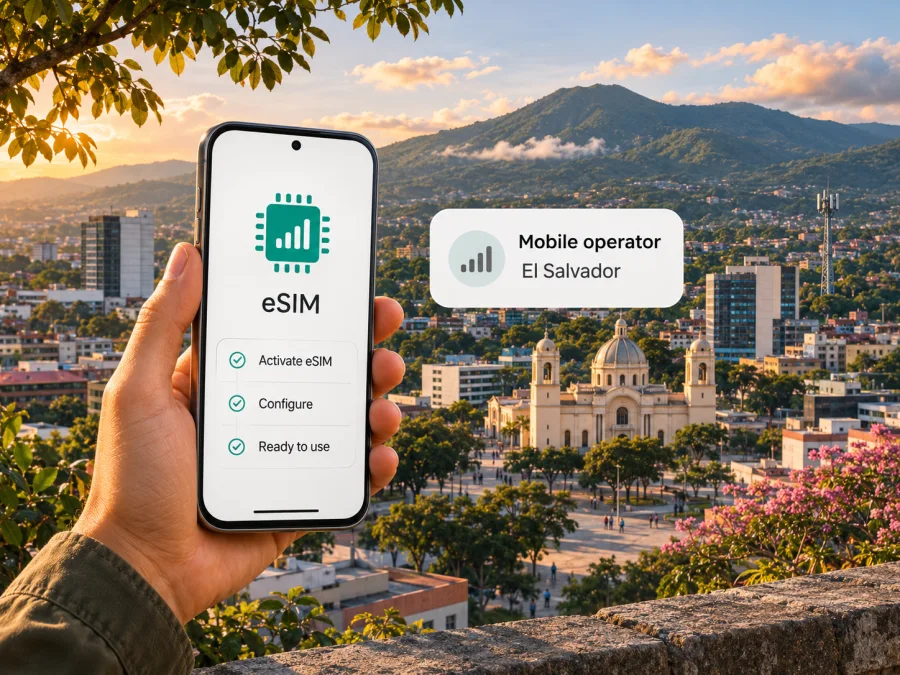
Digicel eSIM in El Salvador: activation, coverage and travel tips
If you are looking for a Digicel eSIM in El Salvador, the operator’s current local website and eSIM terms provide a useful starting point. Digicel publishes a QR-based eSIM registration process for the Salvadoran market, while its local site also describes prepaid and postpaid mobile service. Availability, registration requirements and service arrangements can change, so confirm the latest instructions directly with Digicel before you travel or purchase a line.
There is also a significant business update for anyone planning a longer stay: in its official announcement “Digicel Advances Growth Strategy with Sale of El Salvador Business,” dated 14 September 2026, Digicel announced a definitive agreement to sell its El Salvador operations to General International Telecom El Salvador S.A. The announcement says the transaction remains subject to customary closing conditions, including regulatory authorizations, and is expected to close in the first half of 2027. Until closing and any later customer notices, the currently published Digicel pages remain the direct source for its present process. Do not assume that a future transfer automatically changes your eSIM profile, number or service; follow official customer instructions if the operator issues an update.
Digicel in El Salvador: what travelers should know
Digicel is a mobile operator with a local El Salvador site and customer channels. Its official homepage, checked on 3 November 2026, separates mobile service into prepaid and postpaid options and points customers to its MyDigicel app, online payment and package-purchase flows. That establishes a locally managed consumer service rather than only a regional travel product. For a visitor, the practical implication is that a local Digicel line may involve registration and customer-service steps in El Salvador, in addition to choosing a service option.
The national telecommunications regulator, SIGET, lists DIGICEL, S.A. de C.V. among the country’s mobile and fixed prepaid and postpaid operators on its “Sitios donde los Operadores publican Tarifas” page, checked on 3 November 2026. Its “Cobertura de Telefonía Celular” page provides operator-specific coverage information. These listings identify the market and a place to check coverage; they do not promise that service will be available at every address, indoors, on every road, or at a particular speed. A map is a planning aid, not a guarantee for a specific device or moment.
Digicel’s local site presents prepaid and postpaid service in general terms. Its eSIM terms refer to registering a SIM and then recharging it and/or activating a Digicel package. This confirms an eSIM route associated with local mobile service, but it does not mean every product category, customer type or purchase channel is available to every visitor. Ask Digicel whether a new customer who is not a resident can obtain the eSIM, which documents are accepted, and whether the product you are considering is intended for local use or for a trip.
Is Digicel eSIM available in El Salvador?
Yes. Digicel’s El Salvador website has a local page titled “T&C e-SIM,” last updated 12 November 2025 and available when checked on 3 November 2026. It identifies a QR eSIM product and explains how to register it. The operator’s terms list Digicel S.A. de C.V. in El Salvador and say that the product is for personal use. This is current public evidence of a local Digicel eSIM offering; it is not a guarantee that every store has eSIM profiles available or that every phone or customer qualifies.
The page describes a registration sequence: scan the QR code to open the activation portal on an internet-connected device, follow the portal instructions, confirm the accuracy of the registration information, and then recharge the SIM and/or activate a Digicel package. The terms state that the customer must be an adult and have valid national identification. They say this can be a government-issued photo identity card or a valid passport. The terms also state that paid activity, including calls and text messages, and receiving calls or texts are unavailable before successful registration.
Treat these as the published conditions, then check the live portal for any extra steps before buying. The site may ask for information that depends on the product or customer. A passport is listed as an accepted document in the terms, but the existence of that option does not guarantee approval for every traveler or every sales channel. If your passport is your only ID, contact Digicel before visiting a store or starting registration and ask what documents a non-resident should present.
A traveler should also distinguish an eSIM from an internet-only travel profile. Digicel’s local QR eSIM is described under its mobile-service terms and registration process. Kaspersky eSIM Store, by contrast, is an app and website where travelers can choose, arrange and activate a prepaid eSIM plan for mobile data abroad. These are different purchase and service contexts. Review what is included and whether a phone number, calls or SMS are available before selecting either type.
What to check before buying or activating
Use this short list before relying on a Digicel eSIM in El Salvador:
- Confirm current availability. Check the El Salvador section of Digicel’s official site or contact its support team. Ask whether new eSIM activations are currently being accepted and whether the point of sale you plan to use can issue one.
- Ask about visitor eligibility. Confirm that a foreign visitor can register and ask whether a passport is sufficient for your situation. Bring the original valid document requested by the operator; do not assume a photo or copy will be accepted.
- Check phone support. Confirm that your exact phone model and regional variant support eSIM. A device name alone may cover different hardware versions. Check the manufacturer’s specifications for the exact model number and the phone’s own SIM settings.
- Check the device lock. A phone restricted to another carrier may not accept a new profile. Ask your home provider whether the device is unlocked before you leave.
- Keep a second internet connection available. The registration flow starts by opening a QR-linked portal on an internet-connected device. If you have only one phone, ask the seller whether the QR can be scanned from another screen or whether assisted installation is available. Do not scan an unfamiliar QR code from an unofficial source.
- Know what activates the service. Follow the portal’s instructions and check whether registration, a recharge or package activation is required before the services you need will work. The terms place responsibility for registration and activation on the customer.
- Save your proof and instructions. Keep the purchase confirmation, activation guidance and support contact somewhere accessible offline. If you are changing phones, ask the operator whether the profile can be transferred before deleting it; do not assume that reinstalling a QR profile will work.
- Check the sale update. If you travel later, look for current service notices, especially around the announced transaction. Use verified Digicel or successor support channels rather than relying on old screenshots or informal posts.
How eSIM activation works
An eSIM is a digital SIM profile downloaded to a compatible phone. A QR code is a setup method; it does not prove device compatibility, account approval or coverage at your destination.
Digicel’s El Salvador terms describe QR access to an activation portal, followed by guided registration and completion of the required customer declaration. Prepare an internet connection for this step. If the QR code appears on the same phone where you need to install the profile, you may need a second screen or a provider-supported manual installation method. Confirm the available method before you leave a location with reliable Wi-Fi.
A practical setup sequence is:
- Check the exact device. Use the manufacturer’s eSIM support information for your model and regional variant. If the device is carrier-locked, resolve that with the original provider.
- Ask Digicel about eligibility and documents. Confirm that visitors can register and what original identification is required. The operator’s terms name a valid government photo ID or passport and require the customer to be an adult.
- Obtain the eSIM through an official channel. Follow Digicel’s current purchase instructions. Keep the QR code private because it may be used to install the profile.
- Open the activation portal while online. Scan the provided QR code using an internet-connected device and complete each registration step accurately.
- Complete registration and service setup. Follow the operator’s on-screen instructions, then check the required recharge or package activation. Do not rely on paid calls, texts or incoming calls and texts until registration is complete, as stated in the terms.
- Set the line for your intended use. In phone settings, choose which SIM should provide mobile data and which should handle calls or messages. If you retain your home SIM, review its roaming settings and charges before enabling it.
- Test before depending on it. Once service is active, check that the phone can register on the network and that the services you need work. If they do not, use the contact details from the official purchase or support channel.
For general device checks, see eSIM compatibility. Installation menus differ between Android manufacturers and iPhone generations, so use the instructions shown by your device and the operator rather than applying a sequence for a different model. Avoid deleting a working profile while troubleshooting unless support has told you to do so.
Coverage and mobile technology
SIGET’s public “Cobertura de Telefonía Celular” page, checked on 3 November 2026, identifies Digicel in its coverage-information section and provides a route to operator coverage data. The regulator’s page is useful for checking the geographic picture, but it does not establish that every road, building or rural location receives the same signal. Coverage can vary with terrain, walls, local network conditions, device antennas and the bands supported by a particular phone variant.
Digicel’s local pages reviewed for this guide describe mobile and eSIM service but do not provide a current, detailed public technical specification for every area and device combination. Do not infer a particular generation of service or data speed from the eSIM label. Before depending on higher-speed mobile data, check the operator’s current coverage information and ask which technologies are available where you plan to stay. Also confirm that your exact phone variant supports the relevant local network bands; a phone that supports eSIM may still have different radio support depending on where it was sold.
For trip planning, check coverage at the places that matter most: your lodging, the airport or bus terminal, work locations, rural stops and the route between them. If you need navigation immediately after landing, download maps for offline use and save important booking details. For a long drive or outdoor activity, do not treat a coverage map as a safety service. Keep an offline route and a way to contact local help if connectivity is unavailable.
Other people’s signal bars or speed tests may not match your phone, location or time of day. If connectivity is essential, arrange and test a backup option before you need it.
Local Digicel service or a travel eSIM?
A local Digicel eSIM can make sense if you want a Salvadoran mobile line and are comfortable completing the operator’s identity-registration process. Its local terms place the eSIM within Digicel’s mobile service and describe later recharge or package activation. Ask whether the line includes a local number and which voice, text and data functions apply to the specific product you are offered; do not infer those features from the word “eSIM.”
A travel eSIM is designed around mobile data for a trip and may be easier to arrange before departure. Kaspersky eSIM Store’s El Salvador page was checked on 3 November 2026. Kaspersky eSIM Store is an app and website that helps users choose, arrange and activate a travel eSIM plan. The product’s El Salvador page describes its travel eSIM as data-only: it does not include a standard phone number, and regular calls and SMS are not supported unless separately stated in the selected plan’s terms. Internet calling and messaging apps can work over data when you already have the relevant account and the app supports it.
The choice depends on what you need, not on a universal ranking. A traveler who needs local calling, SMS for local services or a Salvadoran number should ask Digicel about the local product and its registration requirements. Someone who mainly needs mobile data and wants to arrange connectivity before arrival can review the Kaspersky eSIM Store destination page. Compare the current terms for your intended use, device compatibility, activation timing and any restrictions before paying.
Browse current eSIM options for El Salvador if you want to review travel connectivity for the destination. This is a destination page for Kaspersky eSIM Store, not a Digicel tariff page and not a claim that its eSIM uses Digicel’s network. Check the live product details to see what is currently offered and whether it fits your route.
Set up your phone for a trip
Before departure, decide which line should handle each task. Many dual-SIM phones let you keep a home SIM active for calls or verification messages while using a separate eSIM for mobile data. The exact options vary by model. If you use your home SIM abroad, check its roaming terms with that provider; choosing a different data line does not necessarily disable every roaming charge associated with the home line.
When your eSIM is installed, label the lines clearly in settings, such as “Home” and “El Salvador data.” Choose the intended data line and review whether automatic data switching is enabled. Some phones can switch lines when the selected one has weak service, which may cause data to use a different SIM than expected. If you want to prevent that, turn off automatic switching and confirm the selection after landing.
Follow the provider’s instructions for data roaming. Whether the roaming toggle should be on depends on the eSIM and its host network arrangement; it is not a universal setting. If you are unsure, check the Digicel activation instructions or the travel eSIM’s help guidance before enabling it. Keep mobile data disabled on your home line if you want to avoid unintended use, while remembering that call, voicemail and SMS charges can have separate rules.
If the phone shows no service after setup, try these checks in order: confirm the eSIM line is enabled, verify that it is selected for mobile data, restart the phone, and allow network selection to remain automatic. If the operator recommends manual network selection, follow its current directions. Do not erase the profile as a first troubleshooting step. If registration is incomplete, a setting change will not replace the required identity and activation steps.
Common questions
Can a visitor use a Digicel eSIM in El Salvador?
Digicel’s local eSIM terms describe the QR product and say that a valid government-issued photo ID or passport may be used for registration. They also require the user to be an adult. This supports checking the option as a visitor, but it does not guarantee eligibility in every case or sales channel. Confirm your status and document requirements with Digicel before purchase.
Does eSIM work on every phone?
No. The phone needs eSIM hardware and software support, and carrier restrictions may prevent activation. Support can differ among regional variants sold under the same retail model name. Check the full model number with the manufacturer and make sure the phone is unlocked before you travel.
Does Digicel have coverage everywhere in El Salvador?
No coverage map can promise service in every location or building. SIGET provides a public cellular coverage-information page with operator-specific information. Check the places on your itinerary and ask the operator about current availability. Have offline navigation available for areas where a connection may be uncertain.
Kaspersky eSIM Store is not affiliated with Digicel. It is an app and website for choosing, arranging and activating eSIM plans for travel; it is not a mobile network operator, network owner or provider of mobile internet. If a travel data eSIM is a better fit for your trip, review the current El Salvador destination options and check the live terms before you decide.
In brief
Digicel publishes a QR-based eSIM registration process for El Salvador, with identity requirements and post-registration service steps. Confirm visitor eligibility, your exact phone variant, the current activation path and coverage around your itinerary before purchase. Keep the announced 2026 sale agreement in perspective: it was subject to approvals and expected to close in 2027, so check official notices if your travel date is later. If you mainly need mobile data, a travel eSIM is another option; compare the live conditions for the product you intend to use.


