Travel connectivity guide
Digicel eSIM in Guadeloupe: what to check
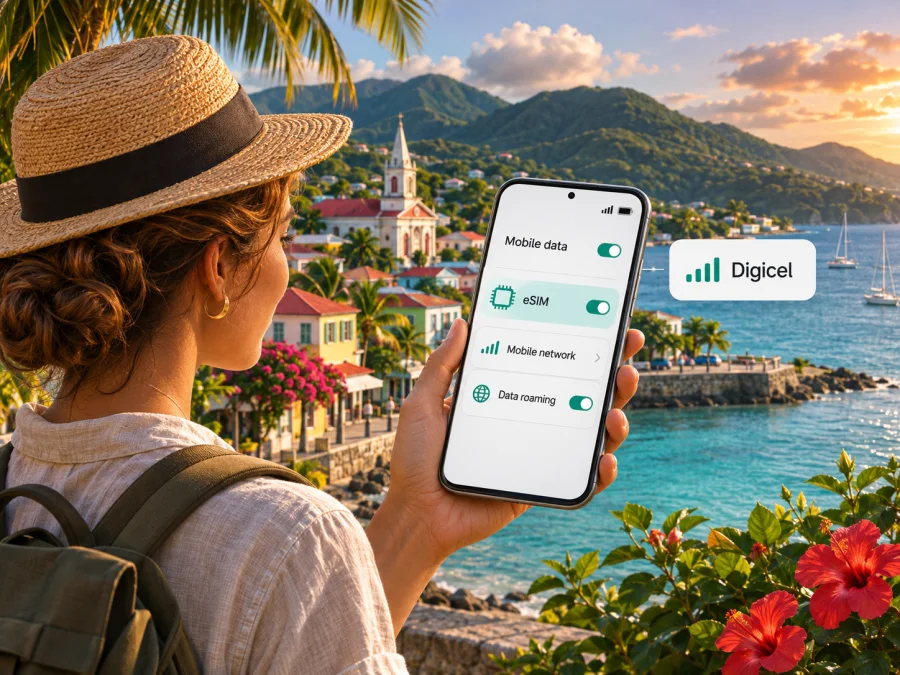
Digicel eSIM in Guadeloupe: what travelers should know
If you are planning a trip to Guadeloupe and want to use Digicel, an eSIM can spare you from handling a removable SIM card, provided your phone supports it and the service is available for your account. Digicel’s published terms describe eSIM activation with a QR code, and Apple’s current carrier directory lists Digicel for Guadeloupe. Availability, eligibility and the exact activation route can still depend on the device and the service you request, so check with Digicel before travelling. This independent guide is not affiliated with, endorsed by or an official publication of Digicel.
Guadeloupe and Digicel: understand the destination
Guadeloupe is in the Caribbean, but its administrative status is French: France’s national statistics institute, Insee, classifies Guadeloupe among the overseas departments and regions (DROM). This matters when you plan a mobile connection. A Caribbean itinerary may cross several separately managed mobile markets, and a service listed for another island or for mainland France does not by itself confirm availability in Guadeloupe. Check the destination shown in the service conditions, rather than relying on a broad regional label.
Does Digicel support eSIM in Guadeloupe?
There is current public evidence that Digicel eSIM is supported for Guadeloupe on compatible iPhones. Apple’s carrier support directory lists Digicel under Guadeloupe both among carriers supporting other eSIM activation methods and among carriers offering prepaid eSIM activation for international travelers. Digicel’s local service terms also describe an eSIM issued to a customer with a compatible phone, represented by an eSIM ticket containing an activation QR code. These sources support the general availability of an eSIM route, but they do not establish that every Digicel plan, customer type, phone model or purchase channel is eligible.
The sources checked for this guide do not confirm a universal online sign-up process for visitors, a guaranteed walk-in option, or a single document requirement for every customer. They also do not establish that every Android model or every regional phone variant can activate Digicel’s local profile. Ask Digicel directly whether a new visitor can obtain the service, which identity or account details are needed, whether activation can be completed before arrival, and whether the offer you are considering is prepaid. Confirm the answer for your exact phone model and country or region of purchase.
Choosing between a local Digicel line and a travel eSIM
A local operator service may be useful when you need a local mobile line, want to deal directly with the network operator, or expect to use mobile service beyond a short visit. Ask Digicel what the chosen offer includes and whether it provides a phone number, calls, text messages, data, or some combination. Those details are plan-specific, so this guide does not list or compare individual plans. Check the current terms directly with the operator before purchase, including how to renew, top up, get help, replace a profile or close the service.
A travel eSIM is another way to prepare mobile data for a trip. It can be convenient when your priority is internet access and you want to arrange a digital profile without visiting a local shop. The service terms vary by provider: a travel eSIM may be data-only and may not include a local telephone number, conventional voice calls or SMS. Review the destination coverage, activation timing, device requirements and support process before buying. Keep your home SIM active if you rely on it for calls, two-factor verification or messages, and check your home carrier’s roaming settings to avoid unexpected charges.
Coverage and mobile technology
Digicel publishes theoretical coverage maps for Guadeloupe, including separate views for 3G and 4G. The operator labels its maps as theoretical and says that they are based on computer simulations and are indicative rather than contractual. Use them to understand the operator’s planned or modeled footprint, not as a promise of reception at a particular address. Coverage can vary inside buildings, in mountainous or coastal terrain, while travelling, and with local conditions or device capability.
The French telecom regulator, Arcep, publishes information about mobile coverage and network measurements for overseas territories. Its public materials identify Digicel AFG as an authorized mobile operator in Guadeloupe and document spectrum authorizations for the island. Authorization to use a frequency band does not guarantee that a particular handset supports that band, that every location has service, or that a specific speed will be available. The same distinction applies to a coverage map: it describes a modeled service footprint, not a guaranteed user experience.
Kaspersky eSIM Store is an app and website that helps travelers choose, arrange and activate an eSIM with a plan for mobile internet abroad. It is a separate travel option, not Digicel, a mobile network operator, a network owner or the provider of radio coverage. You can review the current eSIM options for Guadeloupe and check the displayed terms for your trip. The destination page is for travel eSIM selection; it should not be read as a Digicel tariff page or as confirmation of Digicel’s local eligibility rules.
What to check before requesting Digicel eSIM
Use this checklist before relying on a local eSIM in Guadeloupe:
- Confirm the market. Ask for a service specifically available in Guadeloupe, not merely a Digicel service in another Caribbean market.
- Confirm eligibility. Ask whether the service is available to a new customer or international visitor and what account or identification steps apply.
- Confirm eSIM issuance. Digicel’s terms describe a QR-code activation ticket; verify how the code is obtained and whether an in-person visit is necessary.
- Check the exact phone. Confirm the model, regional variant, eSIM support and carrier-unlock status. Manufacturer specifications and the phone’s settings are more reliable than a generic model-family name.
- Ask what service is included. Check whether the offer includes data, a local number, voice, SMS and any usage conditions. These vary by offer and are not assumed here.
- Review the coverage area. Use the current Guadeloupe map and ask about places where continuous service matters to you.
- Prepare a backup. Keep a way to contact your accommodation or travel provider if mobile data is unavailable during setup.
If Digicel confirms that you are eligible, make sure you have stable internet access for installation, such as Wi-Fi, and keep the activation details available. A QR code normally needs to be scanned from a second screen or printed copy when the same phone is being configured; if your device or activation workflow provides a direct install option, follow the operator’s instructions instead. Avoid deleting a profile during troubleshooting unless Digicel tells you how it can be reissued. A one-time activation code may not be reusable.
Installing and setting up an eSIM
The exact menu names vary across phone software versions. The following is a general setup sequence; use Digicel’s current instructions for a Digicel-issued profile and your handset maker’s guidance for device-specific steps.
Before installation
- Check compatibility. Verify eSIM support for the exact regional variant and confirm that the phone is unlocked if you will use a separate travel profile. You can also check device compatibility before choosing a travel eSIM.
- Connect to Wi-Fi. Keep the phone online while you download and install the profile.
- Keep the activation details ready. For Digicel, the local terms describe an activation ticket with a QR code. Use only the code provided for your service and device.
- Avoid removing your current SIM. Leave the home line available until the new profile is installed and you have confirmed which line should handle calls and data.
Add the profile
- Open mobile-network settings. On iPhone, look for the option to add an eSIM in Cellular or Mobile Service settings. On Android, look for SIM manager, Network & Internet, or a similar mobile-network menu; labels differ by manufacturer.
- Choose the carrier’s activation method. Scan the QR code or follow the direct activation instructions supplied by Digicel. Do not enter a code from an unofficial message or a different account.
- Name the line clearly. Use a practical label such as “Guadeloupe” so that you can distinguish it from your home SIM while travelling.
- Select the data line deliberately. If the phone has more than one active SIM, choose which line supplies mobile data. Keep voice and messaging defaults aligned with your needs.
- Wait for registration. The phone may take a short time to download the profile and register. If the line does not appear, stay on Wi-Fi and use Digicel’s official troubleshooting guidance.
When you arrive
Turn on the intended line and select it for mobile data. Check that the network name and signal indicator appear, then open a basic webpage or app. Some profiles require data roaming to be enabled for the travel eSIM to connect; enable it only for the intended profile and check its conditions. For a Digicel local service, follow the activation instructions given with that service. Do not make assumptions based on a different eSIM provider’s settings.
If you want to postpone mobile data use until arrival, leave the travel profile installed but keep it off until you need it, where the profile and phone allow this. For a local Digicel profile, ask whether installing it early affects service activation or account status. When returning home, switch mobile data back to your normal line and review roaming settings. If you experience a problem, note the displayed network status and contact the provider that issued the profile; a travel eSIM question should go to its provider, while a Digicel local line issue should go to Digicel.
Questions travelers ask
Is Digicel eSIM available in Guadeloupe?
Public evidence supports availability: Digicel’s local terms describe issuing an eSIM activation QR code, and Apple lists Digicel for Guadeloupe, including a prepaid eSIM option for international travelers. That does not confirm eligibility for every customer or device. Check the current conditions with Digicel and verify your exact phone model.
Can I activate a Digicel eSIM before I arrive?
The public sources checked do not establish a universal pre-arrival process. Digicel’s terms describe QR-code activation but do not settle where every customer must request it or when the profile can be installed. Ask Digicel whether your specific service can be arranged and installed before travel, and whether activation begins at installation or after arrival.
Will a Digicel eSIM work across the Caribbean?
Do not assume that it will. A Digicel service is subject to the country or territory, account and roaming conditions attached to that service. Guadeloupe is a French overseas department in the Caribbean, while nearby destinations can have different rules and network arrangements. Confirm each destination in your itinerary with Digicel.
Does an eSIM always include calls and SMS?
No. eSIM describes the digital SIM profile, not the features of a particular offer. Ask whether the specific Digicel service includes a number, voice calls, text messages and mobile data. A travel eSIM arranged through Kaspersky eSIM Store is intended for mobile internet, and its displayed terms should be checked for any additional features.
Is a travel eSIM the same as a Digicel line?
No. A Digicel eSIM is a profile issued under Digicel’s local service terms. Kaspersky eSIM Store helps travelers choose, arrange and activate a separate travel eSIM for mobile internet abroad. Check the destination and plan terms in the store, and use Digicel for questions about a Digicel-issued line.
A practical way to decide
Kaspersky eSIM Store can help you review a travel eSIM for the destination and prepare mobile internet before or during your trip. It does not own the Guadeloupe network or provide radio coverage; the network and service conditions belong to the relevant provider. Explore current eSIM options for Guadeloupe and read the terms shown for the option you select. This destination page is a travel alternative, not a statement about a Digicel offer.
The factual checks for this guide were made on 3 November 2026. Sources were Digicel’s local general service terms (26 August 2025) and Guadeloupe coverage maps (second quarter 2026); Apple Support’s carrier directory; Insee’s overseas-department definition; and Arcep’s coverage and spectrum-authorisation information. Digicel’s map describes theoretical coverage and is indicative, and individual service, eligibility, device support and coverage can change. Confirm current details with the relevant provider before relying on them during travel.