Travel connectivity guide
Digicel eSIM in Guyana: what to check
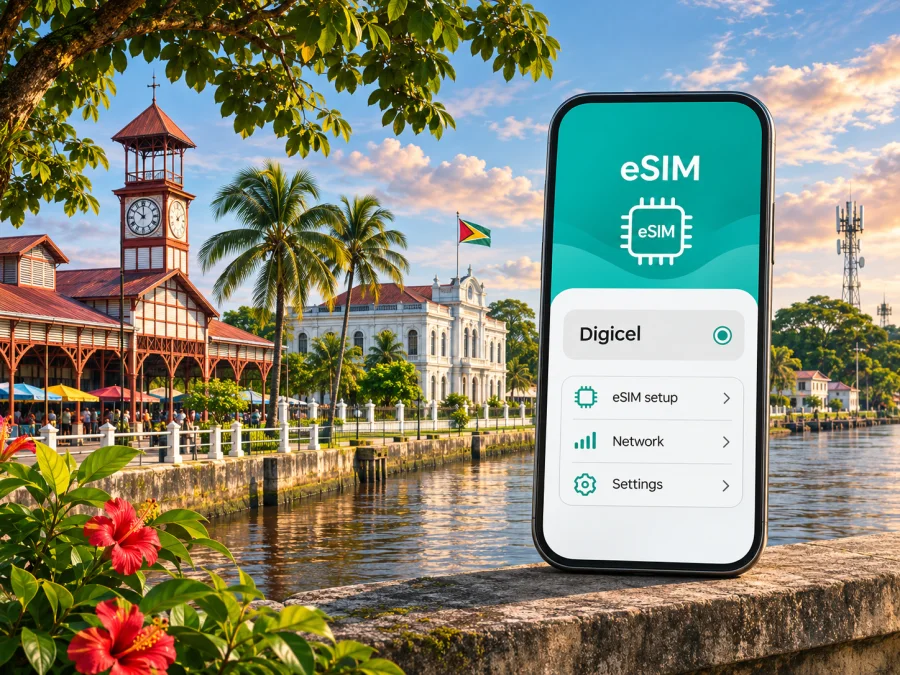
Digicel eSIM in Guyana: what travellers should know
If you are travelling to Guyana and considering a Digicel eSIM, the key distinction is between a travel eSIM sold for use in the country and a local Digicel mobile subscription. Guyana is a sovereign country on South America’s northern coast, distinct from neighbouring French Guiana; the Digicel Guyana pages discussed here refer to Guyana. Digicel’s official eSIM storefront currently lists Guyana as a destination, and its Help Center describes eSIMs for trips to the Caribbean. That confirms a travel eSIM option associated with Digicel Guyana; it does not by itself establish that every local prepaid or postpaid account can be converted to eSIM, or that the same activation route applies to residents and visitors.
This guide explains what is verified, what to check before you travel, and how to compare a local operator connection with a travel eSIM without relying on a specific phone model or assuming that coverage is identical everywhere. The practical rule is simple: confirm the product’s country, device requirements, activation steps and current terms directly with Digicel before purchase. Coverage and handset behaviour can vary by location and model.
Is Digicel eSIM available in Guyana?
Yes. Digicel’s official eSIM storefront has a Guyana destination page and identifies Digicel Guyana as the local network for its country-specific travel eSIM option. The operator’s Digicel Top Up Help Center also says that customers can buy an eSIM for a trip to the Caribbean. Both pages were checked on 4 November 2026. These are direct indications that a Digicel-branded travel eSIM is offered for Guyana at the time of checking.
There is an important qualification: the public pages describe an eSIM for a trip, not every kind of account or customer. The country page does not establish that existing Digicel subscribers can change their physical SIM to eSIM through the same purchase flow, nor does it confirm that a visitor can obtain a local phone number or use every voice and messaging service. Confirm those details with Digicel if you need a regular local line, want to keep an existing number, or are staying for an extended period.
Digicel’s Guyana website presents mobile service and prepaid service, while its eSIM storefront provides a separate travel-oriented purchase path. The two should not be treated as identical products. A local prepaid account may involve local registration, payment and support processes; a travel eSIM may be designed for visitors who want to arrange mobile data before or during a trip. Ask Digicel which option fits your situation, and check what the eSIM includes before checkout.
The word “eSIM” describes the digital SIM profile installed on a compatible device. It does not automatically mean that the product includes a conventional phone number, voice calls or SMS. Digicel’s product details determine what the particular travel profile supports. Read those current terms carefully, especially if you need to call local businesses, receive one-time passcodes, or use services that expect a Guyanese number.
What to know about Digicel in Guyana
Digicel operates a mobile service in Guyana under the local Digicel Guyana business. The Public Utilities Commission of Guyana (PUC) listed U-Mobile (Cellular) Inc., trading as Digicel Guyana, among the country’s licensed telecommunications providers. Digicel’s own Guyana site includes mobile, prepaid, account and customer-support sections. This establishes its local presence without making a claim about which provider is best for a particular traveller.
Network information should be read with its date and geographic scope in mind. In its 2023 annual report, the Guyana PUC described Digicel as a mobile-focused provider operating 2G, 3G and LTE services across various communities. The report also discussed HSPA+ service in Annai and nearby communities in Region Nine. This is historical regulator information, not a current coverage map or a guarantee of service in any specific location. It does not establish present-day availability, speed, indoor reception or service along a particular road or river route.
That qualification matters in Guyana. Georgetown and other settled areas are not interchangeable with interior communities, rural roads, forest areas or river journeys. A network generation listed for the country does not mean that the same technology is available at every point. Terrain, distance from a cell site, building materials, congestion, handset radio support and temporary outages can all affect the connection. Before travelling beyond main population centres, check Digicel’s current coverage information and ask about the places on your itinerary. Carry offline maps and essential booking details where a continuous data connection is important.
The available public material reviewed for this article does not provide a current, detailed Digicel Guyana coverage map with a date that can be relied on here. Nor did it verify present-day 5G availability for Digicel in Guyana. For that reason, this guide does not claim nationwide 4G coverage, 5G access, a particular speed, or superior service quality. Ask Digicel about the current network technology in the specific areas you plan to visit, and treat any coverage estimates as planning guidance rather than a promise of indoor or uninterrupted reception.
Local SIM, prepaid service or travel eSIM?
A local Digicel connection can be useful if you expect to stay in Guyana for a longer period, need a local number, or want to manage service directly through a local account. Digicel’s Guyana website provides information about prepaid mobile service and points customers to its account and store tools. Ask the operator which identification, device, payment and registration requirements apply to your chosen service. Do not assume that an online travel eSIM purchase has the same requirements or includes the same features as a locally activated prepaid SIM.
A travel eSIM can suit a shorter visit when your main need is mobile data and you want to arrange the digital profile without first finding a physical SIM card. Digicel’s current eSIM destination page confirms that its travel eSIM flow includes Guyana. Before you buy, check whether the option is data-only or supports additional services, the countries in which it works, the supported network, how installation is delivered, when the service begins, and whether the profile can be installed only once. The storefront’s details and terms govern these points; do not rely on a general description of eSIM technology to infer them.
The choice is personal rather than a simple ranking. Consider how long you will stay, whether you need a Guyanese phone number, whether you plan to travel outside urban areas, how much data you expect to use, and whether you want to speak with local support in person. Compare the current terms for the specific options available to you. This article intentionally does not reproduce Digicel plan names, prices, data amounts, validity periods or included benefits because those details can change and should be checked directly with the operator.
A travel eSIM also does not replace every function of a home SIM. Many travellers keep their usual number active for calls or account verification while selecting the travel profile for mobile data. That can lead to roaming charges on the home line if the phone uses the wrong profile or if the home operator bills for background data. Review your home plan’s roaming rules, set the preferred line for mobile data, and disable data roaming on the home SIM if that matches your needs. If your travel eSIM requires data roaming to be enabled on its own profile, follow its supplied instructions and verify that setting with the provider.
Check your phone before buying
An eSIM profile can be installed only on a device whose hardware, software and market variant support eSIM. The phone must also be unlocked for use with another provider where an operator lock applies. Do not infer support from a model family name alone: manufacturer variants can differ by region, and some devices sold for particular markets may lack eSIM functionality. If the exact model or country variant is uncertain, check the manufacturer’s specifications, the device settings and Digicel’s compatibility guidance before paying.
You can often check a phone in its cellular or mobile-network settings for an option such as “Add eSIM” or “Add mobile plan.” The wording varies by operating system and software version, and the presence of a menu item is not a substitute for confirming that the handset is unlocked and supported by the service. You may also ask the manufacturer or seller to confirm the exact model number and regional variant. If you use a tablet, smartwatch or a phone with multiple SIM profiles, confirm that the particular Digicel product supports that device category and configuration.
Before departure, make sure you can access the email or account where Digicel will deliver installation information. Keep access to a reliable Wi‑Fi connection for downloading the profile if needed. Save the activation instructions somewhere available offline. A QR code may be intended for one-time use and may not be scannable from the same phone screen that displays it; if so, use another screen or the provider’s manual installation method, if offered. Do not delete an installed profile just to troubleshoot unless Digicel confirms that it can be installed again.
For the Kaspersky eSIM Store travel option, you can also check whether your device is compatible with eSIM. This compatibility check relates to the device requirements for the travel eSIM option and does not guarantee that a Digicel-issued profile supports every regional version of a phone. Verify the actual profile you intend to use.
Installing and activating a Digicel travel eSIM
The exact flow depends on the product purchased and your device. Digicel’s Help Center links to its eSIM purchase flow, and the operator’s mobile-services terms describe QR-code activation and downloading an eSIM to a compatible phone. The travel storefront also instructs customers to check that their phone is unlocked and eSIM-enabled. These details support a general preparation checklist, but they do not replace the current instructions sent with your particular eSIM.
Before installation
- Confirm that the phone supports eSIM and is not locked to a different operator.
- Check that the eSIM product is intended for Guyana and suits your need for data, voice or messaging.
- Read the current product instructions, including when the profile may be installed and when service begins.
- Connect to Wi‑Fi or another working internet connection so the phone can download the profile.
- Keep your usual SIM active if you need its number, but review its roaming settings and charges.
Add the profile
- Open the mobile or cellular settings on your phone.
- Choose the option to add an eSIM or mobile plan.
- Scan the QR code supplied for your order, or follow the manual installation steps if Digicel provides them.
- Confirm the new line’s label so you can distinguish it from your home SIM.
- Keep the profile installed and follow any confirmation or activation prompt shown by Digicel.
Use the eSIM in Guyana
- In mobile settings, select the Digicel eSIM as the line for mobile data if that is what you bought it for.
- Turn on data roaming for that profile only if the product instructions require it.
- Check that the home SIM is not selected for mobile data unless you intend to use your home operator’s roaming service.
- When you arrive, allow the phone time to register on a supported local network and check the eSIM’s instructions if it does not connect.
- Test a basic web page or messaging app before depending on the connection for navigation or a booking.
Installation and activation are separate steps. Adding a profile to a phone does not necessarily mean that data service has started; the start point depends on the product’s terms. Digicel’s travel eSIM instructions should tell you whether to install before departure, activate on arrival, or take another step. If you want to avoid starting service early, confirm the timing before installation rather than guessing from the QR-code scan.
Coverage and device behaviour while travelling
An active eSIM still depends on a compatible radio and local service where you use it. A signal in Georgetown cannot predict reception at a rural lodge, on a highway or during a river excursion. Ask Digicel about current service along your route, save maps and essential details offline, and arrange a backup for urgent contact.
If the eSIM does not connect, check that its profile is enabled, mobile data is assigned to the right line, airplane mode is off and the phone has restarted after installation. Confirm whether the profile requires data roaming. Avoid deleting it or scanning the QR code again unless the provider confirms reinstallation is possible; some activation codes are single-use.
Performance can vary with location, buildings, handset bands, network load and temporary outages. The regulator’s dated technology information does not guarantee a stable indoor connection today. Confirm current network support for your exact device and destination with Digicel.
A practical checklist for Guyana
Before you choose a connection, work through these questions:
- Is the product intended for Guyana, and which network does it use?
- Does your exact phone variant support eSIM, and is it unlocked?
- Do you need a local number, calls or SMS, or mainly mobile data?
- Has Digicel confirmed current service for the places on your itinerary?
- When does activation begin, and which line will handle mobile data?
- Have you saved essential maps and travel details offline?
These questions are more useful than relying on a general label such as “4G” or “travel eSIM.” They link the choice to your actual itinerary, handset and communication needs. If anything is unclear, ask Digicel or the travel eSIM provider to confirm the answer in writing before purchase.
Common questions
Can I buy a Digicel eSIM for a trip to Guyana?
Digicel’s official eSIM storefront currently includes Guyana, and its Help Center describes buying an eSIM for a Caribbean trip. The pages were checked on 4 November 2026. Confirm the current destination, eligibility and terms on the operator’s purchase flow before you complete an order.
Does Digicel eSIM work on every phone?
No. The device must support eSIM, and it may need to be unlocked. Regional variants within the same model family can differ. Check the exact model number with its manufacturer and confirm the travel profile’s requirements with Digicel.
Does a Digicel travel eSIM include a local phone number?
Do not assume it does. The specific product details determine whether calls, SMS or only mobile data are supported. Check those details with Digicel before purchase, especially if you need local calls or text-message verification.
Is Digicel coverage available throughout Guyana?
The public sources reviewed here do not verify continuous service throughout the country. The Guyana PUC’s 2023 annual report described 2G, 3G and LTE service across various communities at that time, but this is not a current coverage guarantee. Ask Digicel about the locations on your itinerary and prepare for areas where service may be limited.
Can I keep my usual SIM installed?
Often, a compatible dual-SIM phone can keep a physical SIM and an eSIM profile available, but the supported configuration depends on the device. Choose the correct line for mobile data and check your home operator’s roaming conditions to avoid unexpected charges.
When should I install the eSIM?
Follow the instructions for the product you bought. Some profiles can be installed before travel, while activation or data use may begin at a separate point. Confirm the timing with Digicel and avoid deleting or reinstalling a profile unless support says it is safe.
Can I use Kaspersky eSIM Store instead?
Kaspersky eSIM Store is an app and website for selecting and activating a travel eSIM with a mobile-data plan. It can be considered as an alternative for a trip, subject to current Guyana availability and the conditions displayed for the selected option. It is separate from Digicel’s local account and does not make Kaspersky an operator or network owner.
Choose the option that fits your trip
Digicel’s current public pages confirm a Guyana travel eSIM route, while its Guyana site documents local mobile and prepaid services. The publicly available evidence reviewed for this guide does not establish that every Digicel account can use eSIM, does not verify a current all-country coverage footprint, and does not confirm present-day 5G for the operator. Treat local account features, coverage and activation as questions to verify for your exact route and device.
If you are comparing a travel-data option, you can view currently available eSIM options for Guyana and check their displayed conditions. This is a destination page for browsing the current travel options; it is not a Digicel tariff page. For a Digicel account, local number or location-specific network question, contact Digicel Guyana through its current customer-support channels.
Digicel and related marks belong to their respective owner. Kaspersky eSIM Store is not affiliated with or endorsed by Digicel. Product availability, device compatibility, network information and service conditions can change; verify them with the relevant provider before travel.


