Travel connectivity guide
Digicel eSIM in Saint Kitts and Nevis: setup guide
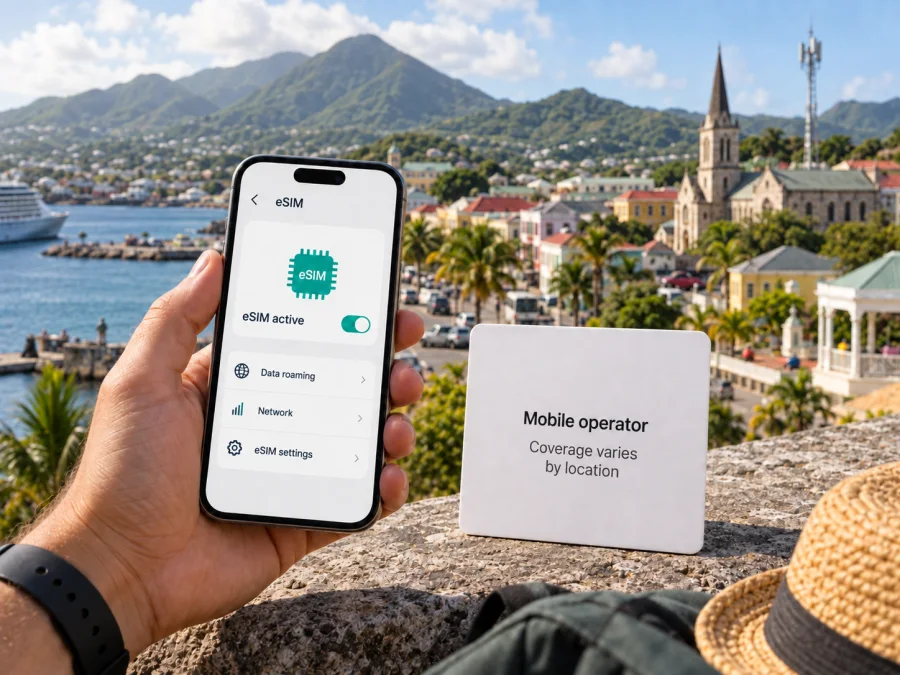
Digicel eSIM in Saint Kitts and Nevis: availability, setup and travel notes
Digicel’s St. Kitts & Nevis eSIM FAQ, checked on 25 September 2026, documents eSIM for its local mobile service and says both prepaid and postpaid customers can use one. Its local mobile service terms, checked the same day, describe an in-person visit to an authorised Digicel store, where the profile is downloaded by scanning a QR code. That detail matters to visitors hoping to arrange a local line online before arrival.
Digicel’s local eSIM FAQ says the handset must be unlocked or locked to Digicel, and one profile can be used on one phone at a time. The local prepaid page describes mobile data as LTE. The public pages reviewed do not set out a dedicated tourist eSIM process, full device band list, or coverage guarantee for every destination. Check current requirements and service for your route with Digicel before relying on a local line.
This guide summarizes confirmed details and travel considerations. Digicel’s St. Kitts & Nevis eSIM FAQ, mobile service terms, prepaid page and home page were checked on 25 September 2026. The National Telecommunications Regulatory Commission home page and Kaspersky’s “Global travel made simple with Kaspersky eSIM Store” announcement were checked that day.
Digicel’s local service and eSIM
Digicel’s St. Kitts & Nevis home page, checked on 25 September 2026, identifies its local mobile service and presents prepaid and postpaid options, account tools and support. The National Telecommunications Regulatory Commission’s home page, checked the same day, identifies it as the national telecommunications regulator. Digicel’s eSIM is therefore a way to access its domestic mobile service, rather than a travel profile automatically arranged before a trip.
An eSIM stores the subscription profile in a phone’s built-in SIM component instead of a removable card. Digicel says its eSIM works on the same network as a regular SIM. Its mobile service terms state that a new customer receives a new number when the eSIM profile is downloaded, while an existing Digicel customer converting a physical SIM keeps the number assigned to that account. The specific account and service conditions still apply.
Digicel’s local eSIM FAQ confirms prepaid and postpaid eSIM options, while its local prepaid page confirms that prepaid mobile service is available in the country. The pages reviewed do not describe a separate tourist-only eSIM route. Visitors should ask whether a short-term visitor can register for prepaid service, which identification is accepted, and whether registration must be completed in person. General eSIM availability does not by itself confirm remote tourist registration.
What is confirmed about setup
The local FAQ says a Digicel eSIM works if a phone is unlocked or locked to Digicel. It confirms that prepaid and postpaid customers can use eSIM and that the same profile cannot be used on different phones at the same time. Existing customers can convert a physical SIM to eSIM while keeping their number, if their device is compatible.
| Travel question | Digicel’s public information | What to verify |
|---|---|---|
| Is local eSIM documented? | The St. Kitts & Nevis eSIM FAQ describes it. | Confirm current availability with Digicel. |
| Is prepaid supported? | The FAQ says prepaid and postpaid eSIM options are available. | Ask about visitor registration and required documents. |
| How is it activated? | Local terms describe QR activation at an authorised retail store. | Check store location, opening hours and process. |
| Must the device be unlocked? | The FAQ says unlocked or Digicel-locked. | Confirm unlock status with your home carrier. |
| Which technology is named? | The prepaid page describes LTE mobile data. | Check the handset and places on your itinerary. |
This table summarizes general public information and does not guarantee that every visitor will qualify. Eligibility may depend on the current account process and device. Digicel’s local FAQ, service terms and prepaid page were checked on 25 September 2026.
Visitor activation and requirements
Digicel’s St. Kitts & Nevis mobile service terms say activation takes place at an authorised retail store. The described process uses a QR code supplied by the operator, which the customer scans to download the profile. The local FAQ also says that replacing or changing a profile requires a visit to a Digicel Store. Visitors should plan for an in-country store visit unless Digicel confirms another current process.
The public local eSIM pages reviewed do not clearly state every step a foreign visitor must follow or which documents a tourist must present. Contact Digicel through the support channels on its country website before travelling. Ask about visitor eligibility, accepted identification, registration requirements, the nearest authorised store and whether an appointment is needed. Follow the current local instructions; do not infer document rules from a Digicel page for another country.
If you already use Digicel elsewhere, ask whether you would be using roaming on your existing subscription or opening a local St. Kitts & Nevis account. They are different arrangements, and any roaming access or charges depend on the relevant home operator and roaming terms. A local eSIM should not be assumed to work as a regional travel plan.
Digicel says eSIM details can be supplied by email or printed in store. Its FAQ advises retaining a copy of the issued QR code in case a profile is accidentally deleted. Keep the code and account information secure, and follow Digicel’s recovery instructions before trying to install a profile again. Ask how to contact support if the QR code cannot be scanned or a profile does not download.
Network technology and coverage
Digicel’s local prepaid page, checked on 25 September 2026, describes its mobile data as LTE. This supports saying LTE is part of the operator’s local service description. The pages checked do not provide a complete list of technologies and handset frequency bands for the country, or current confirmation of 5G service. Check the exact phone model’s bands with its manufacturer and ask Digicel what is available at your intended locations. Do not infer local technology from a phone icon or from service in another market.
Coverage needs to be considered location by location. Digicel’s local mobile service terms, checked on 25 September 2026, refer to service within its coverage area and say the operator does not guarantee fault-free network coverage, quality or availability. Buildings, indoor locations, hills, route, maintenance and local demand may affect a connection. A country listing is not a guarantee of service at every beach, hotel, harbour, trail or rural stop.
Before departure, ask about the accommodation, towns, transport routes and excursions on your itinerary. The two-island destination makes it useful to check each planned area rather than assume that service in one place establishes service everywhere. Download essential maps, reservation details and contacts for offline use if you will rely on connectivity for travel logistics.
Kaspersky eSIM Store is an app and website for choosing, purchasing and activating a travel eSIM plan. It is not a mobile operator, network owner or provider of radio coverage. Kaspersky’s public launch announcement, checked 25 September 2026, describes travel eSIM plans sourced from local telecommunications providers. Review the Saint Kitts and Nevis destination details for the network, setup steps and restrictions.
Local eSIM or travel eSIM?
A Digicel eSIM is a local operator subscription. Digicel confirms prepaid and postpaid eSIM in general, and its local terms describe activation in an authorised store by QR code. It may suit a visitor who wants the local service and can complete the registration process. Confirm eligibility, identification requirements and the features available with the account directly with Digicel.
A travel eSIM is chosen for connectivity during a trip and installed as a digital profile. Kaspersky eSIM Store helps users choose, purchase and activate a travel eSIM through its app or website. It does not replace Digicel as a local network operator. The selected travel plan’s details determine supported networks, activation steps, data roaming settings, voice or messaging functions and restrictions. If data is the main purpose, retain your usual number as needed and check separately with your home provider about roaming.
Check the exact device model, eSIM support and unlock status before either option. Keep internet available during setup. For a multi-country itinerary, verify each destination: a Digicel local profile is not a regional plan unless Digicel confirms this for your account.
Traveller checklist
Before choosing a local Digicel eSIM or a travel eSIM, check the following:
- Confirm the destination. Make sure the service is specifically for Saint Kitts and Nevis, not another Caribbean market.
- Check the device. Confirm eSIM support for the exact model and that the phone is unlocked or Digicel-locked if using a Digicel profile.
- Ask about visitor registration. Digicel confirms eSIM generally, but its public local pages do not fully explain tourist registration. Ask which identification and information are required.
- Plan for activation. Digicel’s local terms describe QR activation at an authorised store. Verify the location, hours and steps before your trip.
- Clarify the service type. Ask whether you will receive a new local line, convert a Digicel number, or use roaming on another account.
- Review functions and locations. Check whether voice or SMS is included and ask about the places on your route.
- Prepare for installation. Keep internet access available, protect the QR code and save maps and important contacts offline.
For a travel-data option, browse eSIM options for Saint Kitts and Nevis and read the destination conditions before purchase. The details shown at selection determine the applicable network and setup steps.
Installing an eSIM
For a local Digicel eSIM, follow the instructions provided at the store. The local terms describe scanning the operator’s QR code and downloading the profile to a compatible phone. Install it on the handset you intend to use: Digicel says one profile cannot be used on multiple phones at once. Do not erase or transfer an active profile unless the operator explains how to replace it.
For a travel eSIM, follow the steps provided with the selected service. Installing a profile and starting its data service can be separate actions, so read the activation timing carefully. Choose the intended line for mobile data, and enable data roaming for that eSIM only if its instructions require it. Check eSIM device compatibility before purchasing.
On iPhone, look in mobile settings for the option to add an eSIM or mobile plan; on Android, the path varies by maker and software version. Use the current manufacturer and operator instructions. If the QR code appears on the phone being set up, display it on another screen or use a printed copy. Keep your primary SIM active if you need its number. After setup, confirm the selected data line and contact support if service does not start; avoid repeated deletion and installation attempts.
Common questions
Can I get a Digicel eSIM before arriving?
Digicel’s local terms describe activation at an authorised store with a QR code. The pages reviewed do not confirm a complete remote signup process for visitors. Ask whether the process can be prepared in advance, but plan for a store visit unless Digicel confirms another current method.
Is Digicel eSIM available on prepaid?
Yes. Digicel’s local eSIM FAQ says prepaid and postpaid eSIM options are available. That does not confirm that every visitor qualifies or can register remotely. Ask about current visitor requirements and local activation steps.
Which documents does a tourist need?
The local eSIM pages reviewed do not clearly specify tourist documents. Ask Digicel before travelling and follow its current instructions; do not rely on requirements published for another country.
Is Kaspersky eSIM Store affiliated with Digicel?
No. Kaspersky eSIM Store is not affiliated with, endorsed by, or operated by Digicel. It is an app and website for choosing, purchasing and activating travel eSIM plans, not a mobile operator or network owner.
A practical choice for your trip
A Digicel eSIM may fit a traveller who wants the local operator service and can complete its documented store activation. Before choosing it, confirm visitor eligibility, accepted identification, phone status, prepaid registration and coverage for your itinerary. Digicel’s FAQ, service terms and prepaid information were checked on 25 September 2026; procedures can change, so confirm current details with the operator.
If arranging a store visit or local registration is inconvenient, Kaspersky eSIM Store is another way to prepare a travel eSIM for mobile data. Review the Saint Kitts and Nevis listing for its network, setup steps, roaming requirements and included functions. Kaspersky eSIM Store helps you choose, purchase and activate the travel eSIM; the underlying mobile service is supplied through the applicable telecommunications provider.
Whichever route you choose, test the setup while reliable internet is available, protect your QR code and save essential travel information offline. The right choice depends on your device, whether you need a local line, whether you can visit a Digicel store and the places you plan to visit. Check those details before departure rather than assuming one setup or network condition will suit every traveller.


