Travel connectivity guide
Digicel eSIM in Trinidad and Tobago: Visitor Guide
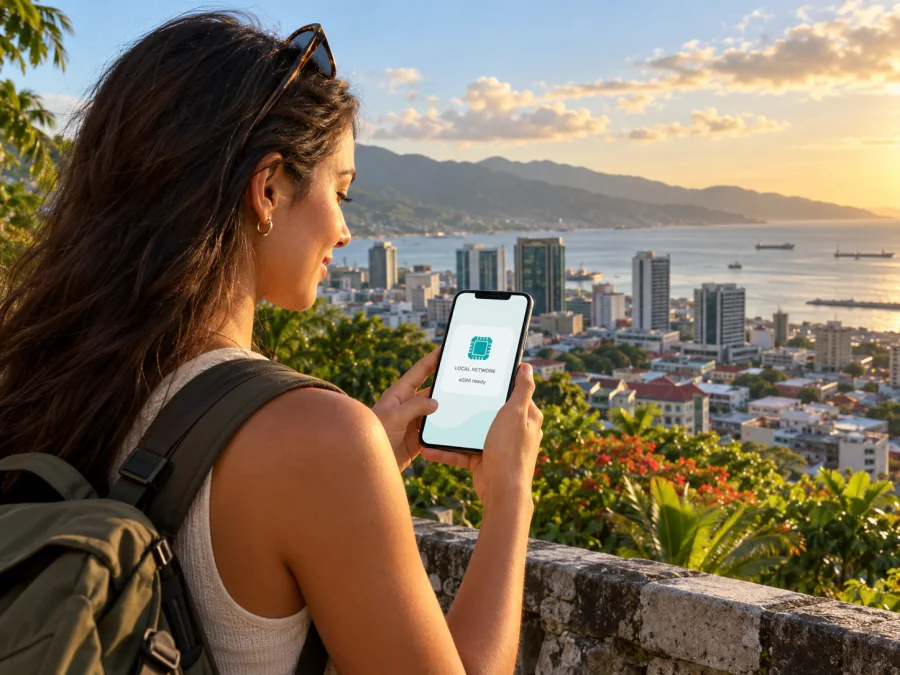
Digicel eSIM in Trinidad and Tobago: a visitor’s guide
Digicel currently advertises a tourist eSIM for Trinidad and Tobago. Its official Tourist SIM page says visitors can select an offer, register and receive the eSIM by email. Apple’s current carrier list also names Digicel for eSIM activation methods on iPhone in Trinidad and Tobago. These sources confirm a visitor eSIM option, but they do not mean every Digicel service, phone or regional device variant supports eSIM.
This guide covers confirmed facts, device checks, setup and travel alternatives. Plan-level details are omitted because terms can change; check the live operator page before registering.
Quick answer
- Is Digicel eSIM available in Trinidad and Tobago? Yes. Digicel lists a tourist eSIM on its country site and describes online registration with email delivery.
- Can I set it up before the trip? Digicel describes an online selection and registration process. Check the current checkout for eligibility, availability from your location, and when service begins.
- Will any eSIM phone work? No. Check the exact regional model, eSIM support, carrier-lock status and Digicel’s current requirements.
- What network technology is supported? Digicel’s country network notice names 3G, 4G, 4G LTE and LTE-A following its 2G retirement. This does not guarantee a particular connection at every location.
- Is there coverage everywhere? A signal may vary by location, building, terrain, device and network conditions. Check the places on your itinerary with Digicel.
Checked on 2 November 2026 against Digicel’s Tourist SIM, SIM Starter Kit FAQs and Network Upgrade pages; Apple Support’s eSIM carrier list; and TATT market information. Source details appear at the end.
Digicel in the local market
Digicel provides mobile service in Trinidad and Tobago. In its Annual Market Report 2024, the Telecommunications Authority of Trinidad and Tobago (TATT) identifies Digicel (Trinidad & Tobago) Limited as one of two authorised mobile service providers for the January–December 2024 reporting period. A Digicel tourist eSIM is therefore a local operator option for this destination, not simply a generic Caribbean eSIM because the Digicel brand operates in multiple territories.
Digicel’s Tourist SIM page says to select an offer and register, after which the eSIM is emailed. This confirms a route for visitors, but does not establish that every prepaid product is available as eSIM or resolve every traveller’s eligibility.
The public page does not answer all questions a visitor might have, such as which identity checks apply to a particular order, whether a local number is included, how calls and texts work, or when service validity begins. Ask Digicel directly if any of those details matter. Do not infer features from the word “eSIM” or assume the tourist product has the same conditions as another local service.
Digicel’s separate SIM Starter Kit FAQs say internet is required for the activation portal, available through the MyDigicel app or a browser, and physical-SIM customers can visit a Digicel store for eSIM replacement. This FAQ concerns starter kits and replacements; follow the order email for the tourist profile.
What the eSIM sources confirm
Digicel’s Tourist SIM page advertises a tourist eSIM and says registration is followed by email delivery. Apple Support independently lists Digicel under Trinidad and Tobago for other eSIM activation methods on iPhone and lists it in the prepaid section for international travellers. Apple’s listing confirms carrier support within its stated categories; it does not certify every iPhone generation, operating system or regional variant.
An eSIM is a digital mobile profile installed on a compatible device. It removes the need to insert a physical SIM, but it does not remove requirements such as an unlocked handset, successful registration, a supported device, network availability and following the operator’s activation instructions. eSIM support is not guaranteed just because a phone’s product family has an eSIM version: regional models can differ.
The Digicel page does not explain every post-purchase step. Before registering, check the email delivery method, whether Wi-Fi is needed, when activation starts, and what to do if installation fails. Keep the order email and another internet connection available.
Check the phone and service before buying
Use the full model or part number, not just the brand or retail name. Check the manufacturer’s regional specifications, look in mobile-network settings for an option such as “Add eSIM” or “Add mobile plan,” and confirm with Digicel that the model is accepted. The setting is a useful clue, not final confirmation. The phone must also be unlocked; a device restricted to its original carrier may reject another operator’s profile.
| Check | Why it matters | Confirm with |
|---|---|---|
| Exact model and regional variant | Some versions of one model omit eSIM | Device maker and Digicel |
| Carrier lock | A locked phone may not accept another profile | Current carrier or device settings |
| Registration eligibility | Requirements may depend on the current process | Digicel checkout and support |
| Installation and start date | Email delivery does not explain when service starts | Order instructions and terms |
| Number, calls and messages | These features cannot be assumed from “eSIM” | Digicel’s current service details |
| Coverage at key stops | Maps and actual indoor signal can differ | Digicel coverage information |
If you rely on a local number for accommodation, bookings or verification codes, ask Digicel whether the tourist eSIM provides one and whether it supports the calls or messages you need. The operator’s public tourist page confirms the eSIM offer, not every possible feature.
A device purchased abroad, bought refurbished, or designed for a different market deserves extra checking. Two phones with the same product name can have different radios or eSIM capabilities. Do not infer compatibility from another person’s similar-looking phone. Verify the precise model, software support and unlock status before payment.
If your phone supports two lines, decide which carries data and which remains available for your regular number. Dual-SIM functions vary; label profiles, check call and message defaults, and review your home-carrier roaming conditions.
For the exact-device check, see the eSIM compatibility guide. If your phone is incompatible, ask Digicel about a physical SIM option, use your home carrier’s roaming service, or choose another compatible unlocked device. Confirm the purchase and activation requirements for whichever option you consider.
Install and activate the profile
Follow the instructions supplied for your specific order. Installation and service activation can be separate events, and the trigger varies by service. Do not assume that scanning a QR code starts or delays validity unless the Digicel terms say so.
- Prepare the handset. Confirm regional eSIM support and unlock status, update the operating system if appropriate, and connect to reliable Wi-Fi.
- Register through Digicel. Use the official country Tourist SIM page and review eligibility and the current conditions before submitting information or payment.
- Open the delivery email. Follow its instructions. If it includes a QR code, add it through the phone’s mobile-network settings; if it gives a link or app-based steps, use those instead.
- Label the line. Use a name such as “Digicel travel” so it is easy to distinguish from your home SIM.
- Choose the data line. Set Digicel as the mobile-data line when you intend to use it. Keep your usual line set for calls or messages only if that is supported and suits your roaming settings.
- Set roaming as instructed. Some eSIMs require data roaming to be enabled; others do not. Follow Digicel’s instructions for this profile.
- Test after arrival. Allow time for registration. Confirm the profile is on, mobile data uses the intended line, and airplane mode is off.
If the profile does not work, do not delete it as the first step. Some eSIMs cannot be downloaded again without help from the issuer. Note the error message, review the order email, restart the device if appropriate, and contact Digicel through its official support channel. Keep another way to get online while troubleshooting.
When the trip ends, follow Digicel’s instructions before removing or transferring the profile. Deleting an eSIM does not necessarily cancel a service or produce a refund. Check account and cancellation rules first.
Network technology and coverage
Digicel’s Trinidad and Tobago Network Upgrade notice says that it planned to retire its legacy 2G network on 31 March 2024 and focus on 3G, 4G, 4G LTE and LTE-A. The notice is marked updated 4 November 2025. It identifies the technologies Digicel described for its network; it is not a live location-level coverage map, a speed promise, or a guarantee that a particular phone will connect using a particular technology.
Actual service depends on where you are, the phone’s supported bands and features, the indoor environment, and network conditions. A signal can weaken inside buildings or behind terrain, and availability may vary as you move. These are general properties of mobile radio service, not a claim about any specific Digicel location. Check the operator’s current coverage resources for towns, accommodation and routes that matter to you, and ask Digicel support if your itinerary is unusual.
Trinidad and Tobago itineraries may combine urban areas, beaches, mountain roads and boat transfers. Service in central Port of Spain does not establish service at every rural stop or across Tobago. A coverage map is an estimate, so download maps and save bookings offline.
TATT’s market publications help describe the country’s telecommunications sector, but a national statistic or older report cannot predict service on a specific street. This article makes no current percentage-coverage claim for that reason. Likewise, 4G or LTE labels do not establish a particular speed: performance depends on the network, device, signal and local conditions.
Local operator eSIM or travel eSIM?
A Digicel tourist eSIM and a travel eSIM serve related travel needs but are different products. Digicel’s option is arranged through its local operator flow. A travel eSIM is arranged through another provider and may be designed mainly for mobile data. Network access, calling features, eligibility, supported destinations, installation and support depend on the individual product’s terms.
Consider the questions that affect your trip:
- Do you need a local operator service? Digicel’s tourist option is obtained through its country registration flow. Confirm whether it meets your needs and whether you can complete registration.
- Do you need voice, SMS or a local number? Confirm the exact service features. Do not assume either a local or travel eSIM includes them.
- Are you visiting other countries? Check the coverage destinations for each service. A Trinidad and Tobago profile should not be assumed to work elsewhere on the same terms.
- Do you want to keep your regular number active? Check dual-SIM support and your home provider’s roaming conditions.
- How will you get help? Digicel handles its own order and service questions; check the support channel for any separate travel eSIM.
Kaspersky eSIM Store is an app and website that helps travellers choose, arrange and activate an eSIM with a plan for mobile internet abroad. It is not a mobile operator, network owner or radio-coverage provider. Its travel eSIM option is separate from Digicel’s local tourist service, and its product page does not establish Digicel plan conditions.
If you want to review a travel-oriented option for this destination, see eSIM options for Trinidad and Tobago. Check current destination availability and terms there. Compare only the points that matter to your route: local-number needs, calls or verification messages, coverage across destinations, support and activation timing.
Make a connection plan for the trip
List the places and tasks that need data, such as navigation, transport, messaging and reservations. Save hotel details, tickets, emergency contacts and maps offline, and keep order information accessible if the phone is unavailable.
For a longer visit, ask about account management, adding service, number retention and what happens after the tourist service. For travel to other countries, check coverage separately. These are questions to ask, not assumptions about product features.
If the phone is your only screen for the installation QR code, ask Digicel whether a manual installation method is available or arrange another device to display the code. Do not share QR codes or one-time account codes with anyone. Keep access to Wi-Fi while installing and note how to contact support without mobile data.
Troubleshooting on arrival
If the eSIM is installed but will not connect, first check that the Digicel profile is enabled and selected for mobile data. Confirm airplane mode is off and compare the roaming setting with the operator’s instructions. Leave automatic network selection on unless Digicel recommends a different step. If needed, move outdoors and wait briefly for registration; weak indoor signal alone does not show that installation failed.
Restarting may refresh registration, but avoid erasing the profile. Record the error and location, then contact Digicel. Share your device model if requested, never passwords or one-time codes. If needed, switch to a backup connection you have already checked.
Data access does not automatically mean that standard calls or SMS are included. If Digicel supplies data and your home SIM handles voice, confirm which line the phone uses for calls and messages. Check whether receiving calls or texts abroad can incur charges under your home plan.
Frequently asked questions
Can tourists get a Digicel eSIM in Trinidad and Tobago?
Digicel’s Tourist SIM page advertises a tourist eSIM and says users can register and receive it by email. Confirm current eligibility and terms with Digicel before ordering.
Does every eSIM phone work?
No. Confirm that the exact regional model supports eSIM, is unlocked and is accepted by Digicel. Regional device variants may differ even when they share a retail name.
Does Digicel offer 5G in Trinidad and Tobago?
The network notice reviewed for this guide names 3G, 4G, 4G LTE and LTE-A. It does not confirm 5G in this market. Ask Digicel for current local information; do not infer support from a handset’s 5G capability or service in another country.
Will the connection work throughout both islands?
Coverage depends on location, buildings, terrain, handset and network conditions. Check Digicel’s current coverage resources for your itinerary and keep essential details offline.
What if installation fails?
Check the order instructions, Wi-Fi, eSIM capability and unlock status. Save the error and contact Digicel before deleting the profile; the operator can explain whether it can be restored or needs another step.
Before you go
- Verify your exact handset variant supports eSIM and is unlocked.
- Read Digicel’s current tourist registration and service terms.
- Confirm any local-number, call, SMS or identity-check requirements.
- Read the email installation steps and activation timing.
- Check coverage at your accommodation, routes and planned stops.
- Set the intended mobile-data line and review home-SIM roaming.
- Save maps, bookings, support details and important contacts offline.
- Keep a backup way to connect if uninterrupted access matters.
Sources checked
Checked 2 November 2026: Digicel Trinidad and Tobago, Tourist SIM (tourist eSIM, registration and email delivery); Digicel, SIM Starter Kit FAQs (portal activation for starter kits and store eSIM replacement); Digicel, Network Upgrade (notice updated 4 November 2025, 2G retirement and named technologies); Apple Support, Find wireless carriers and worldwide service providers that offer eSIM service on iPhone (Trinidad and Tobago listing); Telecommunications Authority of Trinidad and Tobago, Annual Market Report 2024 (domestic mobile-sector context); and Kaspersky eSIM Store, Trinidad and Tobago destination page (travel eSIM destination page). Use Digicel’s live checkout and support for current eligibility, terms and coverage at a particular location.
This independent guide is not affiliated with, sponsored by, or endorsed by Digicel. Digicel is a trademark of its respective owner; its name is used only to identify the service discussed.
Choose what suits your route
Digicel confirms a tourist eSIM option in Trinidad and Tobago, with registration and email delivery described on its official page. Check the current offer terms against your handset and itinerary. To consider a separate travel eSIM option, review eSIM availability for Trinidad and Tobago and read the terms shown there before proceeding.


