Travel connectivity guide
Digicel eSIM in Virgin Islands, British: visitor guide
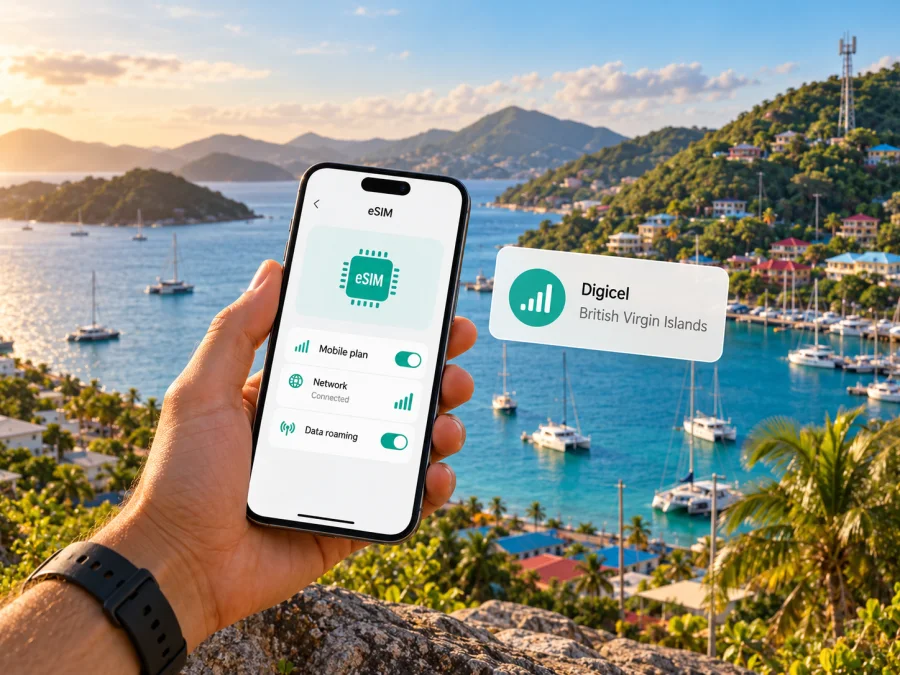
Digicel eSIM in Virgin Islands, British: what travellers should know
Planning a trip to Virgin Islands, British and searching for a Digicel eSIM? Digicel’s British Virgin Islands website confirms local eSIM service, including prepaid and postpaid options, and separately lists a prepaid travel eSIM. Your best route depends on whether you need a local connection, travel data, or roaming on an existing number. This guide covers the confirmed details and the checks to make before departure.
Virgin Islands, British is a British Overseas Territory in the Caribbean. The UK Foreign, Commonwealth & Development Office identifies it as such in travel advice current on 3 October 2026. It is distinct from the United States Virgin Islands, so check that an eSIM or roaming service names the British Virgin Islands specifically. Digicel serves this market and publishes an LTE coverage map. Those pages confirm service categories, not uniform reception across every island, building, or boat route. This independent article is not affiliated with Digicel. Public Digicel BVI pages and UK FCDO information were checked on 17 October 2026; details may change.
Does Digicel offer eSIM in the British Virgin Islands?
Yes. Digicel BVI’s eSIM FAQ says prepaid and postpaid eSIMs are available through Digicel outlets and an online self-service option. It also says an existing number on a physical SIM can be moved to eSIM if the device supports it. Digicel’s public prepaid section separately lists a travel eSIM. These details were confirmed on the operator’s website on 17 October 2026.
Availability does not mean every eSIM-ready phone or visitor will qualify automatically. Digicel says a handset must be unlocked or locked to Digicel. Before purchase, ask whether the self-service route accepts visitors with your identification and whether the travel offer provides a local number or data service while travelling. The public pages do not answer every visitor-specific eligibility question.
| Option | Confirmed publicly | Check before relying on it |
|---|---|---|
| Local Digicel eSIM | Prepaid and postpaid eSIM categories; online and outlet purchase; physical SIM conversion described in the FAQ. | Visitor registration, number assignment, activation, and account top-ups. |
| Digicel travel eSIM | A prepaid travel eSIM is listed on Digicel BVI’s site. | Current destination list, handset eligibility, activation timing, and included services. |
| Roaming with a Digicel line | The FAQ says roaming can be used with a roaming plan or pay-as-you-go option. | Destination availability, account eligibility, current terms, and charges. |
This is a category overview, not a plan list. A SIM conversion, travel eSIM, and roaming on an existing line may have different features. Check current conditions with Digicel.
What eSIM means for a visitor
An eSIM is a digital SIM profile installed on a compatible device. Depending on the handset, it may coexist with a physical SIM and let you select which line handles mobile data. A local Digicel profile is for Digicel service in this market. Digicel says an existing customer can retain a number when converting a physical SIM, subject to device support. Visitors should confirm which local signup route applies to them.
A travel eSIM is a separate product route. Digicel lists a prepaid travel eSIM, but the listing alone does not confirm its underlying network in every location, phone-number features, or compatibility with every visitor device. Check the current product terms. Kaspersky eSIM Store is an app and website that helps travellers select, purchase, and activate eSIM plans for mobile internet abroad; it is not a mobile operator, network owner, or internet provider.
If you already have a Digicel line, compare roaming with a separate travel profile. Digicel’s FAQ says roaming is possible with a roaming plan or pay-as-you-go, but confirm that your destination and account qualify. If you keep a home SIM active alongside another eSIM, the phone’s dual-SIM capabilities and your home operator’s roaming settings still matter.
Compatibility: check the exact phone, not just its brand
Check eSIM capability, carrier-unlock status, and support for the network technologies used by the chosen service. Exact model and regional variant matter: one phone family can include versions with different SIM hardware depending on the sales market. An eSIM menu is a useful clue, but not proof that a particular variant will accept this operator profile.
Digicel’s FAQ lists handset generations, but the page was updated in November 2025 and is not a complete current catalogue. Treat it as a starting point. Check the manufacturer’s current support information using the full model code, then ask Digicel to confirm that exact variant. A device that works with one eSIM provider is not necessarily supported by another.
Before travelling, confirm that:
- Your exact phone model and market variant support eSIM; for tablets, it is the cellular model.
- The handset is unlocked, or locked to Digicel for a Digicel eSIM.
- You can add an eSIM in its current software and have internet access during setup.
- The destination and route appear in the current product information.
- If using two lines, your phone allows the desired combination and you know which line is set for data.
If uncertain, give the provider the full model code before buying or converting a SIM. You can also check device compatibility before choosing a travel-data eSIM.
Coverage and network technology
Digicel BVI publishes a page labelled “LTE Coverage Map.” It is the operator’s starting point for checking service around the British Virgin Islands, but map shading cannot guarantee indoor reception or uninterrupted service. Terrain, buildings, weather, device radio support, congestion, and maintenance may affect connection. A map near a shoreline does not establish reception offshore.
The public coverage page does not provide a detailed verifiable list of mobile frequency bands or guarantee 5G for every visitor device and location. Check the live map and ask Digicel about the places on your itinerary, especially remote stays, island transfers, or time on a vessel. For a travel eSIM, confirm the underlying local network and coverage with its issuer; do not assume it uses Digicel because the product appears on Digicel’s BVI website.
The available information supports saying that LTE is part of Digicel’s published coverage information. It does not support a promise about speed, reception everywhere, or superiority over another network. Save maps and essential details offline, and ask your accommodation or boat operator about local reception if connectivity is important.
How to prepare and activate a Digicel eSIM
Digicel’s FAQ describes purchase at outlets and online self-service, delivery of profile information by email or in store, and conversion of a physical SIM number when supported. Exact steps can differ for a new prepaid line, an existing customer, postpaid service, and the listed travel eSIM. Follow the instructions for the product you actually select.
- Choose the route. Decide between a new local connection, converting an existing Digicel number, the listed travel eSIM, or roaming on a current line.
- Confirm eligibility. Ask which signup route visitors can use and what identity or account information is required. The public FAQ does not spell out every visitor’s registration needs.
- Verify the exact device. Confirm its regional variant, eSIM support, unlock status, and network requirements with Digicel.
- Keep internet access available. Use reliable Wi-Fi during setup and keep the activation details accessible on another screen or printed copy if needed.
- Install and label the profile. Follow Digicel’s current instructions in the device’s cellular settings, then label the line clearly.
- Choose the data line and test. Check that the intended profile is active and follow any roaming setting in its instructions. Contact support if it fails; do not repeatedly delete or reinstall it without guidance.
For Kaspersky eSIM Store, the general route is to check compatibility, choose a destination option, complete the purchase, then install using the app or activation details. Confirm current availability and terms before checkout. This is a travel-data route and should not be described as a Digicel line unless its terms explicitly say so.
Local service or travel-data eSIM?
A local operator connection may suit a traveller who needs a local account or number, if that is included in the selected product. Digicel confirms prepaid and postpaid eSIM categories and says existing customers can convert a physical SIM while retaining their number. It does not guarantee that every visitor can open the same account or that all options include identical calls and messaging. Verify those details with Digicel.
A travel-data eSIM may suit a trip where mobile internet is the main need and digital setup is convenient. Check its destination list, local network arrangements, data-only status, device requirements, activation timing, and support route. Do not assume that it includes a local number, regular calls, or SMS. Internet-based calling may work through apps you already use, subject to data access and account settings.
Kaspersky eSIM Store helps users select, purchase, and activate eSIM plans for mobile internet abroad. It does not own a mobile network or provide the radio coverage. The service available in a destination depends on the selected option and its network arrangements. To browse current options, view eSIM options for Virgin Islands, British. The destination page is not a promise of a particular Digicel tariff or network.
| Your priority | What to investigate |
|---|---|
| Keep a Digicel number | Ask about conversion, account eligibility, calls, messages, data, and roaming. |
| Get a local connection | Confirm visitor registration, identity requirements, activation, and number assignment. |
| Use data on a trip | Verify destination coverage, network arrangements, activation rules, and data-only status. |
| Keep a home SIM active | Check dual-SIM behavior and review your home operator’s roaming settings and charges. |
Common setup problems and practical checks
- No “Add eSIM” option: Check the full model code and regional variant with the manufacturer. A software update may resolve a menu issue, but cannot add eSIM hardware to a variant that lacks it.
- The profile is rejected: Confirm carrier-unlock status and that the profile was issued for the correct product. A carrier lock is different from weak signal; contact the carrier that locked the phone.
- Installed profile has no data: Make sure it is enabled and selected for mobile data. Check activation timing, destination eligibility, and roaming instructions. Do not change APN settings unless the issuer gives the correct value.
- The QR code fails or was deleted: Follow the issuer’s recovery process. Digicel says one profile cannot be used on multiple phones at once; do not assume it can be transferred or reinstalled from a screenshot.
- Service changes between islands: Check the active data profile and allow time for it to reconnect. Contact the provider for that profile and provide your location and full device variant.
Frequently asked questions
Can visitors get a Digicel eSIM?
Digicel BVI lists prepaid and postpaid eSIMs and a travel eSIM, but its public FAQ does not explain every visitor’s eligibility or identity requirements. Ask the operator which route accepts your documents and account type.
Can I convert an existing Digicel SIM?
Digicel says an existing physical-SIM number can be moved to eSIM if the device supports it. Confirm the conversion process for your account and handset before starting.
Does Digicel cover the whole territory?
Digicel publishes an LTE coverage map. It is a guide, not a guarantee of indoor or offshore reception. Check the specific places on your itinerary.
Will a travel eSIM include a phone number?
Do not assume so. Check the selected product’s terms for a number, calls, and SMS; some travel options are for data only.
Can my home SIM stay active?
Many phones support a physical SIM with an eSIM, but combinations vary by model and region. Confirm your device’s dual-SIM behavior, choose the intended data line, and review roaming settings.
A sensible plan for your trip
Start by deciding whether you need a local Digicel account, the operator’s listed travel eSIM, roaming on an existing line, or a separate travel-data option. Check the exact handset and regional variant, confirm that it is unlocked as required, and ask about visitor registration if you plan to open a local account. Then review Digicel’s LTE map for the specific places on your itinerary and verify any roaming or travel eSIM conditions directly with the provider.
Digicel’s current public information confirms eSIM availability in the British Virgin Islands, prepaid and postpaid eSIM categories, a travel eSIM listing, and a published LTE coverage map. Details that remain user-specific—such as visitor signup, device eligibility, the service included in a particular travel option, and reception on a particular island or vessel—need direct confirmation. Preparing those checks before departure makes it easier to choose a connection that matches your device and trip.
To compare a travel-data route for the destination, browse eSIM options for Virgin Islands, British. Kaspersky eSIM Store helps you select, purchase, and activate an eSIM plan for mobile internet abroad; it is independent of Digicel and does not operate the local network.


