Travel connectivity guide
Digital Nasional Berhad eSIM in Malaysia: what to check
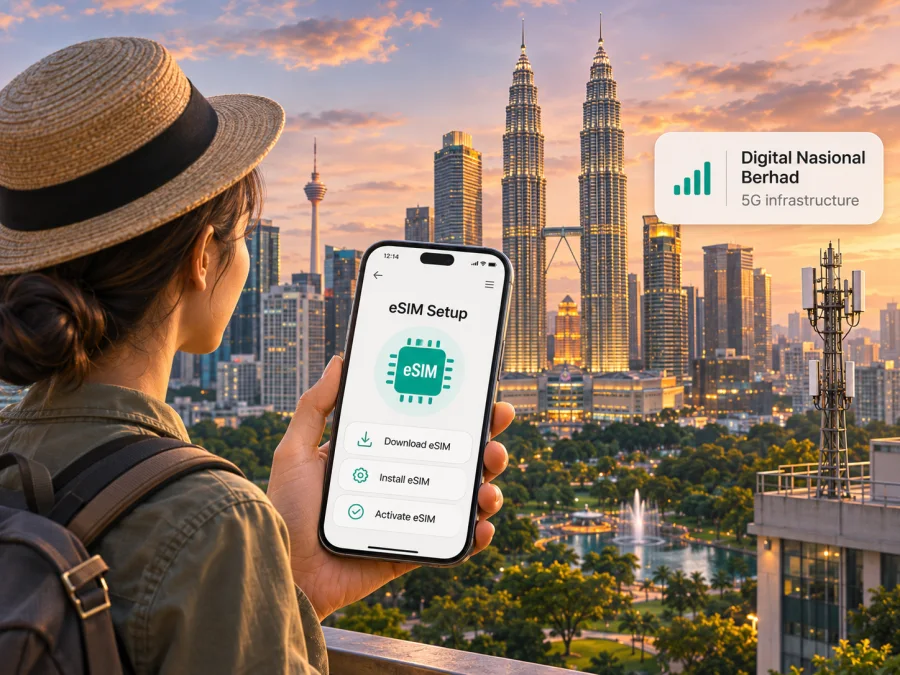
Digital Nasional Berhad eSIM in Malaysia: what travellers should know
Digital Nasional Berhad (DNB) is often described in searches for mobile service in Malaysia, but its role needs a little context. DNB develops and operates 5G network infrastructure and makes wholesale network capacity available to licensed service providers. It is not the usual retail mobile operator from which a traveller buys a phone line, and its public materials do not confirm a DNB-branded consumer eSIM or tourist eSIM. If you are looking for a “Digital Nasional Berhad eSIM,” treat that wording as a question to verify, not as proof that DNB sells a travel-ready SIM profile.
This distinction matters when planning a visit. A retail provider may sell a mobile service that uses infrastructure available through DNB, but the provider sets its own customer eligibility, registration, device, activation and support rules. A DNB network map does not tell you whether a particular eSIM can be purchased by a visitor, whether it can connect in your destination, or what a retail provider requires at sign-up.
DNB’s About Us and Reference Access Offer pages describe its network facilities and wholesale 5G role; the company’s home page explains that licensed providers access coverage and capacity on a wholesale basis. These pages were checked on 2 November 2026. They do not present DNB as a consumer mobile brand. For a line with an eSIM, check the chosen retail provider’s current support and onboarding instructions directly.
What Digital Nasional Berhad does in Malaysia
DNB was established to deploy and operate 5G infrastructure in Malaysia. Its published role is upstream: it develops network facilities and provides 5G-related coverage or capacity for licensed service providers. A traveller usually interacts with a retail provider for the actual mobile account, SIM or eSIM, identity registration, billing and customer care.
As of 2 November 2026, I could not verify a current public DNB page offering a DNB-branded eSIM, prepaid mobile account or tourist SIM directly to end users. The absence of a public offer is not proof that no commercial arrangement could ever exist, but it is a reason not to promise direct activation with DNB. Ask the company or your chosen retail provider to confirm who will supply the line and manage it before you make a purchase.
Is a Digital Nasional Berhad eSIM available to travellers?
The confirmed answer is narrower than many search results imply: DNB publishes information about 5G infrastructure and wholesale access, while the public materials reviewed do not verify a DNB consumer eSIM or visitor plan. Therefore, there is no DNB activation procedure that can responsibly be described as a confirmed retail sign-up route here.
If you need an eSIM for Malaysia, look for a retail mobile provider that explicitly offers eSIM to your customer category. Check its current requirements before relying on the option. A provider may distinguish between residents and foreign visitors, new registrations and conversions from a physical SIM, or prepaid and postpaid service. Rules can also depend on identity documents, the point of purchase, app availability and whether a local account is required. These are provider-specific rules, not decisions a DNB infrastructure map can answer.
A tourist should verify the following with the provider:
- Whether it accepts a foreign passport or requires a local identity credential.
- Whether visitors can register online, in an app, at a service counter or only through an authorised outlet.
- Whether the eSIM is available to new customers or only to existing account holders.
- Whether the intended phone model and its regional variant are supported for that provider’s eSIM service.
- Whether the phone must be unlocked and connected to Wi-Fi during installation.
- How the provider delivers the profile, and whether the QR code or activation details can be used only once.
- Which network the service uses in the places on your itinerary, and where to get help if activation fails.
Request current instructions from the actual seller, rather than relying on an old forum post, a third-party compatibility list or a general description of DNB’s 5G network. If the seller cannot explain who issues the eSIM profile and who supports it, pause and clarify before paying.
How DNB’s wholesale role affects your connection
In a wholesale arrangement, a network infrastructure provider supplies network facilities or capacity to licensed service providers. The retail provider then packages mobile service for its own customers and manages the subscriber relationship. DNB’s Reference Access Offer and corporate site describe wholesale access for licensed providers. A DNB 5G signal and a retail eSIM are related but not interchangeable concepts.
For a traveller, the practical sequence is usually: select an eligible retail service, complete the provider’s identity and account steps, install the provider-issued profile, and choose which SIM line handles mobile data. If that service uses DNB infrastructure in a location, the provider’s core network and retail arrangements still determine how your line is provisioned and supported. You should follow that provider’s written instructions for activation and troubleshooting.
Do not assume that a phone showing “5G” near a DNB site means every eSIM will connect to it. The retail plan, local access arrangements, device configuration, radio bands, software, indoor conditions and current network availability all matter. A provider may also choose to offer a service over more than one network arrangement. Confirm the network access included with the exact retail service you are considering, without assuming that DNB is the company selling it.
Coverage: check the places you will actually visit
DNB’s “Bringing 5G to the Country” interactive map, checked on 2 November 2026, says the displayed coverage map was last updated on 2 September 2024, so keep that date in mind when using it in 2026. DNB’s current coverage information also asks users to contact their mobile network operator about the availability of 5G products and services in their area. The map is useful as a planning reference, but it is not a promise of uninterrupted service or proof of eSIM eligibility.
Malaysia’s travel environments range from dense urban districts and highways to smaller towns, islands, rural districts, Sabah and Sarawak. Coverage can vary indoors and along a route. A national statement cannot establish service in a hotel, airport, ferry, mountain area or at a border. Check the DNB map and the retail provider’s information for your itinerary.
DNB’s map and device information concern its 5G network, not a blanket guarantee of 4G or 5G service for every retail subscriber. Avoid using a DNB coverage graphic as a speed forecast: real-world performance varies with network load, signal conditions, device capability and provider configuration. ## 5G support is different from eSIM support
Two separate checks are needed before departure:
- eSIM capability: the phone must contain eSIM hardware and allow an additional profile to be installed. The exact regional version matters; models sold under the same product name can differ by market.
- Network compatibility: the device must support the bands and configurations used by the chosen retail provider, and that provider must permit the model on its service.
A device list published for DNB’s 5G network is not automatically an eSIM compatibility list. Likewise, a phone that can store an eSIM profile may not support all local 5G configurations. DNB says it does not certify or approve devices itself; its coverage page directs users to their service provider or device maker for information about 5G availability. Follow that guidance and ask the retail provider to confirm your exact model number and regional variant.
On many phones, you can check for an EID or an “Add eSIM” option in the mobile or SIM settings. This is a useful preliminary check, not final confirmation: menus vary by manufacturer and operating system, and a device can still be carrier-locked or unsupported by a particular provider. Check the device maker’s specifications and the seller’s current compatibility instructions before purchase. If you have a dual-SIM phone, also ask how it handles two active lines, data switching and roaming settings.
How to arrange a local eSIM, if a retail provider confirms eligibility
Because DNB does not publish a confirmed consumer activation flow, use the selected retail provider’s procedure. A typical eSIM setup has several stages, but the exact order and eligibility are controlled by the seller:
- Confirm the seller and service. Identify the licensed retail provider that will issue the line and support it. Ask whether a visitor can register and what identity documents are accepted.
- Check the exact phone. Give the provider the full model number and country variant. Confirm eSIM and network support, unlocked status and any software requirements.
- Review the service terms. Read current terms on the provider’s own site or app, including registration steps, how to install the profile, when service begins and how to contact support. Check the provider’s current service details directly before choosing.
- Prepare a reliable internet connection. Downloading a profile generally requires an internet connection. Keep access to Wi-Fi or another working data connection until the profile is installed and you have confirmed the line is usable.
- Install only through the provider’s official instructions. Depending on the device and provider, installation may use an in-app flow, a QR code or manual activation details. Treat an activation QR as private and follow the seller’s instructions about re-use or transfer.
- Choose the data line. In your phone settings, set the intended profile as the mobile-data line. Keep your home SIM active only if you want its calls or messages and understand its roaming settings.
- Test before depending on it. Confirm that the profile is enabled and that data works where you are. If it does not, check the provider’s instructions before deleting or reinstalling the profile; some eSIMs cannot simply be downloaded again.
For device-specific steps, follow the phone manufacturer’s instructions and the retail provider’s setup guide. The CelcomDigi Help Centre’s eSIM FAQ and Activation Guide, checked on 2 November 2026, illustrate that eligibility and installation steps are provider-specific. Before buying a travel eSIM through Kaspersky eSIM Store, check whether your device supports eSIM. Compatibility alone does not confirm that a DNB retail service is available to you.
Local mobile service or a travel eSIM?
A local retail line may suit a longer stay, a visitor who needs a locally registered mobile service, or someone who wants the provider’s local account and support channels. Its access and terms depend on the provider and the customer’s eligibility. If a local eSIM is important, verify the sign-up rules before travelling; do not assume DNB itself can issue the profile.
A travel eSIM can be more convenient when you mainly need mobile data for a trip and want to arrange it separately from your home number. It is a distinct service from a local DNB subscriber account. Before choosing one, check the destination and any route extensions, the service conditions, device compatibility, activation timing and what happens if you need support. A travel eSIM may not provide an ordinary local phone number, voice service or SMS unless the product terms explicitly say so. Keep your home number available for calls or verification codes if needed, and review its roaming settings with your home carrier.
There is no universal “better” option. Consider trip length, whether you need a local number, eligibility for a Malaysian retail account, expected data use, the places you will visit, and how comfortable you are managing dual SIM settings. Compare the current terms of the options that are actually available to you. Do not treat DNB’s wholesale role as a consumer offer or assume that an eSIM using a network has been sold by the infrastructure provider.
If you need mobile data while travelling and have not confirmed a local retail eSIM, Kaspersky eSIM Store is an alternative way to explore a travel eSIM for Malaysia. The app and website help you choose, purchase and activate an eSIM for an international trip; they are not a mobile operator, do not own DNB’s network and do not themselves provide mobile coverage. Browse the current Malaysia eSIM options and review the terms shown for the option you select. Availability and conditions can change.
Common questions
Can I buy an eSIM directly from Digital Nasional Berhad?
I could not verify a public DNB consumer eSIM offer or direct visitor activation route as of 2 November 2026. DNB’s published material describes 5G network infrastructure and wholesale services for licensed providers. Ask DNB or the retail seller to confirm the current arrangement before relying on a DNB-branded eSIM.
Does a DNB 5G coverage area mean my eSIM will work there?
Not by itself. A retail provider must offer your service and the phone must be compatible and configured for that provider’s network access. Coverage can also change by location and conditions. Check the current provider information for the exact service and itinerary.
Can I activate an eSIM before arriving in Malaysia?
That depends on the retail seller or travel eSIM terms. Some providers let customers complete steps before arrival; others require a local process or a connection to a particular network. Confirm when to install and activate with the seller. Installing a profile and starting service can be separate events.
Will a 5G phone automatically support eSIM?
No. 5G network capability and eSIM hardware are different features. Confirm both for the exact regional model. DNB’s device information concerns 5G readiness and does not replace the eSIM support list of a retail provider.
Do I need a Malaysian phone number?
That depends on what you need and which service you choose. A local retail mobile line may provide voice or messaging under its own terms; a travel data eSIM may be intended for internet access only. Check the provider’s current product description rather than assuming every eSIM includes calls and SMS.
What should I do if setup fails?
Keep the profile installed unless the seller tells you otherwise. Check Wi-Fi access, the provider’s activation instructions, the selected data line and any required settings. Then contact the company that issued the eSIM, since DNB does not manage a traveller’s retail account or profile activation.


