Travel connectivity guide
Digitel GSM eSIM in Venezuela: activation and coverage
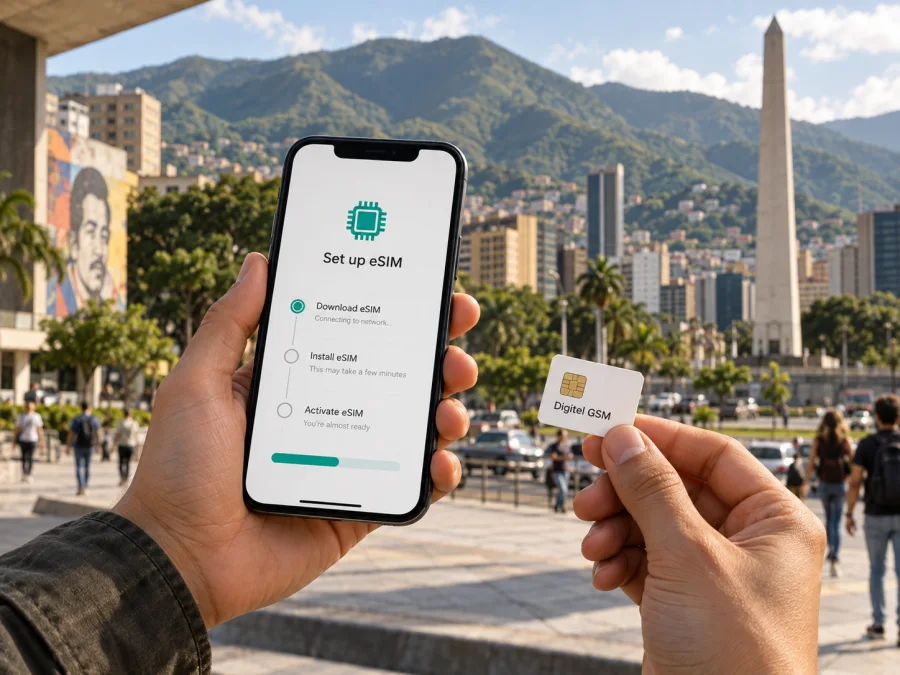
Digitel GSM eSIM in Venezuela: activation, coverage and travel checklist
Digitel GSM is a Venezuelan mobile operator with eSIM service for compatible devices. Its public eSIM FAQ and self-service instructions describe activation channels, identity and device requirements. This guide summarizes those points for visitors and customers managing a Digitel line. Details were checked on 26 September 2026; confirm current conditions with Digitel before relying on a particular setup.
Digitel and its marks belong to their respective rights holder. Kaspersky eSIM Store is not affiliated with Digitel and is not its official partner or distributor.
Digitel GSM and eSIM in Venezuela
Digitel GSM is a local mobile network provider. Its current public pages confirm eSIM availability and describe compatible devices, activation channels and physical SIM replacement. The operator says eSIM is available in prepaid and postpaid modalities; its app instructions include prepaid eSIM purchase. These are general service facts, not a guarantee that every applicant or device can use every channel.
A Digitel line is managed by a Venezuelan operator and may provide a local mobile identity under its terms. A travel eSIM is a separate product for mobile internet abroad and does not automatically replace a local number or operator account. New registration and physical SIM replacement are separate processes.
What to prepare before requesting an eSIM
Start by checking the exact phone model and its regional variant. eSIM support can differ between models and markets, and the handset must be usable with the intended network. Digitel advises customers to check with the equipment manufacturer. Its app flow also provides an IMEI validation step: dialling *#06# on many phones displays device identifiers, which can then be checked in the app. Follow the operator’s instructions and avoid sharing an IMEI publicly.
Digitel’s published app requirements include being the line holder, having a valid identity document, using a compatible device, providing a valid email address and completing identity validation. Its instructions describe submitting document details and completing app-based checks that include a selfie, fingerprint validation and an electronic signature. Since the process involves personal information, use official operator channels and review the current service and privacy terms before submitting documents.
The eSIM FAQ names a national identity card or passport among the required documents. That does not by itself settle every question for an overseas visitor: acceptance may depend on the applicant’s status, document validity and the channel used. A separate app-registration page says the document must be associated with the customer record and in suitable condition. Before travel, ask Digitel whether your passport is accepted for the specific transaction, whether you can complete registration in the app, and whether an in-person check is required.
Prepare an internet connection for downloading the profile, access to the email account used in the application and enough time to complete identity checks. If you are converting an existing physical SIM, keep the current line available until Digitel confirms that the replacement is active. Do not erase a profile, reset the phone or delete an eSIM while a number transfer is in progress unless the operator or device instructions direct you to do so.
Ways to request and activate a Digitel GSM eSIM
Digitel lists the App Digitel, customer service centres and authorized agents for individual customers. Its eSIM FAQ also lists assisted routes for business customers. Use the channel that matches your account.
For an individual app request, the published process is to check the handset using the app’s IMEI validation, submit identity details and complete the requested checks, review the service terms, then follow the installation instructions. Connect to Wi-Fi or another working network, open the phone’s mobile settings, scan the QR code provided by Digitel and follow the prompts. Keep the account email and service confirmation.
Digitel says a QR code is valid for one use. If a scan fails, the code has already been used or you are moving the line to another phone, contact Digitel about help or a replacement; do not assume the code can be reused. Assisted activation can be useful when app validation or identity verification fails. Bring the identity document associated with the account and confirm that the line is active before leaving.
Coverage and supported mobile technologies
An eSIM stores a subscriber profile; it does not create coverage. The phone still connects to Digitel’s radio network, and service depends on local coverage, compatible device bands, network availability and settings. Digitel’s customer instructions refer to 3G and 4G LTE for mobile data and advise customers to check whether their location is within an LTE coverage area.
Check the places on your itinerary rather than relying on a broad national label. Urban, inland and remote locations can differ, as can indoor and outdoor reception. Use Digitel’s current coverage information or ask about important addresses and routes. Confirm that the exact phone supports local bands and is unlocked.
Digitel discusses 5G fixed wireless home internet separately from mobile eSIM information. A fixed wireless service does not establish mobile 5G access for a handset line. Ask the operator which mobile technologies and bands apply at your destination and to your account.
Prepaid service and visitor eligibility
Digitel confirms prepaid eSIM lines can be purchased through its app, alongside eSIM service in prepaid and postpaid modalities. Its public instructions name an identity document, a customer-linked document record and in-app verification. They do not clearly establish that every nonresident can register remotely or obtain a line on arrival without further steps.
If you are visiting, contact Digitel before arrival. Ask whether your foreign passport is accepted for a new line, whether the request can be completed in the app and whether an authorized service location must verify your document in person. Confirm how the line is registered and supported. Keep Wi-Fi available for setup, and do not assume a separate travel eSIM will meet Digitel’s identity process unless the operator confirms this.
If you need a local number for calls or messages, verify that the service you select provides the number and functions you need. A travel data eSIM and a local operator line may serve different purposes.
Using Digitel when travelling outside Venezuela
Digitel has a data roaming section on its website, and its app help page describes managing roaming before or during a trip. Availability depends on destination, partner networks, account status and current operator arrangements. Confirm that roaming is enabled for your line and that the country is supported before departure; domestic eSIM availability does not prove service abroad.
An eSIM remains linked to the operator and line for which it was issued. If you want to keep a Digitel number available while using a separate eSIM for data, check that your handset supports the required combination of profiles and simultaneous line use. Confirm roaming and line continuity with Digitel, and check the phone settings to see which line handles data, calls and messages.
Local operator eSIM or travel eSIM?
A local Digitel eSIM and an international travel eSIM address different needs. A Digitel line is managed by the local operator and may suit someone who needs a Venezuelan mobile line, local account or in-country operator support. Eligibility, identity registration and local service conditions are part of that decision.
A travel eSIM is designed for mobile internet during a trip and can be set up separately from a local operator account. Kaspersky eSIM Store is an app and website that helps travelers choose, order and activate an eSIM for mobile internet abroad. It is not a mobile operator, does not own a radio network and does not itself provide the underlying connectivity.
For Venezuela, you can review the destination option in Kaspersky eSIM Store for Venezuela and check the current information shown there. Consider whether you need a local number, travel data or continued access to an existing line. Check device compatibility, installation and activation steps, and which phone line will handle mobile data. The two approaches may work together on a dual-SIM phone if the handset and service conditions allow it; confirm this before departure.
Device compatibility and installation checklist
Before travelling, confirm that the exact phone model and regional version support eSIM, are unlocked and pass Digitel’s compatibility flow in the App Digitel. Keep the operating system current, have reliable internet access during installation, and prepare the identity document and email used for registration. Save the operator’s support details and avoid deleting a profile or resetting the phone until you understand the recovery process.
For general instructions, follow the eSIM installation steps in your phone’s Android or iOS settings and review device compatibility before ordering a travel eSIM. Menu labels vary by device. For a Digitel line, follow the operator’s QR-based activation instructions.
Troubleshooting after installation
If the profile appears but does not connect, check that the line is switched on, you are in a Digitel coverage area, and mobile network selection and data settings are appropriate. Digitel’s LTE guidance asks customers to check line status, coverage and device configuration. A restart may help, but do not begin by deleting and reinstalling the profile because the QR code may be single-use.
If installation fails, check internet access, the compatibility result and whether the QR code has already been scanned. Keep any error message and contact Digitel through an official channel. Test the setup before relying on it for navigation or travel arrangements; installation at home does not guarantee reception at every destination.
Common questions
Can a visitor to Venezuela buy a Digitel GSM eSIM?
Digitel describes eSIM service, prepaid eSIM purchase through its app and identity requirements that name a passport. Its public information does not clearly confirm that every foreign visitor can register remotely. Confirm passport acceptance and any in-person step with Digitel.
Can an existing physical SIM be changed to eSIM?
Yes, Digitel’s eSIM FAQ describes physical SIM replacement when the device supports eSIM. The line holder should use an operator channel and verify activation before removing the old SIM.
Can I use a QR code a second time?
Digitel says each QR code is valid for one use. A move to another compatible phone requires a replacement eSIM, according to its FAQ.
Does an eSIM guarantee 4G or 5G coverage?
No. eSIM describes the subscriber profile, not radio coverage. Digitel’s instructions refer to 3G and 4G LTE data and recommend checking local coverage. Its fixed wireless 5G service does not establish mobile 5G availability for a handset line.
Is a travel eSIM the same as a Digitel line?
No. Digitel manages its local line and account. A travel eSIM is a separate mobile internet product for a trip. Kaspersky eSIM Store helps users choose, order and activate travel connectivity; it is not the network operator or radio network provider.
A practical decision before departure
Digitel GSM’s public pages confirm eSIM, prepaid availability in general, app-based identity checks, QR installation and assisted activation routes. Before relying on a local line, check the exact handset, confirm passport eligibility with Digitel, determine whether you need a new line or SIM replacement, and verify coverage for the places you will visit.
If you need a local Venezuelan line, ask Digitel about current conditions for your account and travel status. If your main need is mobile internet during the trip, review a travel eSIM and device compatibility. Kaspersky eSIM Store can help you review an eSIM option for Venezuela; choose based on the current destination information and how you plan to use your phone.
This article reflects Digitel’s “eSIM” FAQ, “Autogestión” page, 4G LTE device-configuration guidance and homepage, reviewed on 26 September 2026. Requirements and coverage can change; confirm current details with Digitel.
A practical decision before departure
Digitel GSM’s public pages confirm an eSIM option, prepaid availability in general, app-based identity checks, QR installation and assisted activation routes. The main preparation points are to check the exact handset, confirm visitor and passport eligibility directly with the operator, understand whether the request is for a new line or a replacement, and verify coverage for places you will visit. These steps help distinguish a device setup issue from a registration or network limitation.
If you need a local Venezuelan line, contact Digitel through its current official support channels and ask about the conditions for your account and travel status. If your main need is mobile internet for the trip, compare that requirement with a travel eSIM and check device compatibility. Kaspersky eSIM Store can help you review a travel eSIM for Venezuela; base the decision on current destination information and the way you plan to use your phone.
This article reflects Digitel’s public eSIM FAQ, self-service and 4G LTE support information, and service pages reviewed on 26 September 2026. Operator requirements and coverage details may change; confirm current information with Digitel before purchase or activation.


